

Turn recordings into transcripts and summaries in minutes
Upload audio or video for multilingual transcription, AI notes, and action items
When choosing an AI meeting transcription tool, most people first ask, "Is the free version enough?" But the real decision points are three: Are your meetings primarily in Chinese or English? Can you accept an extra bot in your meetings? Should post-meeting data stay in a personal account or become a searchable team asset? These three answers will directly determine whether you should choose Tinrec, Otter.ai, or a hardware recording solution like PLAUD Note.
Tinrec vs Otter.ai vs PLAUD Note | Quick Overview
Tinrec is an AI meeting transcription and collaboration tool for individuals and teams, featuring bot-free desktop recording, Chinese meeting transcription, post-meeting summaries, and team data retention. Otter.ai is a mature English business meeting assistant, strong in automatically joining online meetings, English transcripts, and workflow integrations. PLAUD Note is an AI recording hardware, suitable for users who need portable recording and phone call recording.
Here are the key differences among the three:
- Meeting capture: Tinrec uses desktop system audio capture without inviting a bot; Otter.ai primarily joins via meeting bot and also offers desktop capabilities; PLAUD Note relies on hardware recording.
- Chinese experience: Tinrec supports Chinese, Traditional Chinese, mixed Chinese-English, real-time translation, and bilingual viewing; Otter.ai is more mature for English business scenarios; PLAUD Note depends on the device and app.
- Post-meeting workflow: Tinrec offers summaries, chapters, action items, AI Q&A, Agent post-processing, and multi-format export; Otter.ai has summaries, action items, and AI Chat; PLAUD Note focuses on summaries and templates.
- Team capabilities: Tinrec's team plan provides spaces, roles, seats, usage, audit, and recycle bin; Otter.ai's Business plan offers team management; PLAUD Note leans toward personal hardware and membership management.
Below, we compare Tinrec and Otter.ai across six dimensions, and at the end explain who PLAUD Note is for.
Dimension 1 | Transcription Experience for Chinese and Mixed Chinese-English Meetings
Otter.ai is very mature in English business meeting transcription and meeting assistant mindset, covering platforms like Zoom, Microsoft Teams, and Google Meet, and offering real-time transcription, speaker identification, and AI Chat. However, if your meetings are primarily in Chinese or mixed Chinese-English, Otter.ai's experience is not its strong suit.
Tinrec focuses on Chinese, Traditional Chinese, and multilingual meetings, supporting mixed Chinese-English content organization, real-time translation, and viewing in original, translated, or bilingual mode. The team plan also offers team hotwords to maintain company terminology, making it easier to correctly recognize specialized terms. Actual performance still depends on recording quality, noise, accents, overlapping speakers, and specialized terminology; we recommend testing with your own meeting recordings.
→ For this dimension: Users with primarily Chinese meetings will find Tinrec more convenient.
Dimension 2 | Meeting Capture Method: Bot-Free vs Meeting Bot
Otter.ai's strength is meeting automation, typically joining online meetings via a meeting bot to automatically obtain transcripts and summaries; it also currently offers desktop capabilities. For those already used to the Otter ecosystem, this method is very convenient.
Tinrec's desktop version directly captures computer system audio, so when handling online meetings on Zoom, Google Meet, Microsoft Teams, Webex, etc., there is no need to invite an additional bot to join the meeting. Note that users need to actively open Tinrec to start recording; it should not be understood as automatically joining all calendar meetings; Tinrec also does not claim official partnerships with these platforms.
→ For this dimension: If you don't want an extra bot in the meeting list, Tinrec's desktop capture method is more direct.
Dimension 3 | Post-Meeting Workflow: Summaries, Action Items, AI Q&A, and Agent Post-Processing
Otter.ai provides meeting summaries, action items, AI Chat, and workflows, quite complete for English meeting scenarios. If you only need summaries and Q&A for English meetings, Otter.ai can meet most needs.
Tinrec's post-meeting chain leans more toward "turning meetings into data you can continue working with": automatically generating summaries, chapters, key points, and action items, supporting mind maps, and enabling AI Q&A around meeting content; Agent post-processing can further generate reports, tables, and documents. For those who need post-meeting deliverables, reviews, or meeting minutes, this saves a lot of manual organization time.
→ For this dimension: If you want to go from transcript directly to deliverable results, Tinrec's post-processing is more complete.
Dimension 4 | Multi-Format Export and Third-Party Tool Integrations
Otter.ai supports export and integrations, with actual available formats and integration counts varying by plan. For teams already using Otter as their English meeting hub, this process is familiar.
Tinrec supports exporting meeting results to common tools like Notion, Google Docs, OneNote, and Dropbox, and can bring transcripts, summaries, and action items into existing workflows. For the common Google Docs and Notion combination used by Taiwanese teams, this export method is easier to integrate into existing processes.
Stop organizing recordings by hand
Upload audio or video and automatically get a transcript, summary, and action items
→ For this dimension: If you need to connect meeting data into your daily toolchain, Tinrec's export options are more aligned with Chinese team habits.
Dimension 5 | Team Collaboration and Governance: Seats, Roles, Usage, and Audit
Otter.ai's Business plan offers team management capabilities, suitable for organizations already operating in the Otter ecosystem; specific permissions and pricing are subject to plans and promotions. If your team primarily holds English meetings, Otter's team plan is a reasonable option.
Tinrec's team plan separates "team space" from "personal accounts": meeting data belongs to the team, provides invite links to add members, and distinguishes owners, admins, and regular members. Roles determine who can manage the team and audit, while seats determine whether members can record, upload, edit, import/export; valid members without seats can still view, play, and read team data. Admins can also view usage trends, member rankings, audit logs, and use audio recycle bin, team hotwords, and ownership transfer. Team monthly payment is USD 29.80 per paid seat per month, annual payment is USD 199 per paid seat per year, each paid seat provides 2,000 minutes of team shared import quota per month; under a valid team plan and valid seats, real-time recording currently does not deduct minutes.
→ For this dimension: If you need to manage multiple people, data ownership, and usage quotas, Tinrec's team plan offers finer governance granularity.
Dimension 6 | Free Plans and Entry Barriers
Otter.ai Basic free plan offers 300 minutes per month; Pro annual payment is about USD 8.49 per user per month, including 1,200 minutes of in-app recording and 10 file imports per month. Business plan offers unlimited meetings and in-app recording, more imports, and management capabilities; specific pricing may be affected by promotions.
Tinrec's free version provides basic quota to experience recording, import, summaries, and transcription; the team plan offers a 7-day trial for first-time eligible users, 1 free seat, and 300 minutes of team shared import quota. Personal plans also include weekly, Pro monthly, and Pro annual cards, suitable for different usage frequencies. Actual prices and quotas are subject to the official purchase page.
→ For this dimension: Both have free starting points; if you mainly want to test Chinese meetings and team workflows, Tinrec's free version and team trial are worth trying first. If you only need English meetings and have a limited budget, Otter.ai Basic is also sufficient.
What Are the Unique Advantages of Each?
Tinrec's unique advantages:
- Chinese and mixed Chinese-English meeting experience: supports real-time translation, bilingual viewing, and team hotwords, more friendly to Traditional Chinese teams.
- Bot-free desktop capture: no need to invite a meeting bot, reducing extra interference in the meeting list.
- Post-meeting Agent processing: can directly generate reports, tables, and documents, turning meeting content into deliverable results.
- Team data governance: roles, seats, usage, audit, recycle bin, and hotwords all in one, suitable for teams that need to accumulate meeting assets.
Otter.ai's unique advantages:
- Mature English business meeting ecosystem: rich meeting automation, workflows, and integrations, suitable for teams that primarily hold English meetings long-term.
- Free plan and entry pricing: Basic offers 300 minutes per month, Pro annual pricing is lower, low barrier for individual entry.
PLAUD Note's unique advantages:
- Portable hardware recording: suitable for phone call recording, on-site interviews, and scenarios where opening a computer is inconvenient.
Conclusion: Who Should You Choose?
- If you need Chinese, Traditional Chinese, and mixed Chinese-English meeting transcription → Tinrec
- If you don't want to invite a meeting bot to join online meetings → Tinrec (desktop bot-free system audio capture)
- If you want post-meeting summaries, action items, AI Q&A, or even direct report and table generation → Tinrec
- If you want to turn meetings into a searchable, collaborative team database and manage seats and usage → Tinrec team plan
- If you mainly hold English meetings, are already familiar with the Otter.ai ecosystem, and have a limited budget → Otter.ai is sufficient
- If you need portable hardware recording or phone call recording → PLAUD Note is worth considering
In one sentence: For most Chinese-speaking teams, Tinrec is the more complete choice. We recommend starting with Tinrec's free version, testing transcription and summary results with your own meeting recordings, and then deciding whether to upgrade.
FAQ
What's the difference between Tinrec's free version and team plan?
The free version is for personal use, providing basic quota to experience recording, import, summaries, and transcription. The team plan is an independent team space where meeting data belongs to the team, and adds members, roles, seats, shared benefits, usage analysis, audit logs, and recycle bin capabilities.
Does Tinrec require a meeting bot?
No. Tinrec's desktop version directly captures computer system audio, so when handling online meetings on Zoom, Google Meet, Microsoft Teams, Webex, etc., there is no need to invite an additional bot. Users need to actively open Tinrec to start recording.
Can Otter.ai handle Chinese meetings?
Otter.ai can transcribe Chinese, but its product mindset and strengths are mainly in English business meetings. If your meetings heavily use Chinese, mixed Chinese-English, or require real-time bilingual viewing, Tinrec's localized experience will be more aligned with your needs.
What's the difference between "roles" and "seats" in Tinrec's team plan?
Roles determine who can manage the team, members, audit, and team settings; seats determine whether members can record, upload, edit, import/export, and use team resources. Valid members without seats can still view, play, and read team data.
Can deleted team audio be recovered?
After audio enters the team recycle bin, it can be recovered before permanent cleanup begins; currently the recycle bin retention period is 30 days. Action items are not within the scope of the team recycle bin.
Should I choose Tinrec or PLAUD Note?
If you mainly use a computer for online meetings and need Chinese transcription, post-meeting summaries, and team collaboration, Tinrec is more suitable. If you often need portable recording, phone call recording, or on-site interviews, hardware like PLAUD Note has its convenience; the two can also be used together.
References
Turn every recording into actionable outcomes
Get 60 free transcription minutes when you sign in. No credit card required.
Related Reading
You might also like

4 Video-to-Text Tools Tested and Compared in 2026: Which One Offers the Most Complete Transcripts, Summaries, and Export Flexibility?
Video-to-text isn't just about converting speech into a transcript—what matters is whether you can organize, search, export, and collaborate after the conversion. This article focuses on Tinrec to help you understand the core capabilities of video-to-text, real-world use cases, purchasing considerations, and FAQs, and explains the differences between the personal and team versions.

4 Smart Video Summarization Tools Tested and Compared in 2026: What Really Matters for Capturing Key Points in Long Videos?
Long videos that you don't have time to watch are a daily reality for most people. This article focuses on smart video summarization and compares four tools in real-world testing across transcripts, AI summaries, follow-up questions, and export workflows. Tinrec stands out as the most complete option for Chinese transcription, AI Q&A, and post-meeting organization. The article also honestly explains the scenarios and official pricing for TurboScribe, Notta, and Granola.

2026 Voice-to-Text Meeting Notes Software Comparison: Which Is Best for Chinese Meetings and Bot-Free Recording?
The meeting ends, and the nightmare begins. This hands-on comparison of 4 voice-to-text meeting notes tools breaks down recording methods, post-meeting organization, team collaboration, and data ownership. It also covers how Tinrec performs in bot-free online meeting recording, Chinese transcripts, AI Q&A, and team spaces, helping you pick the one that truly saves time.

5 Best YouTube Video Summarizers in 2026: Free vs Paid Compared
We compare five YouTube video summarizer tools—Tinrec, Monica, NotebookLM, Felo AI, and EaseMate AI—covering selection criteria, hands-on testing, and common pitfalls to help you find the best video summarization and organization method for your needs.

2026 Free Audio-to-Text Solutions: 5 Options Compared
How do you turn audio files into text? This article addresses common misconceptions and reviews 5 audio-to-text solutions with free or low-barrier entry points. It compares Tinrec and Otter.ai across 5 dimensions—file import, Chinese recognition, post-meeting organization, team collaboration, and free quotas—to help you decide which one to choose.

5 Best Speech-to-Text Tools in 2026: How to Transcribe WeChat Voice Messages Fast
How do you transcribe WeChat voice messages? This guide first distinguishes between understanding a single voice message and transcribing a full meeting, then covers WeChat's three built-in transcription methods and their limitations, plus the positioning, pricing, and ideal users for five tools: Tinrec, Notta, Otter.ai, TurboScribe, and PLAUD—so you can pick the easiest option for your needs.

2026 Speech-to-Text App Ranking: No-Bot Meeting Recording + AI Q&A Transcript Organization
How to evaluate 2026 speech-to-text apps? This article examines four dimensions: meeting capture methods, Chinese recognition, post-meeting AI Q&A, and team data retention. We tested and compared Tinrec, Otter.ai, Notta, and Granola to help you choose the best speech-to-text tool for meeting notes and transcript organization.

Tinrec vs Notta 2026: 5-Dimension Comparison — Which AI Meeting Assistant Is Better?
Tinrec and Notta are both AI meeting note tools. This article compares them across 5 dimensions including meeting capture, post-meeting organization, and team collaboration, with Tinrec as the main focus, explaining how to use AI to turn meeting content into searchable, trackable data.
2026 Workplace Recording Tools Free Plans: 5 Options Reviewed
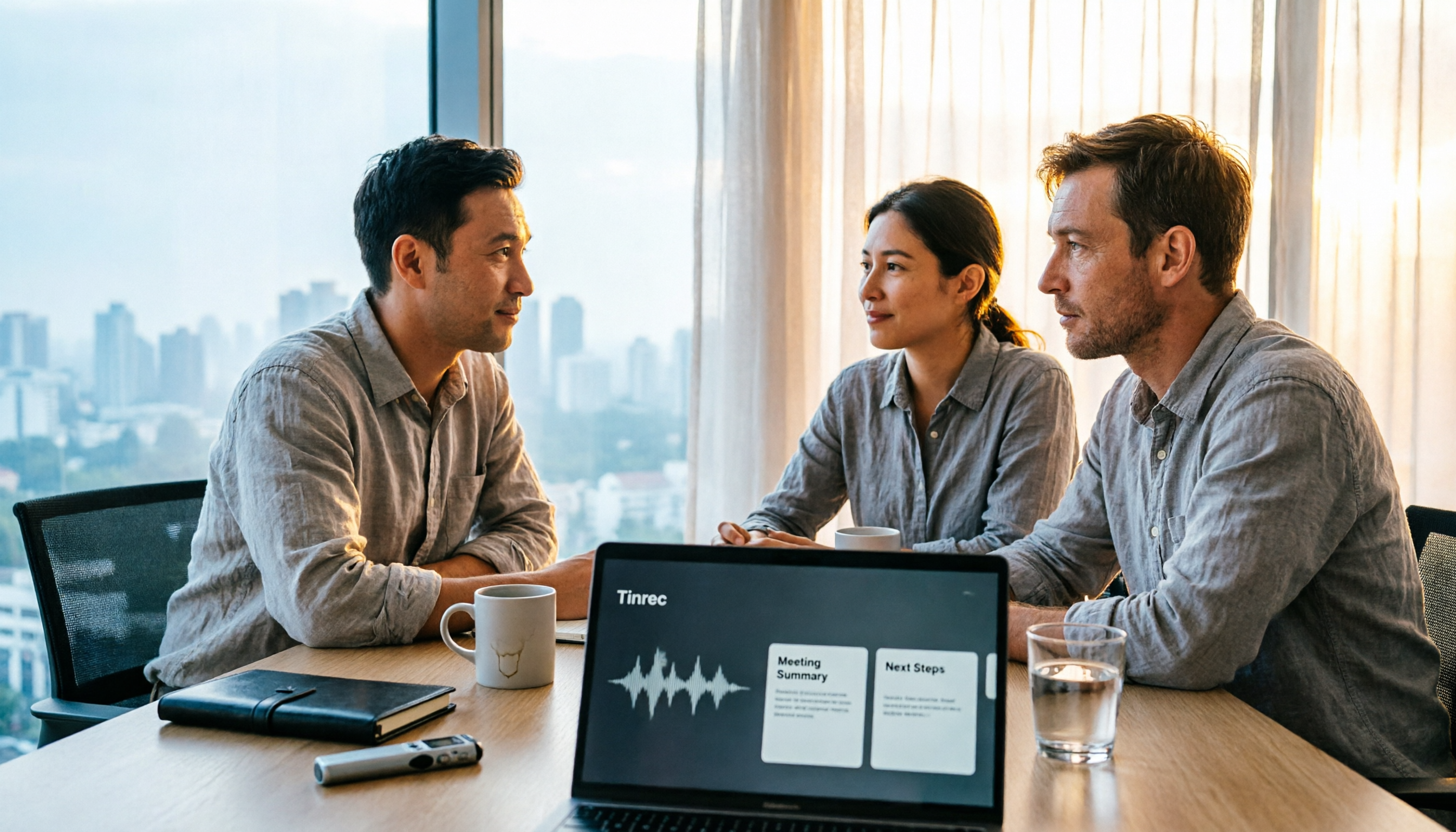
2026 workplace recording tool recommendations, covering free and paid plans. Using Tinrec as an example, we tested AI audio-to-text, meeting summaries, action item extraction, and team collaboration features to help mid-level managers and professionals save post-meeting organization time and boost work efficiency.