
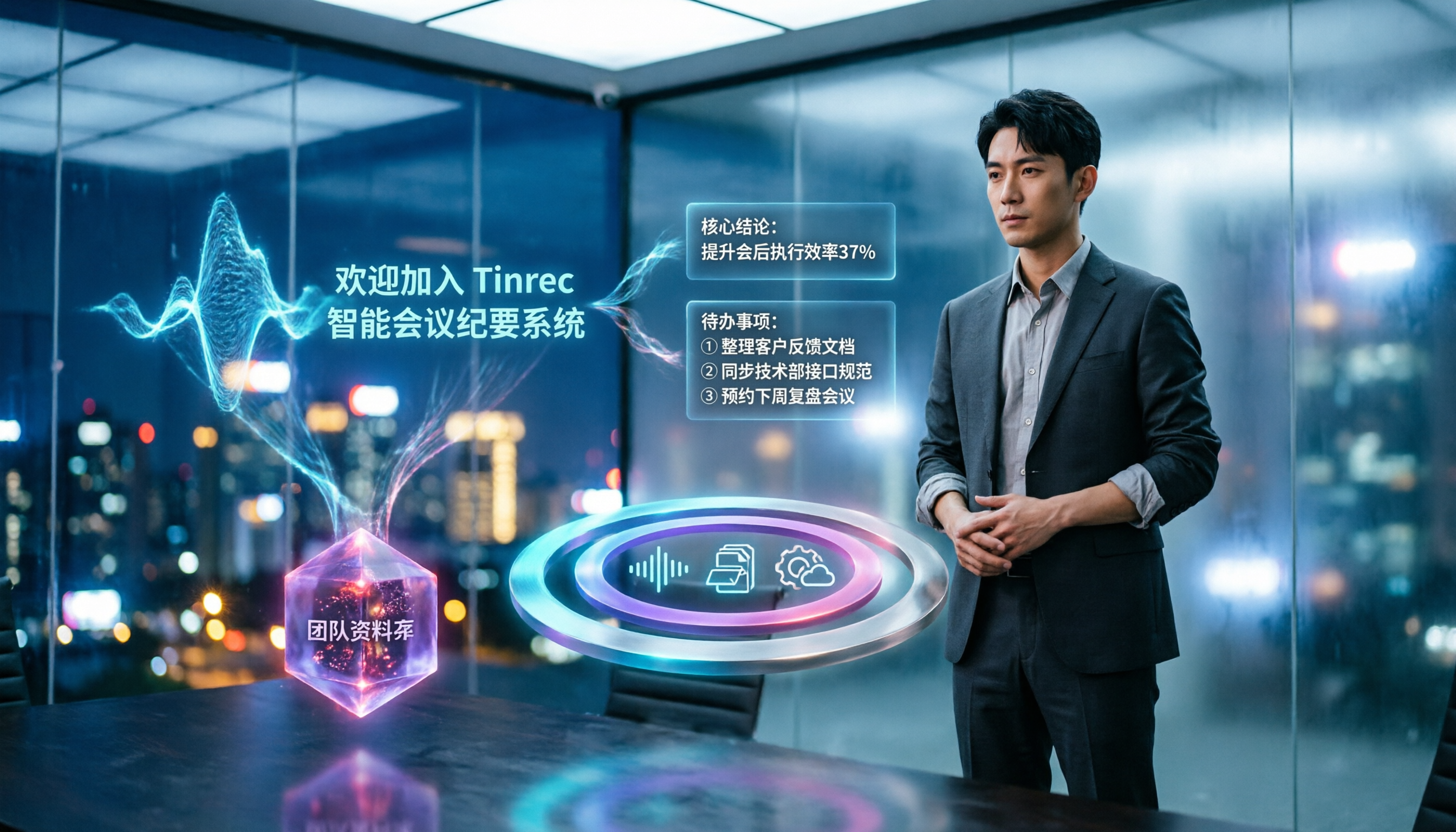
Turn recordings into transcripts and summaries in minutes
Upload audio or video for multilingual transcription, AI notes, and action items
5 Best Speech-to-Text Tools in 2026: Which Saves the Most Time on Chinese Meeting Notes and Transcripts?
Struggling with Transcripts After the Meeting? The Problem Usually Isn't Your Typing Speed
Honestly, the most common situation I see isn't "typing too slowly"—it's choosing the wrong process from the start.
Many people record the entire meeting, then leave the audio file sitting there until the day the minutes are due, when they finally open it and listen from the beginning. A 40-minute meeting can take nearly two hours just to listen through, pick out key points, and type everything up, with constant pausing and rewinding along the way.
A second common mistake is treating "having a transcript" as "having meeting minutes." A transcript is a verbatim record of every sentence, but what meeting minutes really need to answer is: What was decided? Who's responsible? When is it due? Between the two lies the work of organizing and summarizing.
There's also a more invisible cost: audio files on your phone, transcripts in your personal cloud—switch devices and you can't find them. A colleague leaves, and the entire project's meeting context goes with them.
A more sensible approach is to break the process into four stages—"record → understand → act → collaborate"—and then find a tool that handles it all at once. Below, we'll start with selection criteria and then compare five common tools.
5 Key Factors to Understand Before Choosing a Speech-to-Text Tool
1. Accuracy Isn't Just About Official Numbers
The 98% accuracy advertised is usually measured in a quiet environment. Real meeting rooms have air conditioning noise, keyboard clatter, and people talking over each other—the number will definitely drop. I recommend testing with your own recording; it's far more useful than reading ad copy. This applies to any tool—Tinrec's performance is also affected by recording quality, noise, and accents.
2. Beyond Transcripts, Can It Give You Conclusions Directly?
A transcript is just raw material. What really saves time is summaries, chapters, key points, and action items—and whether you can ask follow-up questions about the content. This is where most tools differ the most, and it's the key to judging whether a tool "just converts text."
3. How Do You Record Online Meetings? Is There a Bot Joining?
Common meeting bots join as a "participant," which isn't ideal for HR or client meetings. Using a desktop app to capture system audio directly avoids having an extra bot appear, keeping the meeting screen clean.
4. Cross-Device Usage and Export Capabilities
Using a computer for meetings today and a phone for recording tomorrow—if the tool is locked to a single platform, it's painful. Also, whether organized content can be exported to Notion, Google Docs, or OneNote for further editing determines whether it becomes just another data silo.
5. For Team Use, Look at Data Ownership and Permissions
Personal version data follows the account; for teams, you need to consider whether data remains after members leave, who has permissions, and how usage is tracked. This involves roles, seats, and audit logs—it's not something "multiple people sharing one account" can solve.
Tinrec — Our Top Recommendation After Testing
Tinrec is an AI meeting notes and collaboration tool for individuals and teams, available on desktop, web, and mobile. Its main focus isn't just "turning sound into text"—it's turning meetings into searchable, queryable, deliverable data.
No Bot Needed for Online Meetings
Tinrec's desktop app captures system audio directly, handling online meetings on Zoom, Google Meet, Microsoft Teams, Webex, etc., without an extra meeting bot joining as a participant. It generates transcripts in real time during the meeting, so by the time the meeting ends, the text is nearly ready. For cross-language meetings, you can view the original, translation, or bilingual content during recording.
Automatic Post-Meeting Organization and You Can Ask It Questions
After the meeting, Tinrec automatically generates summaries, chapters, and action items, so you can quickly grasp the structure and key points of long meetings. Even better is the AI Q&A—you can directly ask "Who mentioned the budget in the last meeting?" or "What were this week's conclusions?" and it answers based on semantics, not just a list of keyword search results. For those who frequently revisit past meetings, this feature saves considerable time.
Export and Team Knowledge Retention
Stop organizing recordings by hand
Upload audio or video and automatically get a transcript, summary, and action items
Organized content can be exported to Notion, Google Docs, OneNote, Dropbox, and other common tools, and can also be post-processed through Agent to generate reports, tables, or documents. For team use, Tinrec for Teams provides a separate team space where meeting data belongs to the team, with management of member roles, seats, usage analytics, audit logs, team hotwords, and an audio recycle bin (30-day retention).
Limitations to Note
Team version file and web imports consume shared team import minutes—2,000 minutes per paid seat per month; real-time recording under an active plan and active seat currently does not deduct minutes. The personal version includes a free plan, weekly pass, and Pro monthly/annual plans; the free plan is good for trying it out. Also, to be clear: Tinrec currently uses team-level sharing with role and seat-based access control, not file-level granular permissions. Accuracy should not be promised as a fixed number; for important content, it's best to verify against the original audio.
Who It's For
If most of your meetings are in Chinese or mixed Chinese-English, you don't want an extra bot in the meeting, and you want to use AI to find conclusions directly after recording, Tinrec is currently the closest fit. Team version is USD 29.80 per paid seat per month, or USD 199 per paid seat per year (about USD 16.58/month). Eligible first-time users can try 7 days, 1 seat, 300 minutes shared import quota. Actual prices and promotions are subject to the official purchase page.
Besides Tinrec, What Other Options Are There?
Otter.ai (English Meetings Focus)
A mature choice for English business meetings. Free plan: 300 minutes per month; Pro annual: about USD 8.49 per user per month. If your meetings are almost entirely in English, it's quite sufficient. But if you mainly record Chinese meetings, need real-time translation, bilingual transcripts, or want to maintain professional terminology within a team, Tinrec clearly puts more emphasis on these areas.
Granola (Bot-Free Meeting Notes)
Also bot-free, focusing on "your handwritten notes + AI enhancement." Basic is free; Business is about USD 14 per user per month. Note that it doesn't support uploading pre-recorded audio files and doesn't retain meeting audio. Tinrec retains recordings, supports audio/video file import, and offers real-time translation and team spaces—when you need to verify against the original audio afterward, the difference is clear.
Notta (Multilingual File Transcription)
A multilingual transcription tool. Free plan: 120 minutes per month, max 3 minutes per file; Pro annual: about USD 8.17 per month (1,800 minutes per month). Suitable for users focused on file transcription and subtitles. If you need bot-free recording during meetings, post-meeting AI Q&A, and team knowledge retention, Tinrec's meeting workflow is more complete.
Pitfall Guide: 4 Most Common Mistakes When Choosing a Speech-to-Text Tool
Pitfall 1: Only looking at official accuracy claims.
The difference between tools usually shows up in real meetings with background noise and people talking over each other. Test with your own recording on the free version—it's much more practical than promotional numbers.
Pitfall 2: Submitting a transcript as meeting minutes.
A transcript is raw material, not a finished product. What you need to deliver are conclusions, owners, and deadlines. When choosing a tool, look directly at whether it can produce summaries and action items, not just how many words it transcribes.
Pitfall 3: Not asking "Will the audio be kept?"
Some tools only give you text and don't retain recordings; once you find a sentence was transcribed incorrectly, you can't go back to verify against the original audio. Whether recordings are retained is a point many people regret after purchasing.
Pitfall 4: Teams only look at unit price and forget data ownership.
The most easily overlooked aspect in team procurement: who owns the data after a member leaves, who can edit, and how usage is tracked. These governance capabilities usually require a team plan—it's not something multiple people sharing a personal account can solve. For example, Tinrec's team version uses roles to determine management rights, seats to determine usage rights, and provides usage analytics and audit logs.
Conclusion: Which One Should You Choose?
Simply put, first look at the language of your meetings and who the data ultimately belongs to.
- Chinese or mixed Chinese-English meetings, wanting accurate transcripts and summaries → Tinrec
- Don't want a bot joining the meeting, want to record directly from desktop → Tinrec
- Want to ask AI "What was the conclusion?" right after recording → Tinrec
- Meeting data needs to stay with the team, requiring member, seat, and usage management → Tinrec Team
- Meetings almost entirely in English, limited budget → Otter.ai (the few exceptions in this article)
- Mainly converting long audio files to subtitles, high volume → File transcription tools like Notta are more suitable
Overall, if your needs fall under "meeting notes" rather than "pure file conversion," Tinrec will be the least hassle.
I recommend starting with the free version on a recording of your typical meeting to see if the transcript and summary quality work for you. If it feels good, consider upgrading—there's no need to pay from the start.
Finally, a reminder: before recording and transcribing, please ensure compliance with local regulations and obtain consent from participants when necessary.
References
- Online AI Speech, Video, Audio File Auto Transcription - Free Trial - cSubtitle
- Audio to Text - Free Speech-to-Text Tool
- Yating Transcription
- 2026 Top 6 Speech-to-Text App Recommendations: Solving Meeting Notes and Transcript Pain Points - Tinrec Blog
- Transcribe - Convert Speech to Text - Download and Install on Windows | Microsoft Store
Turn every recording into actionable outcomes
Get 60 free transcription minutes when you sign in. No credit card required.
Related Reading
You might also like

2026 AI Voice Tools Comparison: Tinrec vs PLAUD Note for Meeting Notes
People searching for 'AI voice generation' often need to turn meeting audio into searchable, actionable text. This article compares Tinrec and PLAUD Note across six dimensions: meeting capture, Chinese transcription, post-meeting organization, cross-platform import, team governance, and cost structure, with recommendations.
2026 Top 4 Online Speech-to-Text Tools Compared: Which One Actually Saves You Post-Meeting Cleanup Time?
With over a dozen meetings a week, the real nightmare is post-meeting organization. From a mid-level manager's hands-on perspective, this article breaks down 4 key factors for choosing an online speech-to-text tool, compares Tinrec, MyEdit, cSubtitle, and Otter.ai, and offers common pitfalls to avoid plus scenario-based selection advice.

2026年5款文字转语音软件实测对比:免费版够用吗?会议逐字稿又该怎么办?
很多人搜索文字转语音软件,其实同时卡在两种需求:把文字念成音频,以及把会议录音变成可用的逐字稿。本文实测 Luvvoice、TTSMaker、Ondoku、Windows 文字转语音 App,并实测 Tinrec(秒听录音)在中文会议记录、AI 问答与团队资料沉淀上的表现,免费额度与限制一次讲清楚。

Tinrec vs CatchV 2026: 5-Dimension Comparison — Which Is More Useful After Downloading a Video Link?
Downloading a video from a link is easy; the hard part is what you do with it afterward. This article compares Tinrec and CatchV across five dimensions—supported sites, streaming formats, free quotas, and post-meeting organization—to help you decide whether you need the file or the content.

6 Best Audio-to-Meeting-Minutes Tools in 2026: Free vs Paid Comparison
After every meeting, the most time-consuming part isn't the meeting itself—it's turning the recording into a transcript and meeting minutes. This article compares 6 audio-to-meeting-minutes tools in 2026, including Tinrec, Otter.ai, Fireflies.ai, Notta, Granola, and TurboScribe. We cover Chinese recognition, bot-free recording, AI summary Q&A, free tiers, and team collaboration to help you decide which tool best fits your meeting style.

2026 Comparison of 2 Audio-to-Meeting-Minutes Tools: From Transcript to Post-Meeting Organization
The challenge of converting recordings to meeting minutes isn't accuracy—it's how to organize and hand off after transcription. This article compares Tinrec and Notta across five dimensions: online meeting recording methods, post-transcript organization depth, team governance, Chinese and multilingual experience, and post-meeting outputs and exports. It also includes pricing and FAQs to help you decide which tool to choose.

4 Video-to-Text Tools Tested: Which Saves the Most Time on Chinese Transcripts and Meeting Follow-Ups?
When choosing a video-to-text tool, the first thing to decide isn't the price—it's where the transcribed text will go next. This article starts with the decision-making focus, covering 4 key points to consider before choosing, then compares Tinrec, Otter.ai, Notta, and Granola in real tests on Chinese meetings, bot-free recording, AI Q&A, and post-meeting organization. It ends with a pitfalls guide and a 6-step quick start checklist.

How to Turn a Video into a Link in 2026: 5-Step Online Tutorial
Turning a video into a shareable link online isn't just about where you host it—it's about whether the content inside can be reused afterward. This guide walks you through 5 steps to convert a video into a link, then compares an online video-to-link tool (using FlexClip as an example) with Tinrec across 5 dimensions to help you decide which path fits your needs.

How to Choose Free Audio-to-Text Software in 2026: 5 Steps to Pick the Right Tool
There are tons of free audio-to-text tools out there, but which one is best? This guide breaks down the selection process into 5 steps, then uses those same steps to compare Tinrec and Otter.ai side by side—covering recording methods, Chinese recognition, free quotas, post-meeting processing, and team governance—so you can make an informed choice.