

Turn recordings into transcripts and summaries in minutes
Upload audio or video for multilingual transcription, AI notes, and action items
6 Best Audio-to-Meeting-Minutes Tools in 2026: Free vs Paid Comparison
Are you looking for a tool to turn audio into meeting minutes? Don't rush to compare features. The first question you should answer is: how many hours of meeting recordings do you handle per month? If it's just one or two meetings, a free version might suffice. But if you have weekly cross-department meetings and need to turn transcripts into team knowledge, you'll need to check whether the tool supports Chinese, whether it can record without inviting a meeting bot, and whether it allows post-meeting Q&A and export.
This article reviews 6 tools that can actually be used for audio-to-meeting-minutes. We start with Tinrec, then compare Otter.ai, Fireflies.ai, Notta, Granola, and TurboScribe. I'll clearly outline free limits, paid pricing, and who each tool is for, so you don't have to sign up and test them one by one.
Why Do You Need Audio-to-Meeting-Minutes?
The biggest problem with meeting recordings isn't recording them—it's that no one wants to listen to them again.
For a 1-hour meeting, manual transcription often takes 2 to 3 hours to produce a transcript, plus additional time for summaries and action items.
Audio-to-meeting-minutes tools solve this: they turn sound into searchable text, then further organize summaries, chapters, action items, and Q&A. The following list covers Chinese meetings, online meetings, and team collaboration. You can jump directly to the tool that fits your scenario.
Tinrec – The Most Complete AI Recording Assistant
Tinrec is an AI meeting notes and collaboration tool for individuals and teams. It doesn't just convert sound to text; it organizes meeting recordings into searchable, summarizable, queryable, and exportable data.
The first highlight is bot-free online meeting recording. Tinrec's desktop version captures system audio directly, so when handling Zoom, Google Meet, Microsoft Teams, Webex, and other online meetings, you don't need to invite an extra meeting bot. Just open the desktop app and start recording to generate a transcript while the meeting is ongoing.
The second highlight is AI organization after transcription. After the meeting, Tinrec can generate summaries, chapters, key points, and action items, and you can also have AI Q&A around the meeting content. If you need post-meeting deliverables, you can generate reports, tables, and documents, or export to Notion, Google Docs, OneNote, Dropbox, and other tools for further use.
The third highlight is Chinese and multilingual meeting experience. Tinrec covers Chinese, Traditional Chinese, and multilingual scenarios, supports mixed Chinese-English content organization, real-time translation, and bilingual viewing. It also allows teams to maintain internal terminology with custom hotwords. Actual recognition accuracy can still be affected by recording quality, noise, accents, and overlapping speakers. For important content, it's recommended to verify against the transcript timestamps.
The fourth highlight is team spaces. Tinrec's team version is not a shared personal account; it's an independent team space. Meeting data belongs to the team. Admins can manage members, roles, and seats, view usage trends, member rankings, and audit logs, and use the audio recycle bin. When a member leaves or is removed, their team resources can be transferred to other active members.
Pricing: The personal version includes a free plan, weekly pass, Pro monthly, and Pro annual. You can choose based on usage: occasional recording—start with free; short-term intensive meetings—weekly pass; regular weekly use—Pro; long-term data accumulation—annual. The team version offers a 7-day trial for first-time eligible users, 1 free seat, and 300 minutes of shared team import quota. Team monthly is USD 29.80 per paid seat per month, annual is USD 199 per paid seat per year (about USD 16.58/month). Each paid seat provides 2,000 minutes of shared team import quota per month. Under an active team plan, real-time recording is currently not deducted by minutes. Actual prices and benefits are subject to the official purchase page.
Who it's for: Those who need Chinese meeting transcription, don't want to invite a meeting bot, want AI summaries and Q&A after meetings, and may accumulate meeting data in a team space.
Otter.ai – A Mature AI Assistant for English Business Meetings
Otter.ai is a mature AI meeting assistant on the market, covering Zoom, Microsoft Teams, and Google Meet, with real-time transcription, speaker identification, AI Chat, workflows, and team management.
Its biggest difference from Tinrec is its stronger focus on English business meetings. If your team mostly meets in English, Otter is a very familiar choice.
Pricing: Basic free plan includes 300 minutes per month; Pro annual is about USD 8.49 per user per month, including 1,200 minutes of in-app recording and 10 file imports per month; Business offers unlimited meetings and in-app recording, more imports, and management capabilities. Specific prices may vary with promotions.
Who it's for: Companies with primarily English meetings, already using the Otter ecosystem, or needing mature team management features.
Fireflies.ai – Meeting Automation and Sales Analytics
Fireflies.ai excels at meeting automation. It joins online meetings as a bot and provides AI summaries, AskFred, team analytics, and many third-party integrations.
If you need to push meeting notes into sales processes, CRM, or team analytics, Fireflies' breadth is attractive. Note that its unlimited transcription is still subject to storage, file upload rates, and AI Credit rules—it's not completely unlimited in all capabilities.
Pricing: Free is USD 0; Pro is USD 10 per seat per month; Business is USD 19 per seat per month; Enterprise is USD 39 per seat per month.
Stop organizing recordings by hand
Upload audio or video and automatically get a transcript, summary, and action items
Who it's for: Teams needing meeting automation, sales analytics, and extensive tool integrations.
Notta – Multilingual Transcription and Team Plans
Notta overlaps significantly with Tinrec, covering multi-platform transcription, meeting notes, file import, translation, and team plans.
Its multilingual transcription is a key selling point, and it also offers role permissions and usage reports, suitable for teams needing cross-language meeting notes. However, Tinrec has more focus on bot-free online meeting recording, team data accumulation, and Agent post-processing.
Pricing: Free includes 120 minutes per month, max 3 minutes per item; Pro annual is about USD 8.17 per month, 1,800 minutes per month; Business annual is about USD 16.67 per seat per month, offering unlimited transcription, role permissions, and usage reports.
Who it's for: Users needing multilingual transcription, limited budget, and accepting the free version's per-item length limit.
Granola – Bot-Free AI Meeting Notes
Granola is also a bot-free AI meeting notes tool. It transcribes meetings in real time via system audio and microphone on desktop devices, then combines with user-written notes to generate more targeted meeting content.
It supports real-time transcript viewing, copying, and searching, but does not support uploading pre-recorded audio files and does not save meeting audio files. This differs from Tinrec, which retains recordings and supports file import.
Pricing: Basic is free; Business is USD 14 per user per month; Enterprise is USD 35 per user per month.
Who it's for: Those who like to take notes during meetings, only need real-time meeting notes, and don't need to keep audio files.
TurboScribe – High-Value File Transcription (Free Option)
TurboScribe is more of a high-value file transcription tool, focusing on long files, batch uploads, subtitles, and translation.
If your need is not real-time meetings but transcribing pre-recorded interviews or meeting audio into text, TurboScribe's free version can be an entry-level option.
Pricing: Free includes 3 files per day, max 30 minutes per file; Unlimited annual is USD 120 (about USD 10/month); paid version supports up to 10 hours or 5 GB per file, and up to 50 files per upload.
Who it's for: Those who only need occasional file transcription, have zero or very low budget, and don't need meeting Q&A or team collaboration.
With So Many Options, How Should You Choose?
If you're not sure where to start, match yourself to the scenarios below:
- Want the most complete AI features (transcription + AI chat query + automatic minutes + post-meeting generation) → Tinrec
- Need Chinese, mixed Chinese-English, multilingual meetings, and don't want to invite a meeting bot → Tinrec
- Want to switch between phone, computer, and web → Tinrec
- Team needs to share meeting data, manage member seats and usage, check audits → Tinrec Team
- Need to export transcripts to Notion, Google Docs, etc. for further processing → Tinrec
- Zero budget, only need to transcribe one or two files occasionally → TurboScribe Free
- Already used to Otter or Fireflies for English meeting automation → Continue with existing tools
In short, if your meetings are mainly in Chinese and you want post-meeting Q&A, export, and team space accumulation, Tinrec is the most complete choice on this list.
4 Things to Know Before Using Audio-to-Meeting-Minutes
First, free tiers vary greatly. Calculate how many hours of meeting recordings you have per month before deciding whether to pay. For example, Tinrec's free version offers basic quota; for short-term high frequency, consider a weekly pass; for steady use, choose Pro.
Second, AI minutes shouldn't be taken at face value. Even if the tool provides sources, it may miss or misinterpret details. For important decisions, numbers, and commitments, verify against the transcript timestamps and recording.
Third, team collaboration requires distinguishing roles, seats, and member relationships. For example, in Tinrec's team version, active members without a seat can still view, play, and read team data; only with a seat can they record, upload, edit, import, and export. Don't assume all members can edit—that's not the actual permission.
Fourth, confirm legal and authorization before recording. When recording and transcribing, comply with local laws and obtain participant consent when required.
Conclusion
There's no absolute best audio-to-meeting-minutes tool—it depends on your meeting style.
If you need Chinese meetings, bot-free recording, AI summary Q&A, and team data accumulation, Tinrec is the most complete solution overall.
If budget is limited, you can start with TurboScribe Free or Otter Basic, then upgrade as needed.
If unsure, start with Tinrec's free version, try organizing a real meeting, and see if the transcript, summary, and action items fit your workflow.
FAQ
Is Tinrec's free version enough?
The free version provides basic quota, allowing you to experience recording, import, summary, and transcription. If you have only one or two short meetings per week, it's usually enough; but if you meet daily, consider a weekly pass or Pro to avoid quota interruptions.
How accurate is audio-to-meeting-minutes?
Tinrec does not promise a fixed accuracy rate. Actual performance depends on recording quality, ambient noise, accents, overlapping speakers, and technical terms. With clear audio and common scenarios, it can greatly reduce manual transcription time. For important content, still verify against the original and recording.
Does Tinrec need a meeting bot to join Zoom or Teams?
No. Tinrec's desktop version captures system audio directly. You just open Tinrec and start recording—no need to invite a meeting bot. This differs from bots that automatically join all calendar meetings.
What's the difference between team and personal versions?
Personal version data is managed by the individual account. The team version provides an independent team space; meeting data belongs to the team, with added capabilities for members, roles, seats, shared benefits, usage analytics, audit logs, and audio recycle bin. Team monthly is USD 29.80 per paid seat per month, annual is USD 199 per paid seat per year. Each paid seat provides 2,000 minutes of shared team import quota per month.
Will meeting data disappear after a team member leaves?
It won't be taken away by the individual. Team resources belong to the team; when a member leaves, is removed, or loses their seat, their team resources must be transferred to other active members.
Can deleted meeting recordings be recovered?
Team audio enters the recycle bin and can be recovered before permanent deletion begins. Currently, the team recycle bin retention period is 30 days; action items are not covered by the team recycle bin.
References
- How to use AI for meeting minutes? How to organize meeting transcripts? | AI speech-to-transcript tutorial | 104 Career Power
- No time limit! 3 free AI transcript tools, highly recommended! AI voice notes generate meeting records, presentations, mind maps | 104 Career Power
- Meeting minutes too troublesome? ChatGPT+Whisper does it in one go! Auto transcription, summary, and sending all possible | BusinessNext
- Get meeting minutes done! How to do AI speech-to-transcript? Gemini Notebook, Gemini, EchoScript operation analysis | 104 Career Power
- AI Meeting Notes Generator
Turn every recording into actionable outcomes
Get 60 free transcription minutes when you sign in. No credit card required.
Related Reading
You might also like
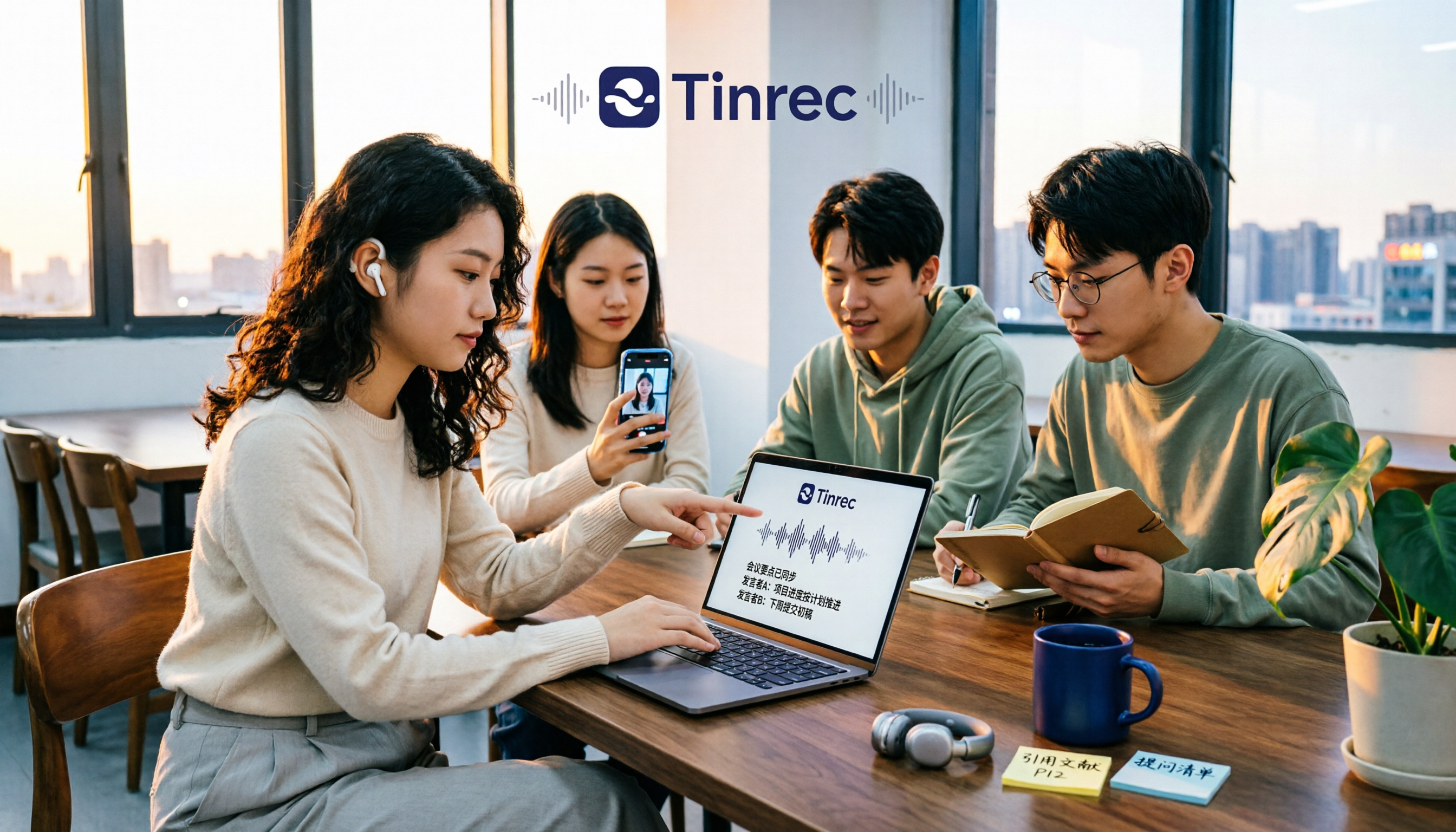
Tinrec vs Free Audio-to-Text Tools in 2026: 5-Dimension Comparison for Students
When students look for free audio-to-text tools, the real question isn't which one is free, but whether the free quota can keep up with usage frequency and whether the transcribed data can be used directly. This article uses Tinrec as an example, breaking down 5 dimensions: free quota, online class recording, Chinese recognition, post-transcription organization, and group collaboration, plus FAQs students ask most.

How to Transcribe Graduate Student Interview Recordings in 2026: 5 Steps from Audio to Analyzable Transcript
The most time-consuming part of organizing interview recordings isn't typing—it's the lack of a designed workflow. This article uses Tinrec to demonstrate 5 steps: from checking recording quality, uploading for transcription, using AI summaries to grasp the main points, to verbatim proofreading and exporting for coding. It also covers the 5 most common pitfalls graduate students face when choosing transcription tools.

2026 Short Video Learning Summary Tools Comparison: Tinrec vs Notta vs Otter – Which Is Best for Organizing Course Notes?
Organizing course notes and recordings is a pain point when learning short video production. This article tests Tinrec, Notta, and Otter, focusing on course recording transcription, AI summaries, Q&A, and team collaboration to help you find the most time-saving learning summary solution.

2026 Real-Time Video Summarization Tools Compared: Tinrec vs Granola in 5 Key Dimensions
Looking for a real-time video summarization tool? This hands-on comparison examines Tinrec and Granola across five dimensions: bot-free recording, Chinese real-time summarization, post-meeting AI Q&A, audio retention, and team governance. We also break down pricing, free tiers, and ideal use cases to help you decide which tool better fits Chinese-language meetings and team collaboration.

Best Video Summarizer Apps in 2026: We Tested 4, and This One Is the Most Time-Saving for Chinese Videos
A 2026 comparison of 4 video summarizer apps, breaking down input sources, summary and action item output, Chinese recognition, and team collaboration. We explain why Tinrec is the top choice for Chinese videos and meeting notes, plus buying advice and pitfalls to avoid for different scenarios.

2026 AI Voice Tools Comparison: Tinrec vs PLAUD Note for Meeting Notes
People searching for 'AI voice generation' often need to turn meeting audio into searchable, actionable text. This article compares Tinrec and PLAUD Note across six dimensions: meeting capture, Chinese transcription, post-meeting organization, cross-platform import, team governance, and cost structure, with recommendations.
2026 Top 4 Online Speech-to-Text Tools Compared: Which One Actually Saves You Post-Meeting Cleanup Time?
With over a dozen meetings a week, the real nightmare is post-meeting organization. From a mid-level manager's hands-on perspective, this article breaks down 4 key factors for choosing an online speech-to-text tool, compares Tinrec, MyEdit, cSubtitle, and Otter.ai, and offers common pitfalls to avoid plus scenario-based selection advice.

2026年5款文字转语音软件实测对比:免费版够用吗?会议逐字稿又该怎么办?
很多人搜索文字转语音软件,其实同时卡在两种需求:把文字念成音频,以及把会议录音变成可用的逐字稿。本文实测 Luvvoice、TTSMaker、Ondoku、Windows 文字转语音 App,并实测 Tinrec(秒听录音)在中文会议记录、AI 问答与团队资料沉淀上的表现,免费额度与限制一次讲清楚。

Tinrec vs CatchV 2026: 5-Dimension Comparison — Which Is More Useful After Downloading a Video Link?
Downloading a video from a link is easy; the hard part is what you do with it afterward. This article compares Tinrec and CatchV across five dimensions—supported sites, streaming formats, free quotas, and post-meeting organization—to help you decide whether you need the file or the content.