

Turn recordings into transcripts and summaries in minutes
Upload audio or video for multilingual transcription, AI notes, and action items
Two-Hour Meeting, Two-Hour Cleanup—The Problem Is Rarely Typing Speed
When first asked to write meeting minutes, many people's first reaction is: type out the entire meeting word for word, not missing a single sentence, and that should be foolproof, right?
So the meeting lasts as long as the minutes take to write. After the meeting, you spend another hour or two transcribing hastily written notes into a formal document.
Honestly, no one usually reads that document from start to finish. Because what everyone wants to know isn't who said what at minute 37, but "what was the conclusion" and "who will do what next."
Meeting minutes are not a typing exercise. Their real job is to distill conclusions and highlight key points—it tests summarization skills, not typing speed.
Conversely, if you find writing meeting minutes painful, the problem usually lies in two places: your format is wrong, or your tool is wrong. This article clarifies both.
What Does a Qualified Meeting Minutes Example Look Like? Understand These 3 Parts First
Before choosing a tool, you need to know what meeting minutes should contain. Common industry practices generally divide into 3 parts.
Part 1: Header (Basic Meeting Information)
Includes meeting name, date and time, location, chair, recorder, attendees and absentees. For recurring meetings, it's common to note "regular meeting" and the number for the year, e.g., "Sales Performance Regular Meeting 2026, 5th Meeting Minutes." This part has a fixed format; just change the data.
Part 2: Main Content (Meeting Flow and Key Points)
Usually subdivided into sections: follow-up and confirmation of previous meeting resolutions, current discussion items and opinions from all parties, and final resolutions. Note that this records key points, not a verbatim transcript.
Part 3: Action Items and Follow-Up
This is the most easily overlooked yet most important section. Each action item must clearly state three things: what to do, who is responsible, and when to complete it. An action item missing an owner or deadline might as well not exist.
In practice, I recommend adding two more columns: open issues and topics for the next meeting. Writing the next goal as a specific question is far more useful than writing "continue to monitor."
A ready-to-use skeleton looks roughly like this:
- Meeting name and type (e.g., Project Weekly Meeting 2026, 12th)
- Time / Location / Chair / Recorder / Attendees / Absentees
- 1. Follow-up on previous resolutions (item, current status, closed or not)
- 2. Current discussion items (topic → key discussion points → resolution)
- 3. Action items (item, owner, deadline, status)
- 4. Open issues and next meeting direction
- 5. Attachments (link to full transcript, related documents)
When writing resolutions, be decisive: "The team decided to adopt Plan A and complete the quote by next Wednesday" is far more useful than "Everyone discussed Plan A." Don't make later readers guess.
As for the verbatim transcript, it's best kept in attachments or cloud links, not pasted into the formal meeting minutes body.
Before Choosing a Meeting Minutes Tool, Understand These 4 Key Points
If you plan to use a tool, look at these 4 things first, then price.
1. Does it handle your meeting format?
Is your meeting offline around a table, or online on Zoom, Google Meet, Microsoft Teams? Or do you just have an old recording to transcribe? Most tools excel at only one.
2. What does it give you after the meeting?
Just a transcript versus a summary, chapters, and a to-do list are completely different workloads. The former you still have to read for 40 minutes; the latter you can grasp in 3 minutes.
3. Performance with Chinese and mixed Chinese-English
Don't just look at official accuracy numbers. Real meeting rooms have air conditioning noise, keyboard sounds, people talking over each other, and someone switching to English mid-sentence for a product name—performance under these conditions is what you'll actually face. Test with your own recording.
4. Where does the data end up?
Are minutes stored in your personal account or a team-searchable space? If the owner leaves, can those meeting records still be found? Can they be exported to Notion or Google Docs for continued use? This is unnoticeable for individual use but becomes a big problem as team size grows.
Tinrec—Our Top Pick After Testing
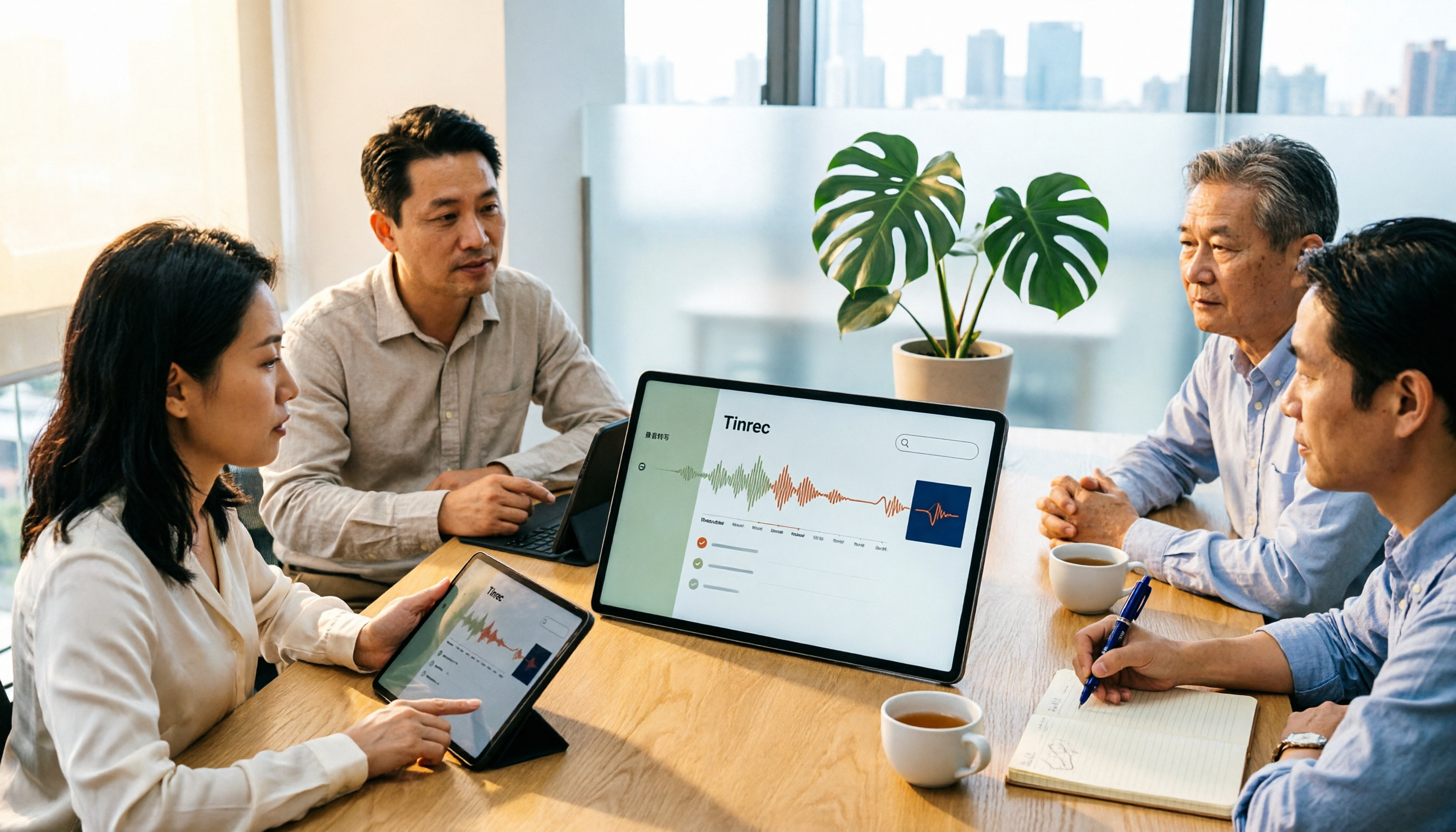
Tinrec is an AI meeting minutes and collaboration tool for individuals and teams, supporting iOS, Android, and web. It doesn't just convert audio to text; it organizes the entire meeting into workable data.
During the meeting: no need to invite a meeting bot
Tinrec's desktop version directly captures your computer's system audio, so for online meetings on Zoom, Google Meet, Microsoft Teams, and Webex, you don't need an extra bot account to join the room. For offline meetings, use your phone or computer to start real-time recording and get a live transcript. For cross-language meetings, you can instantly switch between original text, translation, or bilingual display.
After the meeting: this is where it stands out
Stop organizing recordings by hand
Upload audio or video and automatically get a transcript, summary, and action items
After recording, Tinrec automatically generates summaries, chapters, and key points, and extracts action items from the discussion. Even better is AI Q&A—you can directly ask "Who mentioned the budget last meeting?" or "What were the client's concerns about the delivery date?" It answers using semantic understanding, not a list of keyword search results. Most tools in the same price range don't have this capability yet.
Organized content can be exported to Notion, Google Docs, OneNote, Dropbox for further processing, and through Agent post-processing, you can generate reports, tables, and meeting minutes documents.
Hands-on impressions
We tested with a ~20-minute Chinese project meeting recording with air conditioning background noise and occasional interruptions. The transcript can be replayed with timestamps, and mixed Chinese-English product terms were mostly captured; if your team frequently uses specific jargon, you can add them to team hotwords for more stable recognition.
Note that any tool's transcription is affected by recording quality, accents, overlapping speech, and jargon. For important information, it's still advisable to verify against the transcript timestamps.
3 main advantages
First, bot-free recording for online meetings—no strange extra participant in client meetings. Second, post-meeting organization truly saves time—summaries, to-dos, and Q&A done in one go, no need to manually scan a 40-minute transcript. Third, the team version turns meeting data into a team asset, not left in someone's account.
Things to note
The free version has limited quota, suitable for trying the workflow; if you have regular weekly meetings, consider Pro. Also, file and web link imports consume team shared import quota; real-time recording currently does not deduct minutes under an active team plan. Team version is USD 29.80 per paid seat per month, or USD 199 per paid seat per year (about USD 16.58/month), with each paid seat providing 2,000 minutes of team shared import quota per month; first eligible teams get a 7-day trial with 1 free seat and 300 minutes shared import quota. Prices and benefits are subject to the official purchase page. One more easily misunderstood point: active team members without a seat can still view, play, and read team data, but need a seat to record, upload, edit, and import/export.
Who is it for
If you frequently hold Chinese or mixed Chinese-English meetings, want online meetings without inviting a bot, and want to use AI to find key points and to-dos directly after recording—Tinrec is currently the closest fit. Teams needing shared meeting data, member and usage management can also evaluate the team version.
Besides Tinrec, What Other Options Are There?
Notta
The closest competitor to Tinrec, offering multi-platform transcription, meeting minutes, file import, translation, and team plans. Official free version: 120 minutes per month, max 3 minutes per session; Pro annual billing about USD 8.17/month. It lacks Tinrec's desktop bot-free system audio capture. If you mainly transcribe files, Notta is sufficient; but for bot-free recorded meeting experience, Tinrec is smoother.
Granola
A bot-free AI meeting notes tool, focusing on "your handwritten notes plus AI enhancement." Basic is free, Business is USD 14/user/month. Note that it does not support uploading pre-recorded audio files and does not save meeting audio; Tinrec retains recordings and supports file import. If you only care about note enhancement during the meeting, consider Granola.
Otter.ai
A mature choice for English business meetings. Basic is free with 300 minutes per month; Pro annual billing about USD 8.49/user/month. Its home turf is English meetings; Chinese and Traditional Chinese meeting organization and team hotwords are not its focus—which happens to be Tinrec's strength. If almost all your recordings are English meetings, Otter.ai is one of the few alternatives recommended in this article.
Pitfall Guide: The 4 Most Common Mistakes in Writing Meeting Minutes and Choosing Tools
Pitfall 1: Writing meeting minutes as a verbatim transcript. Newcomers fear missing details, so the minutes become as long as the meeting. The reality is no one will re-read a 20-page dialogue record. The correct approach is to keep only conclusions, resolutions, action items, and open issues; put the transcript in attachments.
Pitfall 2: Action items without owner and deadline. Writing "Need to optimize registration process" is as good as not writing. Write "John Doe, complete registration process optimization proposal by March 20." Without these two columns, next meeting you'll find the same thing discussed again.
Pitfall 3: Trusting only official accuracy claims. Those numbers are mostly measured in quiet environments. Real meeting rooms have air conditioning noise, people interrupting, and mid-sentence English. Test with your own recording for free; don't just look at ads.
Pitfall 4: Ignoring legal issues with transcripts and recordings. Before recording, inform participants and obtain consent, and be aware of local regulations, especially in client or international meetings.
One more related pitfall: buying a tool but using it only as a voice recorder. If you only use it for audio-to-text, you're using only one-third of its capabilities. For example, Tinrec's AI Q&A lets you ask "What was the conclusion of this meeting?" right after recording—much faster than manually scanning the transcript.
Conclusion: Which One Should You Choose?
In one sentence: the quality of meeting minutes depends on whether you first get the format right, then the tool.
- Need transcripts and minutes for Chinese or mixed Chinese-English meetings → Tinrec (covers Chinese and multiple languages, supports team hotwords)
- Don't want an extra bot account in online meetings → Tinrec (desktop captures system audio)
- Want to use AI to ask key points and to-dos directly after recording → Tinrec (has AI Q&A)
- Cross-platform needs for phone, computer, and web → Tinrec
- Team needs shared meeting data, member and usage management → Tinrec team version
- Zero budget, almost only English meetings → Otter.ai (the exception in this article)
We suggest first using the free quota to run one of your own real meetings: throw in a Chinese meeting recording, see the transcript quality, whether the summary captures key points, and whether action items include owners. After one try, you'll roughly know if it suits your team—no need to pay upfront.
References
- Meeting Minutes = Verbatim Transcript? Professional Meeting Minutes Only Record 3 Key Points | Writing Tips and Templates | 104 Workplace Power
- Meeting Minutes Tips with Examples | Indeed.com Hong Kong
- Meeting Minutes Guide: Examples, Tips, and Templates | Lark
- How to Write English Meeting Minutes? Format, Phrases, and Practical Advice | SoEasy English
- Free Meeting Minutes Templates (Word, Google Docs, PDF) | HiNoter Blog
Turn every recording into actionable outcomes
Get 60 free transcription minutes when you sign in. No credit card required.
Related Reading
You might also like

2026 Comparison of 4 Meeting Notes Tools: Built-in Templates vs AI Summaries—Which Saves More Time?
Starting from the real pain points of mid-level managers, this article outlines the three most common mistakes in corporate meeting notes and provides three ready-to-copy templates for general meetings, project meetings, and weekly meetings. It also tests and compares tools like Tinrec, Otter.ai, and Notta to help you find a meeting notes workflow that automatically generates summaries and action items while fitting your team's knowledge retention.

4 Project Meeting Notes Tools Tested for 2026: From Templates to AI Summaries, Which Saves the Most Time?
Tired of writing meeting minutes as verbatim transcripts? This article compiles 5 project meeting note formats and essential fields, and compares Tinrec, Notta, Granola, and PLAUD Note from four angles: audio retention, recording method, post-meeting organization, and Chinese language performance, to help you find the format and tool combination that truly saves time.

5 Meeting Minutes Excel Templates Tested in 2026: Why Everyone Switches to AI After Downloading
Where to download meeting minutes Excel templates? This article reviews 5 free template sources—Pikbest, CTBC Business School, Slidesdocs, Lovepik, and Panda Office—with licensing notes, then compares Tinrec, Notta, Otter.ai, and TurboScribe to explain why templates only solve formatting, while the real time-consuming content organization requires AI meeting notes tools.

4 Meeting Notes Tools Tested for 2026: Copy These Templates and See Which AI Saves the Most Time
Tired of meeting notes that read like a transcript? This article first provides three ready-to-copy meeting notes templates for general meetings, project meetings, and weekly stand-ups, breaking down the fields and writing principles. It then tests four tools—Tinrec, Otter.ai, Notta, and PLAUD Note—comparing them on bot-free online meeting recording, Chinese recognition, AI action items, and team knowledge retention. Finally, it offers scenario-based recommendations and common pitfalls to avoid.

Excel Meeting Minutes Template vs Tinrec: 5-Dimension Comparison — Which Saves the Most Time?
Downloaded several Excel meeting minutes templates but still find yourself trying to recall what happened after every meeting? This article compares Excel meeting minutes templates with Tinrec across 5 dimensions, covering the essential fields a meeting minutes form should have, free template resources, pitfalls to avoid, and selection advice to help you decide which approach best fits your meeting style.
5 Meeting Notes Templates Tested for 2026: Which One Actually Saves You Time?
How do you choose a meeting notes template that won't waste your time? This article examines four key factors—when you take notes, whether you keep a recording, how you track action items, and how you search later—and compares Word templates, Notion meeting templates, Otter.ai, Granola, and Tinrec in Chinese-language meeting scenarios. It also covers common pitfalls and offers selection advice for different situations.

Fireflies.ai vs Tinrec 2026: How to Choose in 5 Steps | AI Meeting Notes
Fireflies.ai vs Tinrec in 2026: use 5 steps to decide based on meeting language, whether you need a bot, input sources, and team governance. Learn how Tinrec performs for Chinese meeting notes, bot-free recording, and searchable meeting data, plus FAQs and team pricing.

Free Meeting Minutes Format Options in 2026: A Look at 2 Tools
How should you format meeting minutes? This article compares two AI meeting minutes tools, Tinrec and Otter.ai, from the perspective of free plans, covering 5 key dimensions: Chinese recognition, bot-free recording, free quotas, post-meeting organization, and team collaboration. It also provides answers to common questions to help you find the meeting minutes format solution that suits you best.

Tinrec Review 2026: Bot-Free Meeting Recording with Auto-Generated Action Items
Tired of writing meeting notes after hours? This hands-on review shows how Tinrec records online meetings on desktop without a bot and automatically produces transcripts, summaries, and action items. We also compare it with common note-taking methods, cover real use cases, team pricing, and FAQs.