

Turn recordings into transcripts and summaries in minutes
Upload audio or video for multilingual transcription, AI notes, and action items
5 Meeting Minutes Excel Templates Tested in 2026: Why Everyone Switches to AI After Downloading
You Downloaded a Bunch of Templates, But Meeting Minutes Still Drag Until After Work—The Problem Isn't Formatting
A two-hour meeting, followed by two more hours organizing notes—this is almost a daily routine for every office worker.
Many people start by searching for "meeting minutes Excel download." After finding a template, the formatting issue is indeed solved: fields are there, the table looks nice, and A4 layout is correct. But the part that really takes time—re-listening to recordings, extracting key points, confirming who is responsible for what—Excel doesn't help at all.
If you've also experienced these situations: three hours of recordings stored, and after work you still have to put on headphones to re-listen; everyone talks over each other in the meeting, and afterward you can't match who said what; meetings mixed with Chinese and English, typing until you doubt life—then this article is for you.
First, let's organize the most commonly sought template sources (after actually going through the download process and confirming content):
- Pikbest: Over 4,400 Excel templates related to "meeting minutes" on the site, marked as free and commercially usable, mainly in XLS/XLSX format, suitable for picking a layout you like first.
- CTBC Business School Human Resources Development Center: Provides an A4 meeting minutes Excel sheet covering common required fields, already set to A4 size, can be printed directly after filling. You must agree to their terms of use before downloading, which explicitly prohibit redistribution, sales, and secondary commercial use.
- Slidesdocs: Free and editable meeting minutes templates, can be opened with Excel or Google Sheets, titles, tables, and formulas can be adjusted.
- Lovepik: Meeting record table template, XLS format, file size about 13.5 KB, marked as ready to use after modifying text.
- Panda Office: Also provides meeting minutes Excel table template downloads, requires login to obtain.
These templates are all good. But note: they solve "what the table looks like," not "where the content comes from."
Before Choosing a Meeting Minutes Tool or Template, Understand These 4 Key Points
1. Do you want a blank table or an automatically filled one? The value of an Excel template lies in field design. But no matter how beautiful the fields, content still needs to be entered manually. If a meeting takes 40 minutes to type, what you save is formatting time, not work hours.
2. For Chinese or mixed Chinese-English meetings, transcription quality varies greatly. Most tools perform stably in English meetings, but when it comes to Chinese, mixed Chinese-English, or many proper nouns, the gap shows. When choosing a tool, don't just look at the official accuracy rate—that's usually measured in a quiet environment; real meeting rooms have air conditioning noise, keyboard sounds, and multiple people talking over each other. It's best to test with your own recording.
3. After the meeting recording is done, can you directly "ask" it? This is the watershed for choosing tools in 2026. If it only turns recordings into text, you still have to read through it; a tool that lets you directly ask "who mentioned the budget in the last meeting" and gives an answer is the real time-saver.
4. Cross-platform and team sharing. Recording on phone and organizing on computer is the norm; a tool that only supports a single platform will be painful. Also, meeting minutes are usually viewed by more than one person—whether it can be centralized in a team space, and whether there is member and usage management, is more important than imagined for departments or companies.
Tinrec—Our Top Choice After Testing
One-sentence positioning: Tinrec is an AI meeting notes and collaboration tool for individuals and teams, covering iOS, Android, desktop, and web versions.
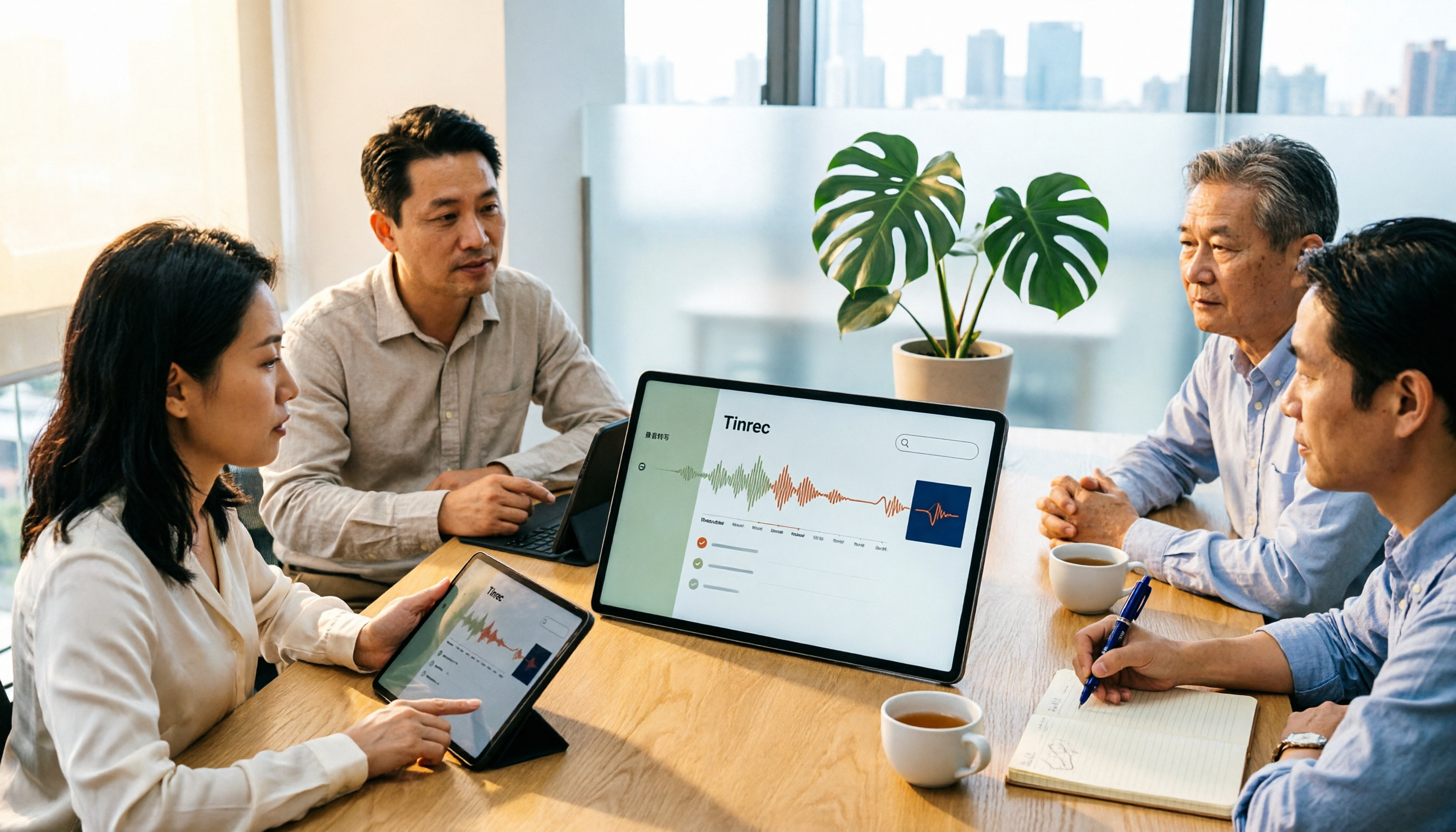
(1) Starts organizing the moment you record, not after recording When in a meeting, record directly with Tinrec, and it will transcribe while recording. When the meeting ends, AI summaries, chapters, and to-dos are already generated—who is responsible for what, what the deadlines are, can be seen at a glance. This is the biggest difference from "downloading an Excel template and filling it yourself": the template gives you cells, Tinrec fills them in for you.
(2) Online meetings don't need a meeting bot to join Tinrec desktop version captures computer system audio to record online meetings, can handle meeting audio played on computers from Zoom, Google Meet, Microsoft Teams, Webex, etc., without pulling an extra bot into the meeting. This is especially practical for external client meetings—you don't want clients to see a stranger's account in the participant list.
(3) After recording, you can directly ask it This is the most obvious difference among similar tools. After recording, you can directly ask Tinrec: "What was the conclusion of the last meeting?" "What were the three concerns the client mentioned?" It doesn't throw a bunch of keywords at you, but responds based on the meeting content. In addition, it supports audio and video file import, retains original recordings for later verification, and can generate meeting minutes, reports, tables, and documents, and export to Notion, Google Docs, OneNote, Dropbox, and other existing workflows for continued use.
Stop organizing recordings by hand
Upload audio or video and automatically get a transcript, summary, and action items
(4) For team use, data stays with the team, not individual accounts If the entire department will use it, Tinrec's team version is an independent team space: you can create and switch between multiple teams, invite members via link, set owner/admin/regular member, and distinguish "roles" and "seats"—having a role allows managing the team, having a seat allows recording, uploading, editing, and exporting; valid members without seats can still view, play, and read team data. Team data belongs to the team; when a member leaves, is removed, or loses their seat, resources are transferred to other valid members, not following the individual. The admin side can also view usage trends, member rankings and usage details, manage team hotwords to improve recognition of professional terminology, and query and export important operation logs; accidentally deleted audio can be restored from the recycle bin.
Trial and Pricing: First eligible team trial is 7 days, 1 free seat, and 300 minutes of team shared import quota. Team monthly is USD 29.80 per paid seat per month, annual is USD 199 per paid seat per year (equivalent to about USD 16.58 per month), each paid seat provides 2,000 minutes of team shared import quota per month; under an active team plan and active seat, real-time recording is currently not deducted by minutes. Personal version also has free version, weekly card, and Pro monthly/annual card: for occasional recording, you can try the free version first; for short-term intensive meetings or interviews, consider the weekly card; for stable weekly use, consider Pro. Actual prices, currencies, and benefits are subject to the official purchase page.
Limitations also clearly stated: The free version provides basic quota; heavy users need to pay. Actual transcription and summary results are affected by recording quality, noise, accents, overlapping speech, and professional terminology. It is not recommended to use AI results as the sole basis; important content should be verified against transcripts and recordings. The team version currently focuses on team-level sharing, not a file-level granular permission system.
Who it's for: People who frequently need to record Chinese or mixed Chinese-English meetings, want to directly ask key points after recording, switch between phone and computer, or need to turn meeting minutes into team assets.
Besides Tinrec, What Other Options Are There?
Notta: A veteran tool for multilingual transcription and translation. Free version has 120 minutes per month, max 3 minutes per single content; Pro annual is about USD 8.17 per month. Strengths are subtitles, translation, and file processing; but if you want "directly ask questions about meeting content after recording" and post-meeting report/table generation Agent workflow, Tinrec's organization chain is more complete.
Otter.ai: A mature choice for English meetings. Free version has 300 minutes per month, quite generous; Pro annual is about USD 8.49 per user per month. If your meetings are almost entirely in English and budget is limited, it's indeed worth considering—the only exception in this article. But Chinese and mixed Chinese-English meetings are not its strong suit, and audio retention depends on the plan; for those who need to keep recordings for verification and import existing audio and video files, Tinrec's approach is more direct.
TurboScribe: Takes the high-cost-performance file transcription route. Free version has 3 files per day (max 30 minutes per file); Unlimited annual is USD 120, max 10 hours or 5 GB per file, up to 50 files per upload. It's very cost-effective for large long-file transcription, but its positioning is document transcription rather than real-time meetings and post-meeting collaboration. It has no team space or AI conversational query, so meeting minutes still need to be finished by yourself.
Pitfall Guide: 4 Most Common Mistakes When Looking for Meeting Minutes Templates
Pitfall 1: Only looking at beautiful layout, forgetting whether fields are suitable. The downloaded template's fields don't match your meeting type, and you end up redoing it yourself. First think clearly whether you want to record "decisions, to-dos, responsible persons, deadlines" or "discussion process," then go back and choose a layout.
Pitfall 2: Ignoring license terms. Some template sites mark free commercial use, but some platforms explicitly prohibit redistribution, sales, or secondary commercial use. Be sure to read the license before downloading; don't put someone else's template directly into company external documents.
Pitfall 3: Thinking that having a template means submitting minutes on time. What really takes time is re-listening to recordings and organizing key points. Instead of forcing yourself to type faster, switch to a tool that automatically generates transcripts, summaries, and to-dos.
Pitfall 4: Using AI tools purely for transcription. Only taking the transcript means using only part of its capabilities. Like Tinrec's AI Q&A—after recording, directly ask "What was the conclusion of this meeting?"—much faster than manually flipping through a 30-minute transcript.
Final reminder: Recording and transcription involve personal data and local regulations. Before the meeting, inform participants and obtain consent according to regulations.
Summary: Which One Should You Choose?
- Want a printable, hand-fillable form first → CTBC Business School's A4 meeting minutes sheet (free, A4 size), or pick a layout from Pikbest, Slidesdocs, Lovepik.
- Chinese or mixed Chinese-English meetings, plus automatic transcript + summary + to-dos → Tinrec (bot-free recording, multilingual meetings, post-meeting organization all in one).
- Want to directly ask AI for key points after recording → Tinrec (AI conversational query is a rare capability among similar tools).
- Need to use on phone, computer, and web → Tinrec (iOS, Android, desktop, and web versions).
- Entire team needs to share meeting minutes, need seat and usage management → Tinrec team version.
- Almost only English meetings, limited budget → Otter.ai (the only exception in this article).
Excel templates solve "what the table looks like," but not "who fills it, how long it takes." If your meeting minutes often drag until after work, try Tinrec free version for one meeting—go through the transcript, summary, and to-dos, then decide whether to continue using templates. After all, what you save is not formatting time, but the time you can actually leave work.
References
- Meeting Minutes Excel Template Free Download | Meeting Minutes Excel Table Template – Pikbest
- A4 Meeting Minutes Sheet EXCEL Download – CTBC Business School Human Resources Development Center
- Professional Meeting Minutes Template Excel Free Download and Google Sheets Online Editing - Slidesdocs
- Meeting Record Table Template File | Excel Table Example Template Free Download - Lovepik
- Meeting Minutes Excel Table Template Download_Panda Office
Turn every recording into actionable outcomes
Get 60 free transcription minutes when you sign in. No credit card required.
Related Reading
You might also like

2026 Comparison of 4 Meeting Notes Tools: Built-in Templates vs AI Summaries—Which Saves More Time?
Starting from the real pain points of mid-level managers, this article outlines the three most common mistakes in corporate meeting notes and provides three ready-to-copy templates for general meetings, project meetings, and weekly meetings. It also tests and compares tools like Tinrec, Otter.ai, and Notta to help you find a meeting notes workflow that automatically generates summaries and action items while fitting your team's knowledge retention.

4 Project Meeting Notes Tools Tested for 2026: From Templates to AI Summaries, Which Saves the Most Time?
Tired of writing meeting minutes as verbatim transcripts? This article compiles 5 project meeting note formats and essential fields, and compares Tinrec, Notta, Granola, and PLAUD Note from four angles: audio retention, recording method, post-meeting organization, and Chinese language performance, to help you find the format and tool combination that truly saves time.

4 Meeting Notes Tools Tested for 2026: Copy These Templates and See Which AI Saves the Most Time
Tired of meeting notes that read like a transcript? This article first provides three ready-to-copy meeting notes templates for general meetings, project meetings, and weekly stand-ups, breaking down the fields and writing principles. It then tests four tools—Tinrec, Otter.ai, Notta, and PLAUD Note—comparing them on bot-free online meeting recording, Chinese recognition, AI action items, and team knowledge retention. Finally, it offers scenario-based recommendations and common pitfalls to avoid.

4 Meeting Minutes Tools Tested for 2026: Meeting Minutes Examples vs. AI Notes—Which Saves More Time?
Meeting minutes are not verbatim transcripts. This article first breaks down the 3 parts of a qualified meeting minutes example and a ready-to-use skeleton, then tests and compares 4 tools—Tinrec, Notta, Granola, and Otter.ai—to tell you how to choose for Chinese meetings, online meetings, and team knowledge retention, and summarizes the 4 most common pitfalls.

Excel Meeting Minutes Template vs Tinrec: 5-Dimension Comparison — Which Saves the Most Time?
Downloaded several Excel meeting minutes templates but still find yourself trying to recall what happened after every meeting? This article compares Excel meeting minutes templates with Tinrec across 5 dimensions, covering the essential fields a meeting minutes form should have, free template resources, pitfalls to avoid, and selection advice to help you decide which approach best fits your meeting style.
5 Meeting Notes Templates Tested for 2026: Which One Actually Saves You Time?
How do you choose a meeting notes template that won't waste your time? This article examines four key factors—when you take notes, whether you keep a recording, how you track action items, and how you search later—and compares Word templates, Notion meeting templates, Otter.ai, Granola, and Tinrec in Chinese-language meeting scenarios. It also covers common pitfalls and offers selection advice for different situations.

Fireflies.ai vs Tinrec 2026: How to Choose in 5 Steps | AI Meeting Notes
Fireflies.ai vs Tinrec in 2026: use 5 steps to decide based on meeting language, whether you need a bot, input sources, and team governance. Learn how Tinrec performs for Chinese meeting notes, bot-free recording, and searchable meeting data, plus FAQs and team pricing.

Free Meeting Minutes Format Options in 2026: A Look at 2 Tools
How should you format meeting minutes? This article compares two AI meeting minutes tools, Tinrec and Otter.ai, from the perspective of free plans, covering 5 key dimensions: Chinese recognition, bot-free recording, free quotas, post-meeting organization, and team collaboration. It also provides answers to common questions to help you find the meeting minutes format solution that suits you best.

Tinrec Review 2026: Bot-Free Meeting Recording with Auto-Generated Action Items
Tired of writing meeting notes after hours? This hands-on review shows how Tinrec records online meetings on desktop without a bot and automatically produces transcripts, summaries, and action items. We also compare it with common note-taking methods, cover real use cases, team pricing, and FAQs.