
Turn recordings into transcripts and summaries in minutes
Upload audio or video for multilingual transcription, AI notes, and action items
2026 Comparison of 4 Meeting Data Governance Tools: Which One Turns Meeting Data into a Team Asset?
The Most Exhausting Part After a Meeting Is Often Not the Meeting Itself
What exactly was the conclusion of last week's cross-departmental meeting? You scroll up in the chat for over ten minutes and only find a compressed audio file, and you can't even make out who said what.
Another common scenario: the colleague responsible for a client leaves the company, and all the interview recordings and meeting transcripts remain in their personal account. The handover checklist simply says "data is in the cloud."
And another: for the same meeting, the sales team and the product team each take separate notes, and the action items they come up with don't match. In the end, you have to hold another meeting to align.
The root cause of these problems is actually quite consistent—meeting data is also a type of data. It is generated, needs to be searchable, requires permissions, needs to be handed over, and also has a retention period. Simply "recording" the meeting does not solve this entire subsequent part.
IDC's "Enterprise Big Data Governance and Security Trusted Research" report points out that over 80% of enterprises still struggle to convert underlying data into support for business decisions due to insufficient data governance capabilities. Meeting data is precisely the most easily overlooked piece.
If you've also experienced the situation where "the meeting is over, but the data is scattered everywhere," this article is written for you. Below, we've tested a round of tools and compiled several meeting data governance tools worth noting in 2026.
Before Choosing a Meeting Data Governance Tool, Understand These 5 Key Points
1. Who ultimately owns the meeting data? Is it stored in a personal account or a team space? This is the most easily overlooked yet most critical point. Data in a personal account follows the person; when the person leaves, the data scatters.
2. What can you do after it's converted to text? Providing only a transcript is only half the job. Can it automatically generate summaries, chapters, to-dos? Can you ask follow-up questions about the meeting content? Can it export to Notion or Google Docs for further processing? These determine how much time you'll spend afterward.
3. How is the meeting recorded? The traditional approach is to send a meeting bot to join as a participant. This works for most online meetings, but some occasions (such as external client meetings) are not suitable for an unfamiliar account appearing on the list. The desktop version directly capturing the computer's system audio is another approach.
4. Performance in Chinese and multilingual meetings. The gap between tools becomes obvious for pure English meetings versus Chinese meetings. Mixed Chinese and English, technical terminology, and multiple people talking over each other are all common situations in actual meetings. Whether you can customize team hotwords and whether real-time bilingual comparison is available are worth confirming first.
5. Is the team governance capability sufficient? Who can manage the team? Who is eligible to use it? How do you view usage? Are there operation logs? Can deleted audio files be recovered? These are unnoticeable for individual use, but once it becomes a team of ten or more, they become very noticeable.
Tinrec – The One We Used Most After Testing
Tinrec is an AI meeting recording and collaboration tool for individuals and teams, supporting iOS, Android, desktop, and web. Its positioning is not simply "audio-to-text," but turning meetings into searchable, collaborative, and actionable team data.
No extra bot needed during meetings
The desktop version directly captures the computer's system audio, handling Zoom, Google Meet, Microsoft Teams, Webex, and other online meetings without inviting a meeting bot to join. This is very practical for those who frequently hold external meetings—no unfamiliar account suddenly appears on the participant list. Note that this is not "automatically joining all meetings on the calendar," but rather you actively opening Tinrec to start recording.
Half the data is already organized when the meeting ends
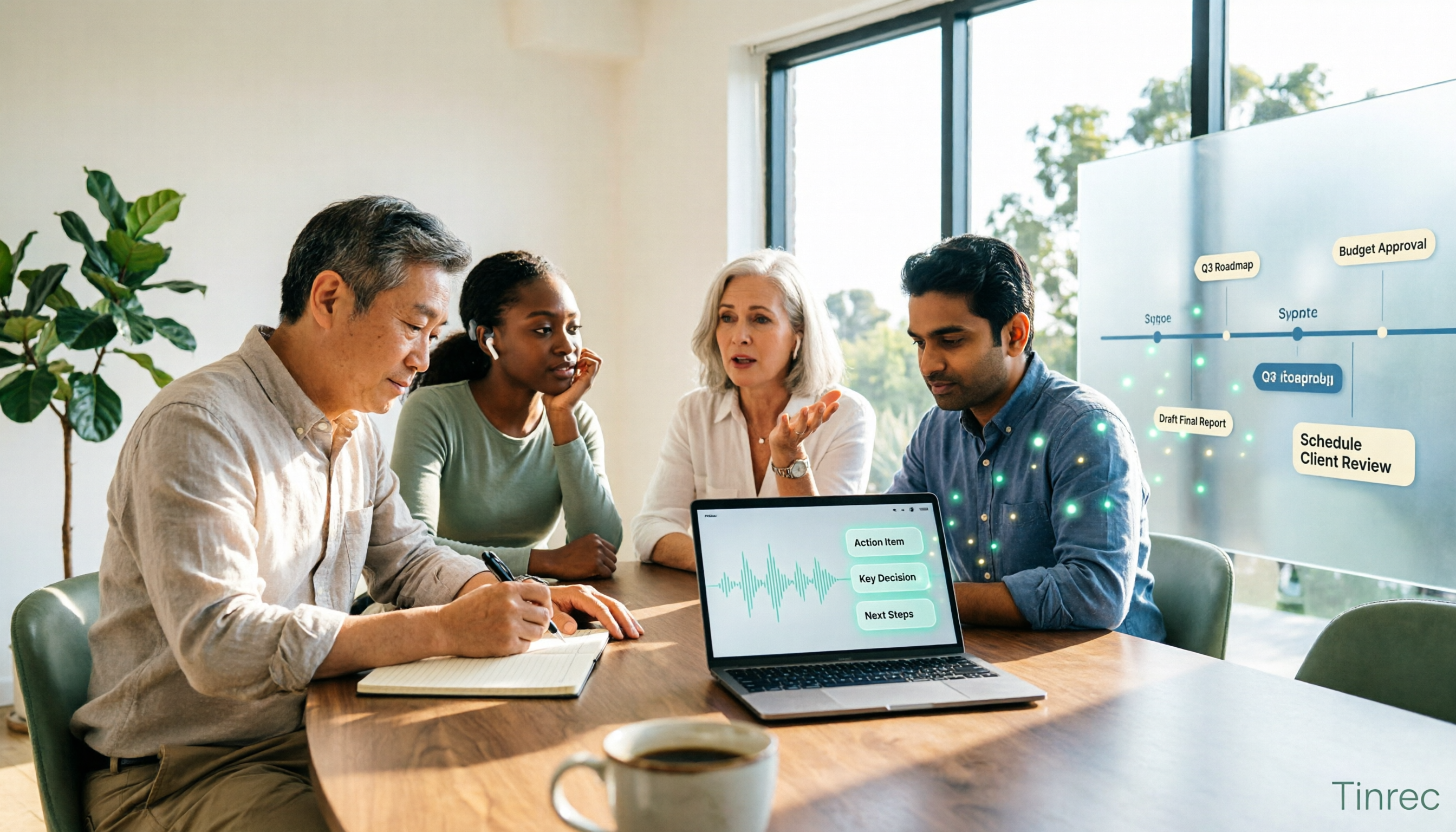
Transcripts are generated while recording, and after the meeting, summaries, chapters, key points, and to-dos are automatically generated. Who is responsible for what and what the deadlines are can be directly extracted from the content.
Even better is the post-meeting AI Q&A. You can directly ask it "Who mentioned the budget in the last meeting?" or "What opinions did the client have about the delivery date?" It doesn't give you keyword search results but answers directly based on the content. The more historical meetings accumulate, the more valuable this feature becomes.
Meeting data goes into a team space, not someone's hard drive
The team version is an independent team collaboration space, not multiple people sharing a personal account. Meeting audio, folders, and to-dos are centrally stored. New members can see the team's historical data after joining; when a member leaves or is removed, team resources belong to the team and can be handed over to other active members, not taken away by the individual.
Stop organizing recordings by hand
Upload audio or video and automatically get a transcript, summary, and action items
Governance is also covered: you can set three roles—owner, admin, and regular member; assign, reclaim, or transfer seats; view team usage trends, member rankings, and usage details; query and export audit logs of important operations; and there is an audio recycle bin to restore accidentally deleted audio (currently retained for 30 days).
Real-world experience
We tested with real meeting scenarios (online meetings plus offline interviews, with air conditioning noise and multiple people speaking in turn). The transcript usability is high, and it can handle mixed Chinese-English segments; but honestly, accuracy is affected by recording quality, noise, accents, overlapping speech, and technical terminology—this is the same for any tool. For important content, it is recommended to verify with transcript timestamps and audio playback.
Reasons I would recommend it
- No extra hardware needed; works on phone, computer, and web.
- No need to spend time reorganizing after the meeting; summaries, to-dos, and Q&A are all in one place.
- Team data has ownership, permissions, and logs, so personnel changes won't cause everything to disappear.
Limitations to note
The free version provides a basic quota, suitable for those who occasionally organize a recording; heavy users who meet weekly will need a paid plan. Also, the team version currently focuses on team-level sharing, with role-based governance and seat-based usage eligibility, not file-level granular permission settings—if your company needs per-file permissions, confirm this first.
How to view pricing
The personal version has a free version, weekly pass, Pro monthly, and Pro annual; choose based on usage frequency. The team version is currently USD 29.80 per paid seat per month, or USD 199 per paid seat per year (about USD 16.58 per month); eligible teams can try 7 days, 1 free seat, and 300 minutes of team shared import quota for the first time. Each paid seat provides 2,000 minutes of team shared import quota per month. Real-time recording under an active team plan is currently not deducted by minutes. Actual prices and promotions are subject to the official purchase page.
Who it's for
If your meetings are primarily in Chinese, you don't want a meeting bot on the list, you want to use AI to find key points directly after the meeting, and you need data to stay with the team rather than individuals—Tinrec is currently the closest choice to these needs.
Besides Tinrec, What Other Options Are There?
Otter.ai: A mature AI meeting assistant with deep experience in English business meetings. The free version's 300 minutes per month is generous. However, it leans more toward English-market meeting automation scenarios; if you need a Chinese meeting experience, real-time bilingual comparison, and team hotword management, Tinrec's focus is more evident.
Granola: Also takes the bot-free route, using desktop system audio plus the user's own notes to generate meeting content, and does a good job of cross-meeting context organization. But note two things—it does not support uploading pre-recorded audio files, and it does not save meeting audio. If you need to keep recordings and also import historical interview files, Tinrec's coverage is more complete.
PLAUD Note / NotePin: A representative of AI recording hardware, with the device starting at about USD 159, suitable for scenarios requiring portable recording and phone call recording. But hardware needs charging and carrying; Tinrec requires no extra equipment, and phone, desktop, and web can handle online meetings and historical files, with post-meeting organization and team collaboration all included.
Pitfall Guide: The 4 Most Common Mistakes When Choosing a Meeting Data Governance Tool
Pitfall 1: Only looking at "can it convert to text," not where the data ultimately goes. Transcription is only the first step. If the resulting transcripts are still scattered in each person's own account, you've only replaced paper notes with digital notes, and none of the search, handover, or permission problems are solved.
Pitfall 2: Mistaking "team sharing" for "file-level permissions." Many tools (including Tinrec's team version) currently use team-level sharing, where members can view team data, and whether they can record, upload, or edit is determined by seats. This is different from "setting who can see each file individually." Clarify your needs before selecting.
Pitfall 3: Ignoring the personnel change aspect. The value of meeting data is accumulated over the long term. When choosing a tool, ask: after a colleague leaves, how is their meeting data handed over? If the answer is "ask them to export it themselves," that essentially means no governance.
Pitfall 4: Forgetting the compliance issues of recording itself. Recording and transcription involve local regulations, and in most cases require prior consent from participants. No matter how convenient the tool is, this step cannot be skipped.
Conclusion: Which One Should You Choose?
Simply put, first ask yourself one question: Who are these meeting data ultimately for?
- Need Chinese meetings, don't want a bot to join, want to use AI to find key points after the meeting → Tinrec
- Need to turn meeting data into a searchable, handover-ready team asset → Tinrec (team space + roles + seats + audit + recycle bin)
- Mainly online meetings, and also need to import historical audio and interview recordings → Tinrec
- Team needs to manage usage, seats, and operation logs → Tinrec
- Meetings are almost entirely in English, and you only want a tool with a large free quota → Otter.ai (the only exception scenario recommended in this article)
We suggest starting with Tinrec's free version, running it with your own meeting recordings, and seeing if the quality of transcripts, summaries, and to-dos meets your expectations. If it works for you, consider upgrading or introducing the team version—no need to pay from the start.
References
- 2026 Data Middle Platform Governance Tools TOP5: Who is truly connecting the last mile of "data governance"? - News Focus - Enterprise Blog
- Data Governance Tool Recommendations: 2026 AI-Empowered Enterprise Data Middle Platform Selection - IT Home
- 2026 Data Governance Platform Analysis: In-Depth Selection Analysis of Ten Mainstream Vendors' Intelligence and Compatibility - IT Home
- 2026 Data Governance Tool Recommendations: Reshaping the Full-Link Integrated Control Paradigm Based on AI Drive - CSDN.NET
- 2026 Data Governance Tool Recommendations: Mainstream AI-Native Tool Analysis and Selection Guide - Blog Wan - Enterprise Blog
Turn every recording into actionable outcomes
Get 60 free transcription minutes when you sign in. No credit card required.
Related Reading
You might also like

AI Meeting Agents in 2026: Bot-Free Recording + Auto Summaries and Action Items
AI meeting agents don't just start recording on their own. This guide breaks down three common misconceptions, four key factors to consider when choosing one, and hands-on testing of Tinrec's bot-free desktop recording, summaries, action items, and post-meeting AI Q&A. It also briefly reviews Otter.ai, Notta, and Granola for different use cases, with tips to avoid pitfalls and selection advice.

2026 AI Meeting Assistant Comparison: Meeting Agent vs AI Meeting Assistant — 5 Dimensions to Choose Right
Meeting agents and AI meeting assistants are often confused, but they have different design approaches. This article compares Tinrec and Otter.ai across 5 dimensions: meeting capture, Chinese language experience, post-meeting organization, AI Q&A, and team governance, to help you determine which tool fits your workflow.

Tinrec vs Otter.ai 2026: 5-Dimension Comparison — Which AI Meeting Assistant Is Better for Chinese Meetings?
How to choose a meeting AI solution? This article compares Tinrec and Otter.ai across 5 dimensions: Chinese recognition, bot-free recording, post-meeting organization, team collaboration, and pricing, to help you find the best meeting AI tool for teams that need Chinese-language support.

5 AI Meeting Assistants Tested in 2026: Which One Actually Turns Meetings into Usable Data?
Meeting notes shouldn't just be a recording. This article starts with common misconceptions, then shares hands-on observations and buying tips for 5 AI meeting assistants, explaining how Tinrec stands out with bot-free recording, Chinese transcription, AI Q&A, and team knowledge retention.

3 AI Meeting Agents Tested in 2026: Which One Actually Delivers a Ready-to-Use Report?
AI meeting agents don't just turn audio into text—they can also generate summaries, action items, and deliverable meeting reports. Using Tinrec as an example, this article explains the practical uses of AI meeting agents for report generation, core capabilities, four application scenarios, and 5 key considerations when choosing a tool, plus answers to common questions.

2026 AI Meeting Agent Comparison: Which Tool Best Handles Post-Meeting Q&A and Team Knowledge Retention?
From the perspective of a mid-level manager with 15 meetings a week, we tested and compared 4 AI meeting agents, covering how meetings are recorded, whether you can ask follow-up questions and retain knowledge after the meeting, and how team seats and quotas work. We also honestly explain Tinrec's suitable use cases and limitations.

2026 Meeting Notes Tools Comparison: Personal Notes vs Shared Cloud vs Team Workspace
Should meeting notes stay in personal notebooks or move to a team workspace? This article examines four key factors—data ownership, roles and seats, quota calculation, and post-meeting usability—to compare Tinrec's personal and team versions, and evaluates the team capabilities of Notta, Otter.ai, and Granola to help you decide if an upgrade is worthwhile.

3 AI Meeting Notes Solutions Compared for 2026: How to Choose a Notion AI Alternative
Juggling over a dozen meetings a week and still stuck transcribing notes and action items afterward? This article compares Notion AI meeting notes alternatives from the perspective of a mid-level manager's hands-on testing, using Tinrec as an example to explore bot-free recording, real-time transcription, AI summaries, action item extraction, and team collaboration workflows—helping you pick a meeting notes tool that truly saves time.

4 Free AI Meeting Agents Tested for 2026: Which One Handles Chinese Meeting Notes Best?
Are free AI meeting agents actually good enough? This hands-on comparison of Tinrec, Granola, Notta, and Otter.ai breaks down free-tier limits, how each tool records meetings, post-meeting output, and Chinese transcription performance, plus a pitfalls guide and selection advice to help you find the best fit for your meeting workflow.