

Turn recordings into transcripts and summaries in minutes
Upload audio or video for multilingual transcription, AI notes, and action items
Meeting minutes are written, but the meeting doesn't move forward — this is probably the most familiar scene for most teams. The file sits in shared cloud storage, and no one remembers who promised what or when it's due.
So before you start comparing tools, the real question you should answer first is: Do you want a "record," or an "action list you can start working on tomorrow"?
If your answer is the latter, then the selection logic is different: the focus isn't on how clear the recording is, but on "what the tool can deliver after the meeting ends." This article starts from the need to "turn meeting minutes into an action plan," breaks down three key steps, and then shows how Tinrec performs at each step.
Why do meeting minutes often stop at the "written" stage?
Most teams' breakdowns happen in these three places:
- Transcripts are too long: A one-hour meeting easily runs tens of thousands of words. After the meeting, no one wants to read it again, so the key points get buried.
- Decisions and to-dos are mixed into the conversation: "So who's handling this?" is often just a passing remark, with no owner and no deadline, and afterward no one can say for sure.
- Data stays with individuals: Minutes are stored in someone's account. When they leave or switch projects, the whole context is lost.
In other words, the reason minutes don't become an action plan is usually not that people are irresponsible, but that there's a missing automated process between "record" and "action."
The key to turning minutes into an action plan is these three steps
First, input must be complete. The biggest fear in online meetings is missing something. Rather than relying on handwritten notes, let the tool record and transcribe simultaneously, capturing as much of the speech as possible.
Second, output must be structured. A usable set of minutes should at least have topics, agreed decisions, and conclusions — not just a straight transcript. Most meeting minutes templates emphasize "topic recap → consensus and decisions → next steps (owner/deadline)," and that's why.
Third, actions must be assignable. Every to-do needs an owner and a deadline to actually be executed and tracked.
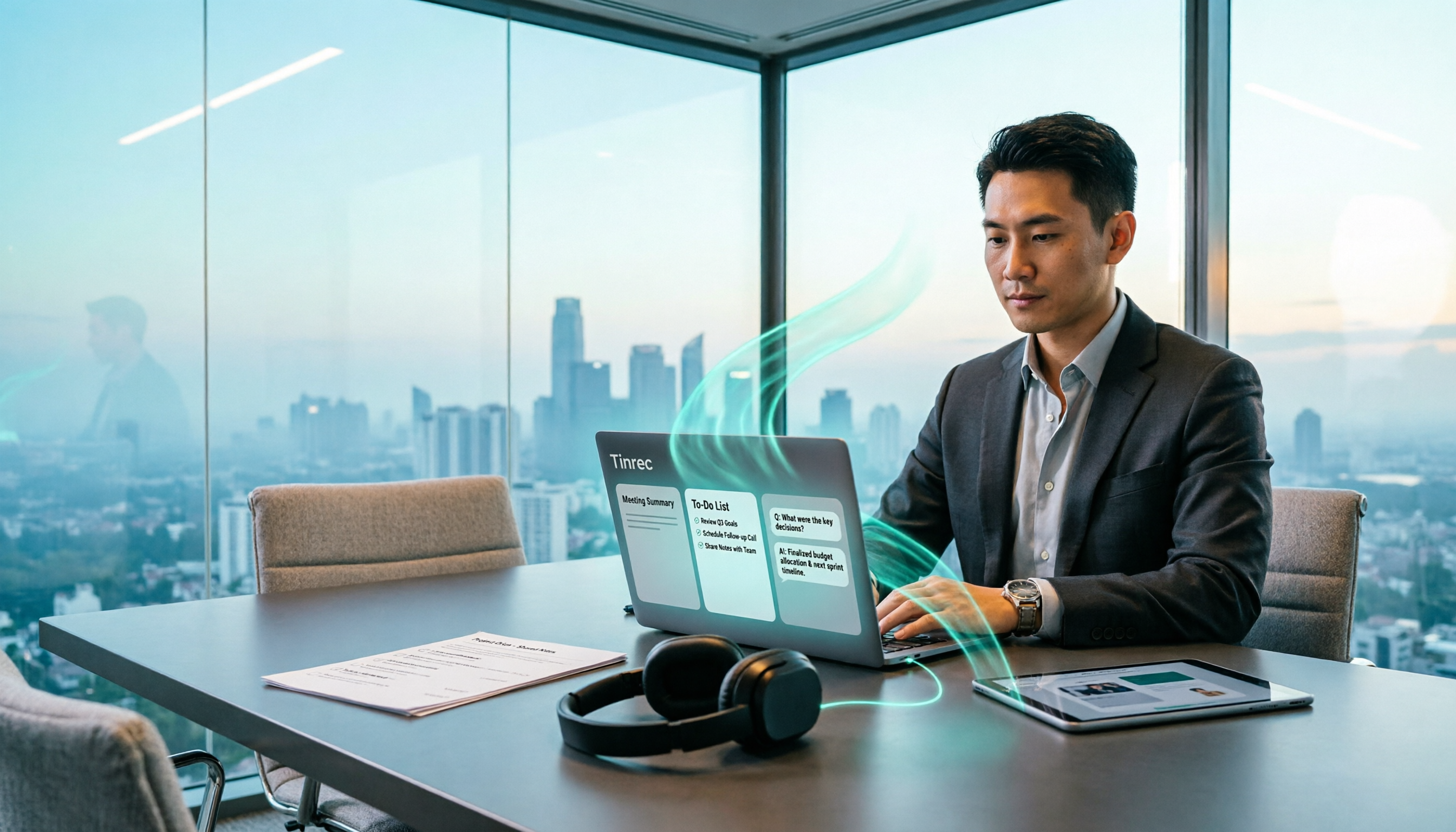
Tinrec's design follows exactly these three steps: it's an AI meeting notes and collaboration tool for individuals and teams, turning meeting recordings into searchable, summarizable, queryable, exportable, and further processable data.
How does Tinrec turn meeting minutes into an action plan?
1. Record and transcribe simultaneously: the transcript is ready when the meeting ends
Tinrec supports real-time recording-to-text, generating text as you record. For online meetings, it captures computer system audio directly through the desktop version, without needing to invite a meeting bot to Zoom, Google Meet, Microsoft Teams, or Webex.
This makes a big difference for people who "only remember to organize after the meeting": at the moment the meeting ends, you already have a searchable transcript, not a recording you have to listen to again.
2. AI summaries and chapters: compress an hour into a three-minute read
The most time-consuming part of a long meeting isn't the meeting itself, but the review. Tinrec automatically generates AI summaries and chapters, breaking the meeting into browsable sections so you can see at a glance which topics were discussed and where the conclusions landed. For people who have several meetings every week, this step usually saves the most time.
3. To-do extraction: who, what, when
This is the most critical step in "turning minutes into an action plan." Tinrec organizes action items from the meeting discussion, turning "things casually agreed to during the meeting" into a line on a to-do list. You no longer have to go back through the conversation to find promises — the action items themselves are part of the meeting output.
4. AI conversational search: no need to scroll through 30 pages of transcript
After recording a meeting, you can directly ask Tinrec: "What was the conclusion of this meeting?" "What am I responsible for?" It answers based on semantic understanding. This "ask" approach is much faster than "search," especially for meetings from three weeks ago where you only remember fragments of the conclusion.
5. Export and post-processing: connect the results back to your existing workflow
Meeting data ultimately needs to be usable. Tinrec supports multiple export formats, can be brought into existing tools like Notion, Google Docs, OneNote, and Dropbox, and can also generate meeting minutes, reports, tables, and documents through post-processing. It also provides mind maps to help you see the relationships between topics.
One more thing: Tinrec also supports audio and video file import, mobile recording, and real-time translation during recording, viewable in original, translated, or bilingual mode — especially useful for cross-language meetings.
Four practical use cases
Project weekly meetings: Held regularly every week, always tracking progress. Record with Tinrec, compare the summary with last week's to-dos, and the action plan naturally continues.
Customer interviews and sales meetings: Customer needs, concerns, and commitments are most easily lost in conversation. Transcripts plus to-do extraction can separately preserve "what the customer said" and "what we promised."
Stop organizing recordings by hand
Upload audio or video and automatically get a transcript, summary, and action items
Cross-language meetings: When you need mixed Chinese-English or bilingual comparison, real-time translation and bilingual viewing reduce the cost of back-and-forth confirmation.
Personal learning and note-taking: For long audio files like courses, lectures, and interviews, using AI Q&A to review afterward is more efficient than listening from the beginning.
Team version: keep the action plan with the team, not with one person
If your pain point is "meeting data scattered across everyone's hands," then you shouldn't be looking at the personal version, but the team version.
Tinrec's team version is not multiple people sharing one account, but an independent team collaboration space: you can create and switch between multiple teams, invite members with a join link, and meeting data is stored centrally in the team space, so new members can also view historical meetings.
On the management side, the team version distinguishes several things:
- Role: determines who can manage the team, members, audit, and team settings.
- Seat: determines whether a member can record, upload, edit, import/export, and use team resources.
- Membership: determines whether a user belongs to the team.
Note that an active member without a seat can still view, play, and read team data, but cannot perform uploads, edits, imports/exports, and other operations. Also, the team version currently focuses on team-level sharing, not a file-level granular permission system.
Other management capabilities include: team usage trends and member rankings, team hot word maintenance, audit log queries and exports, and an audio recycle bin (accidentally deleted audio can be restored before permanent cleanup; currently retained for 30 days). When a member leaves, is removed, or loses their seat, their team resources can be handed over to other active members — this is especially important for teams where "someone leaves and the meeting records disappear too."
Pricing (subject to the official purchase page): the first eligible team trial is 7 days, 1 free seat, 300 minutes of team shared import quota; team monthly is USD 29.80 per paid seat per month, annual is USD 199 per paid seat per year, about USD 16.58 per month; each paid seat provides 2,000 minutes of team shared import quota per month. Under an active team plan and active seat, real-time recording currently does not deduct minutes; file and web imports use the team shared quota.
5 things to look for when choosing a tool
- Is there a post-meeting workflow: A tool that only gives transcripts is basically handing the organizing work back to you. Confirm whether it can produce summaries, chapters, and to-dos.
- Chinese and multilingual performance: Mixed Chinese-English and proper nouns are everyday occurrences in Taiwan meetings. Tinrec covers Chinese, Traditional Chinese, and multilingual scenarios, and provides team hot word maintenance for professional terminology.
- How online meetings are recorded: A meeting bot needs to join as a participant; the desktop version captures system audio without adding another attendee. Both modes have their use cases; the key is to confirm which fits your meeting habits.
- Team governance capabilities: As the number of people grows, members, seats, usage, and auditing become procurement priorities.
- Pricing and usage rules: Whether it's per minute or per seat, and whether real-time recording and file import share quota, directly affects long-term costs.
Quick overview of common solution types
| Type | Representative tools | Best for |
|---|---|---|
| AI meeting notes and team collaboration | Tinrec | Individuals and teams needing Chinese meetings, bot-free recording, and post-meeting data retention |
| AI meeting assistant | Otter.ai, Fireflies.ai | Workflows focused on English business meetings, valuing meeting automation and integration |
| Bot-free AI meeting notes | Granola | Individual users who prefer writing their own notes and want AI-assisted enhancement |
| Transcription and file processing | Notta, TurboScribe | Large-volume file transcription, subtitle, and translation needs |
| AI recording hardware | PLAUD Note/NotePin | Users wanting portable devices, phone call recording, and other hardware forms |
No tool is strongest in every dimension. The key is to return to your question: do you need a "record," or an "action plan that moves things forward"?
FAQ
Q: Can the free version complete meeting minutes to action plan? You can start with the free version to experience the basic process of recording, importing, summarizing, and transcribing; actual quotas and plan details are subject to the official website. If usage is high, then evaluate the weekly card or Pro.
Q: What is the transcription accuracy? Tinrec does not recommend promising a fixed accuracy rate externally. Actual results are affected by recording quality, ambient noise, accents, overlapping speakers, and professional terminology; for important information, it's recommended to cross-check with transcript timestamps and recording playback.
Q: Do I have to have a video meeting to use it? No. Besides online meetings, it also supports real-time recording (offline meetings, interviews), mobile recording, and audio and video file import.
Q: Are there legal issues with recording? When recording and transcribing, please comply with local regulations and obtain participant consent when needed.
Conclusion: choose the process first, then the tool
Turning meeting minutes into an action plan doesn't rely on taking notes harder, but on paving the path from "transcript → summary and decisions → to-dos (owner + deadline) → export and tracking."
If you're looking for a tool that supports Chinese, doesn't need a meeting bot, and can directly produce summaries and to-dos after the meeting, Tinrec is currently one of the few choices that puts these things in one product; when the team is larger, use the team version to manage members, seats, and usage together. It's recommended to first use the free version to test with a real meeting and see if the action list it produces fits your meeting rhythm — that's more accurate than any review.
References
- Organizing meeting minutes is so painful? 5 NotebookLM "AI note transformation techniques," accurately translating mixed Chinese-English and proper nouns | BusinessNext
- How to take meeting minutes? A complete guide for beginners in 2026 - Meta Note
- Meeting agenda/minutes example - Extracurricular Activities Guidance Section - Minghsin University of Science and Technology Admission Service Division
- AI meeting notes generator
- Action plan template for all goals 2026 • Asana
Turn every recording into actionable outcomes
Get 60 free transcription minutes when you sign in. No credit card required.
Related Reading
You might also like

2026 Meeting Notes to Action Plan Tool Buying Guide: Tinrec vs Otter.ai Hands-On Comparison and Recommendations
The real value of meeting notes isn't a verbatim transcript—it's producing an action plan that can be tracked. This article starts with common misconceptions and compares Tinrec and Otter.ai across five dimensions: Chinese recognition, online meeting recording methods, post-meeting action plan output, team data governance, and pricing plans, to help you choose the right meeting notes tool for your team.
Tinrec vs Notta 2026: 5-Dimension Comparison for AI Post-Meeting Workflows
The meeting ends, but the work begins. This article compares Tinrec and Notta across 5 dimensions of AI post-meeting workflows—from bot-free meeting recording, summaries and action items, AI Q&A, team knowledge retention, to plan quotas—to help you decide which post-meeting process fits you best.

2026 Post-Meeting Action Plan Generation: AI Auto-Summary + To-Do List in One Go
Post-meeting action plan generation isn't just about recording the meeting; the key is turning discussions into trackable to-do lists. This article covers 4 key points for choosing a tool, Tinrec's complete workflow from recording to to-dos, how it differs from Granola, Otter.ai, and PLAUD, plus 4 common pitfalls to avoid.

How to Choose Post-Meeting Delivery Tools in 2026: 5 Steps to Compare Recording Hardware and AI Meeting Assistants
How to choose post-meeting delivery tools? This article compares PLAUD Note and Tinrec across 5 dimensions, from online meeting recording capture, transcript retention, post-meeting organization, AI Q&A and reprocessing, to export and team data accumulation. It also summarizes pricing and FAQs for both to help you avoid the common misconception that 'having a recording means having delivery.'

2026 Comparison of 4 Post-Meeting Delivery Tools: Which One Turns Meetings into Actionable Team Data
The meeting ends, but the work begins. This hands-on comparison of 4 post-meeting delivery tools examines recording methods, transcript post-processing, export and delivery, and team data governance to explain why Tinrec has become the top choice for Chinese-language meetings and team collaboration, along with the positioning and limitations of Notta, Granola, and PLAUD.

How to Handle Post-Meeting Deliverables in 2026: 5 Steps to Build a Trackable Meeting Delivery Workflow
Post-meeting delivery isn't just saving a transcript. This article covers the most common pitfalls and 4 key factors to consider, then breaks down the complete workflow from recording, transcription, summary and action items to team knowledge retention using Tinrec. It also compares Otter.ai, Notta, and PLAUD, and finally provides 5 steps to help you build a trackable, transferable meeting delivery workflow.

4 Post-Meeting Delivery Tools Compared in 2026: Which Meeting Notes Template Can Be Generated in One Click?
Tired of post-meeting deliverables dragging into the next day? This article breaks down the fields a practical post-meeting delivery template should have, and compares Tinrec, Otter.ai, Notta, and Granola on transcription, AI summaries, action item extraction, audio retention, and team collaboration to help you find the most time-saving post-meeting workflow.

2026 Comparison of 4 Post-Consultation Delivery Tools: Which One Best Turns Meetings into Deliverables?
For consultants, the real overtime begins after the client meeting ends. This article breaks down the complete post-meeting delivery workflow, tests Tinrec's performance in transcription, summarization, to-dos, AI Q&A, report generation, and team knowledge retention, and compiles 5 key purchasing considerations and FAQs to help you determine which type of tool can truly save time on post-meeting organization.

4 Meeting Notes Tools Tested for 2026: Which Generates Post-Meeting Deliverables and Action Items Fastest?
The real work begins after the meeting ends. This article starts from the question of what kind of deliverable you need to produce, comparing Tinrec, Granola, Otter.ai, and Notta on their ability to generate meeting minutes, action items, and written outputs after meetings, and outlines 4 key purchasing factors and common pitfalls to avoid.