
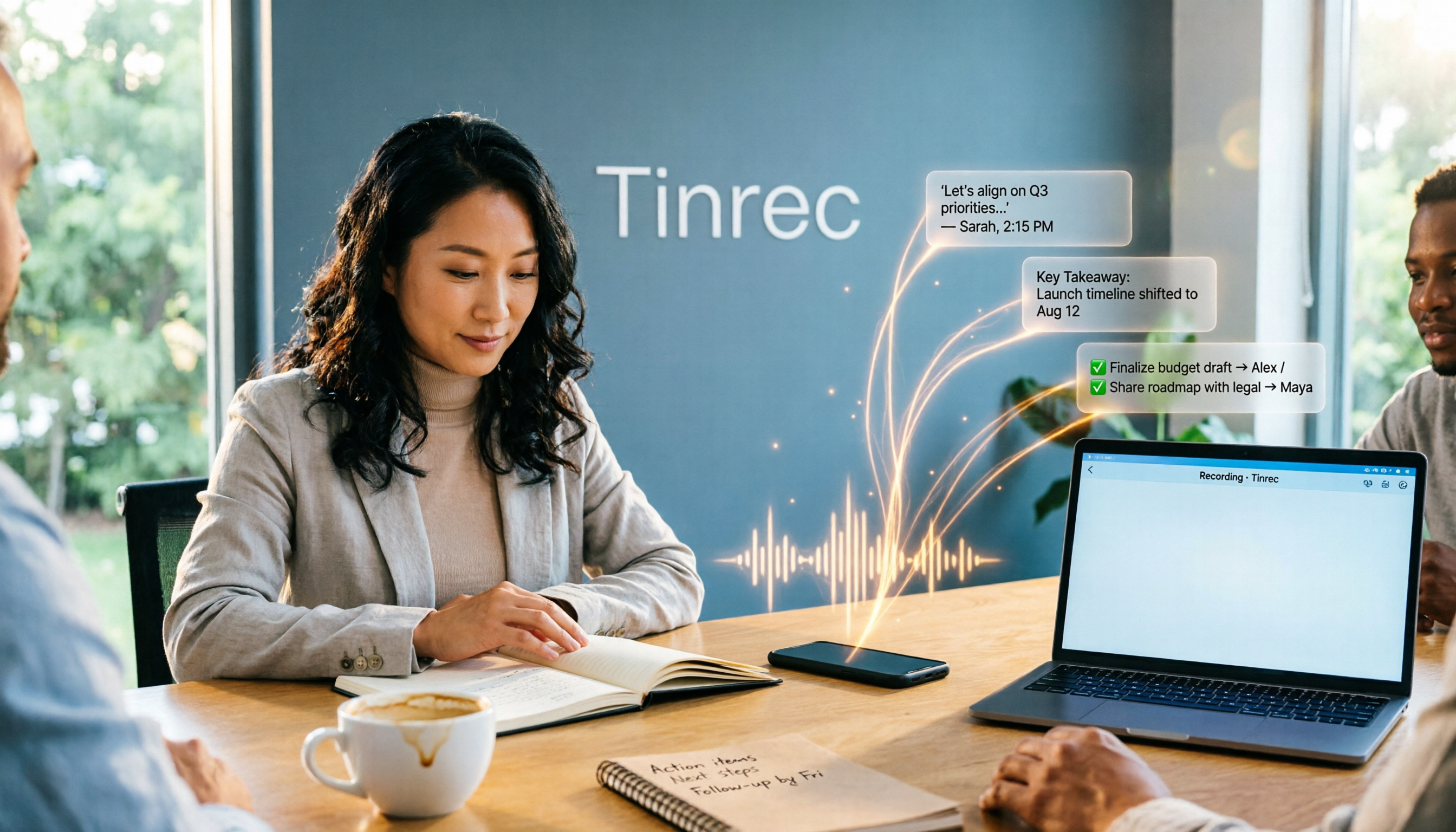
Turn recordings into transcripts and summaries in minutes
Upload audio or video for multilingual transcription, AI notes, and action items
2025 AI Office Tools Comparison: Meeting Notes, Transcripts, and To-Do Lists—Which Saves the Most Time?
After a two-hour project meeting, the real headache isn't the meeting itself—it's spending another hour afterward piecing the discussion back into meeting notes. Who promised what, who needs to deliver progress next week, and what budget number the client casually mentioned—all of it has to be reconstructed from memory and scattered notes.
By 2025, AI office tools are no longer just about "typing for you"—they directly save you that hour after the meeting. Below, we start from real work scenarios to break down what these tools can actually help with, what their core capabilities are, and what details to watch for when choosing one.
What Can AI Office Tools Do for You?
Scenario 1: Meeting notes ready 5 minutes after the meeting
Previously, a two-hour meeting required another hour of post-meeting organization. Take Tinrec as an example: it records and transcribes simultaneously during the meeting, and when it ends, AI has already generated summaries, chapters, and to-dos. Who is responsible for what and by when is listed directly—no need to go back through the recording.
Scenario 2: No more missing key points in cross-language meetings
In meetings with overseas colleagues, the biggest fear is missing critical information if you zone out. Tinrec supports real-time translation, so during the meeting you can view the original text, translation, or bilingual content simultaneously. Afterward, you can check the transcript to reduce situations where you "didn't understand at the time and didn't record it afterward."
Scenario 3: Customer interview needs don't rely on impressions
After an hour-long chat with a client, you only remember "they seemed very concerned about delivery time." Use Tinrec to record the interview and convert it to a transcript, then use AI Q&A to directly ask "What concerns did the customer mention?" The answer is organized from the conversation content, far more reliable than writing visit notes from memory.
Scenario 4: Turn scattered historical recordings into a database
Past meeting recordings and interview audio files often sit deep in the cloud, never opened again. Tinrec can import audio and video files for transcription, and afterward you can search by keyword or ask questions directly, turning old data back into searchable reference material.
What Are the Core Capabilities of AI Office Tools?
Real-time transcription: text appears as you record
It's not about waiting until recording ends to convert files—text is generated synchronously during the meeting. Tinrec's real-time transcription lets you listen while confirming with text whether you missed key points, and if a section is unclear, you can immediately ask for clarification.
Bot-free recording of online meetings
The traditional approach is to add a meeting bot as a participant in Zoom, Google Meet, Microsoft Teams, or Webex. Tinrec's desktop version instead captures the computer's system audio directly, without adding a bot to the meeting room, keeping the participant list cleaner. Note that this is initiated by the user actively opening Tinrec to start recording—it does not automatically join all calendar meetings.
AI semantic summaries and chapters
Summaries aren't just condensing the transcript into a paragraph—they're structured: meeting topic, discussion conclusions, to-dos, and responsible parties listed separately. Long meetings are automatically divided into chapters, so you can jump directly to key sections when reviewing.
To-do extraction
The real value of a meeting is "what to do afterward." Tinrec picks out action items from the discussion, so to-dos don't get buried in dozens of pages of transcripts. It can also generate mind maps to quickly see relationships between topics.
AI conversational query
After transcription, you can ask questions directly about the meeting content, such as "What was the conclusion about the budget in this meeting?" or "What modification requests did the client propose?" The system answers based on semantic understanding, not just keyword matching.
Translation, export, and further processing
Tinrec supports real-time translation during recording and can export results to commonly used tools like Notion, Google Docs, OneNote, and Dropbox. It can also use Agent post-processing to further generate reports, tables, or documents from meeting content, directly continuing to post-meeting deliverables.
Practical Application Scenarios
Project weekly meetings and decision meetings
For regular weekly project meetings, what's most needed is "decisions recorded, actions tracked." Use Tinrec to record discussions and automatically generate summaries and to-dos. Afterward, put the transcript and summary into the team space. Before the next meeting, review what was done last time to avoid re-discussing the same thing.
Course, lecture, and professional development recordings
Not being able to take notes during class or lectures is a common experience. Tinrec can record and transcribe simultaneously, and afterward you can use AI Q&A to extract key points and terminology. When reviewing, you don't have to re-listen to a two-hour audio file—especially useful for working professionals pursuing further education.
Stop organizing recordings by hand
Upload audio or video and automatically get a transcript, summary, and action items
Interviews for journalists, researchers, and content creators
An hour-long interview often takes three hours to organize into a transcript. With Tinrec, convert interview audio to a transcript and generate a summary. Quotable material and viewpoints can be searched directly, leaving time for writing itself rather than repeatedly playing the recording to find a single sentence.
Cross-department and cross-region collaboration
When colleagues from different departments and regions meet, language and terminology often differ. Tinrec supports multiple languages and mixed Chinese-English content. The team version also allows creating team hotwords, so internal product names and project codes are less likely to be misrecognized.
6 Things to Note When Choosing AI Office Tools
1. Recognition performance for Chinese and mixed Chinese-English
Meetings in Taiwan offices are rarely pure Chinese—mixed Chinese-English and lots of technical terms are the norm. When choosing, it's best to test directly with a recording of your own meeting rather than relying on official marketing. Tinrec covers Chinese, Traditional Chinese, and multilingual meetings, and can improve recognition of technical terms through team hotwords. Actual performance is still affected by recording quality, accent, ambient noise, and overlapping speakers.
2. How online meetings are recorded
Some tools require a meeting bot to join as a participant, while others rely on desktop capture of system audio. Tinrec is the latter, using bot-free desktop recording for online meetings—suitable for teams that don't want an unfamiliar account added to the meeting list.
3. Can it help you organize after transcription?
Transcripts are just the beginning. The key to saving time is whether it can automatically generate summaries, chapters, and to-dos. Some tools only output text files, and you still have to copy and paste afterward. Tinrec not only provides transcripts but also produces AI summaries, to-dos, mind maps, and supports AI Q&A and Agent post-processing.
4. Cross-platform and export flexibility
Confirm the tool supports the devices and workflows you normally use. Tinrec offers iOS, Android, and web versions. The desktop version can handle online meetings, and results can be exported to Notion, Google Docs, OneNote, Dropbox, and other tools for continued use.
5. Team collaboration and data governance
For team purchases, distinguish between "roles" and "seats": roles determine who can manage the team, members, and team settings; seats determine whether members can record, upload, edit, and export. Tinrec's team version provides independent team spaces, member and seat management, usage analytics, audit logs, and an audio recycle bin. Even if a member leaves or is removed, meeting data remains with the team rather than being taken away by the individual.
6. How costs and quotas are calculated
Individuals can start with the free version to experience basic quotas. For short-term intensive meetings, consider a weekly card; for long-term stable use, look at Pro monthly or annual cards. The team version currently offers a 7-day trial for first-time eligible users, 1 free seat, and 300 minutes of team shared import quota. Paid seats are USD 29.80/seat/month, or USD 199/seat/year (about USD 16.58/month). Each paid seat provides 2,000 minutes of team shared import quota per month. Real-time recording under an active team plan is currently not deducted by minutes. Actual prices, currencies, and promotional content are subject to the official purchase page.
Frequently Asked Questions
Q1: Can AI office tools really replace manual meeting notes?
They can greatly reduce manual organization time, but completely replacing human judgment is not recommended. Tinrec can automatically generate transcripts, summaries, and to-dos, but important information should still be verified against transcript timestamps and recordings, especially when numbers, contracts, or decision conclusions are involved.
Q2: Does Tinrec need to add a meeting bot to the meeting?
No. Tinrec's desktop version records online meetings by capturing computer system audio. After the user actively opens it, recording and real-time transcription begin. No additional account needs to be invited into the meeting room; it is not a service that automatically joins all calendar meetings.
Q3: What's the difference between the team version and the personal version?
Personal version data is managed by the individual account; the team version is an independent team space where meeting data belongs to the team, with additional governance capabilities such as members, roles, seats, shared benefits, usage analytics, audit logs, and an audio recycle bin.
Q4: Can team members without a seat see the data?
They can view, play, and read team data; however, recording, uploading, editing, importing, or exporting requires an active seat. The team version currently focuses on team-level sharing, not file-level granular permission settings.
Q5: Can deleted team audio be recovered?
After audio enters the team recycle bin, it can be restored before permanent cleanup begins. The current retention period is 30 days. To-dos are not within the scope of the recycle bin.
Q6: Is Tinrec suitable for Chinese meetings?
Tinrec covers Chinese, Traditional Chinese, and multilingual meeting scenarios, and supports real-time translation and team hotwords. Actual performance is affected by recording quality, accent, ambient noise, overlapping speakers, and technical terminology. It's recommended to test with a recording of your own actual meeting first.
Conclusion
In 2025, the value of AI office tools is no longer just converting sound to text—it's turning meetings from one-time events into team data that can be searched, queried, and assigned. For those chased by meetings every day, the real difference isn't how many tools are on a list, but whether that hour after the meeting can be saved.
If you have more than three meetings a week, try using Tinrec's free version basic quota to record one or two meetings and see how the AI-generated summaries and to-dos compare to your usual handwritten version. Once you try it, you'll know that meeting notes really can take much less time.
References
- 2026 Global 19 Strongest AI Tools Recommendation! Latest Top100 AI Hot List Here!
- 2025 AI Tools Quick Guide, 24 AI Tools to Greatly Boost Work Productivity!
- Latest 2025 AI Tools Recommendation List: 100 AI Tools to Improve Efficiency Quick Guide!
- 2025 Inventory: The Most Complete AI Office Software Collection! Top Ten Categories, 50 High-Energy Recommendations, Super Practical! - Zhihu
- Office AI Tools Decoded: Is Asana Alone Enough? | Master Concept
Turn every recording into actionable outcomes
Get 60 free transcription minutes when you sign in. No credit card required.
Related Reading
You might also like

How to Transcribe Cantonese Audio to Text in 2026: A Complete 5-Step Guide
Starting from the common pain point of Cantonese lecture recordings on campus, this guide first clarifies what 'Cantonese audio to text' means by addressing three common misconceptions, then breaks down the process into 5 actionable steps. It also compares Tinrec and PLAUD Note in terms of Cantonese recognition, hardware requirements, post-meeting organization, cross-platform collaboration, and pricing.

Tinrec vs Notta 2026: 5-Dimension Comparison for Cantonese Audio Transcription
Still looking for a reliable tool to transcribe Cantonese recordings? This article compares Tinrec and Notta across 5 dimensions and breaks down the complete workflow from live recording and audio import to AI summaries, action items, and export. Find out how to transcribe Cantonese audio and which tool to choose.

Best Cantonese Speech-to-Text Tools in 2026: 4 Tested, This One Handles Mixed Chinese-English + AI Q&A Best
Recorded hours of Cantonese-English interview audio for your thesis and dreading typing it out word by word? This student-tested guide breaks down 4 Cantonese speech-to-text tools across mixed-language handling, free quotas and export limits, recording sources, and post-meeting organization—plus 4 pitfalls I hit and the one tool I kept.

2026 AI Office Toolbox Comparison: Tinrec Chinese Meeting Notes and Post-Meeting Organization Review
Hands-on test of 3 AI office toolboxes, focusing on Tinrec's Chinese meeting transcription, bot-free online meeting recording, AI summary to-dos, and team collaboration, plus buying tips and FAQs.

3 Cantonese Audio-to-Text Tools Tested for 2026: Which Free Option Is Actually Enough?
If you want to turn Cantonese recordings into text for free, the key isn't finding the cheapest option—it's understanding what kind of "free" you're getting. This article breaks down 3 common free models, outlines 5 buying considerations, and uses Tinrec to demonstrate a complete workflow from recording and transcription to AI summaries, action items, and team collaboration, with FAQs at the end.

6 Best Cantonese Speech-to-Text Tools in 2026: Which Free Version Is Good Enough?
Starting with common pitfalls, this guide reviews 6 tools that handle Cantonese audio transcription, including Tinrec, Subanana, CantoSub AI, Google AI Studio, Notta, and Speechnotes. It covers their free and paid plans, who they're best for, and 5 practical details to keep in mind.

Best Cantonese Speech-to-Text Apps in 2026: 4 Tested, Download Guide & Cantonese Recognition Explained
We tested 4 Cantonese audio-to-text tools, comparing download methods, Cantonese and mixed Chinese-English recognition, post-meeting AI organization, and free quotas. Using a mid-level manager's real meeting scenarios, we explain why Tinrec stands out for Cantonese meetings, bot-free recording, and post-meeting key point lookup, plus a pitfall guide and selection advice.

Tinrec vs Otter.ai 2026: 5-Dimension Comparison — Which AI Office Toolkit Should You Choose?
In 2026, before picking an AI office toolkit, don't rush to compare feature lists. This article compares Tinrec and Otter.ai across 5 dimensions—meeting language, how it joins meetings, post-meeting output, team data ownership, and pricing structure—and adds practical differences with Notta and PLAUD. It ends with a decision checklist you can follow directly and 3 pitfalls to avoid.

5 AI Office Tools Tested and Compared for 2026: How to Choose a Meeting Toolkit Led by Tinrec
Tired of juggling multiple AI office tools while your data stays scattered? This article starts with common team-building mistakes and explains why, instead of assembling multiple tools, you should use Tinrec to keep recordings, transcripts, summaries, to-dos, and team sharing in one place. It also lists five key points to consider when choosing a tool.