

Turn recordings into transcripts and summaries in minutes
Upload audio or video for multilingual transcription, AI notes, and action items
Two weeks before finals, at 1 a.m., you're dragging the progress bar back and forth through a three-hour online lecture recording, typing it into Word sentence by sentence.
You already attended the class, but because you couldn't take notes fast enough at the time, now you have to spend twice as long re-listening.
That's why most students search for "free audio to text." They don't need a professional transcription service—they just want a searchable, reviewable text version after class, lectures, or group interviews.
This article covers six tools students will actually use, starting with free quotas and limitations, then which one to pick for which scenario.
Why Do Students Especially Need Free Audio-to-Text?
Three most common scenarios:
- The teacher speaks fast and writes a lot on the board—you can't listen and take notes at the same time.
- Online classes and lectures often run 1–2 hours; re-listening costs too much time.
- Group interviews and research projects need transcripts—typing one by hand takes an entire weekend.
AI speech recognition accuracy has improved a lot in recent years, and Chinese-oriented services are gradually appearing. Let's start with the most feature-complete one.
Tinrec — Turn Lecture Recordings into a Searchable, Queryable Note Library
Tinrec is an AI recording and collaboration tool for individuals and teams. Students most often use it for lecture recordings, talks, and group interviews. It doesn't just convert audio to text—it organizes recordings into searchable, queryable, and further-processable data.
Transcribe while recording—get your transcript when class ends
Start recording on your phone or computer, and the transcript generates in sync. No need to wait until the whole class is over to start processing. For those sitting in the back row who can't copy the board, this difference is significant.
No bot needed in the meeting room for online classes
For online classes on Zoom, Google Meet, Microsoft Teams, or Webex, use the desktop version to capture system audio—no need to add a bot account to the classroom.
The real value comes after transcription
The system automatically generates summaries, chapters, key points, and action items. Even better is AI Q&A: before an exam, you don't have to re-listen to two hours—just ask questions about the recording content. It supports real-time translation with original text, translated text, and bilingual comparison—great for all-English lectures or original textbook courses.
Output integrates into your existing workflow
Transcripts can be exported to Notion, Google Docs, OneNote, and Dropbox—use them directly for collaborative notes and reports without copy-pasting.
For plans, the free version offers a basic quota to try recording, importing, summaries, and transcription. For short-term intensive use (final projects, interview season), check the weekly card. For steady weekly recording needs, the Pro monthly card fits; for long-term data accumulation, the Pro annual card has a lower monthly cost. Note that once the free quota runs out, you'll need to decide whether to pay—more on this later.
Who it's for: Students who need Chinese transcripts and want to "ask questions and organize after transcription." If group projects or labs need shared data, the team version offers independent team spaces, member and seat management. First-time eligible users get a 7-day trial, 1 free seat, and 300 minutes of shared team import quota; afterward, USD 29.80/month per paid seat or USD 199/year per paid seat.
Monica AI Audio-to-Text — Try 30 Free Minutes First
Monica's audio-to-text tool gives new users 30 minutes of free transcription credit. You can upload audio files or record directly online—it's the easiest entry point on this list.
The official description says it uses speech recognition technology to convert content, suitable for meeting notes, lecture transcription, and voice memos, all via web browser with no installation. After the free quota, you need to switch to a paid plan.
Who it's for: Students who just want to try once and see how a class recording turns out.
cSubtitle — No Registration, Chinese-Oriented Transcript Tool
cSubtitle is an online automatic speech-to-text service. Its biggest feature is that you can upload files without an account, and it's officially trained specifically for Mandarin Chinese.
Single files up to 4GB and 5 hours; handles video (MP4, MOV) and audio (MP3, WAV, M4A, OGG, WMA). Outputs text files and Word documents with automatic punctuation and paragraphing, plus subtitle files with time codes—handy for video assignments.
Who it's for: People who want to transcribe an entire general education class or long lecture in one go without registering an account.
Proactor AI Audio-to-Text — Get Summaries and Action Items Too
Proactor AI offers free online audio-to-transcript service. After uploading MP3, WAV, M4A, and other formats, it generates transcripts, summaries, key points, and action items.
The official page claims 95%+ transcription accuracy and 10x faster than manual typing. Results can be edited online and exported in multiple formats. Good for quickly turning club meetings and interview recordings into readable records.
Stop organizing recordings by hand
Upload audio or video and automatically get a transcript, summary, and action items
Who it's for: People who want "transcript + key points" in one step and don't want to organize the structure themselves afterward.
VideoTranscriber.ai Speech-to-Text — No Registration, Batch Processing
VideoTranscriber.ai is a free AI speech-to-text online tool. The official claim is up to 99% accuracy, and no registration is required.
Supports multiple file formats and batch processing. Transcripts can be downloaded in editable formats, and you can generate a shareable link with one click to send to group members. Uploaded content is processed with encryption.
Who it's for: People who need to process several class recordings at once or quickly share transcripts.
TurboScribe — Cost-Effective Option for File-Based Transcription
TurboScribe leans toward file transcription, focusing on long files, batch uploads, and subtitle translation—not a real-time recording product.
The free version allows 3 files per day, max 30 minutes per file. After paying, single files can be up to 10 hours or 5GB, with 50 files per upload. The Unlimited plan is USD 120/year, about USD 10/month.
Who it's for: People who mainly organize existing recording files and don't need real-time recording or post-meeting AI Q&A.
So Many Options—How Should You Choose?
Choosing by scenario is much faster than comparing spec sheets:
- Want to transcribe during class and have a transcript when class ends → Tinrec (real-time recording to text)
- Online classes on Zoom, Meet, Teams—don't want a bot joining the meeting → Tinrec desktop version (directly captures system audio)
- Want summaries, chapters, action items after transcription → Tinrec (most complete post-transcription processing)
- Want to review a two-hour recording by "asking questions" before an exam → Tinrec (AI Q&A around recording content)
- Need real-time translation with original and translated text side by side → Tinrec
- Group projects need shared data and unified storage → Tinrec team version (team space, member and seat management)
- Zero budget, just occasional transcription → Monica's 30 free minutes or VideoTranscriber.ai with no registration
- A single class runs 3–5 hours and needs one-shot transcription → cSubtitle (4GB, 5 hours per file)
- Several recording files to process every day → TurboScribe free version, 3 files per day
Simply put, if you want to "record it, transcribe it, and keep using it," Tinrec has the most complete workflow on this list. If you only occasionally transcribe a segment, free tools are plenty.
5 Things to Know Before Using Free Audio-to-Text
1. Check how the free quota is calculated
Some limit total minutes (like Monica's 30 minutes), some limit file length (TurboScribe free version: 30 minutes per file), some limit files per day. Check before uploading so you don't get cut off mid-transcription.
2. Recording quality determines success
Sit closer to the front, keep the microphone near the speaker, and avoid multiple people talking at once—the difference is huge. All advertised accuracy rates are under ideal conditions; actual results vary with accents, noise, and technical terms.
3. A transcript is not the same as notes
Proper nouns, professors' unique accents, and foreign-language terms are most error-prone. Versions with time codes make it easy to check the original audio—still proofread important sections yourself. That's why I recommend tools with time-coded output.
4. Get consent before recording
Class recordings involve the privacy of teachers and classmates. Notifying them in advance is basic courtesy, and be aware of local legal requirements.
5. Prices and plans change
The free quotas and prices here are public information at the time of writing. Check the official pages before purchasing.
FAQ
Q1: Is free audio-to-text enough for a month?
Depends on frequency. If you only transcribe one or two short recordings a week, the free quota is usually enough. If you record every class and transcribe full lectures, it runs out quickly. Tinrec's free version, for example, offers a basic quota—if you use it daily, evaluate a paid plan.
Q2: How do I judge accuracy for Chinese lecture recordings?
The most practical approach: take a 5-minute recording and test it, checking how many proper nouns and names are wrong. Chinese-oriented services (like cSubtitle) and tools supporting Chinese and Traditional Chinese (like Tinrec) usually perform more reliably, but you still need to proofread.
Q3: What's the difference between Tinrec free and paid?
The free version offers a basic quota to try recording, importing, summaries, and transcription. Paid plans are divided by usage rhythm into weekly card, Pro monthly card, and Pro annual card—the main differences are available quota and long-term cost amortization.
Q4: How should I record online classes smoothly?
Using the desktop version to capture system audio is most stable—no need to add a bot account to the meeting. Phone recording is better for in-person classes and interviews.
Q5: Can I submit a transcript directly as a report?
Not recommended. AI transcription has typos and sentence-break issues—you still need to go through it once. If it's a group interview transcript, remember to get interviewee consent before use.
Q6: Can multiple people share data for group projects?
Yes. Personal version data is managed by individual accounts; the team version provides independent team spaces with member and seat management. Meeting and recording data belongs to the team, and data can be handed over when members change.
Conclusion
Free audio-to-text tools have really improved in recent years—the time students can save is far more than you'd imagine.
If you only occasionally transcribe a recording, Monica, VideoTranscriber.ai, or cSubtitle's free plans are enough. But if you want lecture recordings to be more than just a text file—something you can summarize, query, and review before exams—Tinrec's "transcription + post-meeting organization" workflow better fits real needs.
Honestly, no tool can replace reading it yourself once. Pick one that feels right, try it on one class, and you'll know if it's worth continuing.
References
- Audio to Text - Free Speech-to-Text Tool
- Audio to Text | Free Online Recording to Transcript | Proactor AI
- Online AI Speech, Video, Recording Auto-Transcription - Free Trial - cSubtitle
- Free AI Speech-to-Text Tool – 99% Accuracy, No Registration
- No Time Limit! 3 Free AI Transcript Tools, Highly Recommended! AI Voice Notes Generate Meeting Records, Presentations, Mind Maps | 104 Career Power
Turn every recording into actionable outcomes
Get 60 free transcription minutes when you sign in. No credit card required.
Related Reading
You might also like

What Is Cantiere Nottambuli 2026? 4 Steps to Know the Yellow-Black Team of the Foiano Carnival
cantiere nottambuli 2026 is not a float but one of the four contrada groups of the Foiano della Chiana Carnival in Italy. This article uses 4 steps to explain its origins, identity, two major award records, and contact information, and reminds you to avoid the pitfall of misreading the year.

2026 Top 5 Key Points: Uma Musume × Yutaka Take Latest Horse List and Race Record Comparison
Based on source data, this article compiles the list of horses ridden by Yutaka Take in Uma Musume, explains common misconceptions, known ride counts and wins, and reminds readers that the latest list still needs to be verified against official and database sources.

2026 Notta Complete Guide: Features & a Better Alternative for Chinese-Speaking Teams
A complete rundown of Notta's 2026 free tier, paid plans, and features, plus a real-world meeting comparison with Tinrec on bot-free recording, AI summaries, action item extraction, AI Q&A, and team spaces to help you decide which to choose.

Lanciano Nottata 2026: Should You Stay Up All Night? A Guide to the Timeline and 4 Common Pitfalls
The 192nd Lanciano September Festival (Feste di settembre) in 2026 will kick off with the 'nottata' in the late night of September 13. This article compares the official schedule, local media reports, and past practices to clarify the timeline from the evening of the 13th to the early morning of the 14th, three key changes this year (silent fireworks, lighting schedule, four fireworks displays), and the four things first-timers most often get wrong.

2026 Comparison of 3 Transcription Tools: A Time-Saving Guide for Graduate Student Interview Organization
Starting from the real pain points of graduate students transcribing interview recordings, this guide compares three transcription approaches—free built-in, general-purpose transcription, and AI meeting notes—and uses Tinrec to demonstrate how to turn recordings into searchable, queryable, and exportable transcripts and summaries. It concludes with a buying checklist and FAQs.

3 AirPods Cantonese Translation Solutions Compared in 2026: Is Live Translation Ready?
Can AirPods live translation handle Cantonese? This article covers device requirements, language lists, and practical limitations, then explains how to choose a meeting notes tool and compares Tinrec, Granola, and TurboScribe in features and pricing.

Tinrec vs NotebookLM 2026: 5-Factor Comparison for Class Recording Organization
Recording a lecture but having no time to re-listen is a common pain point for students and lifelong learners. This article compares Tinrec and NotebookLM across five dimensions for organizing class recordings—Chinese recognition, AI Q&A, input sources, audio retention, and quota costs—and also covers use cases for Granola and Notta to help you pick the most time-saving option.

5 Best LINE Call Recording to Text Tools in 2026: Which One Actually Saves You from Re-listening?
LINE doesn't have built-in call recording, and the real hassle is organizing the recording afterward. This article uses Tinrec as the main tutorial tool, walking you through obtaining a LINE call audio file, uploading it for transcription, proofreading, AI summaries and action items, to exporting and team collaboration. It also compares the positioning, Chinese support, post-meeting organization, and pricing of 5 common solutions: Otter.ai, Notta, TurboScribe, and Granola.
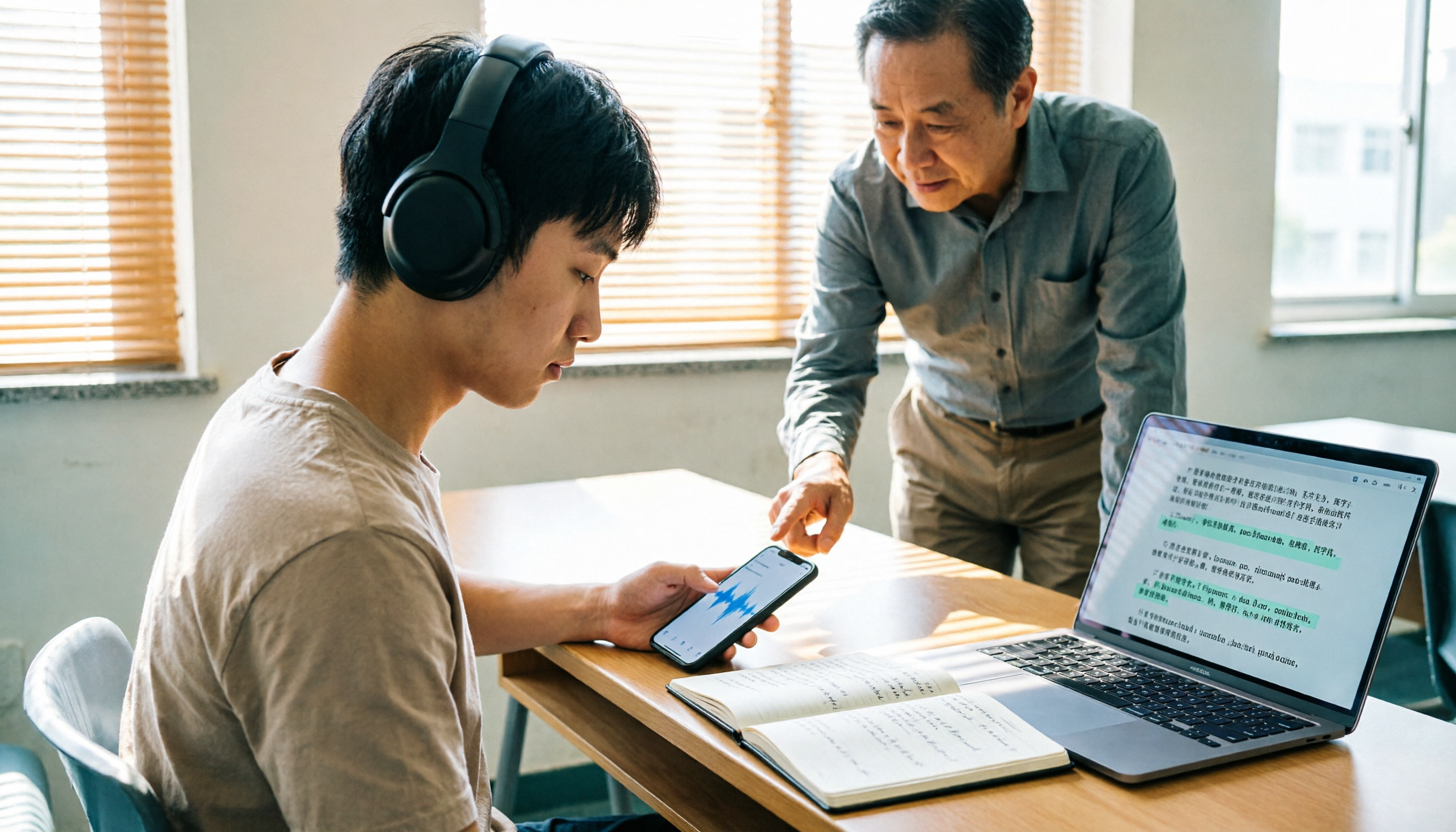
How to Transcribe Classroom Recordings in 2026: A Complete 5-Step Guide
Most people get stuck at the same step when organizing classroom recordings: they record and forget, or turn a two-hour class into a 10,000-word transcript that they still have to read from the beginning. This guide starts with the most common inefficient practices, breaks down the 5 key points to look for when choosing a tool, then demonstrates a complete 5-step workflow, and compares when Tinrec, cSubtitle, VEED.io, and Monica are each suitable.