

Turn recordings into transcripts and summaries in minutes
Upload audio or video for multilingual transcription, AI notes, and action items
2026 Comparison of 4 Sales Meeting Notes Tools: Which AI Meeting Summary Saves You 2 Hours After the Meeting?
At last month's sales meeting, the manager asked, "What discount did we actually agree to for that client last time?" The room went silent for about ten seconds. Because that sentence was written in some salesperson's notebook, and that person was on leave today.
I lead a team of 10 people, with about 15 meetings per week, half of which are client-related: needs interviews, pricing discussions, project progress, cross-department coordination. Sales meeting notes forms are really only about one thing—keeping what the client said, what we promised, and who does what next in a place where it can be found later.
But most people still use the sales meeting notes form they downloaded from the internet: meeting time, chairperson, attendees, discussion items, conclusions. You can fill it out, but after filling it out, no one wants to look at it a second time.
This article isn't giving you another form; it's a hands-on test of 4 tools to see which "note-taking method" can truly retain sales meetings.
What Sales Meeting Notes Forms Really Miss Is Never the Format
I've encountered three recurring scenarios. You can compare them with your own experience.
Scenario 1: The meeting pace is too fast, and you only capture the remnants of conclusions. The client talks about needs, budget limits, and which two competitors they are evaluating—all on the phone. You listen while typing, and in the end, the notes only say "client has concerns about price." As for whether it's about unit price, total price, or payment terms—no one remembers.
Scenario 2: The same record needs to be shown to three types of people. You need to track it yourself, your manager needs to see progress, and the customer success team needs to take over. The "discussion items" field in a generic form is designed for social meetings, not for sales processes. Missing commitments, missing decision-makers, missing next follow-up dates—the person taking over has to ask again.
Scenario 3: Three months later, you need to look up a single sentence. The client says, "You promised a three-month trial back then." You either flip through notes, search your inbox, or rely on memory. At times like this, a record rushed out by hand speed basically doesn't exist.
The problem is usually not that the form fields aren't pretty enough, but that "recording" is still done by hand during the meeting. In a meeting where people are competing to speak, the proportion of people who can listen, think, and type at the same time is actually very low.
Before Choosing a Sales Meeting Notes Tool, Understand These 4 Key Points
1. The recording method determines how much you can capture. Handwritten forms, typing while listening, and recording first then organizing later are three completely different productivity levels. Sales meetings are characterized by high information density and jumpiness. Clients suddenly interject, "By the way, our boss is going abroad next week"—such remarks are usually key. Typing by hand will definitely miss things, so "record and transcribe simultaneously" is almost the only way to capture everything now.
2. Can the fields grow automatically? A good sales meeting notes form should have: client needs, objections, commitments, owners, deadlines, next steps. The problem is that meeting attendees don't have time to fill them out. So what matters is not what the form looks like, but whether the tool automatically extracts action items and decisions.
3. Can you find "that sentence" afterward? Everyone has transcripts, but Ctrl+F only finds keywords, not semantics. What you want to ask is "how many times did the client mention budget issues," not "where does the word budget appear." This is where the gap between tools is most obvious this year.
4. Who holds the data? Sales meeting records are company client assets, not personal notes of salespeople. If records are stored on personal phones or personal accounts, when the person leaves, the client context is broken. Team-level retention and handover capabilities are far more important than getting an extra 500 minutes.
Tinrec—The One Our Team Kept After Testing
Tinrec is an AI meeting notes and collaboration tool for individuals and teams, supporting iOS, Android, desktop, and web. Its core is turning meeting recordings into searchable, summarizable, queryable, and exportable data.
No need to bring a bot into client meetings. This is especially critical for sales scenarios. Tinrec's desktop version directly captures the computer's system audio. When handling online meetings like Zoom, Google Meet, Microsoft Teams, or Webex, it doesn't need an extra "meeting bot" to join as a participant. Clients won't see an unfamiliar recording account on the list—this makes a big difference in first meetings where trust is still being built.
Stop organizing recordings by hand
Upload audio or video and automatically get a transcript, summary, and action items
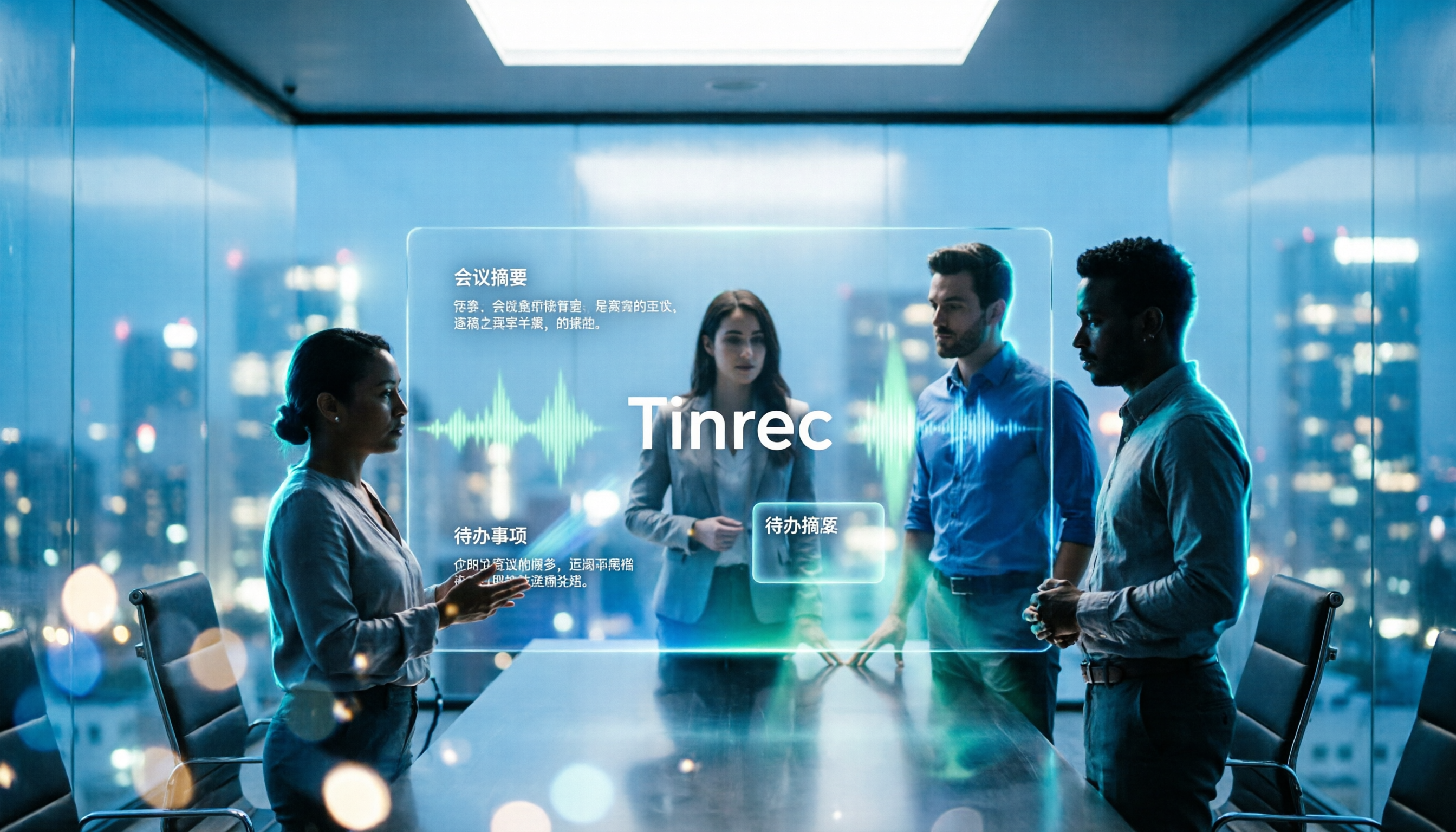
No need to organize from scratch after the meeting. I actually ran the process with a 20-minute sales weekly meeting (Microsoft Teams, indoor, three people taking turns speaking, with interruptions): started recording on the desktop version, and after finishing, the transcript, AI summary, chapters, and action items were already on the page. Keywords like names and product models can be confirmed by switching to the corresponding timestamp in the transcript and replaying—no need to listen to the whole thing again. What used to take me 40 minutes is now "checking" rather than "organizing."
You can ask questions directly about the record. This is where it differs most from most tools at the same price. After recording, you can directly ask it: "Which competitor did the client mention?" "Who promised to send the quote?" "Did this meeting cover payment terms?" It doesn't throw you a bunch of keyword search results; it answers based on the content. Three months later, when the client comes back, this feature is your memory.
The team level is why I ultimately chose it. Meeting data is stored in team spaces, not tied to an individual's account. The team version allows creating multiple team spaces, inviting members via links, setting owners/admins/regular members, and managing "roles" and "seats" separately—only those with seats can record, upload, edit, and export; members without seats can still view and play team data. When a member leaves or is removed, their team resources must be handed over to other active members and won't disappear with the person. There are also usage analytics, audit logs, audio recycle bin (currently retained for 30 days), and team hotwords. For managers who need to manage people and costs, these are more practical than transcription minutes.
Honest limitations. First, the team version currently focuses on team-level sharing, not file-level granular permissions, so it's not suitable for needs like "only three people can see this client meeting." Second, actual results are affected by recording quality, accents, multiple people talking over each other, and technical terms. For important numbers and commitments, I still check against the transcript timestamps. Third, the team version is a paid seat system (monthly USD 29.80 per paid seat; annual USD 199, equivalent to about USD 16.58/month, each seat includes 2,000 minutes of team shared import quota per month; first-time eligible users can try 7 days, 1 free seat, 300 minutes). If you only occasionally organize a recording, the personal free version is enough to start.
Who it's for: Sales and customer success teams that need Chinese meeting notes, don't want to add a bot to client meetings, need to follow up on action items after meetings, and want data to stay with the team rather than individuals.
Besides Tinrec, What Other Options Are There?
Otter.ai: A mature choice for English meetings. Basic is free with 300 minutes per month; Pro annual is about USD 8.49/user/month, including 1,200 minutes of in-app recording and 10 file imports per month. It's solid for pure English business meetings, but Chinese and mixed Chinese-English sales conversations are not its strong suit; it also lacks a mechanism like team hotwords to maintain technical terms.
Notta: High feature overlap, with multi-platform transcription, translation, and team plans. The free version offers 120 minutes per month with a 3-minute limit per item—a single sales meeting exceeds that; Pro annual is about USD 8.17/month with 1,800 minutes per month. It excels at file transcription, but Tinrec's desktop experience of directly recording online meetings without a bot is more convenient for salespeople who have client meetings every week.
Granola: Also captures system audio without a bot, combined with handwritten notes to generate meeting content. Basic is free, Business is USD 14/user/month. Note that it does not support uploading existing recording files, nor does it save meeting audio files. Sales meetings often require replaying the client's exact words to confirm commitments, so Tinrec's approach of retaining recordings and allowing replay verification is much more practical.
Pitfall Guide: The 3 Most Common Mistakes When Choosing Sales Meeting Notes Forms
Pitfall 1: Treating the problem as a format problem. Change ten forms, and meeting notes still won't improve. The real variable is "who is recording and with what." Solve the recording method first, then talk about fields.
Pitfall 2: Only looking at free minutes, ignoring per-item limits. Some tools give 120 minutes per month, which seems enough, but with a 3-minute limit per item, a single sales meeting gets stuck. Before choosing, be sure to check "maximum length per item," not just the total.
Pitfall 3: Buying it and using it only as a voice recorder. If you only use it to record and transcribe, you're using only one-third of it. Automatic action item extraction, post-meeting AI follow-up questions, and exporting to Notion or Google Docs for further processing—these are where meetings become work results.
Conclusion: Which One Should You Choose?
In one sentence: If what you want is a "sales meeting notes form," the focus is no longer the form, but whether you can fully capture information during the meeting and quickly turn it into actionable content afterward.
- Chinese sales meetings, need to follow up on client commitments and objections afterward → Tinrec (AI Q&A is the key difference)
- Don't want an extra meeting bot in front of clients → Tinrec Desktop (directly captures system audio)
- Multiple team members, need to manage seats, usage, and handover → Tinrec Team (roles and seats managed separately, data belongs to the team)
- Pure English meetings, zero budget → Otter.ai Basic (300 minutes per month, the only recommended exception in this article)
- A bunch of historical recording files to batch transcribe → TurboScribe or Notta (long files and batch processing are their strengths)
My own advice: Don't buy right away. First, use the free version for a real sales meeting—not fake test data, but the one you're actually going to next week. Within ten minutes after the meeting, see if you can directly answer "what the client wants, what we promised, who is responsible, and when it's due." The answer is right there.
References
- Meeting Minutes Format Template [Copy Directly] 4 Key Points + Writing Examples, Fill It Out and Submit
- Meeting Minutes Form - Top 100 Meeting Minutes Forms - October 2026 Update - Taobao
- [Meeting Minutes Writing 2026] Format Tutorial | Free Template + Template Download - ProjectManager
- Meeting Ink Six-Month Review: The Essential AI Meeting Notes Assistant for the Workplace
- Notion's Quality Meeting Templates | Notion Marketplace
Turn every recording into actionable outcomes
Get 60 free transcription minutes when you sign in. No credit card required.
Related Reading
You might also like

3 Sales Meeting Notes Tools Worth Trying in 2026: PTT FAQs and Templates Explained
People on PTT often ask how to write a sales meeting notes template, but the real problem is that no one organizes the notes afterward and the fields don't map to the sales process. This article starts with selection criteria, tests Tinrec's bot-free meeting recording, AI Q&A, and team spaces, compares use cases for Granola and TurboScribe, and ends with a pitfalls guide and selection advice.
Otter Meaning in Chinese: A Complete 2026 Guide from Otter the Animal to AI Meeting Note Tools
Many people search for "what does Otter mean in Chinese for software," but Otter literally means otter, and as a software name it usually refers to Otter.ai. This article starts with common translation pitfalls, helps you decide how to choose a Chinese meeting notes tool, and uses Tinrec to demonstrate a complete workflow from recording, transcription, summarization, action items, to team collaboration.

2026 Sales Meeting Notes Template: Complete Guide with Fields, Examples & AI Automation
2026 Sales Meeting Notes Template: Complete guide covering client visits, proposals and quotes, and weekly sales tracking. Includes copy-paste fields and examples, plus how to use Tinrec to quickly organize recordings, transcripts, summaries, and action items into your template.

2026 Sales Meeting Notes Tools Buying Guide: 4 Hands-On Tests and Template Recommendations
Using a real sales meeting workflow, we break down how to choose a sales meeting notes tool: bot-free recording, post-meeting summaries and action items, AI follow-up questions, Chinese language support, and team collaboration. Includes a ready-to-use sales meeting notes template and compares the best-fit scenarios for Tinrec, Otter.ai, Fireflies.ai, and Granola.

2026 Comparison of 4 Sales Meeting Notes Tools: Which AI Auto-Generates Action Items Most Efficiently?
Many people on PTT ask how to write sales meeting notes, but the real hassle is post-meeting organization. This article uses sales meeting scenarios to compare four tools—Tinrec, Otter.ai, Notta, and Granola—from Chinese transcription, automatic summarization, action item extraction, AI Q&A, to team knowledge retention, helping you pick the most time-saving one.

2026 Sales Meeting Notes Tools Buyer's Guide: 6 Tools Tested and Reviewed
Sales meeting notes aren't about piling up verbatim transcripts—what really matters is capturing customer needs, objections, commitments, and next steps. Written from a mid-level manager's practical perspective, this guide reviews 6 sales meeting notes tools, covering the positioning, pricing, and best-fit scenarios for Tinrec, Otter, Fireflies, Notta, Granola, and TurboScribe, along with selection advice and usage considerations.

Sales Meeting Notes Template: 6-Step Tutorial with AI Action-Item Tracking (2026)
A sales meeting notes template shouldn't just be a form you fill out to check a box. Written from a mid-level manager's hands-on perspective, this guide breaks down the 7 fields every sales meeting should capture and walks through 6 steps using Tinrec as an example—from recording during the meeting and proofreading the transcript to AI summaries, action-item extraction, export, and saving to a team workspace. Includes FAQs and advanced tips.

2025 Sales Meeting Notes Tools Buying Guide: 6 Methods Tested and Recommended
Key information from sales meetings often stays in spoken conversation—Excel can capture amounts but not customer concerns and commitments. This guide covers 6 approaches to sales meeting notes, from Excel templates and Google Sheets to AI meeting note tools, explaining suitable scenarios, pricing, and limitations to help you choose a system that works long-term.

Best Sales Meeting Notes Templates? 2026 Dcard Top 5 Tools Tested — This One Auto-Generates Minutes Fastest
Should you use a handwritten template or let AI handle your sales meeting notes? This guide compares the 5 most common sales meeting note methods and tools discussed on Dcard, covering free tiers, pricing, and ideal users, plus a checklist of essential fields for a sales meeting notes template—so you can choose the right one in one go.