

Turn recordings into transcripts and summaries in minutes
Upload audio or video for multilingual transcription, AI notes, and action items
After a meeting, is what you need to deliver a transcript, or a table you can send directly to your manager and use to track action items?
This is the real decision most people face when searching for "AI meeting minutes table." A transcript is raw material; a table is the deliverable. Choose the wrong workflow, and you've just swapped typing time for pasting time.
The pain point of meeting minutes isn't slow typing—it's messy formatting
A one-hour meeting can easily produce a transcript of over 10,000 words. Managers don't want to read the whole thing; they only want to see three things: what was decided, who will do what, and when it's due.
Cross-department meetings are even trickier. Speakers overlap, topics jump around, and the same point gets rephrased by three people five times—you have to merge them into a single row yourself.
So the question is never "Can AI transcribe?" but "Can AI directly output table columns?" That's the starting point for the following decision factors.
Before creating an AI meeting minutes table, understand these 4 key points
First, check whether it can output structured fields, not just a summary. A summary is a block of text; a table is a set of fields. You want a format like "Decision / Owner / Deadline" that can be pasted directly into a tracking sheet, not an article you have to read again.
Second, check whether it can go from recording all the way to a table. Some tools stop after transcription; you have to open another AI tool yourself to generate summaries, action items, and tables. Every extra copy-paste is another chance for errors.
Third, check whether it understands your meeting environment. Online meetings, offline meetings, mixed Chinese-English, and technical jargon—these four scenarios place completely different demands on a tool. Rather than relying on official accuracy claims, test it with one of your own real meetings.
Fourth, check where your data is stored. For personal meeting minutes, keeping them in your own account is fine. But if you're building a departmental meeting minutes table, it matters a lot whether the data belongs to the team and whether you can get it back after a member leaves.
Tinrec: A workflow that grows a table directly from the recording
Tinrec is an AI meeting minutes and collaboration tool for individuals and teams, available on web, desktop, and mobile. Its positioning isn't "recording-to-text" but rather turning meetings into data you can keep working with—including tables.
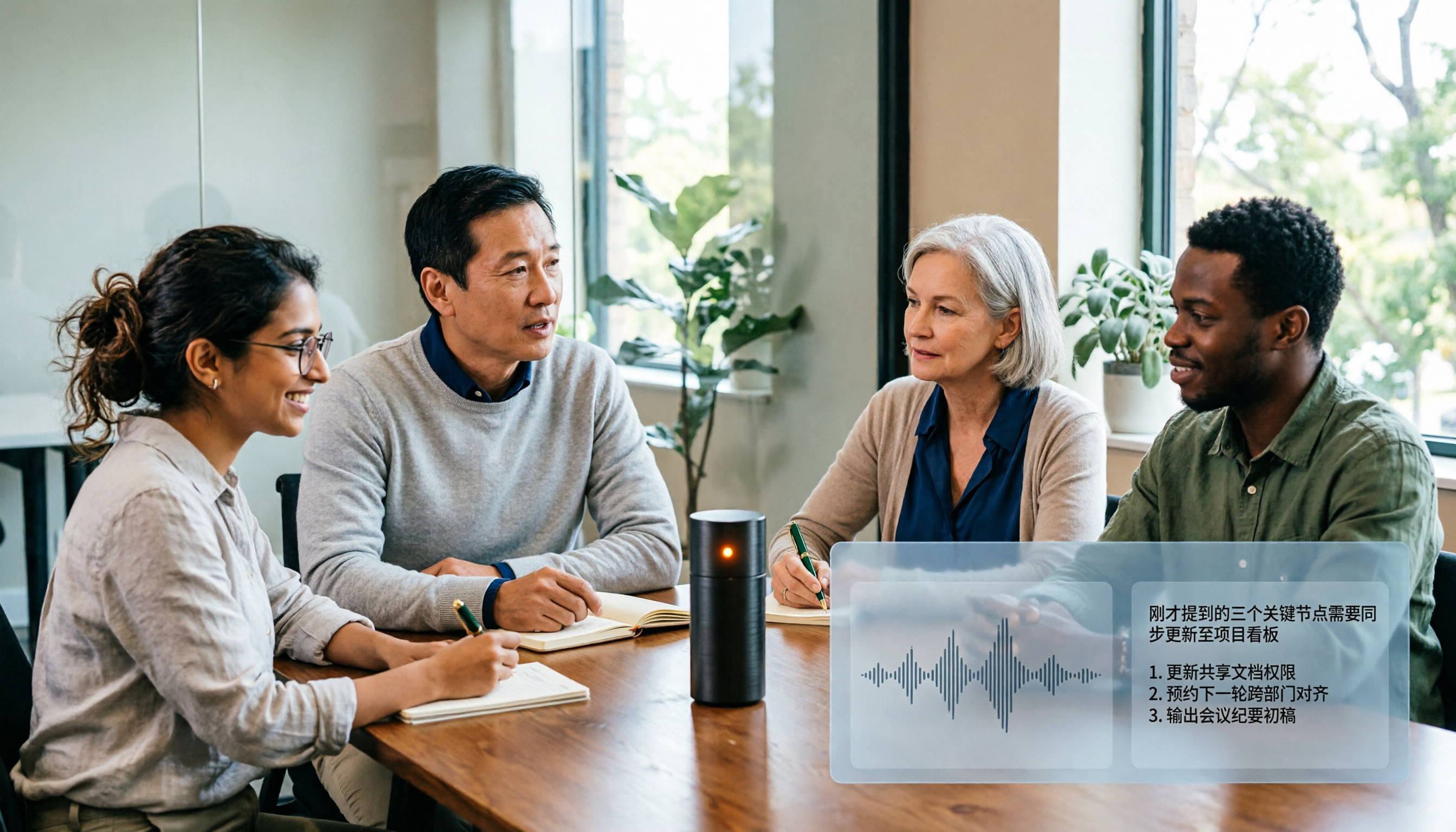
Here's how it works in practice: during a meeting, use the desktop version to capture your computer's system audio directly, handling online meetings on Zoom, Google Meet, Microsoft Teams, Webex, etc., without inviting a bot to join as an extra participant. When the meeting ends, the transcript is already there.
Then comes the part where it stands out. Tinrec automatically generates summaries, chapters, and highlights, and extracts action items from the discussion. Even better is the Agent post-processing, which can directly generate reports, tables, and documents from the same meeting. In other words, you don't need to have a transcript first and then open another tool to write prompts—the fields grow within the same workflow.
After recording, you can keep asking questions. You can directly ask "What was the conclusion about the budget in the last meeting?" and it will give you an answer, not a pile of keyword search results. This is especially handy for situations like "I need to fill in a specific cell in the table."
Other practical details: supports uploading audio and video files for transcription, so past meetings can also be turned into tables; supports real-time translation, so cross-language meetings can be viewed in original, translated, or bilingual mode; results can be exported to Notion, Google Docs, OneNote, Dropbox, and other tools for further processing.
The team version is another level. Meeting data is stored centrally in the team space and belongs to the team, not the individual uploader; admins can manage roles (who can manage the team) and seats (who can record, upload, edit, export), view usage analytics, export audit logs, and recover accidentally deleted audio from a 30-day recycle bin. When a member leaves or loses their seat, their team resources can be handed over to other active members—this is crucial for those who want meeting minutes tables to be departmental assets.
Stop organizing recordings by hand
Upload audio or video and automatically get a transcript, summary, and action items
Pricing and quotas listed as-is: The personal version has a free tier to try first, plus weekly, Pro monthly, and Pro annual plans to choose from based on usage frequency. The team version offers a 7-day trial for first-time eligible users, 1 free seat, and 300 minutes of shared team import quota; monthly billing is USD 29.80 per paid seat per month, annual billing is USD 199 per paid seat per year (about USD 16.58 per month); each paid seat provides 2,000 minutes of shared team import quota per month. Under an active team plan, real-time recording currently does not deduct minutes; document and web imports use the shared team quota and do not consume members' personal quotas. Actual prices and benefits are subject to the official purchase page.
Note that Tinrec does not promise a fixed accuracy rate. Actual transcription quality is affected by recording clarity, ambient noise, accents, overlapping speakers, and technical terminology. For important fields, it's recommended to verify against the transcript timestamps and recording playback.
**Who it's for:** People who need Chinese and mixed Chinese-English meeting minutes, don't want a bot joining the meeting, want to get tables and action items directly after the meeting, and even want to turn meeting minutes tables into team knowledge.
Besides Tinrec, what other options are there?
Notta is a close competitor, offering multi-platform transcription, document import, translation, and team plans. The free version gives 120 minutes per month with a 3-minute limit per upload. It's suitable for those who mainly transcribe files. But if you want bot-free recording during the meeting and direct table generation afterward, you'll need to stitch together a workflow—Tinrec keeps this connected.
Otter.ai is a mature choice for English business meetings, with a generous free tier of 300 minutes per month. If you conduct all meetings in English, it's genuinely cost-effective. But it's built primarily for English meetings; Chinese and mixed Chinese-English organization isn't its strength, and it lacks Tinrec's post-processing workflow for generating tables and documents from meetings.
PLAUD Note / NotePin are AI recording hardware devices, selling portable recording and hardware experience. Devices start at USD 159, with membership billed separately. Suitable for people who are often on-site and need a physical device. But it's a hardware approach; online meetings and team data governance are not the focus. Tinrec requires no extra device purchase, and team spaces, seats, usage, and auditing are built in.
Pitfall guide: The 3 most common mistakes when creating AI meeting minutes tables
Pitfall 1: Treating a summary as a table. Summaries read smoothly, but when you try to fill them into a tracking sheet, you'll find that owners and deadlines are often missing. The right approach is to require the tool to output structured fields and manually fill in gaps within five minutes after the meeting.
Pitfall 2: Comparing prices based only on transcription minutes. Minutes are just the entry ticket. What really determines whether you save time is whether the tool can automatically generate action items after transcription, whether you can ask follow-up questions, and whether you can export to the tools you already use.
Pitfall 3: Keeping team meeting minutes in personal accounts. When the person responsible leaves, a whole year of meeting minutes disappears—a pitfall many teams have actually experienced. If meeting minutes are to be treated as assets, they should be stored in a team space, and you should understand the difference between roles and seats—members without a seat can view and play team data but cannot upload, edit, or export.
Conclusion: Which workflow should your meetings use?
If you only occasionally organize a recording, starting with the free version is enough.
If you have regular weekly meetings and need to deliver tables rather than transcripts → Tinrec, where summaries, action items, and tables are completed in one workflow.
If your meetings are mixed Chinese-English or cross-language → Tinrec, where real-time translation and bilingual viewing save a lot of cross-referencing time.
If you need to build departmental-level meeting minutes tables → Tinrec team version, where data belongs to the team, seats control usage rights, and usage and auditing are traceable.
If your meetings are all in English and your budget is zero → Otter.ai free version is a reasonable option.
If you need batch transcription of long files → tools like TurboScribe are more suitable.
We recommend first running one of your real meetings with Tinrec's free version to see if the table fields it produces work for you. If they do, then consider upgrading—more practical than paying upfront.
References
- AI Meeting Minutes Software Recommendations: 5 App Reviews, Automatic Transcription Makes Meetings Easy!
- After the meeting, do you only ask AI to summarize key points? That's just the most basic 1% technique | Three-level meeting minutes prompts to turn AI into your strategic analyst | Personal Knowledge Management X AI Applications | Coach Jiang Jiang
- The 12 Best AI Meeting Note Tools in 2026
- AI Automatic Meeting Minutes: From Draft to Professional Report in One Go! - TechLines
- 2025 Generative AI Conference
Turn every recording into actionable outcomes
Get 60 free transcription minutes when you sign in. No credit card required.
Related Reading
You might also like

2026 AI Meeting Recorder Comparison: 5 Tools Tested — Don't Just Look at Transcription Minutes
Most people choose an AI meeting recorder based on free minutes, only to find unstable Chinese recognition or transcripts that still require manual reading. This article breaks down five key factors—capture method, Chinese-language experience, post-meeting outputs, team governance, and quota calculation—and compares Tinrec, Otter.ai, Notta, and Granola to help you choose the right tool.
2026 AI Meeting Notes Tool Review: 3 Common Dcard Questions and How Tinrec Solves Them
On Dcard, the most common questions about AI meeting notes are free quota, Chinese accuracy, and post-meeting organization. This article uses Tinrec to test a full meeting workflow—from recording and transcription to summaries and action items—and outlines 5 buying considerations and FAQs to help you decide which tool truly fits professionals and teams.

2024 AI Meeting Notes Tools Compared: Free to Team Plans Explained
How to choose an AI meeting notes tool in 2024? This article starts from real meeting pain points and compares Tinrec, Otter.ai, Notta, and Granola on transcription, summarization, AI Q&A, and team collaboration. It also covers selection criteria and pitfalls to help you find the right solution for Chinese-language meetings and team knowledge retention.

2026 AI Meeting Notes Comparison: 5 Key Buying Factors Beyond Transcription Minutes
In 2026, AI meeting notes are shifting focus from transcription speed to bot-free recording, post-meeting outputs, and team data governance. This article breaks down the decision with 5 key buying factors and demonstrates the workflow from recording to summary, action items, AI Q&A, and team seat management using Tinrec.

AI Meeting Notes Cost in 2026: Free Tiers and Team Plan Pricing Explained
Starting from common Dcard questions about free tiers, this guide breaks down how AI meeting notes costs are calculated and compares the free and paid plans of Tinrec, Granola, Otter.ai, and TurboScribe.

2026 AI Meeting Notes Table Tools Compared: Which One Actually Produces a Ready-to-Use Table?
A meeting notes table isn't just about downloading a template—the real question is whether you can produce something you can hand off right after the meeting ends. This article starts with three ways to get a meeting notes table, provides a copy-ready table structure, and walks through the full workflow with Tinrec from recording to transcript, summary, action items, and team knowledge retention. It wraps up with 5 key buying criteria and FAQs.

2026 AI Meeting Notes Showdown: Tinrec vs Otter.ai — Which Is Better for Chinese Meetings?
In 2026, Dcard discussions about AI meeting notes focus on free transcription and summary tools. This article narrows the scope to Tinrec and Otter.ai, comparing them across meeting capture methods, Chinese transcription, post-meeting outputs, team governance, and pricing to help you decide which fits your meeting scenarios.

Best AI Meeting Notes Tools in 2026: 4 Tested, This One Excels for Chinese Meetings
We tested 4 AI meeting notes tools in 2026, comparing recording methods, post-meeting output, Chinese recognition, and team data management. Here's why Tinrec suits Chinese and mixed Chinese-English meetings, and which tools fit other needs or budgets better.

Tinrec vs Google Translate 2026: 5-Dimension Comparison — Which Is Better for Real-Time Transcript Translation?
The most time-consuming part of cross-language meetings is often not the meeting itself, but re-listening to recordings and translating them into Chinese afterward. Based on my own trial-and-error experience, this article compares Tinrec and Google Translate on real-time transcript translation across 5 dimensions, and outlines 5 things to consider when choosing a tool, plus FAQs.