

Turn recordings into transcripts and summaries in minutes
Upload audio or video for multilingual transcription, AI notes, and action items
4 Free Real-Time Transcription AI Tools Compared in 2026: Quotas, Chinese Recognition, and Post-Meeting Organization
Three Common Misconceptions About Free Real-Time Transcription AI
Most people looking for this type of tool start by registering for every seemingly "free" option, get tired by the third one, and end up going back to typing themselves. The problem usually isn't that free tools aren't good enough, but that they didn't clarify their needs before choosing.
Misconception 1: Free means unlimited. Most tools' free plans are priced by "minutes," and some also have per-session length limits and file count restrictions. 120 minutes sounds like a lot, but a two-hour meeting uses it all up.
Misconception 2: Having a transcript means having meeting notes. A transcript is raw material, not a finished product. The real time-consuming part is extracting conclusions and action items from a sea of "um," "yeah," and "like."
Misconception 3: If you can read the words, it's fine. A transcript without timestamps or playback ability makes you hesitant to use it when key numbers (budgets, dates, contract terms) come up.
A more reasonable approach is to first determine whether you need "text while speaking" or "organizing recorded files afterward," then look at how free quotas are calculated, whether Chinese is supported, and whether the output can be used directly.
4 Key Points to Understand Before Choosing a Free Real-Time Transcription AI
1. How free quotas are calculated. Some offer a fixed number of minutes per month, some have per-session limits plus daily file counts, and some have no limits but only support Simplified Chinese. When reviewing a plan, first confirm "how much does a 90-minute meeting deduct?"—this is more meaningful than total minutes.
2. What "real-time" means. One type produces text while recording; the other transcribes after uploading a file. The former suits live interviews and online meetings, the latter suits organizing old recordings. Many tools advertised as free actually only do the latter.
3. Recognition of Chinese and mixed Chinese-English. Meetings in Taiwan rarely use pure Chinese; they often include phrases like "let's review this campaign's budget." Whether a tool can handle such sentences matters more than the officially claimed accuracy rate.
4. Whether the output can be used directly. Tools that only provide a transcript still require you to extract summaries and action items yourself. If a tool can also generate chapters, key points, and action items, that saves another step.
Another often-overlooked point: who owns the data. Meeting notes in a personal account leave with the person when they resign. This is why most teams eventually move toward "team spaces."
Tinrec (秒聽錄音) — The Most Complete Post-Meeting Organization Among Free Real-Time Transcription Tools
Tinrec (秒聽錄音) is an AI meeting notes and collaboration tool for individuals and teams, available on web, desktop, and mobile. Its positioning is not just converting audio to text, but turning meetings into searchable, queryable, and further processable data.
Real-time transcription and online meetings. For offline meetings or interviews, start real-time recording and get transcripts as you speak. For online meetings, the desktop version directly captures computer system audio, handling platforms like Zoom, Google Meet, Microsoft Teams, and Webex without inviting a meeting bot into the room. For those often asked "why is there an unknown person in the meeting?" this is very practical.
The real value is after transcription. After the meeting, it automatically generates summaries, chapters, and key points, and extracts action items from discussions. You can also view the overall structure as a mind map. More importantly, AI Q&A: you can directly ask "Who mentioned the budget in the last meeting?" or "What were the client's concerns about the delivery date?" and it answers based on content, rather than dumping keywords for you to search through.
Cross-language and export. Supports real-time translation, allowing you to switch between original text, translation, or bilingual view—especially useful for mixed Chinese-English meetings. Organized content can be exported to Notion, Google Docs, OneNote, Dropbox, and other tools, and can also be post-processed with Agent to generate reports, tables, or meeting minutes.
Clarifying the team edition boundaries. The team edition is not "multiple people sharing one personal account," but an independent team space. Admins can invite members, set roles (Owner/Admin/Member), and assign or revoke seats. A common misunderstanding: roles determine who can manage the team; seats determine who can record, upload, edit, and export. Members without seats can still view, play, and read team data, but cannot perform resource-consuming operations. Also, the team edition currently focuses on team-level sharing, not file-level granular permissions.
Stop organizing recordings by hand
Upload audio or video and automatically get a transcript, summary, and action items
Pricing and limitations. The personal edition offers a free version, weekly pass, Pro monthly, and Pro annual. The free version provides basic quota, suitable for trying with a real meeting first; the weekly pass suits short-term intensive interviews; consider Pro for regular weekly meetings. The team edition offers a 7-day trial for first-time eligible users, 1 free seat, and 300 minutes of team shared import quota; monthly USD 29.80 per paid seat per month, annual USD 199 per paid seat per year (approximately USD 16.58/month), each paid seat provides 2,000 minutes of team shared import quota per month, and real-time recording under an active team plan currently does not deduct minutes. Actual prices and benefits are subject to the official purchase page.
Note that transcription quality is affected by recording quality, ambient noise, accents, overlapping speech, and technical terminology. For important numbers, it's recommended to replay and verify with timestamps.
Who it's for. People who frequently hold Chinese or mixed Chinese-English meetings, need to use AI to find key points directly after meetings, and want data to stay in a team space rather than on personal phones.
Besides Tinrec, What Other Free Options Are There?
inFin: A voice note app for both mobile and computer, no registration required to start, free and unlimited recording count, works offline—friendly for students with zero budget. However, its Chinese is mainly Simplified, and third-party reviews mention relatively average recognition; if you need Traditional Chinese transcripts, cross-meeting AI Q&A, or team seats and usage management, these are gaps it can't fill.
cSubtitle: A no-registration online conversion service; upload video or audio files to get transcripts, Word files, and subtitle files with timelines. Supports single files up to 4GB/5 hours, and batch processing—suitable for organizing course recordings or old interviews all at once. But it processes "existing files," not live transcription during meetings, and lacks post-meeting AI Q&A and team collaboration. If you need real-time and post-meeting follow-up questions, the direction is different.
Otter.ai: A veteran choice for English business meetings. Basic free plan offers 300 minutes per month; Pro annual is about USD 8.49/user/month, including 1,200 minutes per month and 10 file imports. If your meetings are all in English and you only need transcripts and summaries, its free quota is quite generous. But most teams in Taiwan have mixed Chinese-English meetings, where Tinrec's Traditional Chinese experience, real-time translation, and team hotwords are more aligned with actual needs.
Pitfall Guide: 4 Most Common Mistakes When Choosing Free Real-Time Transcription AI
Pitfall 1: Only looking at "free," not how deductions work. Some plans say "120 minutes per month," but single uploads are limited to 3 minutes, meaning you have to split into 40 segments. Another type doesn't deduct minutes for real-time recording, only for file imports—this makes a big difference for daily meeting-goers. When reviewing a plan, first ask: how much will my 90-minute meeting deduct?
Pitfall 2: Submitting transcripts as meeting notes. A transcript is evidence; meeting notes are conclusions. Pasting a transcript directly into a group chat usually means no one will read it. A more efficient approach is to let the tool generate summaries and action items first, then you polish the wording.
Pitfall 3: Ignoring proper nouns. Product codes, client abbreviations, and internal acronyms are where transcription most often fails. Tools with hotword features allow you to maintain a terminology list in advance; without it, you can only manually correct afterward.
Pitfall 4: Not considering data ownership. Meeting notes in a personal account break when the person leaves. If a team wants long-term accumulation, they should start with a solution that has spaces, seats, and handover mechanisms—transferring responsible resources to others when members exit, rather than discovering it's missing after resignation.
One more reminder: recording and transcription involve personal data. Inform participants and obtain consent before recording; regulations vary by country and region, and this step cannot be skipped.
Conclusion: Which One Should You Choose?
Simply put, the difference between free real-time transcription AI tools isn't "who is free," but "what you get after free."
- Want transcripts during meetings and AI to find conclusions and action items afterward → Tinrec (real-time recording + AI Q&A + summary chapters)
- Don't want to invite a bot into online meetings → Tinrec (desktop captures system audio, supports Zoom, Meet, Teams, Webex)
- Mixed Chinese-English meetings, need bilingual comparison → Tinrec (real-time translation and bilingual view)
- Need to accumulate meeting data as team assets, manage seats and usage → Tinrec Team Edition (team space, roles, seats, usage analytics, audit logs, 30-day audio recycle bin)
- Just need to batch process old recordings and subtitles → cSubtitle (no registration, single file up to 5 hours)
- All-English meetings, just want maximum free minutes → Otter.ai (300 minutes per month)
If you want to confirm suitability first, it's recommended to open the free version and run through a real meeting: record, view transcript, ask AI a question, export once. After these four steps, you'll have a good idea whether it can handle your monthly meetings.
References
- Unlimited time! 3 free AI transcription tools, highly recommended! AI voice notes generate meeting records, presentations, mind maps | 104 Career Power
- Yating Transcription
- Home | Vocol.ai Voice Collaboration Platform
- Online AI voice, video, audio file automatic transcription - free trial - cSubtitle
- [AI Voice Notes] 5 highly recommended AI transcription tools! Generate transcripts and meeting notes highlights, free vs subscription, pros and cons comparison | 104 Career Power
Turn every recording into actionable outcomes
Get 60 free transcription minutes when you sign in. No credit card required.
Related Reading
You might also like

4 Live Transcription Apps Tested: Which Is Best for Chinese Meetings in 2026?
Live transcription is more than converting speech to text. Starting from a real interview pain point, this article shows what a usable transcript looks like, breaks down 4 key buying criteria, and compares Tinrec, Yating Transcription, cSubtitle, and Otter.ai on real-time capability, post-meeting organization, and team collaboration. It also includes a pitfalls guide and a starter checklist.

4 Live Transcription Apps Tested for 2026: Which Handles Chinese Meetings and No-Bot Recording Best?
How to choose a live transcription app? This article examines four key aspects: audio capture method, post-meeting output, Chinese recognition, and data ownership. It compares Tinrec, Notta, Otter.ai, and Granola through hands-on testing, and outlines four common purchasing pitfalls to help you determine which tool truly saves time on meeting organization.

2026 Real-Time Transcription Tools Compared: 5 Top Picks Tested — What Makes Live Text Actually Work?
Real-time transcription isn't just hitting record — it's about where your meeting happens and what you need afterward. We tested Tinrec, Yating, Vocol.ai, Transcribe, and cSubtitle against 5 key buying criteria to help you choose the right tool for personal or team use, plus 4 common pitfalls to avoid.

2026 Real-Time Transcription Translation Guide: Bilingual Transcripts + AI Meeting Summaries
The hardest part of cross-language meetings isn't understanding—it's not having time to take notes. This guide covers three common inefficient approaches, explains how to choose and use real-time transcription translation, and tests Tinrec's real-time bilingual workflow, free and paid plan limits, plus who Google Translate transcription, Yating Transcription, and Transcribe are each best for.

2026 Live Transcription Showdown: Tinrec vs Otter.ai for Chinese Meetings
How to get live transcripts without replaying recordings? This side-by-side comparison of Tinrec and Otter.ai covers Chinese and mixed-language recognition, bot-free recording, post-meeting summaries and action items, audio retention, team seat management, and pricing quotas, plus four practical tips to help you choose the right tool for your meeting scenarios.

2026 Comparison of 4 Live Transcription AI Tools: Which One Actually Saves Time?
Online meetings, interviews, and classes need live transcription, but with so many tools available, is the free version enough? This article tests and compares four popular AI transcription tools—Tinrec, Otter.ai, Notta, and Granola—from real-time accuracy, post-meeting organization, team collaboration, to pricing, to help you find the most time-saving choice.

2026 Comparison of 4 Live Transcription Tools: Which Free Online Tier Is Most Generous?
A roundup of live transcription and free online speech-to-text tools available in 2026, compared across four dimensions: free quota, Chinese recognition, post-meeting organization, and team collaboration. Includes hands-on testing of Tinrec's live transcription, AI summaries, and action item extraction to help you decide which tool truly saves time on transcript cleanup.

Tinrec vs Yating Transcription 2026: 5-Dimension Comparison — How to Calculate Real-Time Transcription Costs
The cost of real-time transcription software isn't just the per-minute price. This article compares Tinrec and Yating Transcription across five dimensions—free quota, real-time transcription method, post-meeting organization, team governance, and export integration—to break down the factors that truly affect procurement costs and help you determine which tool fits your actual usage scenario.
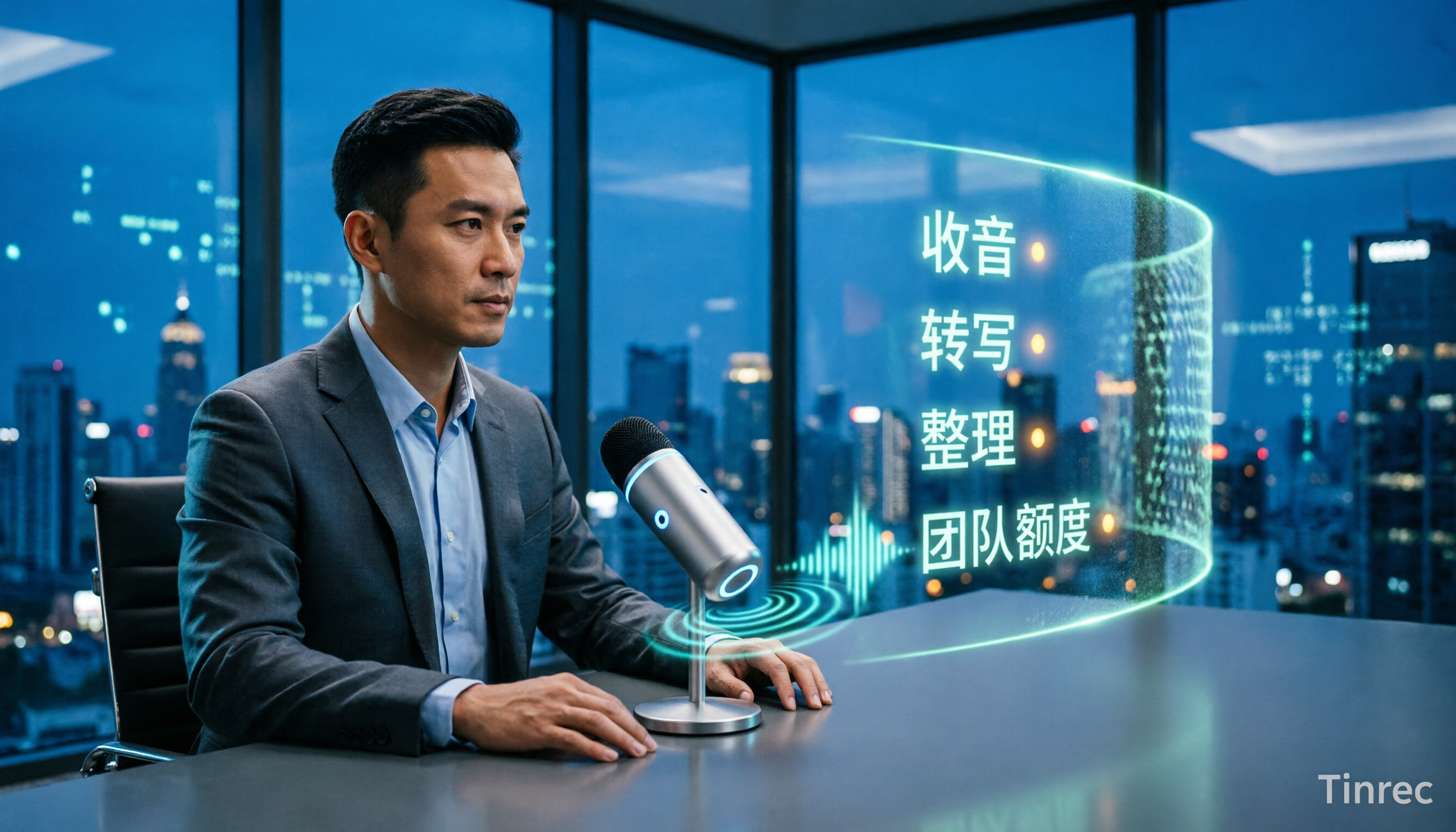
4 Live Transcription Tools Tested and Compared in 2026: How to Use Them Without Wasting Time
Live transcription isn't something you can just open and use. From how to capture audio in meetings to how to organize notes afterward and how team quotas are calculated, there are common pitfalls to watch out for. This article first highlights three common misconceptions, then outlines four key factors for choosing a tool, and compares Tinrec, Yating Transcription, Notta, and Otter.ai in real meeting scenarios to help you decide which one deserves a place in your daily workflow.