

Turn recordings into transcripts and summaries in minutes
Upload audio or video for multilingual transcription, AI notes, and action items
Customer Says "Let Me Think About It"—Can Your Meeting Notes Save You?
When a sales meeting ends, most people's notes look like this: "Customer has concerns about price, follow up next week." Two weeks later, your manager asks: Was it too expensive, was the budget not approved, or did they simply not have decision-making authority? You search your notes and find only that one sentence you wrote.
Another common scenario: the meeting runs for an hour, you're busy responding to the customer, and you only write up notes from memory afterward. You miss the customer's casual mention that "our contract expires in June"—which was actually the most valuable buying signal of the entire meeting.
An even more frustrating case: the notes are detailed, but there's no owner and no date. Only at the next meeting do you discover that the quote that should have been sent was never sent by anyone.
This article doesn't talk abstractly about "how important meeting notes are." Instead, it gives you a free, copy-ready sales meeting notes template, then breaks down how to choose templates and tools so your notes actually move deals forward.
Free Sales Meeting Notes Template: See What a Completed One Looks Like
Most free templates teach you to record the "discussion process," but what a sales meeting really needs to capture is the "deal signal." The template below condenses the fields to 8—paste it into Word or Google Docs and you're ready to go:
Sales Meeting Notes
Date: 2026-03-12  Time: 14:00-14:50  Format: Google Meet
Note-taker: Wang Xiaoming (Sales)
Attendees: Client side: Manager Li (Procurement), Engineer Chen; Our side: Wang Xiaoming, Associate Director Zhang

1. Customer current situation and trigger: Existing system contract expires in June, customer service ticket volume growing
2. Needs and pain points: Need automated ticket dispatch and cross-department notifications; most concerned about implementation time
3. Budget / Decision-maker / Timeline: Budget range not specified; Manager Li is primary decision-maker, Associate Director Zhang reviews
4. Alternative solutions mentioned by customer: Currently comparing another local system vendor
5. Customer concerns and our response: Worried about data migration affecting go-live; we proposed phased migration
6. Decisions and commitments: We will provide migration timeline by 3/15; customer will confirm budget approval process by 3/18
7. Action items (owner/deadline): Timeline—Wang Xiaoming/3/15; Approval process—Manager Li/3/18
8. Next step: Second demo on 3/25, include IT director
If you just want a ready-made format first, the generic business meeting templates in Word and Google Docs are the easiest to start with—fixed fields, no registration required. Notion's meeting template is better for team sharing, with the advantage of linking each meeting into a database and connecting action items. The common limitation of both: the fields save you the work of "formatting," but you still have to write the content yourself while listening.
Before Choosing a Free Sales Meeting Notes Solution, Understand These 5 Key Points
1. Do the fields correspond to "deal signals" or "discussion process"? General meeting notes record "who said what," but sales meeting notes need to record "why the customer hasn't bought yet." If budget, decision-maker, timeline, and alternatives don't have their own fields, you almost can't recover them afterward.
2. Are decisions and action items tied to an owner and date? An action item without an owner is not an action item. The test is simple: can this note be pasted directly into the group chat so everyone knows what they need to do and when to deliver it?
3. Are audio files retained, and can you go back to verify exact quotes? The biggest fear in sales meetings is misrecording the customer's numbers or terms. If the tool only gives you a transcript and doesn't keep the recording, you have no evidence when you discover a discrepancy later. This varies greatly among free plans.
4. Chinese and mixed Chinese-English recognition, plus proper nouns Sales meetings in Taiwan almost always mix Chinese with product model numbers, customer company names, and competitor names. General speech recognition often fails on these terms. Whether you can customize vocabulary directly affects whether the transcript is usable.
5. Can you export, and can the team share? Notes written in personal notebooks are visible only to you. Whether you can export to Google Docs, Notion, or spreadsheets, and whether team members can share the same meeting data, determines the lifespan of these notes.
Tinrec: Automatically Fills In That Template Above
Tinrec is an AI meeting notes and collaboration tool for individuals and teams, available on iOS, Android, desktop, and web. It doesn't solve "how to record"—it solves "how to turn a recording into actionable data."
No bot to invite for online meetings. Sales meetings mostly happen on Zoom, Google Meet, Microsoft Teams, or Webex. Tinrec's desktop version captures system audio directly, without pulling an extra bot into the meeting room—for external client meetings, this is very practical. You don't have to explain to the customer "why there's a stranger account in the meeting."
Automatically generates summaries, chapters, and action items after the meeting. After the meeting ends, Tinrec organizes the transcript into a summary and chapters, and extracts action items. Compared to the template earlier in this article, fields 1 through 7 have a first draft—you only need to add human-judgment content like budget assessment and decision-maker relationships.
Stop organizing recordings by hand
Upload audio or video and automatically get a transcript, summary, and action items
Ask questions directly about the meeting content. This is the biggest difference from pure transcription tools. You can ask: "What month did the customer say the contract expires?" "What concerns did the customer raise in this meeting?" It answers based on the meeting's meaning, rather than dumping a bunch of keywords for you to search through. The most common sales need—"What did the customer commit to in last month's meeting?"—is much faster to find this way than scrolling through a timeline.
Output and export. Transcripts, summaries, and action items can be exported to Notion, Google Docs, OneNote, Dropbox, and other tools. You can also use Agent post-processing to generate reports, tables, and meeting minutes—directly becoming weekly report material for your manager. Cross-language meetings also support real-time translation, with switchable original text, translated text, or bilingual view.
Team plan keeps meeting data with the team, not the individual. For a full sales team, the team plan provides independent team spaces where meeting data belongs to the team. Admins can set owners, admins, and regular members, assign or revoke seats, and view usage analytics and audit logs. Team hotwords can be pre-loaded with customer company names, product model numbers, and competitor names to reduce the chance of proper nouns being misheard. On pricing, eligible teams can try 7 days, 1 free seat, and 300 shared onboarding minutes; monthly billing is USD 29.80 per paid seat per month, annual billing is USD 199 per paid seat per year (about USD 16.58/month), each paid seat provides 2,000 shared onboarding minutes per month, and real-time recording under an active plan is currently not deducted by minutes.
Limitations should also be clear. The free version provides basic quota—suitable for running one or two meetings to validate results first; long-term high-frequency use still requires evaluating a paid plan. Tinrec does not promise a fixed accuracy rate; recording quality, accents, overlapping speakers, and technical terminology all affect results. For important terms, we recommend cross-checking against transcript timestamps and recording playback. Also, the team plan currently focuses on team-level sharing, not file-level granular permissions—members without seats can view and play data but cannot upload, edit, or export.
Who it's for: Sales and customer success teams who frequently hold online client meetings, need Chinese transcripts and post-meeting follow-up questions, and want meeting data to stay with the team rather than on individual hard drives.
Besides Tinrec, What Other Free Solutions Are Worth Considering?
Notta: A multilingual transcription and meeting notes tool. Free version: 120 minutes per month, 3 minutes per single item. Paid Pro annual billing is about USD 8.17/month, 1,800 minutes per month. Chinese support is decent—suitable for users who mainly transcribe files. But its free quota is tight for a 50-minute sales meeting, and team spaces and post-meeting AI follow-up questions are not its strengths—exactly the gap Tinrec's team plan aims to fill.
Otter.ai: A long-standing choice for English meetings. Free Basic: 300 minutes per month. Pro annual billing is about USD 8.49 per user per month, including 1,200 minutes per month and 10 file imports. If your customers are mostly English-speaking and meetings are entirely in English, its maturity still has advantages. But Chinese and mixed Chinese-English meetings are not its home turf, and it lacks custom vocabulary mechanisms like team hotwords.
Granola: Also uses a no-bot approach, transcribing through desktop system audio and microphone, and combining with your handwritten notes to generate content. Free Basic is available; Business is USD 14 per user per month. Note that it does not support uploading pre-recorded audio files and does not save meeting audio—a hard flaw for sales scenarios that need to go back and verify customer quotes. Tinrec retains recordings, can import existing audio files, and offers multi-format export—better suited for teams that need after-the-fact traceability.
Pitfall Guide: The 4 Most Common Mistakes When Choosing Free Sales Meeting Notes Templates
Pitfall 1: Treating the transcript as meeting notes. A transcript is raw material, not a finished product. Customers don't want to read a 40-minute transcript; they want to see "what was discussed, where it's stuck, and who does what next." The value of a transcript is for your own after-the-fact verification, not for forwarding directly.
Pitfall 2: Only recording what our side said. The focus of sales meeting notes is the customer's line: "Our contract expires in June." The customer's exact words, concerns, and mentioned competitors are ten times more important than your product introduction—be sure to preserve them verbatim.
Pitfall 3: Action items without owner and deadline. "Provide quote" is not an action item. "Wang Xiaoming to provide quote including migration timeline by 3/15" is. Notes without these two elements mean you'll have to re-confirm progress at the next meeting.
Pitfall 4: Ignoring recording consent and audio retention. Before recording, you should inform attendees and obtain consent—this is not just courtesy, it also relates to local regulations. Also confirm whether the tool retains audio files and for how long—some free tools only provide text, not recordings, and by the time you need to verify, it's too late.
Summary: Which One Should You Actually Use?
Just want a format first, write by hand → Word/Google Docs generic business template is fastest. Paste the 8 fields above and you're ready; the downside is all content relies on manual work.
Team needs to share, wants to link meetings into a database → Notion meeting template is suitable, but transcripts and summaries still need separate handling.
Chinese sales meetings, need to ask follow-up questions about customer quotes → Tinrec is the top choice in this article. Desktop version records online meetings without a bot, automatically generates summaries and action items, and can answer questions about meeting content—a combination that pure templates and pure transcription tools cannot achieve.
Customers mostly English-speaking, meetings entirely in English → Otter.ai's free 300 minutes is still a generous choice. This is one of the few scenarios in this article where we recommend prioritizing a competitor.
Only need bulk file transcription, no live meetings → File-based tools like Notta or TurboScribe are more suitable.
Practical advice: Don't rush to compare prices. Use Tinrec's free version basic quota to run one of your most real sales meetings, then try asking it "What concerns did the customer mention?" and "What are the action items?" If it can compress what would have taken you an hour into ten minutes, then talk about upgrading or adopting the team plan—that's more accurate than any comparison table.
One final reminder: no matter how powerful the tool, the most valuable thing in the notes is always the sentence the customer said themselves. The purpose of the template fields is to make sure you don't miss it.
References
- Free Meeting Minutes Templates (Word, Google Docs, PDF) | HiNoter Blog
- [Meeting Minutes Template Download 2026] 6 Meeting Notes App Recommendations | Format Tutorial and Writing Examples
- Meeting Minutes Format Template [Copy-Ready] 4 Key Points + Writing Examples, Fill In and Submit
- Quality Meeting Templates on Notion | Notion Marketplace
- Free Meeting Notes Template - Online Notepad - aNotepad
Turn every recording into actionable outcomes
Get 60 free transcription minutes when you sign in. No credit card required.
Related Reading
You might also like

2024 AI Meeting Assistant Comparison: Which One Actually Saves Time on Chinese Meeting Notes?
A practical comparison of six popular AI meeting assistants in 2024, covering differences in no-bot recording, Chinese transcription, post-meeting summaries, action item extraction, and team knowledge retention. We also list each tool's free tier and paid pricing to help you decide which one truly saves time on meeting notes.

6 AI Meeting Assistants Tested for 2026: Which Handles Chinese Meetings and Post-Meeting Notes Best?
Meeting just ended, but no one remembers who owns the action items? This article reviews 6 AI meeting assistants in 2026, comparing Chinese transcription, bot-free recording, post-meeting summaries, and team collaboration to help you pick the one that truly saves time.

How to Use an AI Meeting Assistant in 2026: Tinrec in 4 Steps + Automatic Post-Meeting Organization
Many people install an AI meeting assistant but only use the recording feature. The key is whether you complete the four steps: record, transcribe, organize, and reuse. This article uses Tinrec as an example to break down the actual operation steps for three meeting scenarios, and compares the differences between the personal and team versions, including seats, quotas, and pricing, to help you assess your needs before purchasing and choose the right version.

2026 Comparison of 4 Online Sales Meeting Notes Tools: Which One Turns Customer Promises into Action Items?
Starting from the customer promises and action items most often missed in sales meetings, this comparison covers four types of online creation methods. Using Tinrec as an example, it demonstrates pre-meeting preparation, bot-free recording during meetings, post-meeting summaries and action item export, plus team edition governance and a buying FAQ.

Tinrec vs Notta 2026: 5-Dimension Comparison — Which Sales Meeting Notes App Is More Worth Recommending?
How to choose a sales meeting notes app? Using Tinrec as an example, this article breaks down real-world usage from customer interviews and online quote meetings to weekly sales meetings and team handovers — covering bot-free recording, transcripts, AI summaries, action item extraction, AI Q&A, and team spaces — and outlines 5 key purchase considerations plus FAQs.

Best Sales Meeting Transcription Tools in 2026: 4 Tested, Tinrec Wins for Online Review
Sales meeting notes aren't just about uploading audio to the cloud. This article compares Tinrec, Otter.ai, Granola, and PLAUD across four dimensions—review experience, Chinese recognition, recording methods, and team governance—to identify the best selection criteria and pitfalls to avoid for sales teams in 2026.

5 Best Speech-to-Text Apps of 2026 Tested: Which Handles Chinese Meetings Best?
We tested the latest speech-to-text apps of 2026, comparing free tiers, Chinese recognition, meeting summaries, AI Q&A, and team collaboration to help you decide which app best fits your daily meetings and transcript needs. Using Tinrec as an example, we illustrate a real-world workflow and plan selection.

4 Best Free Speech-to-Text Tools in 2026: Free Tiers and Chinese Support Compared
We tested 4 free speech-to-text tools in 2026—Tinrec, cSubtitle, Monica, and MyEdit—comparing free tiers, Chinese language support, post-meeting organization, and team collaboration to help you pick the right free plan for your needs.
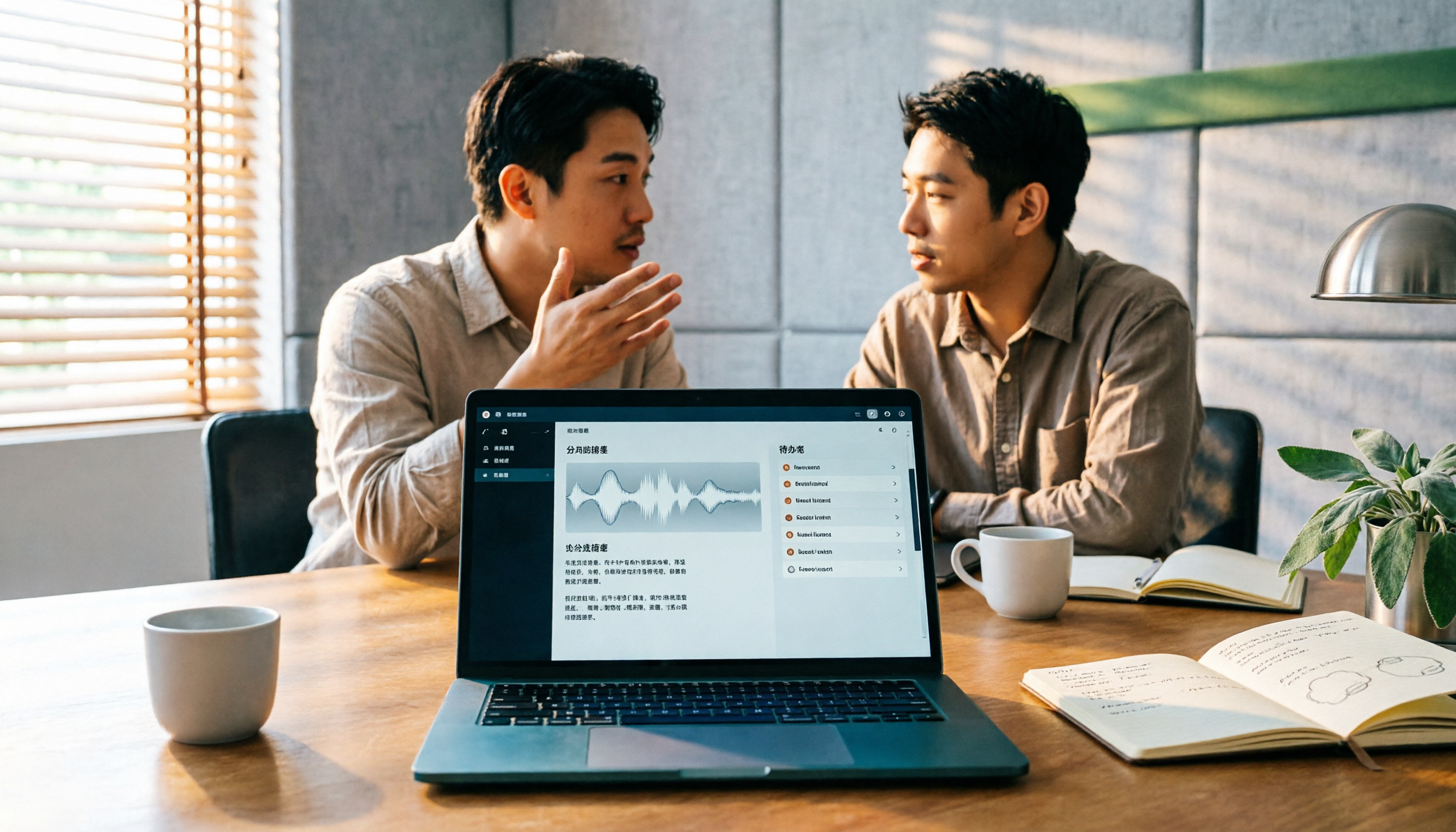
2026 AI Meeting Assistant Comparison: 4 Tools Tested — How to Start and Which Saves the Most Time
Many people search "how to start an AI meeting assistant" but get stuck not on the button, but on their assumptions. This article addresses three common misconceptions, outlines 4 key points to understand before starting an AI meeting assistant, tests the full desktop workflow of Tinrec, compares Otter.ai, Granola, and Notta in positioning and pricing, and ends with a pitfalls guide and selection advice.