

Turn recordings into transcripts and summaries in minutes
Upload audio or video for multilingual transcription, AI notes, and action items
2026 Comparison of 5 Audio-to-Text Tools: Is the Free Version Enough?
Is Free the Most Expensive? Avoid These Common Misconceptions First
Many people search for "audio to text free," and the first misconception is: assuming that being labeled free means unlimited.
The second misconception is only looking at "how many free minutes" without checking the per-file limit. Some tools give 120 minutes per month, but only 3 minutes per file—a 40-minute meeting would need to be split into a dozen uploads, and you'd give up just from the segmentation alone.
Another common situation: you don't get notified when your quota runs out, a paywall pops up mid-transcription, the transcript gets stuck, and all the previous time is wasted.
These tools changed rapidly in 2025, and by 2026, several have adjusted their free rules again. I've actually run through several commonly asked-about tools, with one focus: how far can the free version really go?
4 Key Points to Check Before Choosing a Free Audio-to-Text Tool
First, is the quota "per month" or "per file." 300 minutes per month sounds sufficient, but if the per-file limit is only 10 minutes, you'll still need to split while meeting. Confirm the per-file limit first, then discuss total volume.
Second, how will the meeting be recorded. Online meetings can be captured in roughly three ways: a meeting bot joins the meeting, desktop capture of computer system audio, or manual upload of recording files afterward. A bot takes up a participant slot, which some people mind for external meetings; desktop system audio capture doesn't require an extra person in the meeting room.
Third, what you get after transcription. Having only a transcript versus having summaries, chapters, and action items are two completely different workloads. With just a transcript, you have to read through 40 minutes of speech yourself to grasp the conclusions.
Fourth, will the audio file be retained. Few people ask this, but it's most critical when problems arise. Some tools only give you text and don't store audio, so if you later want to verify a specific sentence, there's nothing to listen to.
Tinrec — My Top Recommendation After Testing
Tinrec is an AI meeting notes and collaboration tool for individuals and teams, available on web, desktop, and mobile. Its core isn't just converting sound to text, but organizing meetings into data you can continue to use.
The recording method during meetings is what I find most practical. The desktop version directly captures computer system audio, so when using Zoom, Google Meet, Microsoft Teams, or Webex, you don't need to invite an extra meeting bot. The participant list stays clean, which makes a big difference in external client meetings or interviews. Note that this means you need to actively open Tinrec to start recording; it's not a bot that automatically joins all calendar meetings.
Post-meeting organization is where it separates itself from pure transcription tools. After recording, it automatically generates summaries, chapters, and action items, so long meetings can be skimmed. Cross-language meetings can be translated in real time, read in original, translated, or bilingual view. Team-specific terminology can be added to team hotwords to reduce recognition errors.
AI Q&A is my most-used feature. After recording, you can directly ask "What was the budget cap the client mentioned?" or "What was decided in the last meeting?" It answers based on semantics, rather than throwing a list of keyword search results for you to dig through.
Output options are also comprehensive. Transcripts, summaries, and action items can be exported to Notion, Google Docs, OneNote, or Dropbox for further editing; when deliverables are needed, Agent post-processing can generate reports, tables, and documents.
Pros summary:
- No meeting bot needed; desktop system audio capture records online meetings—this isn't standard in most similar tools.
- One-stop post-transcription summaries, chapters, action items, and Q&A save post-meeting organization time, not just typing time.
- Chinese and mixed Chinese-English meetings are its strong suit, with real-time translation and bilingual view support.
Stop organizing recordings by hand
Upload audio or video and automatically get a transcript, summary, and action items
Limitations to be clear about: The free version provides a basic quota; actual minutes and rules are subject to the official website. Heavy users or those needing bulk file imports should evaluate paid plans. Also, transcription accuracy is affected by recording quality, background noise, accents, and overlapping speakers; for important content, verify against audio timestamps—no tool should promise 100% accuracy.
Who it's for: People who frequently hold online meetings, need Chinese transcripts, want to use AI to capture key points right after recording, or switch between mobile and computer.
If your scenario is team sharing, the team version is a separate collaboration space rather than multiple people sharing one account: you can create multiple teams, invite members via link, set owner and admin roles, and distinguish "who can manage" and "who can record, upload, edit" by seat. Currently, paid seats are USD 29.80/seat/month, annual USD 199/seat/year (about USD 16.58/month), each paid seat provides 2,000 minutes of team shared import quota per month, and real-time recording under an active plan is not deducted by minute; eligible new teams also get a 7-day trial, 1 free seat, and 300 minutes of shared import quota. Actual prices and benefits are subject to the official purchase page.
Besides Tinrec, Here Are 3 Other Options
Notta: A veteran choice for multi-platform transcription and translation. Free version offers 120 minutes per month but 3 minutes per file; Pro annual is about USD 8.17/month with 1,800 minutes per month. Its transcription and subtitle quality are stable, suitable for those mainly transcribing files. However, it lacks Tinrec's Agent post-processing (directly generating reports, tables, documents), and its team governance lacks seats, usage analytics, and audit logs.
TurboScribe: Clear positioning as high cost-performance file transcription. Free version allows 3 files per day, 30 minutes per file; paid allows up to 10 hours per file and 50 files at once—strong for long documents and batch processing. But it's not designed for real-time meetings and lacks Tinrec's AI Q&A and action item extraction; post-recording organization is still on you.
Otter.ai: A mature option for English meetings. Free Basic offers 300 minutes per month, which is generous; Pro annual is about USD 8.49/user/month, including 1,200 minutes of in-app recording and 10 file imports per month. If your meetings are all in English and you only need transcripts and summaries, it's a reasonable choice. But Chinese and mixed Chinese-English meetings are not its strong suit; Tinrec's experience with real-time translation and team hotwords is closer to the actual usage of Taiwanese teams.
Pitfall Guide: 3 Most Common Mistakes When Choosing Free Transcription Tools
Mistake 1: Only looking at the official accuracy numbers. Those numbers are usually measured in quiet environments with clear audio. Real meeting rooms have air conditioning, keyboard sounds, and people talking over each other—performance will drop. A more honest approach is to run your own recording through the free quota and see where it makes mistakes.
Mistake 2: Treating "free" as "can be used forever." Most tools' free quotas are trial-like; once used up, they're gone, or features are locked (no export, no file import). When choosing a tool, ask yourself: how many hours will I use per month? Are you willing to pay for overage?
Mistake 3: Only using it as "audio to text." This is the most regrettable. If you only use it to generate transcripts, you're using only a third of the tool. With Tinrec, after recording you can directly ask "What was the conclusion of this meeting?" or "Who is responsible for which item?"—much faster than going back through a 30-minute transcript.
Conclusion: Which One Should You Choose?
In one sentence: whether the free version is enough depends on whether you want "text" or "usable meeting data."
- Need Chinese meeting transcripts + direct key point capture after meetings → Tinrec, with summaries, chapters, action items, and AI Q&A all in one.
- Don't want a bot joining meetings → Tinrec, desktop system audio capture is enough.
- Need to use on mobile, computer, and web → Tinrec, all three platforms available.
- Only occasionally transcribe long audio files, high volume → TurboScribe's free quota and batch processing are more suitable.
- All-English meetings, zero budget → Otter.ai's 300 free minutes is a reasonable starting point.
Recommended approach: start with the free quota, test with a real meeting, and consider upgrading if satisfied; jumping straight to a paid plan may result in buying more quota than you need.
Final reminder: recording and transcription involve personal data; please comply with local regulations and obtain participant consent when necessary.
References
- [AI Voice Notes] Top 5 AI Transcription Tools! Generate Transcripts and Meeting Notes, Free vs Subscription, Pros and Cons Comparison | 104 Career Power
- Google AI Studio Transcription Tutorial, Free AI Audio-to-Text Tips - Mr. Mad
- Audio to Text - Free Speech-to-Text Tool
- No Time Limit! 3 Free AI Transcription Tools, Highly Recommended! AI Voice Notes Generate Meeting Records, Presentations, Mind Maps | 104 Career Power
- 2026 Complete List of Free Transcription Platforms: 15 Free Speech-to-Text Tools Reviewed and Recommended
Turn every recording into actionable outcomes
Get 60 free transcription minutes when you sign in. No credit card required.
Related Reading
You might also like

2026 Latest Versions of 2 Speech-to-Text Tools Compared: Tinrec vs Otter.ai — Which Is Better for Chinese Meetings?
Many people assume the "latest version" is automatically the most accurate, but overlook how meeting audio gets in, whether output is usable right after the meeting, and whether team data stays with the team. Using Tinrec and Otter.ai as examples, this article compares Chinese transcription, bot-free recording, AI Q&A, team collaboration, and cross-platform input to help you decide which fits your meeting scenarios.

2025 Audio-to-Text Guide: Bot-Free Meeting Recording + Auto-Generated Summaries & Action Items
In 2025, audio-to-text is more than just turning voice into words. Based on a real meeting-recording workflow, this guide compares Tinrec and Otter.ai across five dimensions—Chinese meeting experience, bot-free recording, post-meeting outputs, team data governance, and pricing—to help you decide whether you need a transcript or meeting data you can keep using.

How to Use Speech-to-Text in 2026: 3 Steps to Get Started + AI Summaries and Action Items in One Go
How do you use speech-to-text? This guide covers three scenarios—live dictation, transcribing existing audio files, and online meeting notes—with a hands-on walkthrough of Tinrec's full workflow, free vs. paid differences, and comparisons of Notta, Otter.ai, and PLAUD for different use cases. It also highlights the 3 most common mistakes beginners make.

2026 Speech-to-Text Tools Compared: Which Free Tier Is Enough?
Meeting over but your notes are only three lines? This practical guide covers four key factors for choosing a speech-to-text tool, walks through Tinrec's full workflow and free plan limits, and compares Otter.ai, Notta, and TurboScribe on quotas and best-fit users—so you can find a plan that's sufficient without wasting money.

4 Best Audio-to-Text Tools in 2026: Free Tiers and Chinese Accuracy Compared
The meeting ends, but the overtime begins. This article compares Tinrec, Notta, TurboScribe, and Otter.ai across three dimensions: free tier limits, Chinese and mixed Chinese-English recognition, and post-meeting organization. It also highlights three common pitfalls to help you decide which tool can truly save you that hour after the meeting.

5 Best Speech-to-Text Tools in 2026: Chinese Accuracy & AI Summaries Compared
How to choose a speech-to-text tool? This comparison breaks down Chinese recognition, AI summaries and meeting Q&A, input sources, and team collaboration across four key criteria. It focuses on Tinrec (Miao Ting Lu Yin) and compares Otter.ai, Notta, and Granola on positioning, free tiers, and ideal users, with four common pitfalls and scenario-based recommendations.

2026 Review of 5 Audio-to-Text Apps: How Tinrec Differs from Otter and Notta
Hands-on testing of 5 popular audio-to-text apps in 2026, comparing Chinese meeting recognition, online meeting recording methods, post-meeting summaries and action items, free tiers, and team data management. We explain how Tinrec differs from Otter and Notta in real workflows to help you choose the one that truly saves time.

Free Audio Transcription in 2026: Avoid 'Fake Free' Traps + AI Summary Workflow Explained
How to choose free audio transcription in 2026? We break down three common 'fake free' traps and 5 key selection criteria, then compare the free tiers and limits of Tinrec, Google Live Transcribe, Good Tape, and Otter.ai. Includes a pitfall-avoidance guide and scenario-based recommendations to help you get usable transcripts and meeting highlights at zero cost.
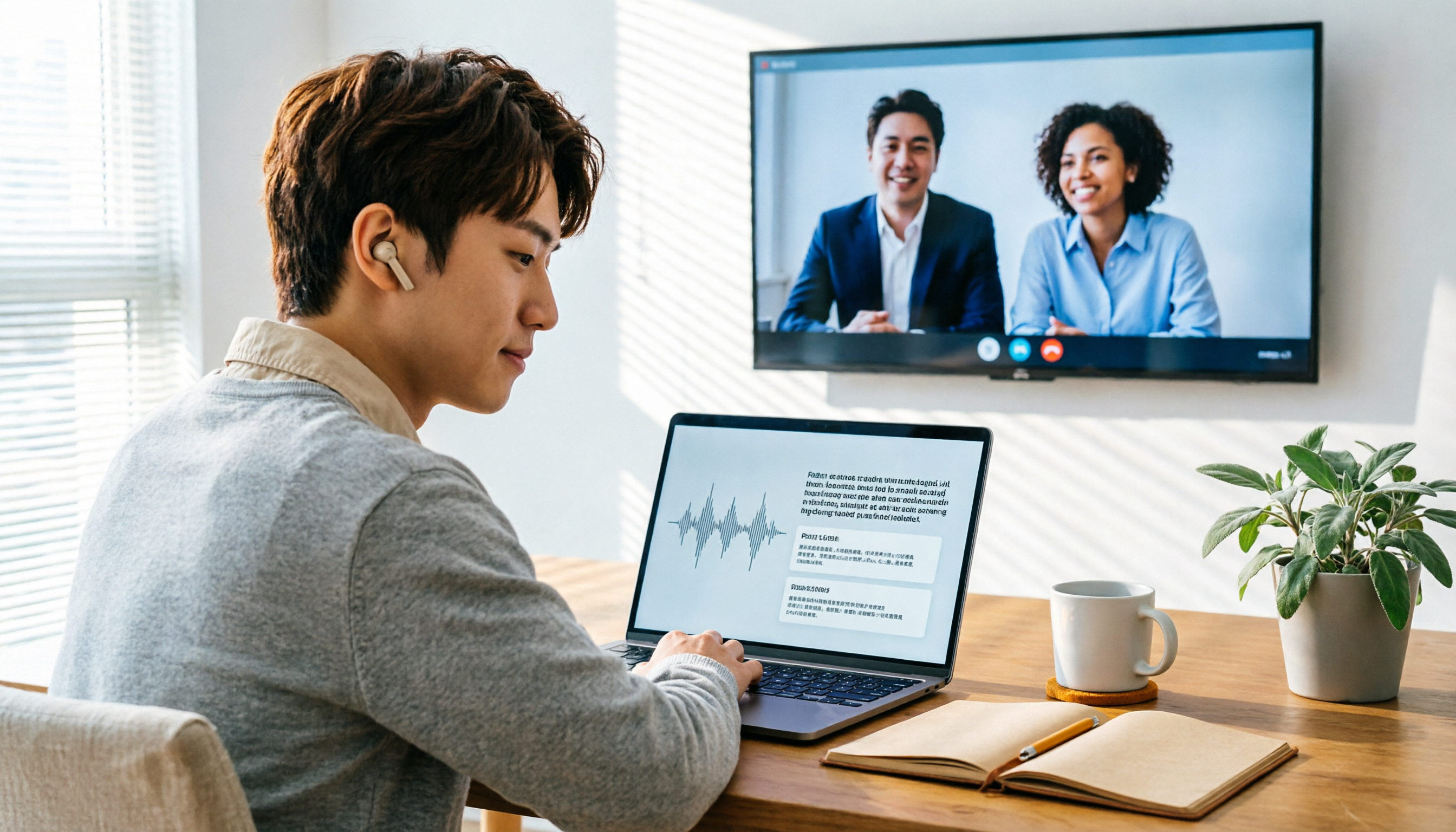
2026 Audio-to-Text Showdown: Tinrec vs. Yating Transcript — Which Should You Choose?
Starting from common audio-to-text pain points discussed on Dcard in 2026, this hands-on comparison pits Yating Transcript against Tinrec: one is a veteran Chinese transcription tool billed by the hour; the other focuses on bot-free online meeting recording, AI summaries and Q&A, and team knowledge retention. We break it down across 5 dimensions to help you decide which fits your workflow.