

Turn recordings into transcripts and summaries in minutes
Upload audio or video for multilingual transcription, AI notes, and action items
2026 Comparison of 4 AI Agent PPT Generators: Where the Content Comes From Is What Matters
It's Wednesday afternoon, and you've just finished a 90-minute project meeting. Your manager drops a message in the group chat: "Presentation by tomorrow morning."
You open PowerPoint, and the cursor blinks in the title field for half a minute. What's blocking you isn't layout—it's "what should go on the first slide."
This is the real experience most people have with AI Agent PPT generation: the tool spits out a presentation in seconds, but you spend two hours making it presentable. The problem usually isn't that AI can't do layout—it's that it doesn't have enough material to work with.
Why AI Agent-Generated PPTs Are Often "Usable but Not Deliverable"
Scenario one: You only give it a topic. The AI can only fill in the blanks with general knowledge, and the result looks complete but not a single sentence is actually about your company.
Scenario two: The content exists, but it's scattered across meeting recordings, chat groups, shared docs, and a colleague's head. The AI can't access it, so it can't write it.
Scenario three: The layout is beautiful, but the numbers don't add up—because the AI never saw the original discussion.
These three bottlenecks point to the same thing: the quality ceiling of AI-generated PPTs depends on the quality of the content you feed it. Choosing the right tool combination can shorten this process significantly.
4 Key Points to Understand Before Evaluating AI Agent PPT Generators
1. Where does the content come from?
Given the same prompt "Q3 marketing review," AI can generate a generic presentation you could find anywhere online, or one that cites conclusions from your meeting last week. The difference lies in how you turn meeting content into readable text.
2. Is the output editable?
Some solutions output HTML or images that look like PPTs but can't be edited at all. What you need to confirm is: can you get native PowerPoint shapes and text boxes, not screenshots?
3. Who decides the outline?
A good Agent workflow usually splits into "generate outline first, then generate slide by slide." The approach of outputting 20 slides at once often results in detailed early slides and rushed later ones, because the model's output length is limited.
4. Where does the data go after you're done?
After the presentation is done, where do the transcripts, meeting conclusions, and action items go? If you have to start over every time, AI only saves you typing time—it doesn't help you accumulate anything.
Of these four points, the first three can be solved by various tools on the market. The fourth is the most overlooked.
Tinrec (Instant Recording) — Get Your Content Source Ready Before Generating PPTs
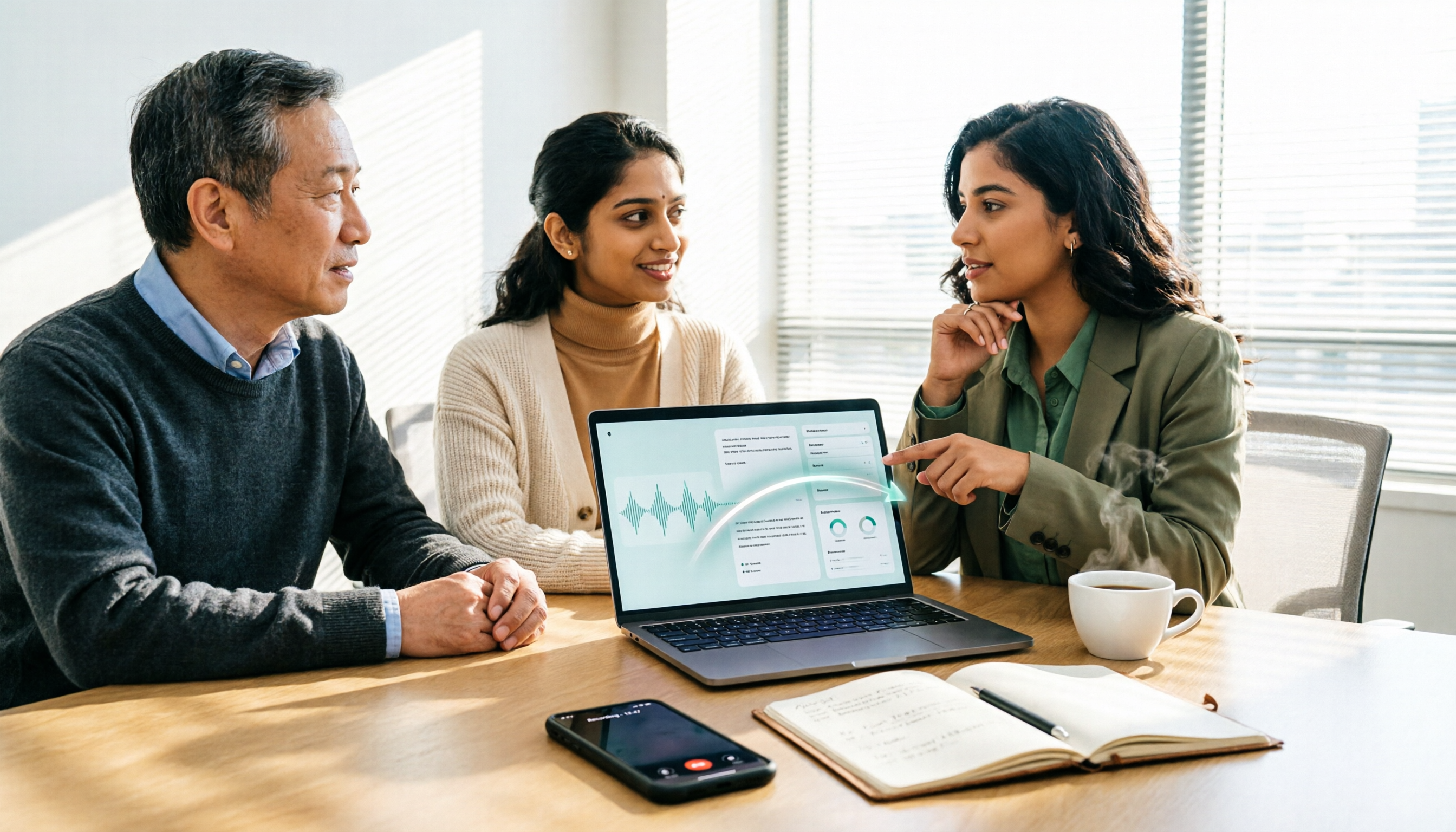
Tinrec is an AI meeting notes and collaboration tool for individuals and teams, available on web, desktop, and mobile. It doesn't generate PPTs—it handles the earlier stage: turning a meeting into material you can hand off to a presentation tool.
Here's how it works in practice. During a meeting, you record directly with the desktop app—it captures your computer's system audio, so you don't need to add a meeting bot to Zoom, Google Meet, Teams, or Webex. This is especially useful in external client meetings—you don't have to explain "this is an AI assistant."
After the meeting, you have a transcript, AI summary, chapter segmentation, and extracted action items. When you feed this structured outline to a PPT tool, it's far more useful than a single topic sentence.
If the meeting is cross-language, you can enable real-time translation during recording and view content in original, translated, or bilingual side-by-side format. Mixed Chinese-English discussions can also be organized.
What really made a difference for me was after the meeting. Tinrec supports AI Q&A around meeting content—you can directly ask "What were the sales team's concerns when we discussed the budget last time?" and it will find the answer semantically, not dump a bunch of keyword search results on you. There's also a mind map feature, which is great for drafting presentation structure.
Organized content can be exported to Notion, Google Docs, OneNote, Dropbox, and other tools for further processing, or post-processed via Agent to generate reports, tables, and documents.
Limitations to be clear about: The free version has a basic quota, suitable for occasional transcription of one or two recordings; document import consumes quota, not unlimited; transcription quality is affected by recording quality, noise, accents, multiple people talking over each other, and technical terminology—for important content, cross-check against recording timestamps and don't treat it as 100% accurate.
Stop organizing recordings by hand
Upload audio or video and automatically get a transcript, summary, and action items
For team use: Tinrec Team Edition puts meeting data in a separate team space, owned by the team rather than individuals. Members can view, play, and read historical meetings, while admins manage who can record, upload, edit, and export through roles and seats. Note that roles govern permissions and seats govern usage eligibility—members with a role but no seat can only read, not edit; currently it's team-level sharing, not file-level granular permissions.
Team Edition pricing (subject to official purchase page): Eligible teams can try free for 7 days, 1 free seat, 300 minutes of team shared import quota; monthly USD 29.80 per paid seat per month, annual USD 199 per paid seat per year (about USD 16.58/month), each paid seat provides 2,000 minutes of team shared import quota per month. Under active plans and seats, real-time recording is currently not deducted by minutes.
Who it's for: People who have several meetings every week, need to produce presentations or reports afterward, and whose meetings are in Chinese or mixed Chinese-English. If you only occasionally make a presentation unrelated to internal data, you don't need it.
Besides Tinrec, What Other AI Agent PPT Tools Are There?
Microsoft PowerPoint (AI Generator)
Microsoft has built AI generation directly into PowerPoint—you can generate content, layouts, and images based on instructions, apply existing themes, create charts from data, generate section summary slides, and redo the first version if you're not satisfied. The advantage is completing everything in the tool you already use, without moving files. But its input still relies on you preparing an outline or document—it won't know what was discussed in your meeting last week.
MiniMax Agent
It follows a new "prompt in, product out" paradigm, breaking PPT creation into multiple steps and deploying the result as a web page for easy online viewing and sharing. Users who tested it noted good content quality and hallucination control, and it switches to backup solutions when problems arise. Suitable for those who want to get things done in one go and don't mind the output being in web form. But it won't save your team's historical meeting data.
MultiAgentPPT (Open Source Project)
An open-source solution on GitHub that integrates A2A, MCP, and ADK architectures, using multi-agent collaboration to generate PPTs. The workflow splits into an outline generation Agent, an outline service with external retrieval, and then a loop Agent that generates slide by slide, avoiding token limits from one-shot output, and supports streaming responses. If you have the technical background, you can set it up yourself. The cost is self-deployment and maintenance—the barrier is high for the average office worker, and it has no team meeting data retention capability.
(By the way, there are also projects like Agent-PPT-Craft that can produce editable .pptx from a one-sentence topic, outputting native PowerPoint shapes and text rather than screenshots. You can use this standard to evaluate tools when choosing.)
Pitfall Guide: The 4 Most Common Mistakes When Using AI Agents for PPTs
Pitfall 1: Giving only a topic and expecting a complete presentation.
AI can't read minds. The less information you give, the more generic the content it fills in. The right approach is to prepare an outline, data, or meeting notes first, then hand it to the tool.
Pitfall 2: Putting AI-written numbers directly into the presentation.
This is the highest risk. Models state uncertain numbers with confidence. Any presentation going external or to upper management—data must be verified against the original source.
Pitfall 3: Confusing "editable" with "looks like a PPT."
Some tools output web pages or images, and slides fall apart when you edit text. If you need to make adjustments later, make sure you get .pptx native shapes and text.
Pitfall 4: After the presentation is done, meeting data is scattered.
Most people's workflow is: meeting → recording → make presentation → recording file goes into some folder no one looks at again. Next time you need to check "why did we make this decision back then," you have to listen again. Putting meeting content into a space with search and AI Q&A is what really saves time.
Conclusion: Which One Should You Choose?
To sum up in one sentence: the bottleneck of AI Agent PPT generation is 80% content source, 20% layout tool.
Scenario breakdown:
- Need to generate presentation material from Chinese meetings, interviews, client communications → Tinrec (transcript, summary, chapters, action items, Q&A all in one, plus export to existing workflows)
- Already have a complete outline, just want quick layout → PowerPoint AI Generator (done in your existing tool)
- Want to throw in one sentence and get a complete product, don't mind web format → MiniMax Agent
- Have technical background, want to set up your own controlled workflow → MultiAgentPPT
- Team needs to collectively retain meeting data, needs seat and usage management → Tinrec Team Edition
The smoothest combination in practice: use Tinrec to record and organize structured content during meetings, then feed the outline into a PPT tool to generate a first draft, and finally manually verify numbers and wording.
If you happen to have a meeting recording on hand, try running it once with the free quota to feel the difference between "turning a meeting into editable material" and "directly asking AI to generate a presentation."
References
- AI PowerPoint Generator | Microsoft PowerPoint
- I used this Agent to make PPTs, it was so satisfying - Zhihu
- GitHub - johnson7788/MultiAgentPPT: MultiAgentPPT is an intelligent presentation generation system integrating A2A (Agent2Agent) + MCP (Model Context Protocol) + ADK (Agent Development Kit) architecture, supporting multi-agent collaboration and streaming concurrency · GitHub
- Agent-PPT-Craft-Practice: End-to-end PPT automation generation project based on AI Agent - AtomGit
- Agent-PPT-Skill-Practice: PPT automation generation project based on AI Agent - AtomGit
Turn every recording into actionable outcomes
Get 60 free transcription minutes when you sign in. No credit card required.
Related Reading
You might also like

Best Free AI Meeting Notes Tools in 2026: 4 Options Compared
Spending two hours after a meeting to organize transcripts? This article compares 4 free AI meeting tools: whether the free tier is truly usable, if there's a per-meeting length limit, whether recordings are kept, and if you can ask the AI questions afterward. It also tests Tinrec's desktop version for recording online meetings without a bot, including its limitations.

2026 AI Meeting Tools Compared: Tinrec, Otter.ai, Notta & Granola — From Transcripts to Team Collaboration
A side-by-side comparison of four AI meeting productivity tools in 2026. This article examines how meetings are recorded, what you get after the meeting, whether audio files are retained, and how teams manage data. It compares Tinrec, Otter.ai, Notta, and Granola on positioning, pricing, and limitations, and highlights four common pitfalls when choosing an AI meeting tool to help you find the one that truly saves time.
How to Use AI Agents to Generate Documents in 2026: 5 Steps from Recording to Report
Many people use AI agents to generate documents but end up with vague templates—often because the AI lacks meeting context. This article walks you through 5 steps, starting from meeting recordings, using Tinrec's transcripts, summaries, action items, and agent post-processing to produce deliverable meeting minutes, reports, and tables. It also covers key purchasing considerations, team plan benefits, and FAQs.

5 AI Meeting Transcription Tools Compared for 2026: From Free to Team Plans, Which One Best Boosts Meeting Efficiency?
Instead of just looking at transcription minutes, first assess recording method, Chinese language support, post-meeting organization, team governance, and budget. This article compares common AI meeting solutions across five decision factors and uses Tinrec as an example to show how to turn meetings into searchable, collaborative, and actionable data.

Tinrec vs Otter.ai 2026: 4-Dimension Comparison — Which AI Agent Structured Output Is More Practical?
When AI Agent responses don't match your expected format, many teams only discover the pain after deployment. This article examines four dimensions — JSON Mode, JSON Schema, Function Calling, and observability — to explain how to evaluate structured output, and compares Tinrec and Otter.ai on structuring meeting content. Includes pitfalls to avoid and scenario-based selection advice.

Tinrec vs Notta 2026: 5-Dimension Comparison — Which Handles End-to-End Meeting Processing Better?
The value of an AI Agent isn't just having an 'AI button' — it's whether it can take a meeting from recording to transcript, summary, and action items all the way to deliverable documents. This article compares Tinrec and Notta across 5 dimensions, breaking down processing chain completeness, follow-up Q&A and verification, team governance, language support, and actual cost to help you make a purchasing decision.

2026 AI Meeting Assistant Comparison: Why Tinrec May Fit Chinese Meetings Better Than Fireflies
Starting from the pain point of rushing to write meeting minutes after a meeting ends, this compares Tinrec and Fireflies on meeting capture, Chinese-language experience, post-meeting workflows, team governance, and pricing/quotas, and summarizes Tinrec's core features, real-world scenarios, and buying considerations.

2026 AI Meeting Recorder Showdown: Tinrec vs Granola — Which Is Better for Chinese-Speaking Teams?
This comparison of Tinrec and Granola, two bot-free AI meeting note tools, covers meeting capture, input sources, audio retention, Chinese-language experience, post-meeting outputs, and team management. It outlines each tool's ideal use cases and pricing to help you decide which fits your meeting workflow.

2026 AI Meeting Productivity Tools Buyer's Guide: 4 Hands-On Tests and Selection Advice
How do you choose an AI meeting tool? This guide examines four key criteria—meeting capture method, post-meeting outputs, Chinese-language experience, and team data governance—and hands-on tests Tinrec, Otter.ai, Notta, and Granola to compare their differences. It also includes a pitfalls guide and scenario-based selection advice to help you pick the one tool you'll actually use after meetings.