
Turn recordings into transcripts and summaries in minutes
Upload audio or video for multilingual transcription, AI notes, and action items
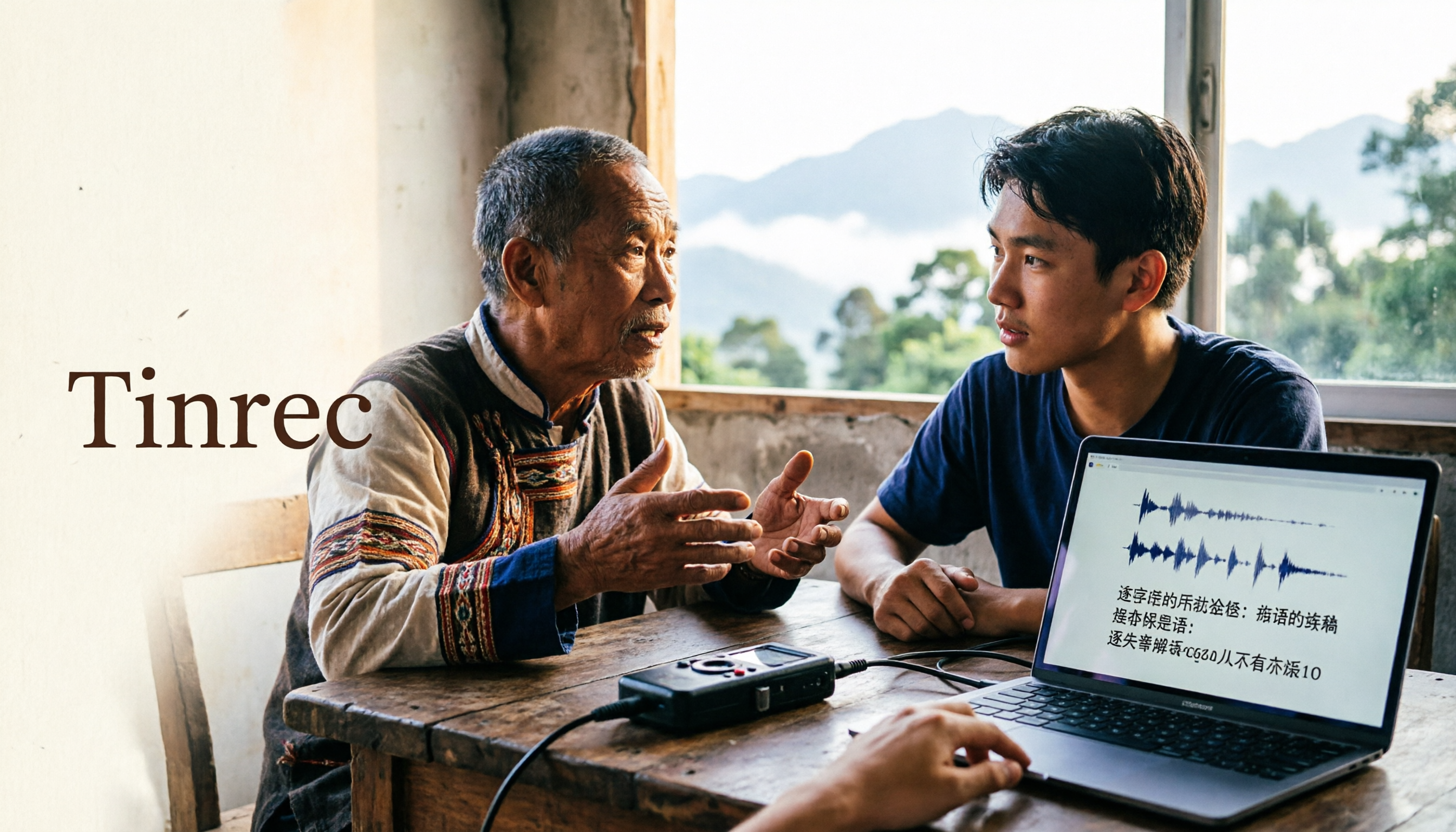
A tribal language teacher saves a 40-minute recording of an elder interview to her computer, presses play, and starts typing while listening. For just 5 minutes of conversation, she spends 25 minutes typing, and still has to rewind repeatedly to confirm whether a word is "kako" or "kaku."
This is a common struggle for many people doing tribal language fieldwork, tribal classes, and bilingual meetings: recordings are never lacking—what's missing is turning recordings into text that can be edited, searched, and delivered.
This article doesn't talk about vague definitions; it starts directly from "that recording you have on hand": where speech-to-text for minority languages gets stuck, which scenarios actually need it, and what role tools like Tinrec play—and where they can't help.
What Can Speech-to-Text for Minority Languages Do for You?
Scenario 1: Fieldwork Records of Elder Interviews
Interview recordings often run one or two hours, and re-listening once takes half a day. In practice, the approach is: first let the tool transcribe the Chinese questions, Chinese supplementary explanations, and segments where elders answer in Chinese into a transcript; the tribal language segments are filled in by you or tribal members by comparing with the audio. With Tinrec, for example, after uploading an audio file, it generates a timestamped transcript; you can click on the text to jump to the corresponding second, so you don't have to search from the beginning when adding tribal language words.
Scenario 2: Tribal Language Teaching and Material Production
Class recordings need to become transcripts, subtitles, and sentence-by-sentence translations before they can be made into teaching materials. Tinrec's real-time translation lets you view the original and translation simultaneously during recording; Chinese-English or Chinese-other language segments can be directly compared, while tribal language vocabulary is added by you to team hotwords, ensuring consistent spelling of the same word across different classes.
Scenario 3: Tribal Meetings and Bilingual Meeting Records
Tribal meetings and cross-departmental public hearings are often mixed scenarios of "primarily Chinese with interspersed tribal language." Such meetings are best handled by transcription tools: Tinrec's desktop version can directly capture computer system audio, recording meeting content played on Zoom, Google Meet, Microsoft Teams, and Webex without needing to invite an extra meeting bot. After the meeting, AI summaries organize discussion points and action items, while tribal language segments are marked separately.
Scenario 4: Cross-Language Communication and Data Accumulation
In the same project, some people write records in Chinese, others take notes in tribal language. By centralizing data in a team space, new members can search historical meetings and directly ask the AI "which part of the tribal language teaching materials was discussed last time," which is much faster than digging through folders.
Why Are Minority Languages Particularly Hard to Transcribe? 4 Realities
Reality 1: Corpus Size Gap
Speech models for mainstream languages have large amounts of public corpus for training, while recordings of minority languages are relatively scarce, especially annotated data. This means most cloud transcription services perform significantly worse on tribal languages than on Chinese and English.
Reality 2: Tribal and Dialect Differences
The same tribal language may have different pronunciations and vocabulary across different tribes and age groups. Even if a tool "supports" it, the model can hardly cover all variants simultaneously.
Reality 3: Inconsistent Writing Systems
Romanization schemes, church romanization, and Ministry of Education announced versions often differ; it's common for the same word to have two or three spellings. This is not an issue with the recognition engine but requires manual unification—and this can be handled through team hotwords.
Reality 4: Language Mixing
In real recordings, few people speak only one language from start to finish. Tribal language mixed with Chinese, Chinese mixed with Japanese loanwords, elders switching back to Mandarin mid-sentence—such code-switching is a challenge for any model.
What Are the Core Capabilities of Minority Language Transcription?
Transcript: Timestamps Make Correction Easier
The value of a transcript lies not just in "having text" but in "being able to cross-reference." Transcripts produced by Tinrec retain time information; when you hear an uncertain tribal language word, you can directly compare with the audio to correct it without playing from the beginning.
Real-Time Translation and Bilingual Comparison
During recording, you can switch between original text, translation, or bilingual view. For teaching material recordings that need sentence-by-sentence translation into Chinese, this feature saves not only time but also the effort of repeatedly switching windows.
AI Summary, Chapters, and Action Items
The most troublesome part of long meetings is "finding the key points." Tinrec automatically generates summaries, splits long recordings into chapters, and extracts action items from discussions. For meetings with many tribal language segments, it's recommended to manually add a line after the summary: "See 00:32:10 for tribal language discussion segments," which makes later retrieval much smoother.
AI Q&A: Asking Is Faster Than Searching
After transcription is complete, you can directly ask questions about the content—"What is the amount of the teaching material subsidy mentioned in the meeting?" "At what point did the elder talk about the migration timeline?" This way of asking is more suitable for long interviews than Ctrl+F.
Team Hotwords: Unify Proper Nouns and Spelling
This is the most practical feature for minority language workers. Add tribal names, tribal language vocabulary, romanization spellings, and personal/place names to team hotwords, and team members' transcription results will tend to be consistent, reducing the trouble of "three spellings for the same word." Note that hotwords affect terminology recognition and spelling consistency; they won't suddenly make an originally unsupported language recognizable.
Stop organizing recordings by hand
Upload audio or video and automatically get a transcript, summary, and action items
Multi-Format Export and Team Space
Transcripts and summaries can be exported as files or taken to Notion, Google Docs, OneNote, or Dropbox for further editing. The team version centralizes meeting data storage, so data doesn't disappear when members leave.
Practical Workflow: A Dual-Track Approach Using Tinrec as an Example
Honestly, if your recording is entirely in tribal language from start to finish, Tinrec is not currently designed for that; the forced transcription results require extensive manual correction and may not be faster than direct listening and typing.
A more practical approach is "dual-track":
Step 1: Classify the recording first. Split a recording into three types of segments: "primarily Chinese," "bilingual mixed," and "all tribal language"; only the first two are handed to the tool.
Step 2: Use the right entry point for recording. Use real-time recording for on-site interviews; use the desktop version to directly capture system audio for online meetings; use file upload for existing recordings. The three entry points are separate in Tinrec; choosing the right one avoids extra detours.
Step 3: Transcribe first, then correct. Chinese segments are usually usable directly; tribal language vocabulary is manually corrected with timestamps, and recurring words are added to team hotwords.
Step 4: Let AI do post-processing. Summaries, chapters, and action items are left to AI; cross-language segments are assisted by real-time translation; finally, someone familiar with the tribal language does a semantic check.
Step 5: Accumulate. Put transcripts and summaries into the team space; later, when writing reports, making teaching materials, or replying to tribal inquiries, you can directly search and follow up.
5 Things to Note When Choosing Such Tools
1. Look at which languages it supports, not the total number. "Supports 100+ languages" doesn't mean the list includes the tribal language you need. Before use, try transcribing a segment of your own actual recording. Tinrec covers Chinese, Traditional Chinese, and multilingual meeting scenarios; for tribal language segments, it's recommended to test on a small scale first before deciding on the workflow.
2. Mixed-language capability is more important than single-language. Real recordings are rarely pure. Tinrec handles Chinese and Chinese-English mixed content more stably; if your recording is tribal language mixed with Chinese, it's recommended to hand Chinese segments to the tool first and process tribal language segments manually.
3. Can you organize after transcription? A transcript alone is not enough. Tinrec's summaries, chapters, action items, and AI Q&A are key to turning "a one-hour recording" into "a deliverable record."
4. Can proper nouns be unified? Inconsistent spelling of tribal language vocabulary will make subsequent searches all fail. Tinrec's team hotwords can maintain commonly used team terminology, which is especially noticeable in long-term fieldwork projects.
5. Data ownership and collaboration. Projects usually involve more than one person. Tinrec's team version provides an independent team space where you can invite members, set owners and admins, assign seats, view usage and audit logs; when a member exits or loses a seat, their team resources can be handed over to other active members, so data is not taken away.
A note on pricing and benefits to help you budget: The team version offers a 7-day trial for first-time eligible users, 1 free seat, and 300 minutes of team shared import quota; monthly billing is USD 29.80 per paid seat per month, annual billing is USD 199 per paid seat per year (equivalent to about USD 16.58 per month), with each paid seat providing 2,000 minutes of team shared import quota per month. Under an active team plan and active seats, real-time recording currently does not deduct minutes; file and web imports consume team shared import minutes. The personal version has a free version, weekly card, Pro monthly card, and Pro annual card; choose according to usage frequency. Actual prices and promotions are subject to the official website purchase page.
Frequently Asked Questions
Is speech-to-text for minority languages accurate?
It depends on the language and recording conditions. Languages with rich corpora and unified writing systems perform better; tribal languages, tribal dialects, and mixed scenarios usually require manual correction. It's recommended not to trust any fixed accuracy numbers; the most accurate way is to test a segment with your own recording.
Does Tinrec support tribal languages?
Tinrec's strengths are in Chinese, Traditional Chinese, and multilingual meeting transcription, and it supports real-time translation and bilingual viewing. If your recording is primarily in tribal language, it's recommended to adopt a division of labor: "manual listening and typing for tribal language, tool for Chinese and mixed segments," which is more efficient than handing everything to AI.
Is the free version enough?
If you just want to try out transcription quality, the free version's basic quota is enough for one or two recordings. For long-term organization of interviews or classes, it's recommended to choose a weekly card or Pro based on usage frequency; if you need multiple people to share data and manage seats, then consider the team version.
What if tribal language and Chinese are mixed in the recording?
First split the recording into segments; hand Chinese segments to Tinrec for transcription and summary generation, manually correct tribal language segments, and finally use team hotwords to unify spelling. Although this adds an extra step, the time saved from repeated rewinding is considerable.
What's the difference between the team version and the personal version?
Personal version data belongs to the individual account; the team version is an independent team space where data belongs to the team, with additional members, roles, seats, shared benefits, usage analysis, audit logs, and audio recycle bin. Note that the team version currently focuses on team-level sharing; members without seats can view and play data, but recording, uploading, editing, and import/export still require a seat.
What should I note before recording?
Be sure to obtain the interviewee's consent and comply with local regulations. When involving tribal elders or sensitive topics, it's recommended to also confirm data storage methods and who has permission to view.
Conclusion
At this stage, there is no one-click perfect solution for speech-to-text of minority languages. The truly time-saving approach is to break down the work: hand Chinese and mixed segments to the tool, retain manual judgment for tribal language segments, then use hotwords to unify spelling and team space to accumulate data.
Tinrec's position in this workflow is clear—it is responsible for turning recordings into searchable, queryable, and deliverable records, leaving you time for the part that truly requires language skills. If you happen to have an interview or meeting recording on hand, you can start with the free version to see how it performs on your actual audio file, and then decide whether to proceed.
References
- Speech-to-Text Converter – Free Online | TicNote Cloud
- Vidnoz AI Text-to-Speech Free Tool: One-Click Generation of Taiwanese AI Voice!
- Minority – Wiktionary, the Free Multilingual Dictionary - Wiktionary
- AI Speech-to-Text Fast Online Transcription of Audio Files, Transcripts and Video Subtitles - Free Trial - cSubtitle
- Online Speech-to-Text AI, Free Conversion of MP3 or Audio Files to Text Transcripts - MyEdit
Turn every recording into actionable outcomes
Get 60 free transcription minutes when you sign in. No credit card required.
Related Reading
You might also like

How to Choose a Voice Recorder Capacity in 2026: 5 Steps from Large-Capacity Recording to AI Meeting Notes
Bought a voice recorder advertised with large capacity, only to find you can store the files but can't organize them? This article examines whether large-capacity voice recorders are truly sufficient from four angles: capacity, battery life, file management, and post-meeting organization. It walks through 5 steps to turn recordings into searchable, queryable meeting notes. It also compares Tinrec with PLAUD, Otter, Notta, and other tools.

2026 Comparison of 3 Hakka Speech Recognition and Post-Meeting Tools: How to Match Six-Accent Support with Meeting Follow-Up?
How to choose Hakka speech recognition? This article examines four key criteria: accent support, audio file upload, post-meeting processing, and team data. It compares Gohakka, a Taiwan Hakka-specific tool; the Council of Hakka Affairs' Taiwan Hakka Speech Database online real-time translation; and Tinrec, which handles post-meeting organization and team follow-up. It also summarizes three common pitfalls and offers scenario-based selection advice.

2026 Comparison of 3 Taiwanese Speech-to-Text Tools: Which Is Easier from Transcript to Meeting Minutes?
How to choose a Taiwanese speech-to-text tool? This article compares Tinrec, Yating Transcript, and AI Taiwanese Voice Notes from two scenarios: pure Taiwanese interviews and Mandarin-Taiwanese mixed meetings. It examines language processing, recording sources, post-meeting organization, team collaboration, and pricing to help you decide which tool suits your recordings, with free tier details and testing advice.

2026 Real-World Test of 5 Chinese-Korean Live Translation Tools: Beyond Travel—Which One Can Capture Your Meetings?
Live translation solves the problem of understanding in the moment, but often leaves you with nothing after the meeting. Based on real cross-language meeting and business communication scenarios, this article outlines 4 key factors for choosing a Chinese-Korean live translation tool, tests Tinrec's bilingual transcript, summary, and action item workflow, and compares the suitable scenarios for Papago, GenieTalk, and Google Translate.

Best English Meeting Minutes Tools in 2026: 7 Tested, This One Handles Mixed Chinese-English Meetings Best
English meeting minutes aren't just about handing over a transcript. This article reviews 7 AI meeting minutes and transcription tools, covering bot-free recording, mixed Chinese-English, post-meeting summaries, action items, AI Q&A, and team management, to help you choose the right solution for English meetings and team collaboration.

5 Best Dialect Speech-to-Text Tools in 2026: Cantonese & Taiwanese Transcripts Compared
Cantonese interviews and Taiwanese fieldwork recordings often turn into gibberish with generic speech-to-text. This article compares Tinrec, Subanana, Taption, CantoSub, and Google Cloud Speech-to-Text based on real-world dialect transcription workflows, and explains what Tinrec can do after transcription—summaries, action items, AI Q&A, and team knowledge retention—plus team pricing and buying considerations.

2026 Chinese-Japanese Real-Time Translation Guide: How to Choose for Meetings, Travel, and Streaming
How to choose a Chinese-Japanese real-time translation tool? After hands-on testing, I found the key difference lies in whether you need to 'understand in the moment' or 'keep a record afterward.' This guide covers three scenarios—meetings, business trips, and content research—and outlines 5 purchase decision points, with Tinrec demonstrating bilingual transcripts, bot-free meeting recording, summary to-dos, and team spaces in action.

Tinrec vs Plaud Note in 2026: 5-Factor Comparison — Which Is Better for Your Recording and Transcription Needs?
In 2026, voice recorders fall into two categories: AI recording hardware and AI meeting transcription software. This article compares Tinrec and Plaud Note/NotePin across five purchasing factors — meeting capture, input sources, post-meeting output, team governance, and Chinese-language experience — to help you decide which solution fits your budget and meetings.

2026 Long Battery Life Recording Test Comparison: Which of 5 Solutions Records Longer and Organizes Faster
Voice recorders advertised with long battery life often claim 20 or 30 hours, but real-world performance usually falls short. Starting from the real need for "long-duration recording," this article compares the battery life and organization costs of 5 recording solutions, and explains how Tinrec uses desktop bot-free recording, transcripts, summaries, and to-dos to help you not only record longer but also save time on re-listening.