
Turn recordings into transcripts and summaries in minutes
Upload audio or video for multilingual transcription, AI notes, and action items
2026 Voice Recorder Noise Cancellation Guide: 3-Layer Tech + AI Post-Recording Organization
Many people buy a voice recorder and the first thing they check is the "noise cancellation level." That's the most common mistake. When you crank noise cancellation to the max, the air conditioner hum disappears, but the speaker's voice also sounds muffled, and the transcript keeps misrecognizing words. Another inefficient approach is to realize after recording that you only have an audio file—no transcript, no summary—and a two-hour meeting requires another two hours to re-listen. Noise cancellation only solves the "recording end"; what really determines whether you'll work overtime organizing meeting notes is the post-recording workflow.
Pain Point: Noise Cancellation Isn't a Panacea—What You're Missing Is the Post-Recording Workflow
Sitting in the back of a lecture hall, all you record is the hum of the air conditioning, and the professor's voice sounds like it's underwater. In a café interview, the clatter of dishes and nearby conversations get picked up too. This is what many people expect from "voice recorder noise cancellation."
But noise cancellation isn't better when it's stronger. Hardware noise reduction suppresses background noise but can also eat into vocal consonants; post-processing AI noise reduction, if too aggressive, can sound robotic. More importantly: even if the recording is clear, you still have to deal with transcripts, summaries, action items, and exports. Choosing the right tool should solve both "recording clearly" and "being able to use the recording afterward."
Before Buying a Noise-Cancelling Voice Recorder, Understand These 4 Key Points
1. Noise cancellation has three layers—don't just look at the "noise cancellation level"
In 2026, noise reduction technology roughly falls into physical isolation, hardware processing, and software algorithms. Physical isolation depends on microphone directionality and windshields; hardware processing includes DSP digital noise reduction, dual microphones, and AGC automatic gain; software algorithms include AI noise reduction. Rather than asking "how many levels of noise cancellation," it's better to test-record in a real environment and listen to whether the voice sounds natural and whether the transcript has fewer errors.
2. Microphone type and sensitivity
Stereo microphones provide better spatial presence; high-sensitivity microphones are suitable for long-distance recording. Dual-microphone noise reduction can distinguish sound direction, which is more practical than a single microphone picking up all ambient noise. For back-row classrooms and large conference rooms, prioritize dual microphones and directionality.
3. Recording format and bitrate
WAV is a lossless format with good sound quality but large files; MP3 files are smaller with slight quality loss. Higher bitrates generally mean better sound quality, e.g., 1536 kbps. If you plan to transcribe after recording, it's advisable to keep a higher-quality original file rather than only a heavily compressed version.
4. Can you organize after recording?
This is the most overlooked point. The voice recorder handles recording, but transcripts, summaries, chapters, action items, search, and export usually require another tool. You should ask: can this audio file quickly become searchable, queryable meeting data? If not, no matter how strong the noise cancellation, you'll still have to manually re-listen.
Tinrec—Our Preferred Organization Tool After Recording with a Voice Recorder
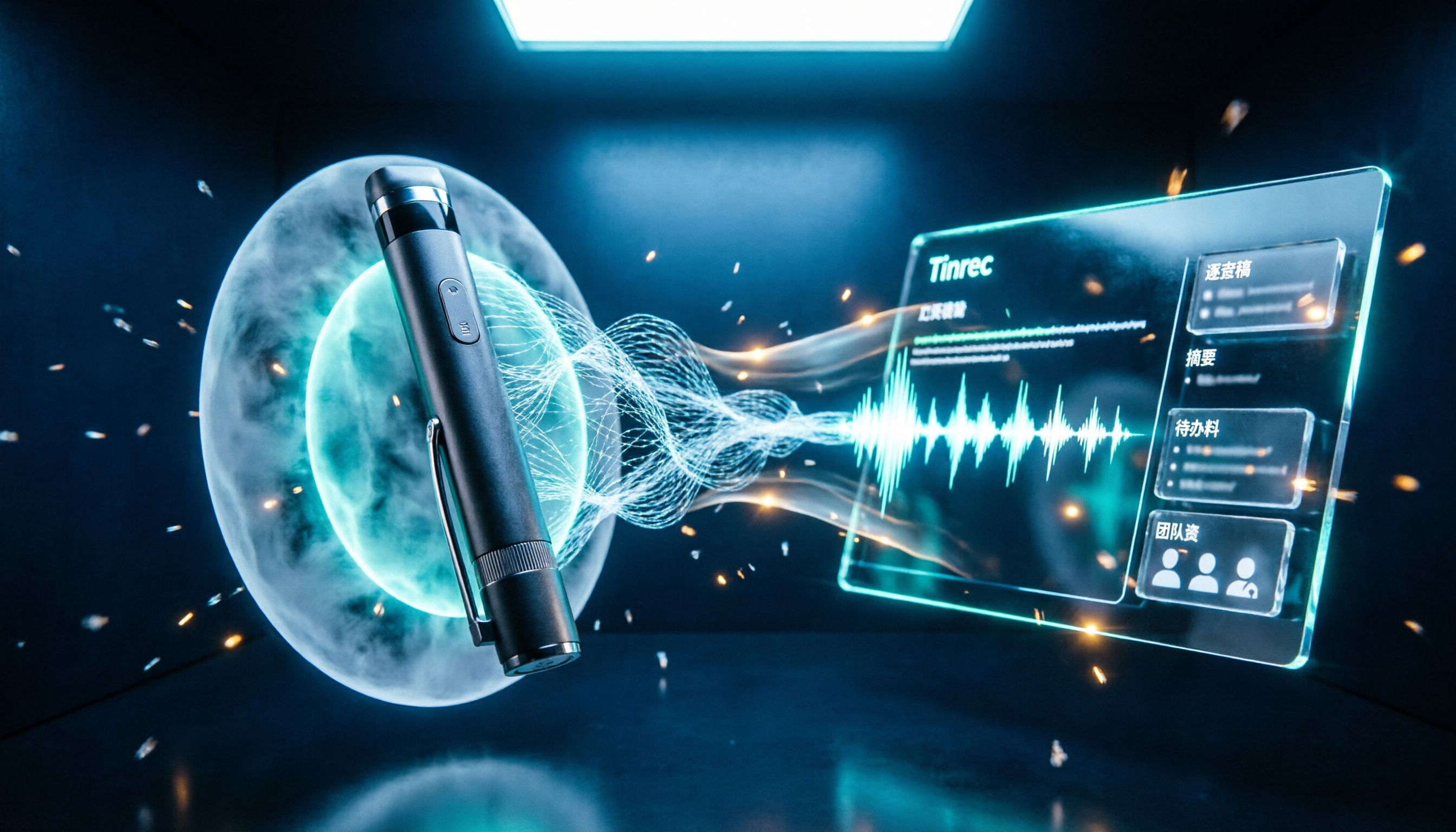
Tinrec is not a voice recorder and doesn't focus on hardware noise cancellation. It positions itself as an AI meeting notes and collaboration tool, available on web, desktop, and mobile. For the topic of "voice recorder noise cancellation," it fills in the post-recording gap: turning audio files exported from a voice recorder, or directly recorded meetings, into transcripts, summaries, action items, and queryable data.
The actual workflow is like this: for offline meetings or interviews, use Tinrec's real-time recording to transcribe as you record, capturing content on the fly; for online meetings, use the desktop version to capture computer system audio, handling Zoom, Google Meet, Microsoft Teams, and Webex without needing to invite a meeting bot. Note that this is not "automatically joining all calendar meetings," but rather the user actively opening Tinrec to start recording. If you already have a voice recorder, you can also upload audio or video files to quickly organize them into text data.
After recording, Tinrec generates summaries and chapters to help you quickly grasp the structure of long meetings; then it extracts action items so you can see who is responsible for what and what the next steps are. You can ask AI questions about the meeting content, directly asking "Who mentioned the budget in the last meeting?" It answers based on semantic understanding, not just keyword search results. It also supports real-time translation, so cross-language meetings can show original text, translation, or bilingual; results can be exported to common formats and tools like Notion, Google Docs, OneNote, and Dropbox for further processing. For post-meeting deliverables, Agent post-processing can generate reports, tables, and documents. Team hotwords allow you to maintain common terminology to improve recognition of specialized terms.
Stop organizing recordings by hand
Upload audio or video and automatically get a transcript, summary, and action items
For team use, Tinrec for Teams centralizes meeting recordings, transcripts, summaries, action items, and member management in a single team space. Members can view and reuse historical meeting data; administrators can manage roles, seats, sharing privileges, usage, and audit logs. It's important to distinguish "roles" and "seats": roles determine who can manage the team, members, and audits; seats determine whether a member can record, upload, edit, import, and export. Valid members without a seat can still view, play, and read team data, but cannot perform resource usage operations. The team version currently focuses on team-level sharing, not file-level granular permissions. The audio recycle bin can restore accidentally deleted audio before permanent cleanup, currently retained for 30 days; TODO items are not covered by the team recycle bin.
Pricing: Team monthly is USD 29.80 per paid seat per month; annual is USD 199 per paid seat per year, equivalent to about USD 16.58 per month; each paid seat provides 2,000 minutes of team shared import quota per month. Under an active team plan and active seat, real-time recording currently does not deduct minutes; file and web imports consume team shared import minutes. The first eligible team trial is 7 days, 1 free seat, and 300 minutes of team shared import quota. The above is based on product data; actual prices and benefits are subject to the official purchase page.
Pros: First, record online meetings without a bot, so no extra participant; second, after transcription there are summaries, action items, AI Q&A, translation, and export—not just a transcript; third, team data accumulates in the team space, and when members change, resources belong to the team and can be handed over to other valid members.
Limitations should also be clear: the free version has only basic quota, and heavy use requires payment; Tinrec does not promise a fixed accuracy rate—actual results are affected by recording quality, noise, accents, overlapping speakers, and specialized terminology; important content should still be verified by combining transcript timestamps and audio playback. It also cannot replace the hardware noise cancellation of a voice recorder—if the voice in the original audio file is already unrecognizable, software organization cannot save it. This article does not include laboratory test data; the following is based on product data and actual workflow breakdown, avoiding unverifiable numbers like "98% in the lab."
Who it's for: people who frequently have meetings, interviews, and class recordings and need Chinese transcripts and post-meeting organization; teams that need to handle Zoom, Meet, Teams, and Webex online meetings without adding a bot; departments that want to turn historical meetings into searchable, queryable data.
Besides Tinrec, What Other Options Are There?
PLAUD Note / NotePin: AI recording hardware, suitable for on-the-go notes, phone call recording, and long battery life needs. Official prices: NotePin USD 159, Note Pro USD 189; entry plan 300 minutes per month, Pro USD 99.99/year for 1,200 minutes per month, Unlimited USD 239.99/year. If you want standalone hardware, it's straightforward; but Tinrec requires no extra device, works on web, desktop, and mobile, and can handle online meetings and team data accumulation.
Otter.ai: A mature English meeting assistant. Basic is free with 300 minutes per month; Pro annual is about USD 8.49 per user per month, including 1,200 minutes of in-app recording and 10 file imports per month. It's strong for English business meetings; but for Chinese meetings, mixed Chinese-English, real-time translation, and team data accumulation, Tinrec is more aligned.
Granola: A bot-free AI meeting notes tool. Basic is free; Business USD 14 per user per month; Enterprise USD 35 per user per month. It emphasizes user notes and AI enhancement, but does not save meeting audio and does not support uploading pre-recorded audio files. If you need to keep original audio, import voice recorder files, and do team management, Tinrec is more suitable.
Pitfall Guide: The 4 Most Common Mistakes When Choosing a Noise-Cancelling Voice Recorder
Pitfall 1: Only looking at noise cancellation level, ignoring voice naturalness. Too strong noise cancellation eats consonants, making transcripts more error-prone. The right approach is to test-record in real scenarios: with air conditioning, keyboard sounds, and multiple speakers, then listen to whether the voice sounds natural.
Pitfall 2: Thinking noise cancellation equals automatic transcription. Voice recorder noise cancellation only handles the recording end; transcripts, summaries, and action items still require tools. The right approach is to separate "recording" and "organizing": choose a voice recorder with good sound pickup, and leave organization to tools like Tinrec.
Pitfall 3: Ignoring format and export. Keeping only MP3 compressed files, or tools not supporting the formats you need, will cause trouble later. The right approach is to keep high-quality original files and confirm whether you can export to documents, Notion, Google Docs, and other common workflows.
Pitfall 4: Team sharing a single personal account. The team version is not multiple people sharing one personal account, but an independent team space with separate roles and seats. Members without a seat can view data but cannot upload, edit, import, or export. Before purchasing, confirm the number of seats and shared quota.
Conclusion: Which One Should You Choose?
Need to buy a hardware voice recorder for on-the-go recording → Choose a model with dual microphones, DSP noise reduction, and high-sensitivity microphone, then import the audio file into Tinrec for organization.
Online meetings on Zoom, Meet, Teams, Webex → Use Tinrec desktop version for bot-free recording, real-time transcription, summaries, and action items.
Chinese meetings, mixed Chinese-English, need transcripts and AI Q&A → Tinrec.
Team needs to share meeting data, manage seats and usage → Tinrec Team version (USD 29.80 per paid seat per month, annual USD 199 per paid seat per year).
Only recording English, zero budget → Otter.ai Basic (300 minutes per month) is the only exception.
We recommend first testing the workflow with "a real meeting recording of your own": can it produce a readable transcript, can you quickly find key points, can you export. Upgrade only if it fits your needs; you don't need to pay from the start.
References
- 2026 Voice Recorder Noise Cancellation Recommendations: 5 Top Devices Tested and AI Technology Explained - Mind Ink
- No More Muffled Meetings and Classes! 2025 Voice Recorder Recommendations: 5 Models (AI Smart/Long Battery/Discreet) Selection Guide and Practical Tips
- K37 Smart Noise-Cancelling Digital Voice Recorder (Built-in 16GB) | Voice Recorders | ETMall
- [2026 Voice Recorder Recommendations] How to Protect Yourself with Sound? 7 Private Voice Recorder Selection Tips to Avoid Pitfalls | SeventeenDesign's Salon
- [2026 Voice Recorder Recommendations] Review of 6 Hot-Selling Student Lecture Recording Devices on Dcard/PTT: Unclear Professors/Phone Recording Drains Battery, Student Lectures/Meeting Notes | Money-Saving Kitty
Turn every recording into actionable outcomes
Get 60 free transcription minutes when you sign in. No credit card required.
Related Reading
You might also like

How to Do Dialect Speech Recognition in 2026: A 5-Step Practical Guide
Dialect speech recognition isn't solved by buying a tool with a 'supports dialects' label. This article starts with common misconceptions, breaks down 4 key purchasing criteria, tests Tinrec's Chinese meeting workflow, compares Otter.ai, Notta, and Granola in positioning and pricing, and concludes with scenario-based recommendations.

2026 Comparison of 4 Taiwanese Speech-to-Text Tools: Accuracy Isn't Everything—Look at Post-Meeting Workflow First
Starting from a real interview recording mixed with Mandarin and Taiwanese, this article compares the actual workflows of Tinrec, Otter.ai, Yating Transcription, and TurboScribe for Taiwanese speech-to-text. It goes beyond transcription to examine automatic summarization, action item extraction, follow-up questions, and suitability for team knowledge retention.

Tinrec vs Notta 2026: 5-Dimension Comparison — Which Is Better for Dialect and Multilingual Meeting Notes?
The real challenge with dialect translation isn't just getting a translation — it's keeping it, searching it, and handing it off. This article compares Tinrec and Notta across five practical dimensions, explains how to choose a tool for mixed-language meetings, how to avoid common transcription mistakes, and includes a step-by-step starter checklist you can follow.

2026 Comparison of 3 Taiwanese Hokkien Speech Recognition and Pronunciation Tools: How to Choose for Word Lookup, Pronunciation Practice, and Post-Meeting Organization
Taiwanese Hokkien speech recognition is not just about converting sound to text; it also involves handling tone sandhi, nasalized vowels, and accent variations. This article compares the practical uses of Tinrec, iTaigi, and Moedict to help you distinguish between word lookup and pronunciation practice, meeting transcripts, and team post-meeting organization, and summarizes key points for purchasing and avoiding pitfalls.

How to Choose a Voice Recorder Capacity in 2026: 5 Steps from Large-Capacity Recording to AI Meeting Notes
Bought a voice recorder advertised with large capacity, only to find you can store the files but can't organize them? This article examines whether large-capacity voice recorders are truly sufficient from four angles: capacity, battery life, file management, and post-meeting organization. It walks through 5 steps to turn recordings into searchable, queryable meeting notes. It also compares Tinrec with PLAUD, Otter, Notta, and other tools.

2026 Comparison of 3 Hakka Speech Recognition and Post-Meeting Tools: How to Match Six-Accent Support with Meeting Follow-Up?
How to choose Hakka speech recognition? This article examines four key criteria: accent support, audio file upload, post-meeting processing, and team data. It compares Gohakka, a Taiwan Hakka-specific tool; the Council of Hakka Affairs' Taiwan Hakka Speech Database online real-time translation; and Tinrec, which handles post-meeting organization and team follow-up. It also summarizes three common pitfalls and offers scenario-based selection advice.

2026 Comparison of 3 Taiwanese Speech-to-Text Tools: Which Is Easier from Transcript to Meeting Minutes?
How to choose a Taiwanese speech-to-text tool? This article compares Tinrec, Yating Transcript, and AI Taiwanese Voice Notes from two scenarios: pure Taiwanese interviews and Mandarin-Taiwanese mixed meetings. It examines language processing, recording sources, post-meeting organization, team collaboration, and pricing to help you decide which tool suits your recordings, with free tier details and testing advice.

2026 Real-World Test of 5 Chinese-Korean Live Translation Tools: Beyond Travel—Which One Can Capture Your Meetings?
Live translation solves the problem of understanding in the moment, but often leaves you with nothing after the meeting. Based on real cross-language meeting and business communication scenarios, this article outlines 4 key factors for choosing a Chinese-Korean live translation tool, tests Tinrec's bilingual transcript, summary, and action item workflow, and compares the suitable scenarios for Papago, GenieTalk, and Google Translate.

Best English Meeting Minutes Tools in 2026: 7 Tested, This One Handles Mixed Chinese-English Meetings Best
English meeting minutes aren't just about handing over a transcript. This article reviews 7 AI meeting minutes and transcription tools, covering bot-free recording, mixed Chinese-English, post-meeting summaries, action items, AI Q&A, and team management, to help you choose the right solution for English meetings and team collaboration.