

Turn recordings into transcripts and summaries in minutes
Upload audio or video for multilingual transcription, AI notes, and action items
A client sends you a 40-minute voice message on WeChat. You listen to it three times with headphones during your commute and still can't catch that key quote. Two hours after the meeting ends, you're still manually filling in the transcript.
The longer you use WeChat, the more voice messages feel like an information island—you can hear them, but you can't extract them, search them, or hand them off to someone else to organize.
This article covers 6 practical recording-to-text solutions, from WeChat's built-in features to AI meeting note tools, and ends with 5 steps to turn a voice message into searchable, queryable data.
Why do WeChat voice messages become an "information island"?
WeChat's voice message design is for "real-time communication," not for "post-meeting organization." You can long-press a voice message to convert it to text, but that text can only be viewed, not exported, and it has no paragraphs, no speaker labels, and no summary.
If it's a one-hour client interview, cross-department discussion, or online meeting, the problem is even more obvious: WeChat calls don't leave any transcript behind, so to review you can only listen again.
So the real need is usually not "convert one sentence to text," but "turn a long voice recording into data that people can scan and machines can search." That's also where the following solutions differ the most.
Solution 1 | Tinrec — The most complete AI meeting notes assistant
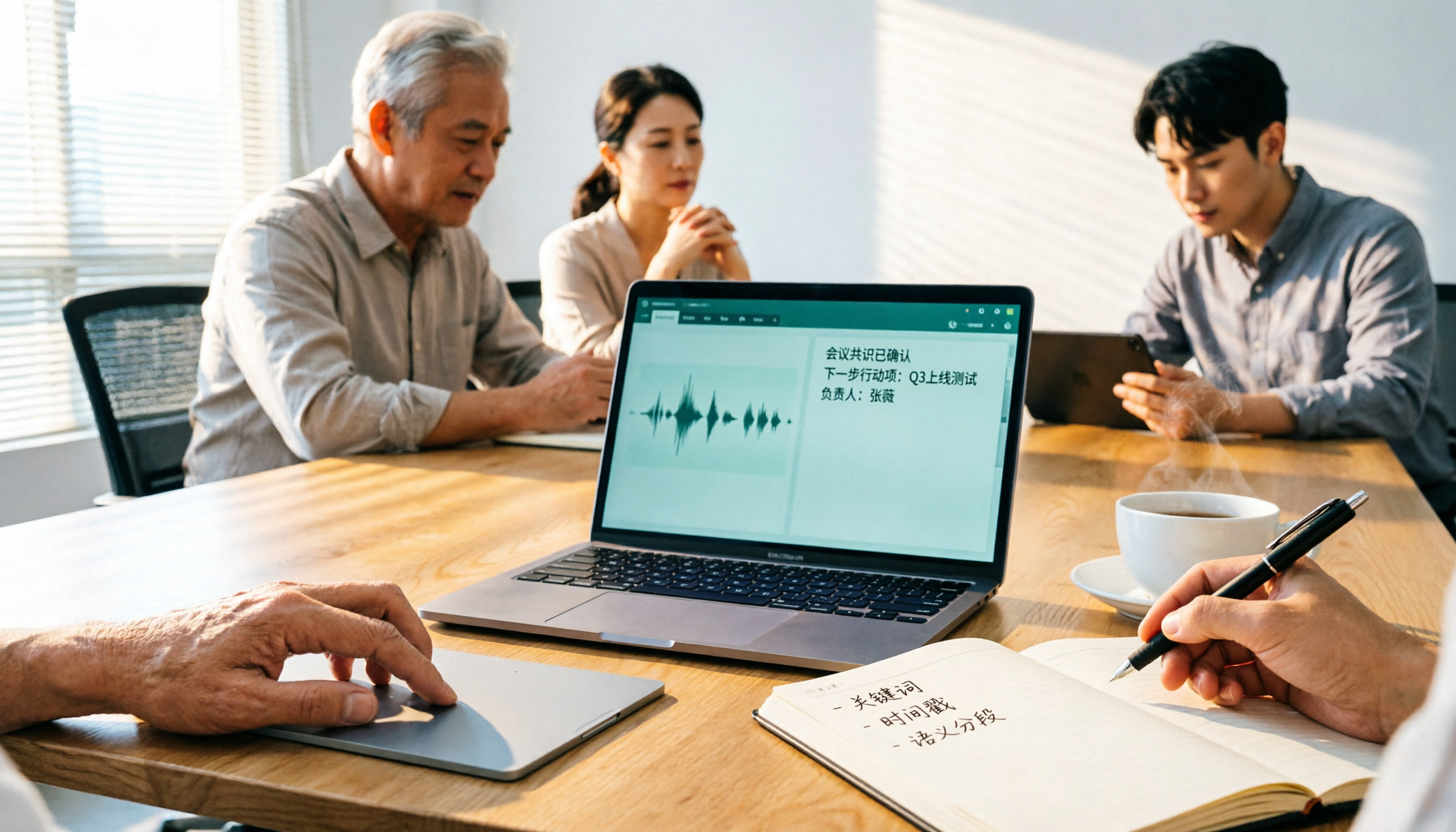
Tinrec is an AI meeting notes and collaboration tool for individuals and teams. It doesn't just convert audio to text; it organizes meetings into searchable, summarizable, queryable, and exportable data, suitable for people who need to handle long audio and post-meeting organization.
Record online meetings without a bot. The desktop version directly captures your computer's system audio, so when handling meetings on Zoom, Google Meet, Microsoft Teams, or Webex, you don't need to invite a bot into the meeting room. For client meetings, this is actually crucial—the screen stays clean, and the other party won't feel like there's an extra strange participant.
The real value is after transcription. After recording, it automatically generates a transcript, summary, chapters, and action items, and can even output a mind map. Honestly, most people get stuck not on "can't convert to text," but on "the text is so long I don't know where to start reading."
AI chat query. This is where it stands out from ordinary transcription tools. You can directly ask "What was the budget cap mentioned in the meeting?" and the AI will answer based on the recording content, without having to drag through the timeline yourself.
Team workspace. The team version centralizes meeting data storage and provides member, role, seat management, usage analytics, audit logs, and an audio recycle bin. Members can view data even without a seat, but need a seat to record, upload, and edit.
For pricing, the personal version has a free tier (basic quota), weekly pass, Pro monthly, and Pro annual—choose based on your usage frequency. The team version is USD 29.80 per paid seat per month, or USD 199 per paid seat per year (about USD 16.58 per month), with each paid seat providing 2,000 minutes of team shared import quota per month; eligible teams can try 7 days with 1 free seat and 300 shared minutes. Actual prices and benefits are subject to the official purchase page.
Who it's for: People who have meetings or interviews every week, need Chinese transcripts and post-meeting organization, or want their team to build a shared meeting knowledge base.
Solution 2 | WeChat built-in voice-to-text — The easiest in-chat option
If you just want to read a voice message in the chat, this is the fastest way: long-press the voice message and select "Convert to Text." The WeChat team has also previously announced Cantonese voice-to-text functionality, mainly for users in Guangdong.
Additionally, WeChat recently beta-tested a new "voice-to-text and send" feature, which reportedly lets you speak and send the text directly. However, it's still in gray release, available only to a small number of users, so it's normal if you don't see the entry point.
Note that its scope is limited to chat scenarios: no summary, no action items, and you can't throw a 40-minute recording into it to get a transcript. It's more practical to treat it as a "little helper for reading messages."
Solution 3 | Google Live Transcribe — Zero-cost real-time dictation
Google's real-time transcription tool is free on Android and suitable for temporarily converting nearby conversations into text. The phone's built-in voice input (dictation) has a similar effect—tap the microphone and speak to type.
These tools have a clear positioning: real-time, free, and simple enough. But there's no file management, no summary, no speaker separation, and they're not suitable for later organization.
Who it's for: People who just want to quickly turn speech into text and don't need recording file management at all.
Solution 4 | Notta — Multilingual transcription and meeting notes
Notta also covers multi-platform transcription, meeting notes, file import, and translation, making it a highly overlapping option with Tinrec. The free version offers 120 minutes per month, with a maximum of 3 minutes per item; Pro annual is about USD 8.17 per month with 1,800 minutes per month; Business annual is about USD 16.67 per seat per month, offering unlimited transcription, role permissions, and usage reports.
The difference is that Tinrec emphasizes bot-free desktop recording, team workspace, and Agent post-processing, while Notta has a longer track record in multilingual transcription. Who it's for: People who need multilingual subtitles and translation, and mainly do file transcription.
Stop organizing recordings by hand
Upload audio or video and automatically get a transcript, summary, and action items
Solution 5 | TurboScribe — Cost-effective choice for long audio and batch files
TurboScribe focuses on cost-effective file transcription. The free version allows 3 files per day, up to 30 minutes per file; Unlimited annual is USD 120 (about USD 10 per month), and after payment, each file can be up to 10 hours or 5 GB, with up to 50 files uploaded at once.
It knows its place clearly: quickly turning long audio files into text and subtitles. Unfortunately, it doesn't have real-time meeting recording, and post-meeting summaries and queries aren't its focus. Who it's for: People who have a batch of recording files to process and need subtitles and translation.
Solution 6 | PLAUD Note / NotePin — Hardware approach for portable recording
PLAUD is a representative of AI recording hardware—you're buying a standalone device, portable recording, and phone call recording experience. Currently, the US official website shows NotePin at USD 159 and Note Pro at USD 189; membership Starter is 300 minutes per month, Pro is USD 99.99 per year with 1,200 minutes per month, and Unlimited is USD 239.99 per year.
If you're often on the go and need a device that starts recording with a physical button, this path makes sense. Conversely, if you mainly handle online meetings on your computer and existing audio files, buying an extra hardware device may not be necessary.
Hands-on tutorial: 5 steps to turn WeChat voice into a transcript
Step 1: First make the voice into a "processable audio file." WeChat voice messages themselves cannot be exported directly. In practice, you play them on another device and record, or record with a device that can capture audio during the voice call. Before the call, make sure the other party is aware—more on this later.
Step 2: Import or record live directly. Open Tinrec's web or desktop version. If you already have an audio file, choose upload; if the meeting hasn't started, initiate recording directly from the desktop version—the system will capture the meeting audio played on your computer without adding an extra bot.
Step 3: Check the transcript and proper nouns. After transcription, scan through names, product names, and numbers first. Team-specific terminology can be added to team hotwords for more stable recognition later.
Step 4: Use AI summaries and questions to capture key points. First look at the auto-generated summary and chapters, then ask questions directly about uncertain sections, such as "What were the three concerns the client mentioned?" This is much faster than listening from the beginning again.
Step 5: Export or save to team workspace. If you need to write a document, export to Google Docs, Notion, OneNote, or Dropbox; if this is a meeting the team needs to track together, leave it in the team workspace so data won't leave with personnel changes.
With so many solutions, how should you choose?
- Want transcription, summary, AI queries, and export all in one flow → Tinrec, one of the few in this list with complete post-processing
- Don't want to pull another bot into online meetings → Tinrec desktop version, directly captures system audio
- Meetings mix Chinese and English, need bilingual transcripts and real-time translation → Tinrec, can be paired with team hotwords
- Team needs to share meeting data, manage members and usage → Tinrec team version, with roles, seats, usage, and audit
- Just want to read short voice messages in WeChat chat → WeChat built-in conversion, free and fastest
- Zero budget, only need real-time dictation → Google Live Transcribe or phone built-in dictation
- Have a batch of long recordings to transcribe into subtitles → TurboScribe
- Often on the go, need a physical recording device → PLAUD Note / NotePin
4 things to know before using recording-to-text
1. Speak clearly before recording. Inform participants before recording and comply with local regulations and company policies; don't upload client data to personal accounts without permission management. This is one reason team versions exist—data belongs to the team, with role and seat controls.
2. Don't expect 100% accuracy. Transcription quality is affected by recording environment, accents, overlapping speakers, and technical terminology. For important numbers and commitments, it's advisable to cross-check the transcript timestamps with the recording.
3. Pay attention to free tier limits. Free versions usually have minute or file length limits. Test with your own recordings first to confirm the workflow, then consider upgrading—no need to pay from the start.
4. Distinguish between "roles" and "seats." Taking Tinrec team version as an example, roles determine who can manage the team and members, while seats determine whether you can record, upload, edit, and export. Active members can still view and play team data even without a seat.
Conclusion
WeChat's built-in features solve "reading a single voice message," while professional tools solve "making a voice recording reusable." They are not substitutes but different levels of need.
If the time you spend each year re-listening and filling in transcripts exceeds the time for a meal, it's worth changing your workflow. Tinrec's free version has a basic quota, enough for you to experience the difference between real-time transcription, summaries, and AI Q&A—upgrade only if it fits your needs.
FAQ
Q1: Can WeChat's built-in voice-to-text be exported? No. The converted text can only be viewed in the chat window, with no export, search, or summary features, and it cannot batch process historical voice messages.
Q2: How do I turn a 40-minute WeChat voice message into a transcript? WeChat voice messages cannot be directly saved. In practice, you play them on another device and record, then upload to a tool that supports audio transcription (such as Tinrec) to automatically generate a transcript and summary.
Q3: Is Tinrec's free version enough? If your need is occasional recording organization, the free version's basic quota is enough to try; if you have meetings every week, choosing a weekly pass or Pro plan based on frequency will be more cost-effective.
Q4: How accurate is transcription for meetings with mixed Chinese and English? Tinrec covers Chinese, Traditional Chinese, and multilingual scenarios, and supports real-time translation and bilingual viewing. Actual results are still affected by recording quality and terminology; using team hotwords is recommended.
Q5: What's the difference between the team version and personal version? Personal version data belongs to the individual account; the team version is an independent collaboration space where meeting data belongs to the team, with additional members, roles, seats, shared benefits, usage analytics, audit logs, and audio recycle bin.
Q6: Do I need to get consent before recording? Yes. Regulations vary by region. In practice, you should inform participants and comply with company policies, and pay extra attention to storage and permission management when client data is involved.
References
- Must-Have for Professionals: 2026 WeChat New Voice-to-Text Feature Analysis, 3 Major Scenario AI Recording Tool Comparison and Tinrec Guide - Tinrec Blog
- WeChat Recording to Text/Voice to Text: 2026 5 AI Tool Tests and Tinrec Tutorial - Tinrec Blog
- 2026 WeChat Voice-to-Text Automation Guide: 5 Tools Tested, Meeting/Interview Efficiency Up 300% (including Tinrec) - Tinrec Blog
- 2026 WeChat Voice-to-Text Cantonese Free Solutions: 5 Options at a Glance - Tinrec Blog
- 2026 Speech-to-Text Tool Recommendations: Beyond WeChat's New Feature, Tinrec and 4 Other AI Recording Assistant Reviews - Tinrec Blog
Turn every recording into actionable outcomes
Get 60 free transcription minutes when you sign in. No credit card required.
Related Reading
You might also like

2026 Comparison of 4 Audio-to-Text Tools: Which One Actually Saves Time on Post-Meeting Cleanup?
From meeting notes and interview organization to team knowledge retention, compare Tinrec, Notta, Otter.ai, and Granola on capture methods, Chinese recognition, post-meeting processing, team governance, and pricing rules to help you choose the right tool for your budget and scenario.

2026 Comparison of 2 Audio-to-Text Tools: Tinrec vs. iPhone — Which Saves More Time on Cleanup?
Starting with iOS 18.4, iPhone Voice Memos supports Chinese transcripts, leaving many users wondering whether they still need a separate tool. This article compares Tinrec and iPhone's built-in feature across 5 dimensions—from recording online meetings and post-meeting cleanup to operation steps and team data ownership—to help you decide which approach fits your meeting scenario.
2026 Comparison of 3 Free Audio-to-Text Tools: Which Is Best for Chinese Meetings and Post-Meeting Organization?
There are many free online audio-to-text tools, but free versions often hit limits at the worst possible moment. This article compares two no-bot options, Tinrec and Granola, point by point, covering free-tier thresholds, Chinese recognition, audio retention, post-meeting organization, and team governance, to help you decide which one truly fits your needs.

2026 Free Audio-to-Text App Buying Guide: 4 Hands-On Tests and Selection Tips
There are plenty of free audio-to-text apps, but most are just one-time trials rather than long-term free. This guide looks at four key points—free quota, post-meeting organization, input sources, and team data ownership—and hands-on tests the free plans and limits of Tinrec, iPhone Notes, Atter, and Notta. It also covers the three most common buying pitfalls to help you pick the one that truly works for you.

2026 Comparison of 4 Audio-to-Text Tools: After the Transcript, Which One Really Saves You Time?
A mid-level manager leading a 10-person team and attending 15 meetings a week tests 4 audio-to-text tools, comparing accuracy, post-meeting organization, online meeting entry methods, and team data ownership, explaining why Tinrec was ultimately kept and when to choose other tools.

4 Free Audio-to-Text Tools Tested for 2026: Which Free Tier Actually Works?
Many free audio-to-text tools offer trial credits rather than a lasting free plan. This comparison focuses on whether the free tier is enough for your needs, evaluating Tinrec, Otter.ai, Notta, and TurboScribe on free limits, per-file length caps, and post-transcription processing to help you pick the one that truly works.

4 Audio-to-Text Tools Compared in 2026: Free vs. Paid at a Glance
Can recorded audio be converted to text? Yes, and it's easier than you think. This article starts from real-world use cases, first covering 4 key points for choosing a tool, then takes a deep dive into Tinrec's bot-free meeting recording, AI summaries, and post-meeting Q&A, and briefly reviews the positioning and limitations of Notta, Otter.ai, and PLAUD Note. It ends with a pitfalls guide and selection advice to help you understand the differences between free and paid plans at a glance.

5 Best Audio-to-Text Tools in 2026: Is iPhone's Built-in Feature Enough?
Since iOS 18.4, iPhone's built-in Voice Memos can transcribe recordings, but that doesn't mean you get the meeting notes you need. This article compares 5 solutions based on recording sources, Chinese recognition, post-meeting output, and team collaboration, so you can decide whether the built-in option suffices or if you need a dedicated tool.

6 Android Speech-to-Text Apps Tested for 2026: Which Free Version Actually Works?
Most people start comparing Android speech-to-text apps by looking for the free one, but that's the wrong first step. This guide covers six practical options—from Google Keyboard's completely free dictation to Tinrec, which automatically generates summaries, action items, and AI Q&A—honestly listing each plan's free quota, paid pricing, and best use cases to help you avoid the 'transcribed but unusable' trap.