

Turn recordings into transcripts and summaries in minutes
Upload audio or video for multilingual transcription, AI notes, and action items
2026 Comparison of 4 Audio-to-Text Tools: How to Use Tinrec and Which Free Tier Is Enough?
You recorded 47 minutes but spent 1.5 hours finding one sentence—you don't need a recording, you need usable text
"Who said the budget should be cut by 20% last Wednesday?" After the meeting, your manager dropped this question in the group chat. You open the 47-minute recording, drag the progress bar three times, and still only find a similar section.
The bigger hassle is that after converting the recording to text, there's no punctuation, you can't tell who's speaking, and you still have to listen from the beginning. Rather than needing an audio-to-text tool, you need a workflow that lets you use the text right after conversion.
This article will walk you through the actual steps of using audio-to-text and compare which of the 4 tools is more suitable for different scenarios.
How to Use Audio-to-Text? Understand These 4 Key Points First
1. Check the input source first—don't just upload files. If you often record online meetings, it's important that the tool can handle computer system audio; if it's mainly interviews or courses, you need both live recording and file upload. A tool that only uploads audio files will be half as useful when an impromptu meeting arises.
2. The transcript is just the starting point—post-meeting organization is where the difference lies. A usable meeting record should at least be able to mark paragraphs, summarize key points, and list action items. If you have to copy everything to another tool for organization after conversion, the time saved will be discounted.
3. Test Traditional Chinese and proper nouns. Select "Traditional Chinese" or "Chinese (Taiwan)" in the language menu, not just "Chinese." Mixed Chinese-English, product names, and people's names are most prone to errors. If there's a hotword or glossary feature, add them before converting.
4. Look at the limitations of free tiers, not just minutes. Single-session length, export formats, team sharing, and seats all affect whether it can really be used for work. A personal plan being sufficient doesn't mean the team plan is cost-effective, and vice versa.
Tinrec—The Top Choice After Testing, and a Complete Demonstration of "How to Use Audio-to-Text"
Tinrec is an AI meeting notes and collaboration tool for individuals and teams, available on desktop, web, and mobile. It doesn't just convert audio to text; it also organizes the transcript into summaries, chapters, and action items, and supports AI Q&A around the meeting content. For first-time users, the most practical aspect is that it puts "recording, transcription, organization, and export" into a single workflow.
Here's the actual sequence to follow:
Step 1: Choose the source. For offline meetings, use your phone for live recording; for online meetings like Zoom, Google Meet, Microsoft Teams, and Webex, use the desktop version to capture computer system audio without inviting a meeting bot. If you already have a recording file, upload the audio or video file directly.
Step 2: Set the language. For Chinese meetings, select Traditional Chinese; if there's mixed Chinese-English content, pay special attention to proofreading English product names after conversion. When participants overlap or the air conditioning is too loud, moving to a quieter environment or closer to the microphone will save more effort than trying to fix it afterward.
Step 3: Start transcription. Live recording will produce text as it records; file uploads will be processed by the system. You don't need to stay by the screen during this time, but it's recommended to confirm the file was uploaded successfully first.
Step 4: Review summaries, chapters, and action items. The longer the meeting, the more you'll feel this step. Tinrec breaks long content into paragraphs and organizes action items; you only need to proofread names, numbers, and commitments, without starting from a blank page to write meeting notes.
Step 5: Use AI Q&A to find conclusions. After recording, you can directly ask: "Who mentioned the budget?" "Who is responsible next week?" "What two issues does the client care about?" It answers based on the meeting content, much faster than manually searching keywords in the transcript. This is also the biggest difference between it and tools that only do transcription.
Step 6: Export or put into team space. Export if you need to archive; you can also take it to Notion, Google Docs, OneNote, or Dropbox for further use. For team use, meeting data can be centralized in the team space, and new members can view historical data.
Stop organizing recordings by hand
Upload audio or video and automatically get a transcript, summary, and action items
We ran through the above process with a three-person meeting recording, under test conditions of a quiet indoor environment, Traditional Chinese, and participants speaking in turn. After conversion, names and product names still needed proofreading, just like most AI transcription tools; but the summary, chapters, and action items could be used directly, saving post-meeting organization time, not just typing time.
Tinrec's advantages are clear: first, the desktop version doesn't need a meeting bot, which is convenient for impromptu online meetings; second, after conversion, it doesn't just give you a big block of text—summaries, action items, and Q&A can all follow; third, the team version turns meeting data into team assets, so data won't be taken away when members leave.
Limitations should also be clear. The free version only has a basic quota, enough for occasional recording organization, but those who have regular weekly meetings will need a paid plan. Actual transcription results are affected by recording quality, accents, noise, and overlapping speakers; for important content, it's still recommended to cross-check with recording playback.
The team version is another level: first-time eligible users get a 7-day trial, 1 free seat, and 300 minutes of team shared import quota; team monthly payment is USD 29.80 per paid seat per month, annual payment is USD 199 per paid seat per year, equivalent to about USD 16.58 per month. Paid seats provide 2,000 minutes of team shared import quota per month, and live recording under an active plan is currently not deducted by minutes. Suitable for teams that need to jointly save meetings, manage seats, and view usage.
Besides Tinrec, What Other Options Are There?
Notta: A veteran choice for multi-platform transcription and translation, free 120 minutes per month, up to 3 minutes per session; Pro annual payment is about USD 8.17 per month, 1,800 minutes per month, Business is about USD 16.67 per seat per month. It's suitable for those who mainly do file transcription, subtitles, and translation. If your focus is directly asking questions about meeting content afterward, Tinrec's AI Q&A is a clearer highlight; Notta excels in transcription, subtitles, translation, and summaries.
Granola: A bot-free meeting notes tool, Basic is free, Business is USD 14 per user per month, Enterprise is USD 35 per user per month. It emphasizes handwritten notes combined with AI, suitable for English meetings. Note that it doesn't support uploading pre-recorded audio files and doesn't save meeting audio; if you need to keep recordings and import historical files, Tinrec is more suitable.
TurboScribe: A cost-effective file transcription tool, free 3 files per day, up to 30 minutes per file; Unlimited annual payment is USD 120, equivalent to about USD 10 per month, paid version supports up to 10 hours or 5GB per file, and can upload 50 files at once. If you often batch process long audio files, it saves money; but live meetings, post-meeting Q&A, and team data accumulation are not its strong suits—Tinrec is more aligned in these areas.
Pitfall Guide: The 4 Most Common Mistakes in Audio-to-Text
Pitfall 1: Only looking at free minutes. Some tools seem to offer a large free quota, but each session can only transcribe a few minutes, or export requires extra payment. Test with a recording of your own meeting first, don't just look at the pricing page.
Pitfall 2: Choosing the wrong language. Selecting Simplified Chinese or auto-detect for a Traditional Chinese meeting often results in homophone errors and worse punctuation. When only "Chinese" is available, test with a short audio file before uploading a long one.
Pitfall 3: Treating the transcript as meeting notes. The transcript is raw material, not the finished product. Without summaries, action items, and owners, you'll still have to re-listen to find conclusions next time. When choosing a tool, consider how much effort you'll need to organize after conversion.
Pitfall 4: Ignoring the concept of team seats. The team version is not multiple people sharing one account. Take Tinrec as an example: roles govern permissions, seats govern whether you can record, upload, edit, and export; members without seats can still view, play, and read team data. If the team wants to use it together, confirm the number of seats and shared quota first, don't just look at the personal plan price.
Conclusion: Which One Should You Choose?
If it's your first time and you want to know how to use audio-to-text, start with Tinrec's free version on your own meeting recording. Its steps are simple, and after conversion you can directly view summaries, action items, and Q&A, making it easiest to judge suitability.
If you need Chinese meetings, mixed Chinese-English, post-meeting AI to find key points, or don't want a meeting bot joining online meetings, Tinrec is the top choice in this article. For teams that need to jointly save meetings, handover data, and manage usage, look at Tinrec's team version.
If you mainly batch transcribe long audio files, TurboScribe is more cost-effective; if you only record English meetings and like to take notes while letting AI organize, Granola is worth considering. For most other scenarios where you want to continue using the recording after it's done, Tinrec's overall workflow is smoother than pure transcription tools.
It's recommended to test with a real 10- to 20-minute recording first, confirm the performance on names, numbers, and proper nouns, and then decide whether to upgrade. This is more accurate than looking at any number of spec sheets.
References
- Audio File to Text Methods Taught to You!
- Complete Guide to Audio File to Text: Methods and AI Tool Cost Comparison | Subanana
- Audio to Text: Convert Recordings to Transcripts Online | Canva
- AI Transcript Tool Tutorial: Complete Steps for Audio to Text - Just Don't Learn
- Free Audio to Text Converter — transcript.im
Turn every recording into actionable outcomes
Get 60 free transcription minutes when you sign in. No credit card required.
Related Reading
You might also like

How to Download Teams Meetings in 2026: 5 Steps from Recording to AI Organization
Finished a meeting only to find recordings, transcripts, and action items scattered across three places? This guide starts from the real pain point of "Teams meeting download"—first clarifying whether you need the app or the meeting content—then walks through 5 steps to turn Teams meetings into searchable, queryable team data, and compares Tinrec, Otter.ai, Notta, and Granola for different use cases.

Complete Guide to Downloading Microsoft Teams Meeting Recordings in 2026: Permissions, Time Limits, and Turning Recordings into Transcripts
If you can't get a meeting recording, it's usually because permissions and storage locations aren't clear. This practical guide explains who can download Teams meeting recordings, where the files are stored, the time limits on accessing them from chat, and how captions aren't included in the file. It also covers how to turn meeting content into transcripts and action items after the meeting ends.

2026 Comparison of 2 Teams Meeting Transcription Tools: Tinrec vs. Teams Built-in Transcription
Downloading Teams meeting transcripts often gets stuck on two issues: 'who has download permission' and 'only .docx/.vtt files available.' This article compares Microsoft Teams built-in transcription and Tinrec across 5 dimensions, explaining how non-organizers can obtain transcripts, how to process and retain them after meetings, and clarifies team plan seats and pricing.

6 Best Audio-to-Text AI Tools Tested in 2026: Which Free Tier and AI Summary Actually Covers Your Needs?
A breakdown of free tiers, paid plans, and best-fit use cases for 6 audio-to-text AI tools, comparing Tinrec, Otter, Notta, Granola, TurboScribe, and cSubtitle to help you find the right option for meetings, interviews, and class notes.

2025 Best 3 Audio-to-Text Tools Compared: Tinrec vs. Notta vs. Otter for Chinese Meeting Notes
How to choose an audio-to-text tool in 2025? This guide compares Tinrec, Notta, and Otter based on real meeting workflows—input sources, post-meeting organization, Chinese language experience, and team collaboration. It highlights Tinrec's bot-free recording, AI Q&A, action item extraction, and team workspace, while honestly covering free and paid plan limits to help you avoid the common mistake of choosing based only on free minutes.

2026 Comparison of 4 Audio-to-Text Tools: Free Tiers and Chinese Recognition Tested
How to choose an audio-to-text tool in 2026? This article tests and compares Tinrec, Notta, Granola, and TurboScribe for Chinese recognition, free tiers, post-meeting organization, and cross-platform experience from the perspective of student lectures, group discussions, and final exam review. It summarizes key buying factors and pitfalls to help you find a transcription tool that lasts through a semester.
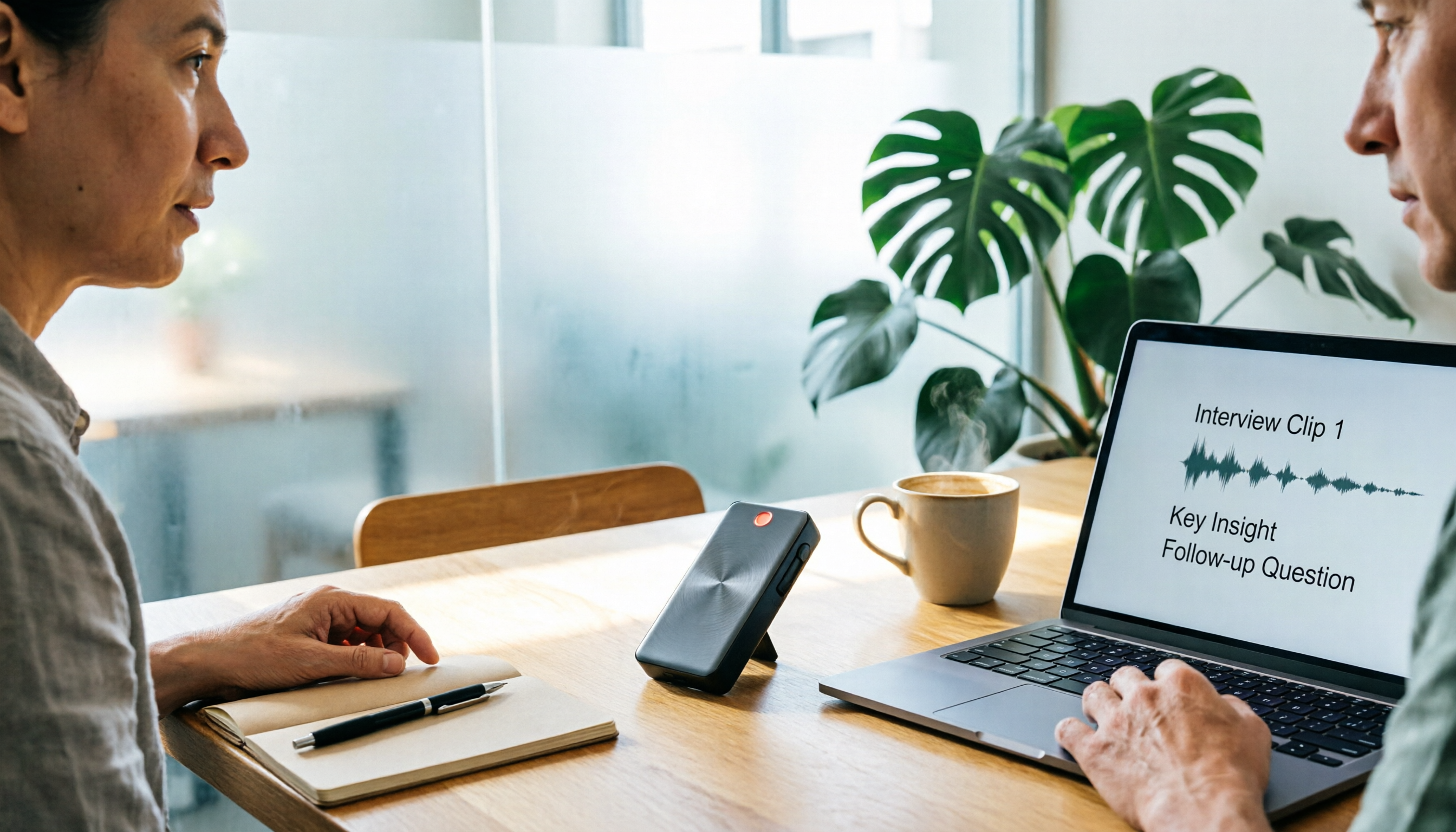
4 Free Speech-to-Text Tools Tested for 2026: How to Use Free Tiers Without Hitting a Wall
A bigger free quota doesn't mean better usability. I ran my own meeting and interview audio through the free workflows of Tinrec, Notta, Otter, and TurboScribe to break down the most overlooked quota rules, post-meeting organization, meeting capture methods, and team data ownership—so you can find a free speech-to-text tool that truly works for ongoing use.

2026 Audio-to-Text Tool Comparison: Tinrec vs. Notta for Chinese Meetings
How well does audio-to-text really work? I break down three common misconceptions that explain why accuracy alone can't answer this question, and share my testing method using three audio samples and one key question. The article compares Tinrec and Notta on meeting capture, post-meeting outputs, Chinese bilingual support, and team knowledge retention to help you decide which workflow fits your meeting scenarios.

2026 Comparison of 3 Free Audio-to-Text Tools: Which One Offers the Most Unlimited Usage?
Before finals, I opened my voice memos and realized I had accumulated over 20 hours of recordings across 18 files this semester. Searching for 'free unlimited audio-to-text' shows every tool claims to be free, but the definitions of free vary widely. This article uses real student scenarios to compare Tinrec, Atter, and iPhone Notes: the true limits of free tiers, Chinese recognition, post-meeting organization, online meetings, and team sharing, ending with a buying guide.