
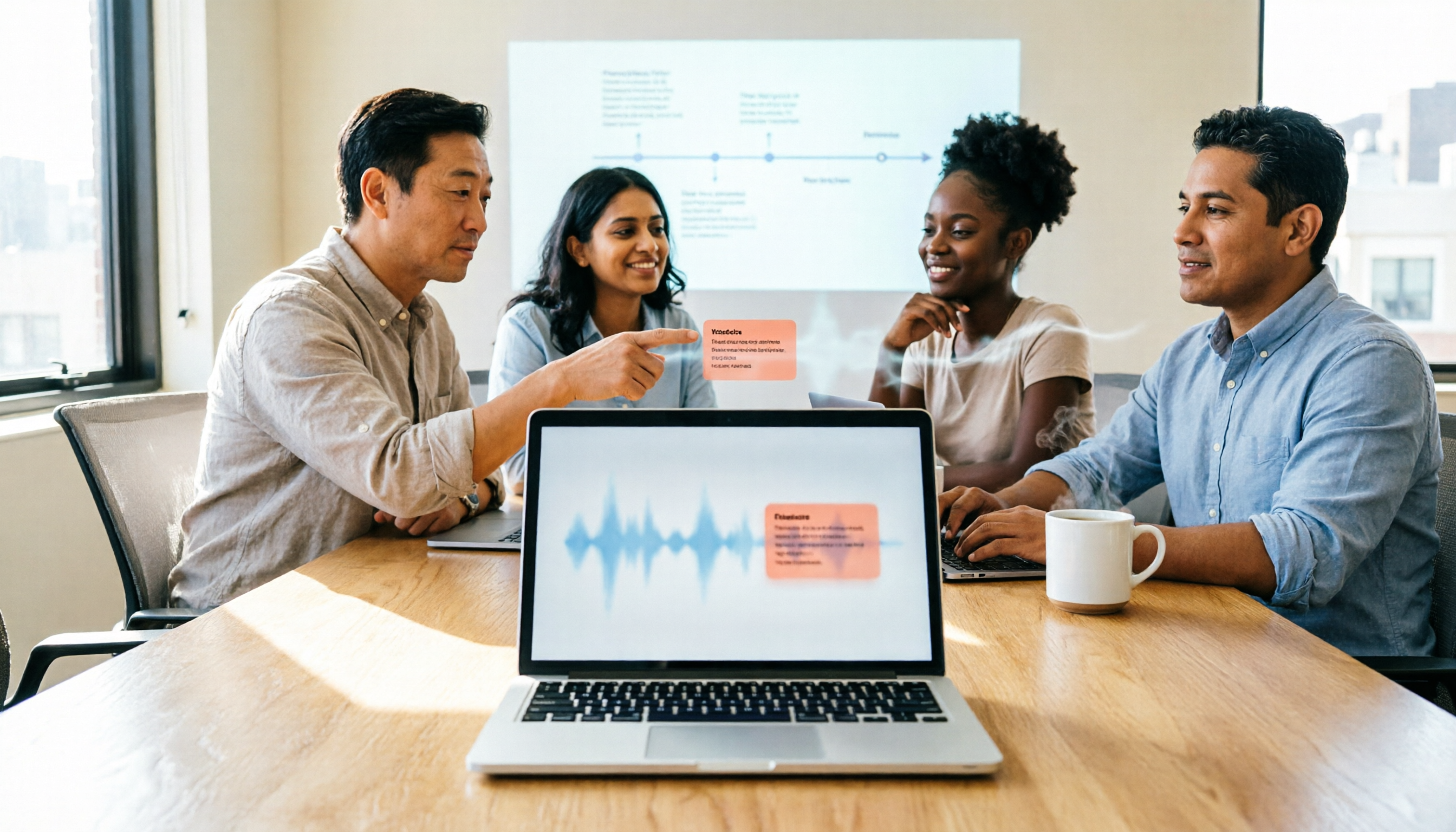
Turn recordings into transcripts and summaries in minutes
Upload audio or video for multilingual transcription, AI notes, and action items
Notta AI Tutorial & Comparison 2026: Which of 3 Meeting Note Tools Saves the Most Time?
The meeting ends, the nightmare begins
It's 4 PM on a Friday, and a two-hour cross-department meeting just ended. Your manager drops a message in the group chat: "So what's the conclusion? Who's responsible for what?" You stare at the recording length showing 1:58:43, and there's only one thought in your mind: do I really have to stay late and listen to this again?
Online meetings are even trickier. With mixed Chinese and English, three people talking over each other, and a client rattling off a string of English product names, your handwritten notes only cover half of it. When you go back to re-listen, you can't match anything to the timeline.
Most people think they're missing a "recording app," but what they're really missing is "data they can use right after recording"—meeting notes that are searchable, queryable, and can be turned into action items. This article will first walk through the complete Notta AI tutorial process, explain when it works well and when it gets stuck, then compare 3 tools using the same criteria, and finally give you recommendations you can follow directly.
Before choosing a meeting note tool, understand these 4 key points
1. What you get after transcription. If you only get a transcript, you've essentially traded "typing work" for "reading long documents." What really saves time is summaries, chapters, action items, and queryable Q&A—this is where the biggest differences between tools lie.
2. How meeting audio gets in. There are three common methods: a meeting bot joins as a participant; desktop software directly captures computer system audio; or you upload existing audio files. Each method suits completely different situations, and choosing the wrong one can be painful.
3. Test conditions for Chinese and mixed Chinese-English. Don't just look at the official accuracy claims. A quiet recording studio is very different from a real office—air conditioning noise, keyboard sounds, and multiple people speaking over each other will all degrade results. When testing, use your own meeting recordings, not demo audio files.
4. Free tier and team licensing. For free versions, besides "minutes per month," you also need to check the "per-recording limit." For team versions, distinguish between roles (who can manage) and seats (who can record, upload, edit)—these are different concepts.
Tinrec – the one we use most after testing
Tinrec is an AI meeting notes and collaboration tool for individuals and teams, available on web, desktop, and mobile. Its positioning isn't "audio to text" but turning meetings into searchable, collaborative, and actionable data.
No bot invitations for online meetings. The desktop version directly captures computer system audio, so when handling meetings on Zoom, Google Meet, Microsoft Teams, or Webex, you don't need an extra bot on the participant list. The practical difference is direct: for interviews, client meetings, and cross-department discussions, you don't have to explain to the other party, "An AI will be joining shortly."
The post-meeting output is the core. After recording or uploading a file, the system generates summaries, chapters, key points, and action items, and can even create mind maps. The most useful feature is AI Q&A: you can directly ask "What were the client's concerns about the quote?" or "Who was assigned to what in this meeting?" and it answers based on the content, rather than throwing a list of keywords for you to dig through. This step shows the most obvious gap in this price range.
Translation and export fit into your workflow. For cross-language meetings, you can view the original, translation, or bilingual side-by-side while recording; after the meeting, you can export to Notion, Google Docs, OneNote, or Dropbox for further editing, and use Agent post-processing to generate reports, tables, and meeting minutes documents.
The team version keeps data in the team's hands. Team spaces centrally store recordings, folders, and action items, with role and seat management, member usage analytics, audit logs, and team hotwords. Deleted audio can be recovered from a 30-day recycle bin. When a member leaves or is removed, resources need to be handed over to other active members and won't disappear with the individual account. This is especially important for teams with turnover—data belongs to the team, not the individual.
Test conditions and observations. We used a roughly 5-minute mixed Chinese-English meeting recording (indoor environment, keyboard sounds, two people speaking over each other at one point) to go through the entire process. Daily conversation segments were directly readable; manual corrections were mainly for proper nouns and names. After adding team hotwords, the recognition experience for similar terms improved further. Overall, post-meeting organization time was indeed reduced, but for important conclusions, we still recommend cross-checking with the transcript timestamps and original audio.
Limitations to note. The free version has a basic quota, and heavy users need to upgrade. The personal version doesn't have a clearly published fixed number of minutes; we recommend choosing a weekly, monthly, or annual plan based on three usage tasks: "occasional organization," "short-term sprint," or "long-term accumulation." Also, the team version currently shares at the team level, not a fine-grained file-level permission system, so it's not recommended to claim it "allows setting individual access ranges for each file."
Stop organizing recordings by hand
Upload audio or video and automatically get a transcript, summary, and action items
Who it's for. People who frequently have online meetings, need Chinese and mixed Chinese-English notes, want to directly ask for key points after recording, or need most meeting data to be accumulated and shared with the team.
Besides Tinrec, what other options are there?
Notta AI tutorial: a hands-on walkthrough in 3 steps
Notta is the main subject of this search keyword and the closest competitor to Tinrec, with multi-platform transcription, file import, translation, and team plans. Here's the actual workflow:
Step 1: Sign up and get to know the interface. Go to notta.ai and click Get Started. Sign in with your work email or one-click Google login. The web version runs in your browser without downloading. The top navigation bar is divided into Home (overview), All Records (organize transcripts into folders), and AI Chat (quick questions about notes). The mobile app (iOS/Android) has a similar layout but adds one-tap recording.
Step 2: Start recording or import. The dashboard offers four entry points: Record Audio, Record Video, Import Files, and Transcribe Live Meetings. First-time use requires authorizing microphone or camera access. Press stop when done, and Notta will transcribe in real-time or process afterward. The mobile app is suitable for field interviews and ad-hoc notes.
Step 3: Post-meeting organization and export. After the transcript is ready, you can use AI Summary to capture key points and AI Chat to ask questions about the content. You can also connect Google Drive, Notion, Slack, or Salesforce in settings to automatically send completed notes into your existing workflow.
Its practical limitations. The official free version offers 120 minutes per month with a 3-minute per-recording limit, so longer sessions need to be split. Pro annual billing works out to about USD 8.17/month with 1,800 minutes per month; Business annual billing is about USD 16.67/seat/month, including unlimited transcription, role permissions, and usage reports. Prices and benefits are subject to change; please refer to the official pricing page before ordering.
Where it differs from Tinrec. Notta's main entry points are web and mobile app; if you want to "directly capture system audio during computer meetings without inviting a bot," Tinrec's desktop version offers a smoother process. Additionally, Tinrec's post-meeting AI Q&A and Agent outputs (reports, tables, documents) lean more toward "turning meetings into deliverable work results."
Otter.ai: a budget-friendly choice for English meetings
Otter is a mature AI meeting assistant with high completion for English business scenarios. The free Basic plan offers 300 minutes per month; Pro annual billing is about USD 8.49/user/month, including 1,200 minutes per month and 10 file imports. The limitation is that Chinese and mixed Chinese-English are not its strong suit; if your meetings are mainly in English and your budget is zero, it's a great deal. But if you need real-time bilingual comparison, team hotwords, and Chinese meeting accumulation, Tinrec is a better fit.
Granola: bot-free notes, but no recording saved
Granola also captures device audio without a bot, and its strength is combining your handwritten notes with AI. Basic is free, Business is about USD 14/user/month. It has two hard limitations: it doesn't support uploading pre-recorded audio files, and it doesn't save meeting audio files. That means you can't go back to check the original audio or organize existing recording files. Tinrec keeps recordings, can import existing files, and also offers real-time translation and multi-format export—this is the biggest difference between the two.
Pitfall guide: 4 most common mistakes when choosing a meeting note tool
Pitfall 1: Only looking at monthly minutes, not the per-recording limit. Some free versions give 120 minutes per month but only 3 minutes per recording—a one-hour meeting would need to be split into 20 segments, and just organizing them would be a nightmare. Be sure to include "per-recording limit" in your comparison.
Pitfall 2: Treating "having a transcript" as "having meeting notes." A transcript is raw material, not a finished product. Whether it can automatically generate summaries, capture action items, and let you ask follow-up questions determines whether you save half an hour or two hours.
Pitfall 3: Sharing one personal account for the team. This is the most common cost-saving move and the most expensive mistake: data is tied to an individual, and when the person leaves, the data scatters; without roles and seats, anyone can edit. A team version needs an independent space, role governance, and seat management—not a shared password.
Pitfall 4: Ignoring recording consent. Meeting recording involves local regulations and participant consent, especially for international meetings. No matter how convenient the tool is, you still need to inform participants.
Conclusion: Which one should you choose?
In a nutshell: if you want the complete Notta AI tutorial process, mainly file transcription, and are budget-sensitive, start with Notta's free version (120 minutes/month, 3 minutes per recording) to test the waters; if you need bot-free recording for online meetings plus post-meeting Q&A, Tinrec is more suitable.
- Want to record Zoom, Meet, Teams without inviting a bot → Tinrec (desktop captures system audio)
- Want to directly ask "What's the conclusion, who's responsible for what" after recording → Tinrec (AI Q&A + action item extraction)
- Need bilingual view while recording cross-language meetings → Tinrec (real-time translation)
- Meeting data needs to be kept for the team, with seat and usage management → Tinrec team version (USD 29.80/paid seat/month, annual USD 199/paid seat, 2,000 minutes shared import quota per seat per month, real-time recording not deducted by minutes)
- Pure English meetings, zero budget → Otter.ai free version (300 minutes/month)
- Only want to organize existing recording files, no team features needed → Try Notta free version first
The recommended approach is simple: first use the free tier on one of your own real meetings, not a demo audio file. If you can understand the transcript, find the key points, and get answers to your questions, then consider paying. What you save isn't the subscription fee—it's the hours you'd spend staying late each week re-listening to recordings.
References
Turn every recording into actionable outcomes
Get 60 free transcription minutes when you sign in. No credit card required.
Related Reading
You might also like

Notta App vs. 3 AI Meeting Recorders Tested: Which Handles Chinese Transcription, Post-Meeting Summaries, and Team Knowledge Best?
Looking for Notta App reviews and pricing? This article starts with the decision point: are you recording meetings or files? We compare Notta, Tinrec, Otter.ai, and TurboScribe on meeting capture methods, post-meeting outputs, free tiers, and team collaboration, and honestly list each tool's limitations and pricing to help you make a regret-free choice before paying.

Nótt Ataşehir: Complete Guide 2026 – Address, Hours, Menu & What to Know Before You Go
Searching for notta ataşehir but finding conflicting info across platforms? This guide compiles the address, phone, hours, food and cocktail highlights, reservation tips, and common pitfalls for Nótt (Kitchen & Cocktail Bar) in Ataşehir, Istanbul—read this before you go.

Notta Chrome Extension Review 2026: 2 Tools Tested for Meeting Notes
Does installing the Notta Chrome extension automatically record all your meetings? Actually, it captures audio from browser tabs. This article addresses three common misconceptions, then compares Notta and Tinrec across five dimensions, including official pricing, quotas, and team governance differences, to help you decide which fits your meeting scenario.

2026 Notta Alternative: Tinrec Bot-Free Recording + AI Meeting Minutes
Looking for a Notta alternative? This guide focuses on what you need after a meeting, comparing Tinrec and Notta across 5 dimensions: desktop recording without a meeting bot, real-time translation for mixed Chinese-English meetings, AI Q&A and action item extraction, team spaces and seat management, plus practical use cases and a buying checklist.

How to Download AI Meeting Notes Tools in 2026: 5 Steps from Installation to Team Testing
From download to real-world testing, we break down the 5 installation steps and 4 key purchasing factors for AI meeting notes tools, and compare Tinrec, Notta, Otter.ai, and TurboScribe on free quotas, pricing, and post-meeting outputs to help you choose the one that truly fits your team's needs.

5 Lynn Nottage Plays to Read in 2026: Should You Start with Sweat or Ruined?
Lynn Nottage is the first woman to win the Pulitzer Prize for Drama twice. This guide covers five of her most essential plays—from Sweat and Ruined to Intimate Apparel—with tips on how to choose your first read and how to turn your reading group discussions into useful notes, so you can decide which play to pick up first.

2026 AI Meeting Recorder Comparison: Meeting Ink App vs. Tinrec vs. Otter.ai — Which Handles Chinese Meetings Best?
How to choose between Meeting Ink App, Tinrec, and Otter.ai? This hands-on comparison tests everyday meeting workflows across four key areas: Chinese terminology, bot-free recording, post-meeting AI Q&A, and team collaboration. We also break down free and team plan pricing limits to help you pick the right tool for your meeting style.

4 Free AI Transcription Tools Tested for 2026: Is Notta's Free Plan's 120 Minutes Really Enough?
Notta's free plan offers 120 minutes per month with a 3-minute limit per file—is that enough? Starting from real meeting scenarios, this article breaks down the actual limitations and paid thresholds of Notta's free version, and compares the free quotas, post-meeting organization capabilities, and team usage differences of Tinrec, Otter.ai, and TurboScribe, helping you decide whether to stay on the free plan or switch tools.

2026 AI Meeting Notes Tools Cost Comparison: Beyond Notta, Which Has Lower Long-Term Costs?
Many people searching for notta ai costo only compare monthly fees, overlooking free plan single-session limits, AI features, and team seats. This article uses official public plans to estimate costs for Notta, Tinrec, and common meeting tools, helping you judge which option is better for long-term use based on post-meeting organization time, export needs, and team knowledge retention.