

Turn recordings into transcripts and summaries in minutes
Upload audio or video for multilingual transcription, AI notes, and action items
The Most Common Meeting Notes Pitfall: Assuming a Bot Solves Everything
In recent years, a new habit has emerged in online meetings: inviting a meeting bot to the room to record and transcribe automatically. Many assume this means meeting notes are taken care of.
In practice, problems usually arise in three areas.
First, the bot's presence is visible. When meeting with external clients, an unfamiliar account appears on the participant list. You have to explain what it is, and in some cases, obtain consent before recording.
Second, no one organizes the recording afterward. The transcript is long, everyone gets busy after the meeting, and the file sits quietly in a cloud folder.
Third, the time you thought you saved is actually shifted from "meeting" to "post-meeting cleanup."
The real time-consuming part of meeting notes is never the recording—it's distilling a two-hour conversation into three action items. If you only look at "can it record" when choosing a tool, you're likely to fall into this trap.
3 Key Points to Understand Before Choosing a Meeting Notes Tool
1. Recording Method: "Bot Joins" vs. "Desktop Capture"
This is the biggest difference and the one least often checked first.
With meeting bots like Notta Bot, the logic is to send a bot as a participant into the meeting. It syncs with your Google Calendar, automatically joins Zoom, Google Meet, Microsoft Teams, or Webex meetings at the scheduled time, and records and transcribes in real time. The advantage is you don't have to do anything—just put the meeting link in your calendar.
The other approach is desktop capture, which records your computer's system audio directly without sending any extra participant into the meeting. You need to press start yourself before the meeting, but the participant list stays clean, and you won't miss recording if the meeting link changes at the last minute.
Neither method is inherently better; the difference lies in whether you need "zero effort" and whether you can accept an extra account on the list.
2. What You Get After Transcription
A transcript alone is not enough.
You need to check: Does it provide automatic summaries? Does it segment by chapters? Can it extract action items? Can you ask questions directly about the meeting content? And can you export to tools you already use, like Notion or Google Docs?
This determines whether the tool "saves you time" or "gives you a different way to spend time."
3. Who Ultimately Holds the Data
Personal accounts and team spaces are two different things.
If meeting data is stored in a personal account, it disappears when a colleague leaves, changes departments, or the account is deactivated. For team use, confirm whether there is a separate space, member roles, seat management, and a data handover mechanism when members leave.
Tinrec: After Hands-On Testing, This Is the One I'd Recommend
Tinrec is an AI meeting notes and collaboration tool for individuals and teams, available on web, desktop, and mobile.
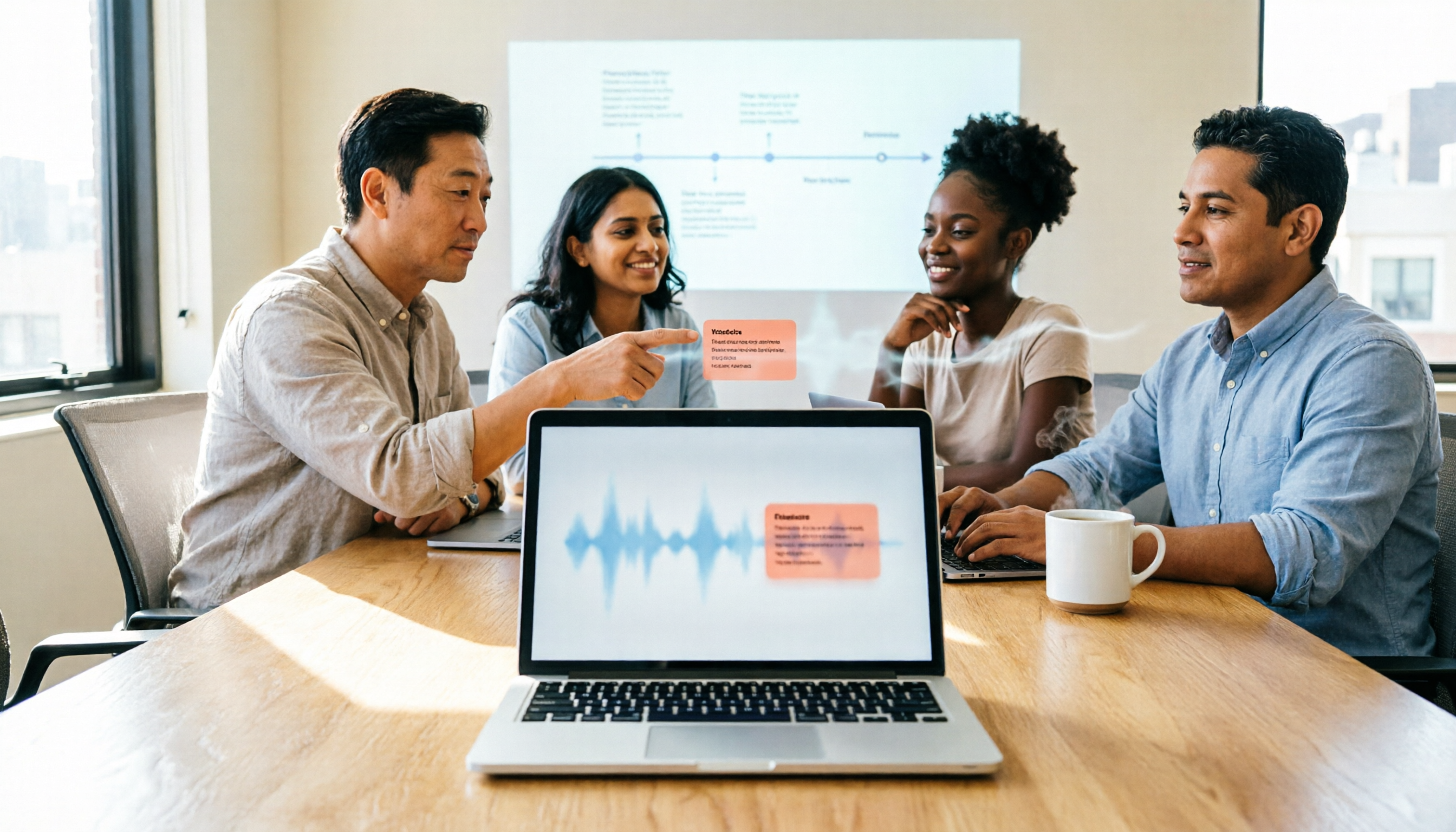
Its approach to online meetings is one I prefer: no bot is sent into the meeting; instead, the desktop app captures your computer's system audio directly. For Zoom, Google Meet, Microsoft Teams, and Webex meetings, as long as the audio plays through your computer, it can record and transcribe simultaneously. No unfamiliar account appears on the participant list, saving an explanation when meeting with external clients.
Transcription is real-time, with the transcript appearing on screen as it goes. For cross-language meetings, you can enable real-time translation and view it in original, translated, or bilingual mode—very useful when meeting with overseas colleagues.
What really makes it effortless is after the meeting. Summaries, chapters, key points, and action items are automatically generated, so you don't have to scroll through long meetings. You can then ask questions directly about the meeting, such as "What was the budget cap the client mentioned?" It searches the content for the answer instead of giving you a list of keywords. When you need to deliver, you can export as a document or use Agent post-processing to generate reports, tables, and meeting minutes, and continue working in Notion, Google Docs, OneNote, etc.
Stop organizing recordings by hand
Upload audio or video and automatically get a transcript, summary, and action items
For team use, the Team plan is a separate team space, not multiple people sharing one account. Meeting data belongs to the team; admins can manage roles and seats, view usage trends, query and export audit logs, and recover accidentally deleted audio files from a 30-day recycle bin. When a member leaves or loses a seat, their team resources are handed over to other active members, not lost with the person.
A few honest caveats. First, it is not a calendar bot and won't automatically join every meeting on your calendar—you have to press start for each recording. That's the trade-off of bot-free mode. Second, real-time recording on the Team plan is currently not deducted by the minute, but file and web link imports consume the team's shared import quota of 2,000 minutes per paid seat per month. Third, transcription quality is affected by recording environment, accents, and overlapping speech; for important content, it's still advisable to listen back at the timestamp.
Pricing: The Personal plan offers a free version, weekly pass, Pro monthly, and Pro annual, so you can choose based on usage frequency. The Team plan offers a 7-day trial for first-time eligible users, 1 free seat, and 300 minutes of shared import quota; thereafter, USD 29.80 per paid seat per month, or USD 199 per paid seat per year (about USD 16.58/month). Prices and benefits are subject to the official purchase page.
In short, if you need Chinese meeting notes, don't want an extra bot on the participant list, and want to use AI to find key points and generate action items after the meeting, Tinrec is the smoother choice I've tested.
Besides Tinrec, What Are the Alternatives?
Notta: The subject of this search, and indeed feature-complete. Notta Bot syncs with Google Calendar to auto-join meetings, record, and transcribe in real time; transcripts can be shared with the team. For bot-free recording, you need Notta Desktop. Official pricing: Free plan 120 minutes/month, 3 minutes per session; Pro annual about USD 8.17/month, 1,800 minutes/month; Business annual about USD 16.67/seat/month. If you want a fully automated process where the bot joins meetings from your calendar, it fits better; but for governance features like team hotwords, audit logs, and audio recycle bin, Tinrec's Team plan is more complete.
Granola: Also bot-free, using desktop system audio and microphone for real-time transcription, combined with your handwritten notes to generate content. Basic is free; Business is USD 14/user/month. Note that it does not save meeting audio files and does not support uploading pre-recorded audio—if you need playback for verification or want to organize existing recordings, Tinrec covers both.
Otter.ai: A veteran choice for English business meetings. Basic is free with 300 minutes/month; Pro annual about USD 8.49/user/month, 1,200 minutes. The English experience is mature, but Chinese and mixed Chinese-English meetings are not its strong suit. If you mainly record English meetings, it's cost-effective; if meetings are in Chinese, Tinrec's Chinese transcription, real-time translation, and team hotwords are more suitable.
Pitfall Guide: 3 Most Common Mistakes When Choosing a Meeting Notes Tool
Pitfall 1: Assuming "recorded" equals "documented." Audio files and transcripts are just raw material; what you can actually use are summaries and action items. When choosing a tool, ask first: What does it give me after the meeting?
Pitfall 2: Only looking at free minutes, not per-session limits. Some free plans seem to offer enough monthly minutes, but have a per-session length limit—a two-hour meeting can't be recorded in one go. Confirm this before trying.
Pitfall 3: Storing team meeting data in personal accounts. Convenient short-term, risky long-term. When a member changes jobs, years of accumulated meeting records are cut off.
Pitfall 4: Ignoring the legal responsibility of recording consent. Regulations vary by location; some places require all participants' consent to record. The tool won't confirm this for you—it's the user's responsibility.
Conclusion: Which One Should You Choose?
To recap in one sentence: If you want full automation, Notta Bot fits better; if you want a clean participant list plus usable post-meeting data, Tinrec is more suitable.
Recommendations by use case:
- Want calendar-scheduled, bot auto-join meetings → Notta Bot
- Don't want an extra bot on the participant list, need Chinese transcription → Tinrec
- Want to use AI to ask questions, extract action items, and export to existing workflows after meetings → Tinrec
- Team sharing meeting data, need to manage member roles and seats → Tinrec Team plan
- Team needs to check usage, view audit logs, recover accidentally deleted audio → Tinrec Team plan
- Mainly record English meetings, limited budget → Otter.ai
- Just need to convert large long files to text → Tools like TurboScribe are more suitable
Start with a free trial, run it on your own meeting recording, and see if the transcript and summary are directly usable. Upgrade only if it works for you—no need to pay upfront.
Before recording and transcribing, please comply with local regulations and obtain participant consent when required.
References
Turn every recording into actionable outcomes
Get 60 free transcription minutes when you sign in. No credit card required.
Related Reading
You might also like

2026 AI Meeting Notes Comparison: Notta vs Otter vs Granola vs Tinrec
Starting from the real frustration of finishing a meeting and losing the key points, this side-by-side comparison of Notta, Otter.ai, Granola, and Tinrec explains differences in bot-free recording, post-meeting summaries and action items, AI Q&A, team seats, and usage governance. It also compiles official pricing and free tiers to help you choose the one that fits your workflow.

2026 AI Meeting Recorder Pricing: How Much Does Notta AI Really Cost?
Notta AI's pricing looks like a single USD 8.17, but it actually involves annual billing discounts, per-session minute limits, AI Credits, and translation add-ons. This article breaks down the costs of Notta's Free, Pro, Business, and Enterprise plans, compares them with Tinrec, Otter.ai, and TurboScribe, and offers selection advice based on your meeting habits, plus four common pitfalls that can lead to overspending.

Notta vs Tinrec 2026: 5-Factor Comparison After Reddit Complaints
Reddit reviews of Notta are mixed: some find it easy to use at first, while others complain about language support not matching expectations, insufficient quota, and data used for training. This article compiles real complaints from Reddit and third-party reviews, and compares Notta and Tinrec across 5 dimensions to help you decide which is better for your meeting scenarios.

AI Meeting Notes Tools Cost Comparison 2026: 4 Pricing Pitfalls Students Have Fallen Into
Searching 'notta ai prices' and only looking at the monthly fee is the easiest way to fall into a trap. This article breaks down the pricing pitfalls of AI meeting notes tools from a student budget perspective, using Tinrec to actually record class lectures, group discussions, and online courses, and explains how to choose between the free version, weekly pass, Pro, and team plans.
Notta AI Tutorial & Comparison 2026: Which of 3 Meeting Note Tools Saves the Most Time?
Starting from the real scenario of having to write transcripts after meetings, we walk through the complete Notta AI tutorial process, then compare Tinrec, Otter.ai, and Granola using the same criteria to see the actual differences in free tiers, Chinese transcription, and team collaboration.

Notta App vs. 3 AI Meeting Recorders Tested: Which Handles Chinese Transcription, Post-Meeting Summaries, and Team Knowledge Best?
Looking for Notta App reviews and pricing? This article starts with the decision point: are you recording meetings or files? We compare Notta, Tinrec, Otter.ai, and TurboScribe on meeting capture methods, post-meeting outputs, free tiers, and team collaboration, and honestly list each tool's limitations and pricing to help you make a regret-free choice before paying.

Nótt Ataşehir: Complete Guide 2026 – Address, Hours, Menu & What to Know Before You Go
Searching for notta ataşehir but finding conflicting info across platforms? This guide compiles the address, phone, hours, food and cocktail highlights, reservation tips, and common pitfalls for Nótt (Kitchen & Cocktail Bar) in Ataşehir, Istanbul—read this before you go.

Notta Chrome Extension Review 2026: 2 Tools Tested for Meeting Notes
Does installing the Notta Chrome extension automatically record all your meetings? Actually, it captures audio from browser tabs. This article addresses three common misconceptions, then compares Notta and Tinrec across five dimensions, including official pricing, quotas, and team governance differences, to help you decide which fits your meeting scenario.

2026 Notta Alternative: Tinrec Bot-Free Recording + AI Meeting Minutes
Looking for a Notta alternative? This guide focuses on what you need after a meeting, comparing Tinrec and Notta across 5 dimensions: desktop recording without a meeting bot, real-time translation for mixed Chinese-English meetings, AI Q&A and action item extraction, team spaces and seat management, plus practical use cases and a buying checklist.