

Turn recordings into transcripts and summaries in minutes
Upload audio or video for multilingual transcription, AI notes, and action items
2026 AI Meeting Notes Comparison: Notta vs Otter vs Granola vs Tinrec
It's 10 a.m. on a Monday, and you're in your project weekly meeting, listening while typing keywords into your notes app.
The meeting ends, and a colleague asks, "Who was responsible for that timeline?" You drag the recording back to the beginning and listen again—ten minutes gone just like that.
Not to mention last month's client interview. The recording is still on your phone, but you can't remember which filename belongs to which client.
This article isn't going to tell you which tool is "the best." Instead, it puts four common AI meeting notes tools side by side to see which one actually fits your current workflow.
The real pain of meeting notes isn't recording—it's finding and using them
The first frustration is not being able to find things again. You've got the recording, but finding the "budget" section in a 50-minute audio file means listening to the whole meeting again.
The second is missing the decisions. A lot gets discussed, but only three sentences really matter—and those three sentences are scattered 40 minutes in.
The third is that data stays with individuals. Meeting notes live on someone's computer or in someone's cloud drive. When that person leaves, the entire history disappears with them.
If you've experienced two or more of these, the problem usually isn't that you're not diligent enough. It's that the "record plus handwritten notes" workflow simply can't keep up with today's meeting density.
Before choosing an AI meeting notes tool, understand these 4 key points
1. How the meeting gets "recorded." There are two common approaches: one is sending a meeting bot into the online meeting as a participant; the other is a desktop app that directly captures your computer's system audio. The former is convenient, but having an unfamiliar account in an external client meeting can be a bit awkward. The latter requires you to actively open the app, but it doesn't alert anyone.
2. What the tool gives you after transcription. A tool that only provides a transcript is basically handing the organization work right back to you. What's worth looking at is summaries, chapters, action items, whether you can ask questions about the content, and whether you can export to workflows you already use.
3. Chinese and mixed Chinese-English recognition experience. Meetings in Taiwan are rarely pure Chinese—product names, KPIs, and system terms often appear mid-sentence. How smoothly this works directly determines whether you'll need to re-listen later.
4. Is it for personal use, or does the team need to build a shared knowledge base? If it's just you, look at quota and price. If the whole department needs to share meeting data, look at team spaces, member roles, seat allocation, usage management, and audit logs.
Tinrec—our primary tool during this period
Tinrec is an AI meeting notes and collaboration tool for individuals and teams. It supports live recording, online meetings, audio and video file imports, and offers web, desktop, and mobile versions.
The first thing that made my life easier was "bot-free" recording. The desktop version directly captures your computer's system audio, so it can handle meetings on Zoom, Google Meet, Microsoft Teams, and Webex without inviting an extra bot to join. This is especially noticeable in external client meetings—you don't have to spend time at the start explaining "this is an AI." Note that this means you have to open the app yourself to start recording; it won't automatically record from your calendar.
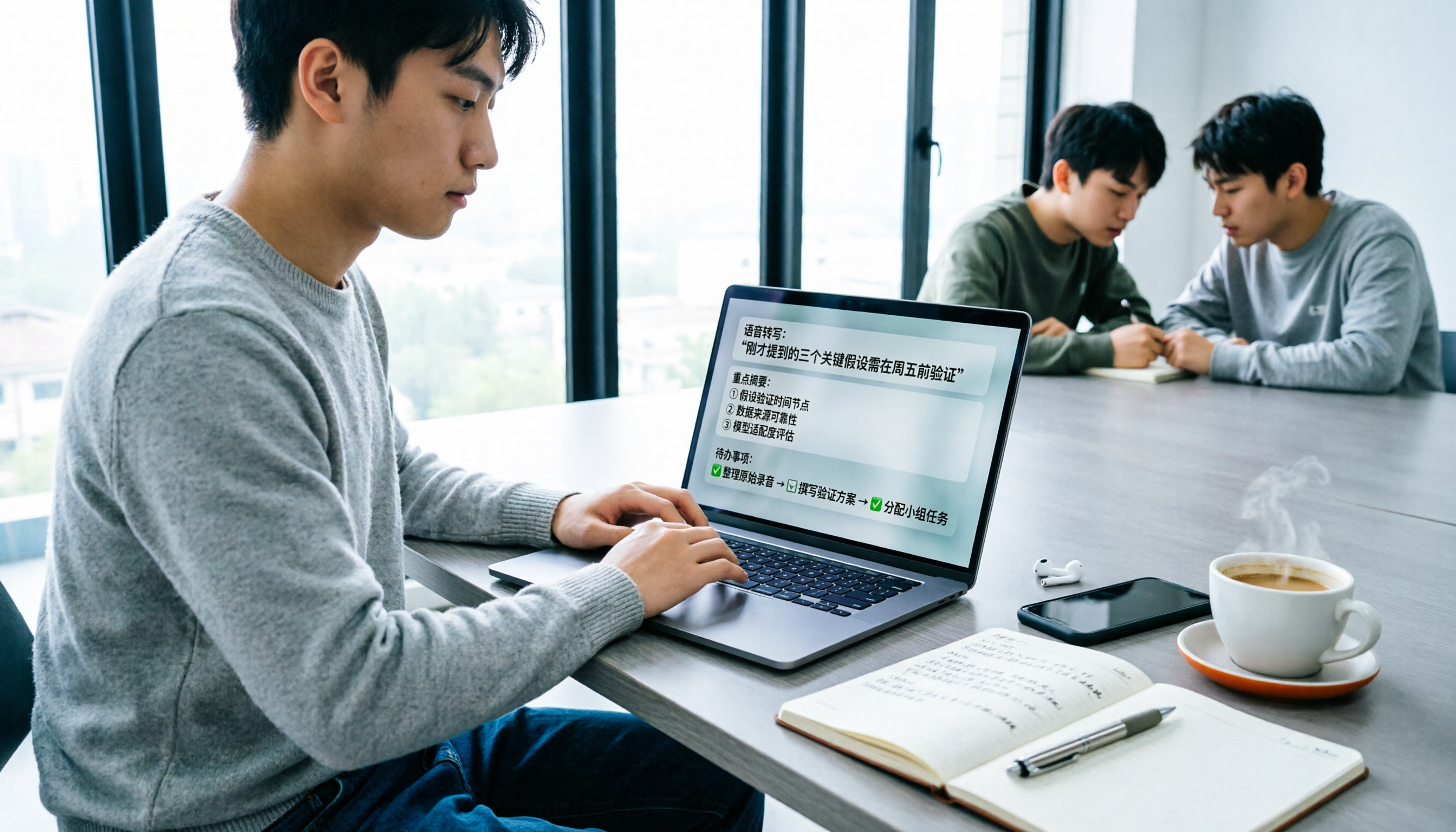
The second is that you really don't have to reorganize everything after the meeting. When the meeting ends, the transcript is already there, along with generated summaries, chapters, key points, and action items. Who's responsible for what and when it's due are listed directly—no more digging through the conversation.
The third is AI Q&A, which is my most-used feature. After recording, you can directly ask, "What was the conclusion when we discussed the budget last time?" It answers based on the meeting content instead of throwing a list of keywords at you to search through yourself. Cross-session follow-up questions are also supported, which is very useful for project meetings that run for several consecutive weeks.
The fourth is output and post-processing. Besides exporting to Notion, Google Docs, OneNote, and Dropbox for further editing, you can use Agent post-processing to turn meeting content into reports, tables, or documents. Having something ready to deliver right after the meeting saves more time than you'd imagine.
Stop organizing recordings by hand
Upload audio or video and automatically get a transcript, summary, and action items
The team version turns all of the above into team assets. Team spaces centrally store meeting recordings, folders, and action items. Permissions are split into two layers—roles and seats: roles determine who can manage members and team settings; seats determine who can record, upload, edit, and export. Active members without a seat can still view, play, and read team data. Admins can see usage trends, member rankings, and details, as well as query and export audit logs. Accidentally deleted audio can be recovered from the recycle bin.
Pricing (checked August 2026; actual prices subject to the official purchase page): The first eligible team trial is 7 days with 1 free seat and 300 minutes of shared team import quota. Team monthly billing is USD 29.80 per paid seat per month; annual billing is USD 199 per paid seat per year (about USD 16.58 per month), with each paid seat providing 2,000 minutes of shared team import quota per month. Under an active team plan and active seats, live recording currently does not deduct minutes; file and web link imports do consume shared team import minutes.
Limitations to note: The free version provides a basic quota, suitable for a trial run; only long-term stable use will require Pro or an annual plan. Also, transcription quality is affected by recording environment, accents, multiple people talking over each other, and technical terminology. For important numbers, it's recommended to cross-check against the transcript timestamps and the recording.
Who it's for: People who frequently have mixed Chinese-English meetings, don't want an extra bot in the meeting, want summaries and action items right after the meeting, or need to turn meeting data into shared team resources.
Besides Tinrec, what other options are there?
Notta. A transcription tool very familiar to Taiwanese readers, with multi-platform support, file import, translation, and team plans. By the way, if you're searching for "Notta Blue" to find its brand color, the official identity color announced after rebranding is HEX #2571FF (RGB 37,113,255). Official pricing: Free plan offers 120 minutes per month with a 3-minute limit per recording; Pro annual billing is about USD 8.17 per month. It overlaps heavily with Tinrec, but its team governance currently focuses on role permissions and usage reports—it doesn't have Tinrec's seat management, audit logs, and audio recycle bin.
Otter.ai. A veteran choice for English business meetings. Basic is free with 300 minutes per month; Pro annual billing is about USD 8.49 per user per month, including 1,200 minutes per month and 10 file imports. If your meetings are almost entirely in English and your budget is zero, it's a great deal. But for the mixed Chinese-English and real-time translation needs common in Taiwanese teams, Tinrec's experience is smoother.
Granola. An AI meeting notes tool that also takes the bot-free approach. Basic is free; Business is USD 14 per user per month. Its strength is combining user handwritten notes with AI enhancement. However, it doesn't support uploading pre-recorded audio files and doesn't save meeting audio, so you can't go back and check the original audio afterward—Tinrec retains download and file import, offering much more flexibility.
Pitfall guide: the 3 most common mistakes when choosing an AI meeting tool
Pitfall 1: Looking only at the accuracy rate in ads. Official numbers are mostly measured in quiet environments. Real meeting rooms have air conditioning noise, keyboard sounds, and people talking over each other—performance will definitely drop. I recommend taking a real recording of your own and trying it with the free quota; that's more accurate than reading spec sheets.
Pitfall 2: Thinking a transcript is the end goal. A transcript is just raw material. If the tool can't generate summaries, extract action items, and let you ask questions, all you've saved is typing time—none of the organizing time.
Pitfall 3: Only looking at "how many people can use it" when rolling out to a team. Members, roles, and seats are three different things. Some plans sell you accounts without clarifying who can edit and who can only view, and in the end everyone is waiting for the one person with permissions. Before rolling out, ask clearly: Can people without seats read the data? Who owns the data after a member leaves? Where can I see usage?
Conclusion: which one should you choose?
In one sentence: for most Taiwanese teams' meeting scenarios, Tinrec is the most balanced choice among these four.
- Meetings mainly in Chinese or mixed Chinese-English → Tinrec (smoother Chinese experience and real-time translation)
- Don't want an extra bot in client meetings → Tinrec (desktop version captures system audio)
- Need summaries, action items, and follow-up questions after meetings → Tinrec (AI Q&A plus Agent post-processing)
- Whole department needs to share meeting data and manage seats and usage → Tinrec team version (roles, seats, usage, audit, recycle bin)
- Meetings almost entirely in English, budget is zero → Otter.ai Basic (the only exception recommendation in this article)
If you're still undecided, I suggest starting with the free quota: pick your most common meeting, record it, and try asking it a question afterward. Whether it can answer is more honest than any spec sheet.
References
Turn every recording into actionable outcomes
Get 60 free transcription minutes when you sign in. No credit card required.
Related Reading
You might also like

Notta Review 2026: Complaints, Negative Feedback & Subscription Pitfalls Explained
Where do Notta's negative reviews come from? This guide breaks down recurring complaints on Trustpilot and G2, explains how traps like 'free trial turning into annual charges,' 'per-recording length limits,' and 'unreadable transcripts' happen, and shares 4 key factors to consider when choosing a meeting transcription tool—plus a more sensible way to turn meeting content into usable data.
2026 AI Meeting Notes Showdown: Notta vs. Tinrec — Which Is Better for Students?
Starting from real student pain points—writing reports, group discussions, and final exam review—this article first clarifies that 'notta nother builder reviews' actually refers to a UK construction company and has nothing to do with the AI tool Notta. It then compares Notta and Tinrec on free quotas, Chinese recognition, post-meeting organization, and team collaboration, using Tinrec as the main hands-on example to help students choose the most cost-effective option.

2026 Best 3 Transcription Tools Tested: Notta Reviews Are Polarizing — What's the Difference?
Why do some people say Notta is accurate while others give it 0.5 stars? This article examines four key criteria: the free version's 3-minute per-recording limit, paid plan pricing, language and accent matching, and post-meeting organization capabilities. It compares Notta with Otter.ai, TurboScribe, and Tinrec under the same standards to help you decide if the free version is sufficient, whether paying is worth it, and which tool suits which meeting scenario.

2026 AI Meeting Recorder Comparison: Notta vs Otter vs Tinrec — Pricing & Features
People searching for "notta real jacket price" fall into two camps: those looking for the price of a jacket from Turkish wholesale brand NOTTA REAL, and those looking for the cost of AI transcription tool Notta. This article first clarifies the jacket line, then breaks down the pricing, meeting capture methods, and post-meeting outputs of Notta, Otter.ai, Granola, and Tinrec from a procurement perspective to help you calculate which one is truly worth it.

2026 Notta Alternatives Compared: Which AI Meeting Notes Tool Saves the Most Time for Chinese Meetings?
Is Notta feeling clunky? We put Tinrec, Notta, Otter.ai, and Fireflies.ai through the same meeting workflow—comparing transcription, summaries, action items, AI Q&A, and team knowledge capture. We break down 4 key buying factors, 3 common pitfalls, and scenario-based recommendations to help you save time on post-meeting wrap-up.

2026 AI Meeting Transcription Tools Compared: Notta vs. Tinrec for Chinese Meetings
Tired of working overtime after meetings? This guide breaks down four key factors for choosing an AI meeting transcription tool: Chinese and mixed-language performance, how meetings are captured, what you get after transcription, and team permission management. It compares Tinrec, Notta, Otter, and TurboScribe, with pricing details, editorial ratings, and tips to avoid pitfalls—helping you pick the right tool within your budget.

Nottagen Guide 2026: 5 Sticking Points and Hidden Content Explained
Nottagen is a location in Dragon Quest VII Reimagined that exists in both the past and present timelines, and the ending changes based on your choices. This guide focuses on the most common sticking points, covering the order of investigating the church and well, the Fragment needed before entering town, the Buddy sidequest, when to save before major choices, and hidden content easily missed after beating the game.

2026 Nottage Hill Wine Prices: 3 Bottles, Market Rates & Buying Tips
A breakdown of 2026 reference prices for Hardys Nottage Hill wines in the US, UK, and Taiwan, plus how to judge whether a price is reasonable based on bottle size, varietal, taxes, and promotions—along with tasting notes and serving suggestions.

2026 Comparison of 3 YouTube Video Summary Tools: Which Offers the Best Free Quota and Chinese Transcripts?
Paste a YouTube link to generate a summary, but how the free quota is calculated, whether transcripts and timestamps are available, and whether you can ask follow-up questions are the key factors that determine usability. This article uses the practical workflow of "paste link → get summary → go back to find details" to compare the free limits, Chinese support, and post-meeting organization capabilities of Notta, NoteGPT, TurboScribe, and Tinrec, helping you choose the one that truly saves time.