

Turn recordings into transcripts and summaries in minutes
Upload audio or video for multilingual transcription, AI notes, and action items
Five minutes before the meeting, attendees are trickling into the Zoom room, but you're still looking for a recording method that won't let a bot appear on the participant list. A quick search shows many people asking the same question: Does Notta actually have a desktop version?
The answer is yes. Notta Desktop currently offers macOS and Windows versions, allowing you to record and transcribe in real time directly on your computer without inviting a meeting bot.
But having a desktop version doesn't mean it suits everyone's use case. This article puts several common meeting note tools side by side, explaining how to choose based on recording method, free quota, and post-meeting organization.
Why has "having a desktop version" become a key question?
The first frustration is very real: at the start of an online meeting, an account named "Some Bot" joins the room, and the client asks, "Who is this?" In interviews, sales negotiations, or cross-company meetings, just explaining it is awkward.
The second frustration is scattered records. Platform-built transcription only exists within that platform. Today you use Meet, tomorrow Teams, and later when you want to find a specific sentence, you have to search from the beginning.
The third is that the process is too convoluted. Recording on your phone and then uploading gives unstable audio quality and is slow. What most people really want is: install on your computer, press start, and directly capture the meeting audio playing on the computer.
This is why various tools have been moving toward "desktop version plus system audio capture" in recent years.
Before choosing a meeting note tool, understand these 4 key points
1. Is the desktop version a native app or a web wrapper? Some services' desktop versions are just web pages wrapped in a shell, and system audio, permissions, and background operation may not be handled well. A true desktop version must be able to directly access macOS or Windows system audio to achieve "recording online meetings without a bot."
2. Is the recording method bot joining or system audio capture? The bot approach is highly automated and joins meetings on its own; the advantage of system audio capture is a clean participant list. If meetings often include external parties, the latter is less intrusive.
3. How is the free quota calculated? This is where most people get burned. Besides checking "minutes per month," also look at "per-session limit." If you can only record a few minutes per session, it's useless for a one-hour meeting.
4. Can you work directly after recording? A tool that only provides a transcript is essentially handing the organization work back to you. Look for summaries, chapters, action items, AI Q&A, and export—these are the real time-savers.
Tinrec — the one I've integrated into my meeting workflow
Tinrec is an AI meeting note and collaboration tool for individuals and teams, supporting web, desktop, and mobile. Its feature is putting "recording" and "what to do after recording" into the same workflow.
In actual use, my process is roughly like this:
Before the meeting, open Tinrec Desktop and directly capture the computer's system audio. Meetings played on the computer via Zoom, Google Meet, Microsoft Teams, or Webex can all be captured without inviting an extra bot, keeping the participant list clean. This is especially noticeable in external meetings.
During the meeting, the transcript appears as you speak. If there are foreign-language participants, you can enable real-time translation and view it in original, translated, or bilingual mode, handling mixed Chinese-English discussions as well.
After the meeting, AI automatically generates summaries and chapters, breaking a one-hour discussion into several key segments; action items are organized so it's less likely to miss who should do what. When you need to follow up on details, you can ask questions directly about the meeting content, such as "What was the budget cap the client mentioned?" It answers based on the content, not just a list of keywords.
Data portability: results can be exported in common formats and taken to Notion, Google Docs, OneNote, or Dropbox for further use; you can also use Agent post-processing to generate reports, tables, or meeting minutes documents from the meeting content.
Stop organizing recordings by hand
Upload audio or video and automatically get a transcript, summary, and action items
For team use, Tinrec Team Edition is a separate team space, not multiple people sharing one account. Members join via invitation link, admins can set roles, assign seats, view team usage trends, member rankings, and operation audits, and there's an audio recycle bin for accidental deletions. This makes a big difference when "meeting data belongs to the company, not the individual": when a member leaves or loses their seat, data can be transferred to other members and doesn't leave with the person.
Things to note: Tinrec Desktop requires you to open it yourself and press record; it won't automatically join every meeting on your calendar. Also, it doesn't focus on batch processing large numbers of files—if you have dozens of long recordings to transcribe at once, that's a job for another type of tool.
Who it's for: People who frequently hold online meetings, want a clean participant list, need Chinese and mixed Chinese-English transcripts, and care about post-meeting organization and team data retention.
Besides Tinrec, what other options are there?
Notta: Back to the original question—yes, Notta Desktop supports macOS and Windows, directly captures system audio, and requires no bot. The free version offers 120 minutes per month with a 3-minute per-session limit; Pro annual billing is about USD 8.17/month with 1,800 minutes per month. A small reminder: the Mac App Store version is an iPad app and not officially tested for macOS; it's recommended to download the desktop version from the official website or use the web version. On macOS, closing the main window doesn't quit the program; it stays in the menu bar. On Windows, closing it does quit; during recording, it's better to minimize the window rather than close it. The main differences from Tinrec are post-meeting workflow and team governance: Tinrec has Agent post-processing to generate reports and tables, as well as team roles, seats, usage, and audit management.
Otter.ai: A veteran choice for English meetings. Basic is free with 300 minutes per month; Pro annual billing is about USD 8.49/user/month, including 1,200 minutes per month and 10 file imports. If most of your recordings are English meetings, it's very smooth, and it has recently added desktop capabilities. Tinrec's differences lie in handling Chinese and mixed Chinese-English, real-time translation, and post-meeting team data retention.
Granola: A bot-free AI meeting note tool. Basic is free; Business is USD 14/user/month. Its feature is combining your own typed notes with AI, suitable for people who like to take notes while listening. Note that it doesn't save meeting audio files and doesn't support uploading pre-recorded audio files; Tinrec retains recordings and supports importing audio/video files, so you can go back and verify original statements afterward.
Pitfall guide: 4 most common mistakes when choosing these tools
Pitfall 1: Assuming "having a desktop version" means it's good. Check whether it's truly native, whether it can access system audio, and whether permission settings are smooth. On macOS, using system audio for the first time usually requires enabling permissions; if this step fails, the recording will be silent.
Pitfall 2: Only looking at monthly minutes and ignoring per-session limits. For example, Notta's free version has a 3-minute per-session limit, which is simply not enough for a formal meeting. Before choosing, calculate how long your meetings typically last.
Pitfall 3: Assuming the desktop version will automatically record every meeting for you. Regardless of the provider, most require you to start manually. If you want "automatic recording as soon as the meeting starts," first confirm the tool's actual capabilities.
Pitfall 4: Treating the tool only as a transcription machine. If you still have to read through an hour of text yourself after recording, you're only using a third of the features. Summaries, chapters, action items, AI Q&A, and export are the real time-savers.
Conclusion: Which one should you choose?
- Want a clean participant list without bots → Tinrec Desktop, directly captures system audio
- Need Chinese, mixed Chinese-English transcripts plus post-meeting organization → Tinrec, with summaries, chapters, action items, and AI Q&A all in one
- Care about team data ownership, member seats, and usage audits → Tinrec Team Edition
- Already using Notta and just missing desktop recording → Notta Desktop fills that gap; downloading from the official website is more reliable
- Mainly recording English meetings → Otter.ai
- Prefer taking notes while listening → Granola
Don't rush to pay. These services all have free plans; testing with a real meeting you've actually held is more accurate than reading ten spec sheets. Especially test your own meeting room environment—the kind with echo, people talking over each other, and technical terms. Performance under those conditions is closer to reality.
References
- Getting Started with Notta Desktop – Notta - Help Center
- Supported environments – Notta - Help Center
- Notta desktop app for Mac, Windows, Linux - WebCatalog
- Meeting Minutes AI Notta Launches Desktop App with Local Processing, Zero Cloud Upload for Confidential Meetings — BigGo Finance
- Notta Desktop Review 2026: Is Bot-Free Meeting Recording Really Worth It? - Official Tinrec Blog
Turn every recording into actionable outcomes
Get 60 free transcription minutes when you sign in. No credit card required.
Related Reading
You might also like

2026 Sturgis Hardware & Building Supply Guide: 5 Practical Tips for Nottawa Lumber and Do It Best
Searching for 'do it best nottawa mi' brings up two store names: Nottawa Lumber and Sturgis Hardware & Do It Best Rental Center. This guide compiles the address, phone numbers, hours, products, and rental services for the 504 N Nottawa St location, explains 5 things to confirm before you go, and covers common situations that can waste a trip to the hardware store.

2026 AI Meeting Notes Comparison: Meeting Ink vs. Tinrec — Which Is Right for Chinese-Speaking Teams?
Meeting Ink by DeepWave and Tinrec are both highly discussed AI meeting notes tools in 2026, but their strengths are completely different. This article compares them on recording method, Chinese transcription, post-meeting output, and team data ownership, and also covers how Otter.ai, Granola, and Notta differ, helping you decide which one truly fits your meeting style before trying them.

2026 AI Meeting Transcription Tool Comparison: Can Notta Translate? How It Differs from Tinrec
Can Notta translate? Yes. This article compares Notta and Tinrec across 6 dimensions—translation languages and modes, meeting capture methods, post-meeting outputs, Chinese and bilingual experience, team collaboration, and pricing quotas—to help you decide when Notta is handy and when Tinrec is better for teams.

2026 AI Meeting Recorder Comparison: Is Notta Free? Is the Free Tier Enough?
Notta does have a free plan, but with a 3-minute limit per recording and 120 minutes per month, it's not enough for even one real meeting. This article focuses on whether the free tier is sufficient, breaks down the pricing structures and hidden costs of Notta, Otter.ai, and Granola, and tests Tinrec's performance in Chinese meetings, bot-free recording, and post-meeting organization to help you calculate the real cost.

2026 Notta Alternative Comparison: 3 Key Differences and Why Teams Are Switching to Tinrec
Many people choose meeting note tools based only on free minutes, only to find they still have to organize transcripts themselves. This article addresses three common misconceptions, explains what capabilities really matter in a meeting note tool, and uses Tinrec as an example to test no-bot recording, AI summaries, action item extraction, AI Q&A, and team spaces. It concludes with 5 purchase decision points and FAQs to help you determine what might suit teams better than Notta.
2026 Comparison of 4 Audio-to-Text Apps: The Real Limits of Free Notta Download
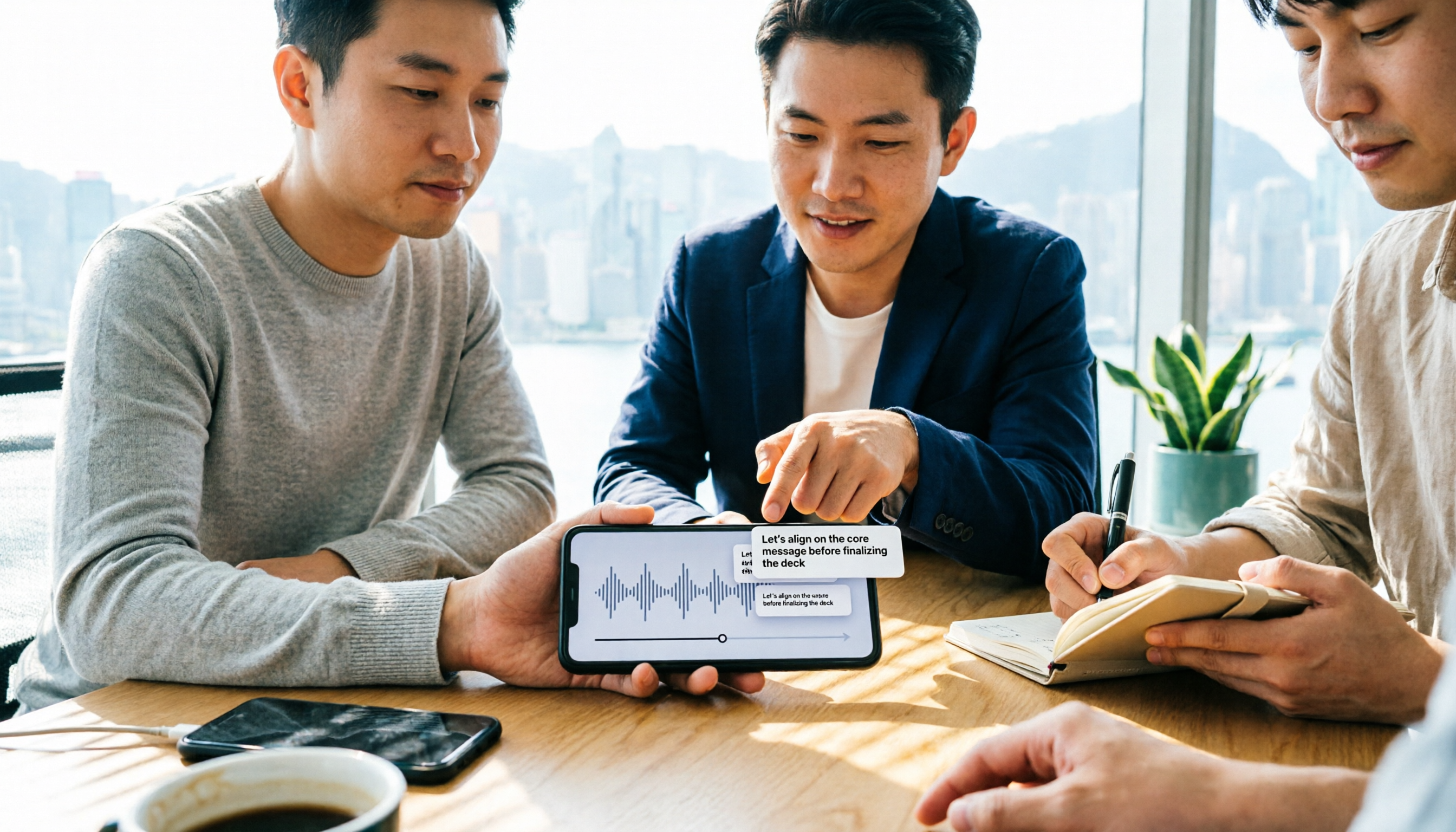
People searching for 'free download notta' are often drawn in by the free quota, only to find limitations after downloading. This article uses real meeting scenarios from Hong Kong office workers to test and compare four tools: Notta, Tinrec, Otter.ai, and TurboScribe. It breaks down free version quota traps, post-meeting organization capabilities, and team collaboration differences, and provides clear selection advice.

Notta APK Download vs Tinrec: 5-Factor Comparison for Team Meetings (2026)
After searching 'download notta apk,' most people get stuck on version confusion and source safety, but the real question is what you'll use it for after downloading. This article compares Notta and Tinrec across 5 dimensions—APK acquisition, online meeting capture, post-meeting organization, Chinese language experience, and team governance—to help you decide which one fits before you download.

2026 Recording-to-Text App Buying Guide: Good Tape Download and 4 Hands-On Recommendations
Want to download Good Tape but unsure how it compares to Tinrec, Otter.ai, and Notta? This guide covers iOS and Android download methods, then hands-on compares 4 recording-to-text tools on meeting processing, free quotas, and post-meeting workflows to help you pick the one that truly saves time.

5 Free Notta Alternatives Tested for 2026: Which Offers the Best Free Tier and Chinese Transcription?
Notta's free plan gives you 120 minutes per month with a 3-minute cap per recording—barely enough for one meeting. We tested 5 free alternatives: Tinrec, Otter.ai, TurboScribe, Granola, and Notta itself. From free tier limits and meeting recording methods to post-meeting organization and audio file retention, we help you find the one that truly keeps up with daily use.