

Turn recordings into transcripts and summaries in minutes
Upload audio or video for multilingual transcription, AI notes, and action items
2024 Google Meet Meeting Notes: 3 Solutions Tested — Which Saves the Most Time on Transcripts?
Misconception: Assuming Google Meet's transcription means you have meeting notes
The most common pitfall is thinking that after a meeting, you just press a button, Google Meet generates a transcript, and you're done. The reality: you do get a transcript, but it's scattered across Google Drive, one file per meeting, with no summary, no action items, and no one knows which sentence was the conclusion. Next time you want to find "who proposed the price change last quarter," you still have to open the video and listen from the beginning.
The second pitfall is treating a platform feature as a cross-platform solution. Your company uses Google Meet, clients use Zoom, consultants use Microsoft Teams—three platforms, three sets of recordings, and ultimately no single place to find them all. In 2024, Google Meet itself added many new things: in mid-August it updated the calling interface and stackable effects, and throughout the year added more translated caption languages, hardware whiteboard experience, and screen sharing improvements, as announced by Google's official blog and partners. These updates are useful, but they all revolve around Google Meet's own ecosystem and won't unify meetings from other platforms.
The third pitfall is time allocation. A 1-hour meeting, then another hour of post-meeting organization—if the meeting is mixed Chinese-English with Cantonese speakers, manual transcription is basically impossible to get right. What you need isn't another recording tool, but a solution that turns recordings into searchable, queryable, actionable data.
Before Choosing a Google Meet Meeting Notes Solution, Understand These 4 Key Points
First, the recording method. A meeting bot joins as a participant, and clients will immediately ask "who is this?" A no-bot desktop system audio capture is another way—no extra name in the participant list, but you need to start recording yourself via an app. The experience is very different, so clarify before ordering.
Second, what comes after the transcript. A pure transcription tool's endpoint is a block of text; a meeting notes tool's endpoint should be summaries, chapters, action items, and a queryable database. This gap becomes obvious after one 90-minute meeting.
Third, Chinese and cross-language performance. Hong Kong meetings rarely use just one language; mixed Chinese-English is the norm. Pay attention to whether a tool "supports Chinese" or actually handles mixed Chinese-English and can produce bilingual comparisons.
Fourth, who owns the data. If recordings stay in an employee's personal account, when they leave, the data goes with them. Whether the team has an independent workspace, seats, and permission concepts is something many companies only regret later.
Tinrec — Our Top Pick After Hands-On Testing
Tinrec is an AI meeting notes and collaboration tool for individuals and teams, covering iOS, Android, desktop, and web.
No bot, record Google Meet directly. The desktop version captures computer system audio, handling online meetings on Zoom, Google Meet, Microsoft Teams, Webex, etc., without inviting any bot to join. In practice: open Tinrec desktop before the meeting and start recording, then open Google Meet as usual—participants won't notice an extra "participant." This is especially important for client and external meetings.
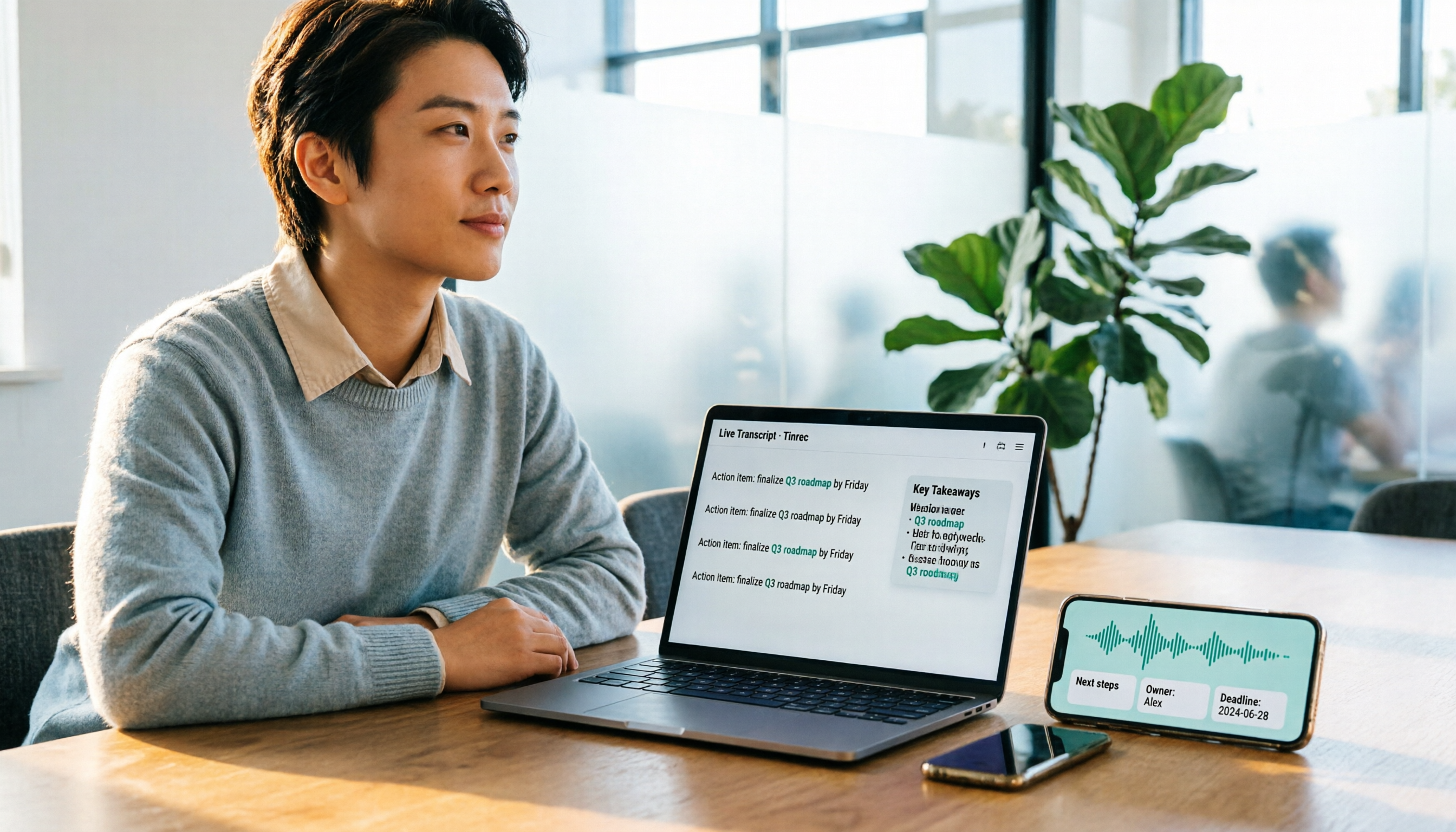
Transcribes while recording, notes ready after the meeting. Real-time recording generates a transcript simultaneously, and by the end of the meeting, AI summaries, chapters, key points, and action items are organized—who's responsible for what, what's next, all clear. For teams with weekly meetings, this process essentially eliminates the "1 hour after the meeting."
Ask questions after recording. This is Tinrec's most distinctive feature: you can directly ask about the meeting content, e.g., "Who mentioned the budget cap last time?" "How many objections did the client raise?" It doesn't dump a bunch of keyword search results on you; it organizes answers by semantics. Most transcription tools at the same price point haven't reached this level.
Mixed Chinese-English and translation. During recording, you can view the original, translation, or bilingual content—especially useful for mixed Chinese-English Hong Kong meetings. The team version also has a hotword feature, allowing you to add company-specific terms and product codes to reduce misrecognition of technical terms.
Stop organizing recordings by hand
Upload audio or video and automatically get a transcript, summary, and action items
Limitations to be clear about. The free version offers a basic quota, suitable for occasional transcription of one or two recordings; if you have weekly meetings, consider upgrading. For the team version, eligible teams can try 7 days, 1 free seat, and 300 minutes of shared import quota; thereafter, monthly USD 29.80 per paid seat per month, annual USD 199 per paid seat per year (about USD 16.58 per month), with 2,000 minutes of shared import quota per paid seat per month; real-time recording under a valid plan and valid seat is currently not deducted by minutes. Prices and benefits are subject to the official purchase page. Also, transcription quality can be affected by recording quality, ambient noise, accents, and multiple people talking over each other; for important content, it's recommended to verify with playback.
Who it's for. If you shuttle between Google Meet, Zoom, and Teams daily, need to deliver meeting notes afterward, or your team wants to centralize meeting data—Tinrec is currently the closest fit for this workflow.
Besides Tinrec, What Other Options Are There?
Google Meet built-in transcription and Gemini notes: The most direct option, no extra tool to install. Free Google accounts can host 100-person meetings, but limited to 60 minutes per session (except mobile or one-on-one); to get recording, transcription, and Gemini automatic notes, you usually need a paid Workspace plan. PCMag's December 2024 review mentions Business Standard at about USD 12/user/month, 150-person limit. The limitation: it only serves Google Meet itself, no cross-platform unified database after meetings, and no Q&A layer to "ask about meeting content." If you use 100% Google Meet and only need basic transcripts, it's sufficient.
Otter.ai: A veteran choice for English meetings, Basic free at 300 minutes per month, Pro annual equivalent to about USD 8.49/user/month, 1,200 minutes of in-app recording plus 10 file imports per month. It's mature for English business meetings, but for Chinese, Cantonese meetings, and mixed Chinese-English handling, it's not its focus; team hotwords, real-time bilingual comparison, and post-meeting Agent report generation are where Tinrec has an advantage.
Notta: A multilingual transcription option, Free at 120 minutes per month, max 3 minutes per session, Pro annual equivalent to about USD 8.17/month, 1,800 minutes per month, Business annual equivalent to about USD 16.67/seat/month. Uploading files for transcription is its strength; however, if what you need is "no-bot automatic recording during meetings + direct questioning after meetings + team seats and audit management," Tinrec's team workspace design is a closer fit.
Pitfall Guide: The 4 Most Common Mistakes When Choosing a Meeting Notes Tool
Pitfall 1: Thinking a transcript equals meeting notes. A transcript is raw material, not a finished product. You need summaries, action items, and a queryable index. When choosing a tool, ask directly: Will this tool organize for me? Or just type for me?
Pitfall 2: Only looking at "monthly free minutes," ignoring per-session limits. Some plans have decent free quotas, but limit each recording to a few minutes—a 1-hour meeting can't be recorded at all. Before ordering, always check the per-session limit, not just the total.
Pitfall 3: Meeting data left in personal accounts. When a colleague leaves, changes phones, or clears cloud storage, meeting records disappear with them. Teams need an independent workspace where data belongs to the team and can be handed over when members change—this is something many companies only fix after an incident.
Pitfall 4: Buying an AI tool but only using it as a voice recorder. If you only use the tool as "recording to text," you're using only a third of its capability. After recording, directly ask it "What was the conclusion of this meeting?" "How many concerns did the client raise?"—much faster than flipping through a 30-minute transcript yourself.
Conclusion: Which One Should You Choose?
Need cross-platform (Google Meet + Zoom + Teams) unified recording → Tinrec, desktop version captures system audio without a bot, no extra participant.
Want to immediately ask about meeting content afterward → Tinrec, AI Q&A organizes answers by semantics, no manual keyword search.
Mixed Chinese-English, need bilingual comparison → Tinrec, real-time translation plus team hotwords.
Team needs to manage seats, usage, audit → Tinrec team version, roles and seats managed separately, resources can be handed over when members leave.
Just want to quickly organize already-recorded audio/video files → Tinrec, upload and still get summaries and action items.
The only exception: 100% only use Google Meet, only need basic transcripts, don't want to install another tool → Just use Google Meet built-in transcription, it's enough.
Ultimately, Google Meet's 2024 updates make "recording" easy, but "using" is another matter. Rather than working overtime on transcripts after meetings, try the free quota first: record a real meeting and see if the resulting notes are something you'd actually deliver, then decide whether to upgrade.
References
Turn every recording into actionable outcomes
Get 60 free transcription minutes when you sign in. No credit card required.
Related Reading
You might also like

5 Google Meet Alternatives Tested for 2026: Tinrec's No-Bot Recording Saves the Most Time
When searching for Google Meet alternatives, the real issue usually isn't which platform has the best video quality—it's what happens after the meeting: transcripts, summaries, and action items. This article breaks down the decision logic across 5 dimensions, with Tinrec as the main focus, comparing no-bot recording, cross-platform input, AI post-meeting organization, and team data retention to help professionals choose the right tool.

4 Google Meet Windows Solutions Tested for 2026: Who Keeps Your Meeting Data After the Call?
Searching for "Google Meet download" on Windows but can't find an official desktop app? This article breaks down 4 approaches from a decision-making perspective: Google Meet PWA, third-party client GMeet from Microsoft Store, Otter.ai, and Tinrec (our team's actual choice). We compare installation methods, recording approaches, Chinese post-meeting processing, and team data retention to help you pick the most hassle-free option.

2025 Google Meet Transcription Tools Compared: Is Built-in Transcription Enough?
In 2025, Google Meet introduced dynamic layouts, face match, and a new meeting room controller interface, but post-meeting transcripts, highlights, and action items still require separate solutions. This article tests and compares Google Meet's built-in transcription, Tinrec, Otter.ai, and Notta from the perspective of online classes and group projects, outlining four key factors for choosing a meeting notes tool, three common pitfalls, and scenario-based recommendations.

How to Record Google Meet in 2026: 5 Steps to Organize Transcripts with Tinrec
What is Google Meet (original) and how does it differ from the current Meet? This article starts from real meeting scenarios, explains the limitations of Google Meet's free version and the pain points of post-meeting organization, and demonstrates in 5 steps how to use Tinrec to turn Meet meetings into searchable, queryable, and exportable transcripts and action items.

Google Meet for PC: Which Meeting Notes Tool Is Best? 2026 Hands-On Test of 2 Methods—This One Saves the Most Time
Google Meet doesn't have a standalone installer for PC; the official approach is to use Chrome to open the web page or install the PWA. This article, from the perspective of a mid-level manager with 15 meetings per week, puts Google Meet's built-in note-taking method and Tinrec to the test, comparing recording methods, transcripts, post-meeting organization, Chinese-language experience, team collaboration, and cost across 6 dimensions to help you decide which suits your meeting scenarios.

Google Meet Whiteboard vs Tinrec in 2026: 5-Dimension Comparison for Meeting Notes
Does Google Meet have a whiteboard? Yes, but it's only for drawing, not for keeping records. This article starts with an awkward weekly meeting and compares Google Meet's built-in whiteboard with Tinrec across 5 dimensions—meeting notes, post-meeting organization, and team knowledge retention—to help you decide when to use the whiteboard and when to let AI take over.

Best Way to Schedule Google Meet? 2026 Test of 5 Scheduling & Recording Solutions
There are actually 5 ways to pre-create a future Google Meet meeting: Google Calendar scheduling, creating a link from the Meet homepage, inserting a meeting directly in Gmail, reusing a permanent meeting code, and handing off to an AI meeting notes tool afterward. This article breaks down the applicable scenarios and limitations of each approach from a decision-making perspective, and explains how Tinrec fills the gaps in transcripts, summaries, and action items.
2025 Comparison of 2 Online Meeting Tools: Google Meet APK Download vs. Tinrec Meeting Notes
Many people search for google meet 2025 apk, only to find after installing that meeting content still isn't captured. This article starts from the common misconception that 'downloading an APK equals solving meeting notes' and compares Google Meet and Tinrec in terms of meeting notes, post-meeting organization, cross-platform support, and team collaboration, with APK download safety tips and practical buying advice.

Free Online Meeting Solutions in 2026: Google Meet and 4 Other Apps Compared
Searching for Google Meet 2024 APK usually means your phone can't install it or you want an older version. This article explains the two package names and APK version status for Google Meet on Android, then reviews the free and paid plans of 5 online meeting and meeting notes tools to help you decide which one to download.