

Turn recordings into transcripts and summaries in minutes
Upload audio or video for multilingual transcription, AI notes, and action items
2026 AI Transcription Tools Tested: Which One Actually Saves Time After Meetings?
The Two Hours After a Meeting Are the Real Hell for Most Managers
I've been a manager for 7 years, leading a team of 10, with about 15 meetings a week. Over the years, I've seen a common misconception: when people choose an AI transcription tool, the first question they ask is always "How accurate is it?"
But accuracy is actually the least important question to ask first.
Because with today's tools, as long as the audio quality is decent, the transcript is generally usable. What really eats your time isn't a few misspelled names—it's that a 40-minute transcript is laid out in front of you, and you still have to read it from the first line to the last to figure out what decisions were made, who's responsible for what, and when things are due.
I ran into this last month. My boss asked in the weekly meeting, "What was the conclusion on that supplier quote?" I flipped through my notes for three minutes and still couldn't find it, so I finally had to say, "I'll check and get back to you." That was pretty awkward.
Another scenario is even more common: I verbally assign a task to a subordinate in the hallway, and two days later when I ask about progress, they say, "I thought it was due next week." No meeting, no record, no transcript—it's as if it never happened.
Then there are cross-department meetings. Afterward, four attendees have four versions of the conclusion, and when it's time to sign off, no one knows which one counts.
So this article isn't about whose recognition engine is stronger. It's about: Who can actually save you an hour after the meeting? That's what you're paying for (or spending time on).
Before Choosing an AI Transcription Tool, Understand These 4 Key Points
1. What Else Can It Give You Beyond the Transcript?
The transcript is just raw material. What you really need is summaries, chapters, key points, action items—and ideally, the ability to ask questions directly about the meeting content. If a tool just turns audio into text and stops there, it only saves you typing time, not comprehension time.
2. How Is the Meeting Recorded?
This is rarely discussed, but it makes a big difference for those who meet with clients. There are two approaches on the market: one is to send a meeting bot into the meeting as a participant; the other is to capture system audio directly from your computer, so no unfamiliar account appears in the meeting.
When I take my team to meet clients, I really don't like the other side seeing a "XXX AI Assistant has joined the meeting" notification and having to explain it.
3. Will the Audio File Be Kept?
Some tools only give you text and don't retain the meeting audio. When a name or number is wrong in the text, you want to go back and listen to that sentence, only to find there's nothing to listen to. For decision-making meetings, I prefer to keep both the audio and the transcript.
4. Is the Quota Based on "Recording" or "Import"?
This is the easiest trap to fall into. Some plans don't deduct minutes for real-time recording but do deduct from a shared quota for file imports; others count everything together. For people who meet every day, the actual cost difference between these two approaches is significant, so be sure to read carefully before ordering.
5. Will It Be Used by a Team or Just You?
Personal accounts and team spaces are two different things. If meeting data is a shared asset for the department, you need to check whether it has governance capabilities like members, roles, seats, and usage reports—otherwise, when someone leaves, the data goes with them.
Tinrec (Miao Ting Lu Yin) — Our Team's Go-To Tool
Tinrec is an AI meeting notes and collaboration tool for individuals and teams, available on iOS, Android, desktop, and web. I categorize it as a "post-meeting organization tool" rather than a simple audio-to-text software.
How it fits into our workflow:
The first scenario is online meetings. Tinrec's desktop version captures system audio directly, so when handling meetings on Zoom, Google Meet, Microsoft Teams, Webex, and other platforms, there's no need to pull an extra bot into the meeting room. I usually open it before the meeting starts, and the transcript appears as the meeting goes on; by the time the meeting ends, the text is already there. For client meetings, this is very practical—the other party won't see an unfamiliar account in the participant list.
The second scenario is after the meeting. As soon as the meeting ends, the AI summary, chapters, and action items are ready. Who's responsible for what and which items to follow up on can be pasted directly into the group chat. My team's current practice is: within 10 minutes after the meeting, action items are sent out, no more waiting until the next afternoon to "organize when there's time."
The third scenario is follow-up investigation, which is the main reason I keep it. You can ask questions directly about the meeting content, such as "What was the conclusion about the budget cap in last month's meeting?" It answers based on the content, rather than just throwing a bunch of keyword search results at you. The more historical meetings accumulate, the better this feature works. It also supports real-time translation and bilingual viewing, which I turn on during cross-language meetings to reduce back-and-forth confirmation.
What you've organized can also be taken away: multi-format export, or send to tools like Notion, Google Docs, OneNote to continue writing; for more formal output, you can use Agent post-processing to generate reports, tables, and meeting minutes.
Hands-on experience (with clear test conditions):
I tested with a roughly 40-minute cross-department meeting recording (Teams online meeting, air conditioning noise in the room, two people talking over each other midway, content mixed with product codes). After the transcript came out, the main things that needed manual correction were product codes and names; the rest of the paragraphs were directly readable. I don't have test data to give you a nice decimal point, because this kind of thing is highly dependent on audio quality, accent, and microphone distance—anyone who tells you a fixed 98% or 99% should be taken with a grain of salt.
Stop organizing recordings by hand
Upload audio or video and automatically get a transcript, summary, and action items
Three reasons I think it's worth it:
- No need to change meeting habits. No inviting bots, no asking everyone to switch platforms—I just open the desktop version myself.
- It outputs "actionable" things. Summaries, chapters, action items, and the ability to ask follow-up questions—these four together equal time saved.
- The team version solves the "people leave, data leaves" problem. Meeting data is stored in the team space, with members, roles, and seats managed separately; members without a seat can still view, play, and read team data, but cannot upload, edit, or export. Managers can see usage trends and member details, and there are audit logs and an audio recycle bin (currently retained for 30 days). As for cost, the team monthly plan is USD 29.80 per paid seat per month, and the annual plan is USD 199 per paid seat per year, which works out to about USD 16.58 per month. Each paid seat includes 2,000 minutes of team shared import quota per month; under an active team plan, real-time recording currently does not deduct minutes.
Two limitations, to be clear upfront:
- The transcript still needs human review. Names, technical terms, and overlapping speech will always have errors. My habit is: for paragraphs involving amounts, dates, or contract terms, always go back and check against the recording timestamp. AI saves you typing time, not the responsibility of judgment.
- The free quota isn't enough for daily meeting-goers. If you only have two or three meetings a week, trying the free version is fine; for my usage, I ended up going straight to the team version. Also note: file and web link imports consume the team shared import minutes, not individual member quotas.
Who it's for: Managers or project leads who primarily work in Chinese, frequently hold online meetings with external clients, need to send conclusions and action items to a group afterward, and want meeting data to stay with the team rather than on someone's phone.
Besides Tinrec, What Other Options Are There?
I've tried them one by one over the years, roughly in this order:
Otter.ai—the first tool I used. It's very mature for English business meetings. Basic is free with 300 minutes per month; Pro annual billing works out to USD 8.49 per user per month, with 1,200 minutes of in-app recording plus 10 file imports per month. If 80% of your meetings are in English, it's still a convenient choice. I later switched because our meetings are the "Chinese mixed with English model numbers" type, and every proofreading took an extra round. Tinrec's smoother handling of such mixed-language meetings, plus the team version's seats and usage reports, was the main reason I jumped ship.
Notta—tried for a while in between. The free version has 120 minutes per month and a 3-minute limit per single item, which gets interrupted quickly in real meetings; Pro annual billing works out to USD 8.17 per month, with 1,800 minutes per month. Its multilingual support and interface completeness are good, but what I needed wasn't another transcript—it was post-processing capabilities like directly generating reports and tables after the meeting. Also, Tinrec's desktop version can record online meetings without a meeting bot, which is more suitable for my client meeting scenarios.
PLAUD NotePin / Note Pro—the hardware approach. I bought the NotePin (USD 159), and the Note Pro is USD 189. The Starter membership includes 300 minutes per month; Pro annual is USD 99.99 with 1,200 minutes per month. Its value is "portability": client visits, phone call recording, pressing a button when you think of something on the go—this is something software can't do. But if all six people on our team need to use it, we'd need six devices, and it doesn't have concepts like team space, seat governance, or shared quotas. Meeting data still ends up scattered on everyone's phones. This is the biggest gap between it and Tinrec.
One more I researched but didn't adopt: Granola also uses a bot-free approach, following a "your handwritten notes + AI enhancement" path, but it doesn't retain meeting audio and doesn't support uploading pre-recorded audio files. For those who need to go back and check the original recording, this is a hard limitation.
Pitfall Guide: The 4 Most Common Mistakes When Choosing These Tools
Pitfall 1: Only looking at the officially claimed accuracy rate. That wasn't measured in your meeting room. The right approach is: take a recording of one of your own real meetings (the kind with air conditioning noise and people talking over each other) and try it out, see how many names, terms, and numbers it gets wrong, then decide whether to pay.
Pitfall 2: Ignoring the social cost of meeting bots. For internal meetings it doesn't matter, but for external meetings it makes clients ask an extra question. If you often meet with external parties, first confirm whether the tool can join without a bot and capture system audio directly from your computer.
Pitfall 3: Only using the tool as "audio-to-text." That's like using only one-third of its features. What really saves time is summaries, action items, and "asking it directly what the meeting conclusion was"—that's the part I feel most, no more digging through a 40-minute transcript for answers.
Pitfall 4: Using a personal account as a team tool. The first three meetings go smoothly, but when someone leaves or takes a long leave, you'll realize that whose account the data is under and whose quota it's counted against are both problems. Either use a team space from the start, or at least set up an export process.
Conclusion: Which One Should You Choose?
To sum up my conclusion in one sentence: Saving time after meetings is more important than accuracy, and Tinrec is currently the tool I'm most comfortable with for this.
Here's a breakdown by scenario for your reference:
- Primarily Chinese, often hold online meetings, don't want bots in the meeting room → Tinrec, desktop version captures system audio, transcribes while recording.
- Need to send action items immediately after the meeting, need to answer quickly when the boss asks → Tinrec, summaries, chapters, action items, plus AI Q&A about meeting content.
- Meeting data is a department asset, need to manage members, seats, usage → Tinrec team version, data belongs to the team, member changes can be handed over, audit logs and recycle bin.
- 80% of meetings are in English, tight budget → Otter.ai, free 300 minutes per month is enough for light users.
- Large volume of long audio files, batch subtitle conversion → This isn't Tinrec's strong suit; look for tools specialized in file transcription.
- Need portable recording, phone call recording → Hardware like PLAUD still has its place, but don't expect it to manage team data for you.
One final practical tip: don't pay for an annual plan right away. First, run a complete workflow with a 30-minute recording of one of your own meetings—from transcription, viewing the summary, going through action items, to trying to ask it a question. After one round, you'll know whether this tool saves you time or just adds another file to organize. For people who meet every day, this test takes half an hour but could save you several hours a week. That's worth it.
References
- No time limit! 3 free AI transcription tools, highly recommended! AI voice notes generate meeting minutes, presentations, mind maps | 104 Career Power
- Audio to text | Free online audio file to transcript | Proactor AI
- Online speech to text AI, free MP3 or audio file to text transcript - MyEdit
- Online AI speech, video, audio file auto transcription - free trial - cSubtitle
- Tested 4 best "speech to text" online tools recommended, free instant audio file to transcript
Turn every recording into actionable outcomes
Get 60 free transcription minutes when you sign in. No credit card required.
Related Reading
You might also like

2026 Sales Meeting Notes Template Guide: How Tinrec Turns Forms into AI-Organized Records
The hard part of sales meeting notes isn't the format—it's having the time to write them. This guide provides a ready-to-use sales meeting notes template with 8 essential fields, then walks through timing, capturing online meetings, post-meeting output, team knowledge retention, and quota calculations to show how Tinrec turns manual form-filling into meeting data you can use right after recording.
Tinrec vs Notta 2026: 5-Dimension Comparison — Which Is More Complete for Online Sales Meeting Notes Templates?
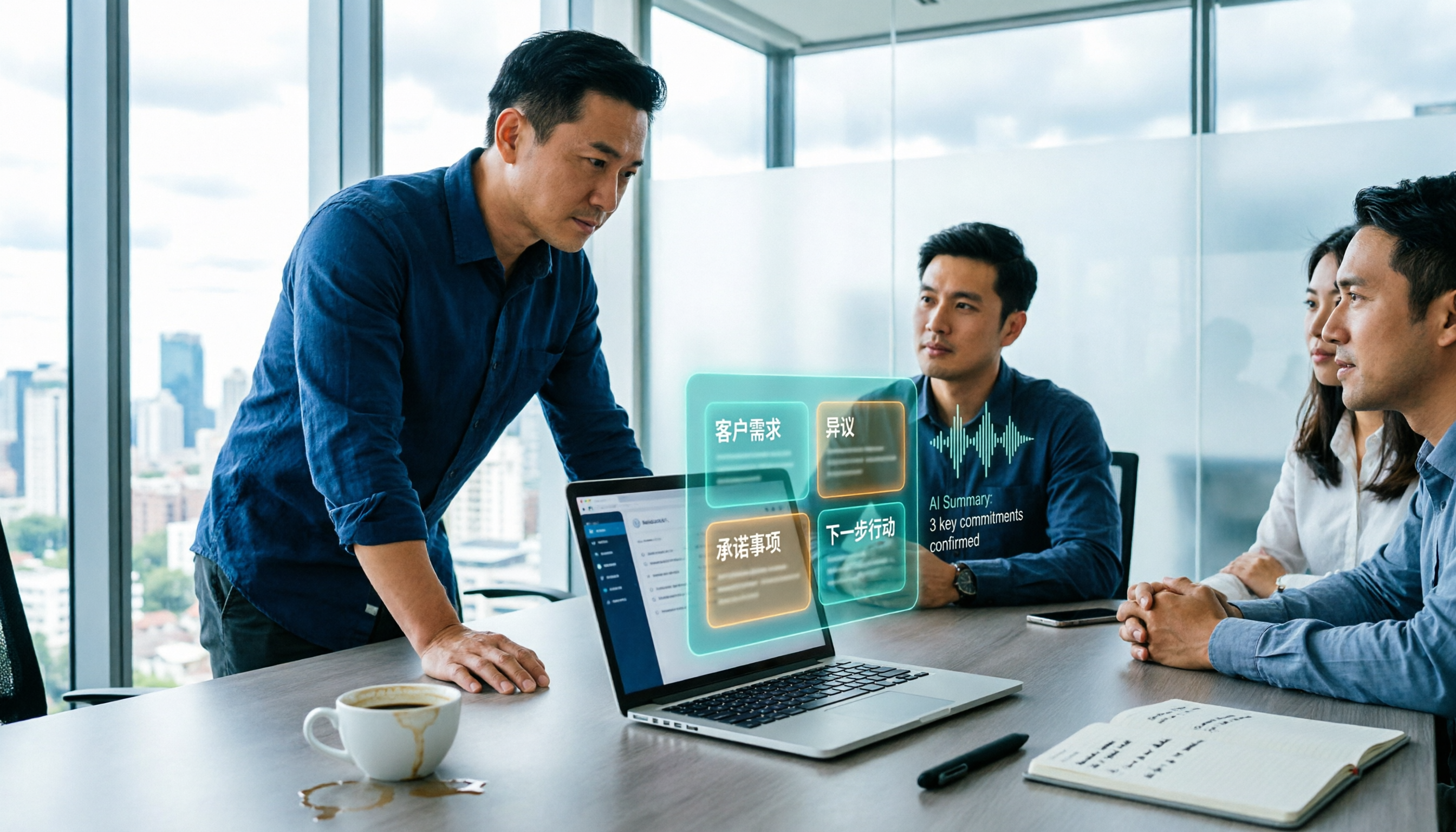
After an online sales meeting, customer needs, objections, and commitments often end up as just a few lines in a group chat. This article first gives you a sales meeting notes template you can apply directly, then compares Tinrec and Notta across 5 dimensions — bot-free recording, Chinese terminology, post-meeting outputs, AI Q&A, and team governance — to help you choose the right meeting notes tool for your sales team.

Best Sales Meeting Notes Templates? 2026 Tested: 5 Tools & Templates to Save Your Sales Team Time
Sales meeting notes are very different from regular meeting notes. If you don't capture customer needs, concerns, commitments, and action items, the meeting was basically wasted. This article covers 5 approaches to sales meeting notes, from free Word/Google Docs templates to AI meeting tools, including actual costs and who each is best for, so your sales team can pick one that works right away.

2026 iPhone Transcription Tools Compared: Free Built-in vs. Tinrec — Which Saves More Time?
iPhone's built-in Voice Memos supports Chinese transcription after iOS 18.4, but older recordings, multi-person meetings, and post-meeting organization still fall short. This article addresses common misconceptions and compares iPhone built-in, Notta, TurboScribe, and Tinrec with hands-on testing, covering steps, limitations, pitfalls, and selection advice.

2026 Notion AI Audio Transcription Comparison: 4 Solutions Tested—Which Really Saves Post-Meeting Time?
Is Notion AI's audio transcription good enough? This article examines the post-meeting workflow and compares Tinrec, Notion AI Meeting Notes, Otter.ai, and Notta—covering their limitations, ideal use cases, and team governance considerations—to help you decide whether to keep recordings in Notion or process them with external tools first.

How to Choose AI Audio-to-Text in 2026: 5-Step Guide & Recommendations
Based on real meeting, interview, and lecture recording scenarios, this guide covers selection criteria, testing highlights, and a 5-step workflow for AI audio-to-text tools in 2026. It primarily recommends Tinrec and compares use cases for Otter.ai, Notta, and TurboScribe to help you find a free or paid solution that fits your needs.

5 Galaxy AI Voice-to-Text Tools Tested for 2026: Is the Built-in Feature Enough?
How does Galaxy AI's built-in voice-to-text assistant work, and what are its limitations? This article tests Samsung's built-in transcription feature in real meeting scenarios and compares it with 5 options including Tinrec, Notta, Otter.ai, and PLAUD. It outlines key decision points, pitfalls to avoid, and suitability recommendations to help you find the best recording-to-text workflow for your needs.

Which AI Transcription Tool Is Best? 2026 Hands-On Test of 2 Tools—This One Handles Chinese Meeting Notes Better
How do you choose a meeting recording-to-text tool? This article compares Tinrec and Otter.ai across six dimensions—meeting capture method, Chinese transcription, input sources, post-meeting organization, team collaboration, and pricing—to help you decide which one to use for Chinese meeting notes.
2026 Comparison of 4 Audio-to-Text AIs: Which Saves the Most Time on Chinese Meeting Transcripts?
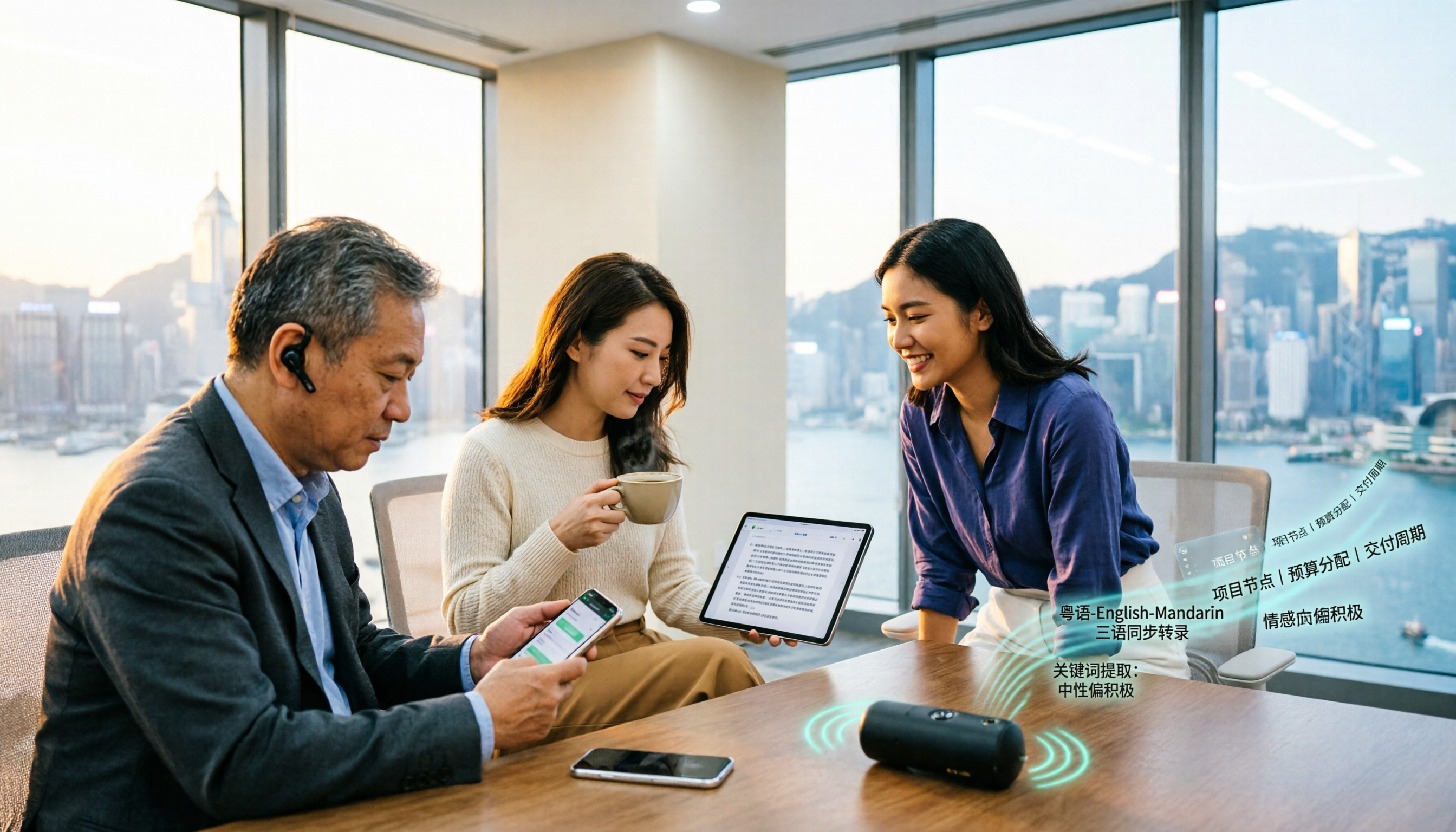
Hong Kong meeting rooms always mix Cantonese, English, and Mandarin, and typing transcripts after recording is a pain. This article tests Tinrec, Notta, Granola, and Otter.ai with the same Cantonese meeting recording, comparing four dimensions: bot-free recording, mixed-language recognition, post-meeting summaries and action items, and team data ownership. It also lists three pitfalls to avoid when choosing, helping you pick the one that truly saves time.