
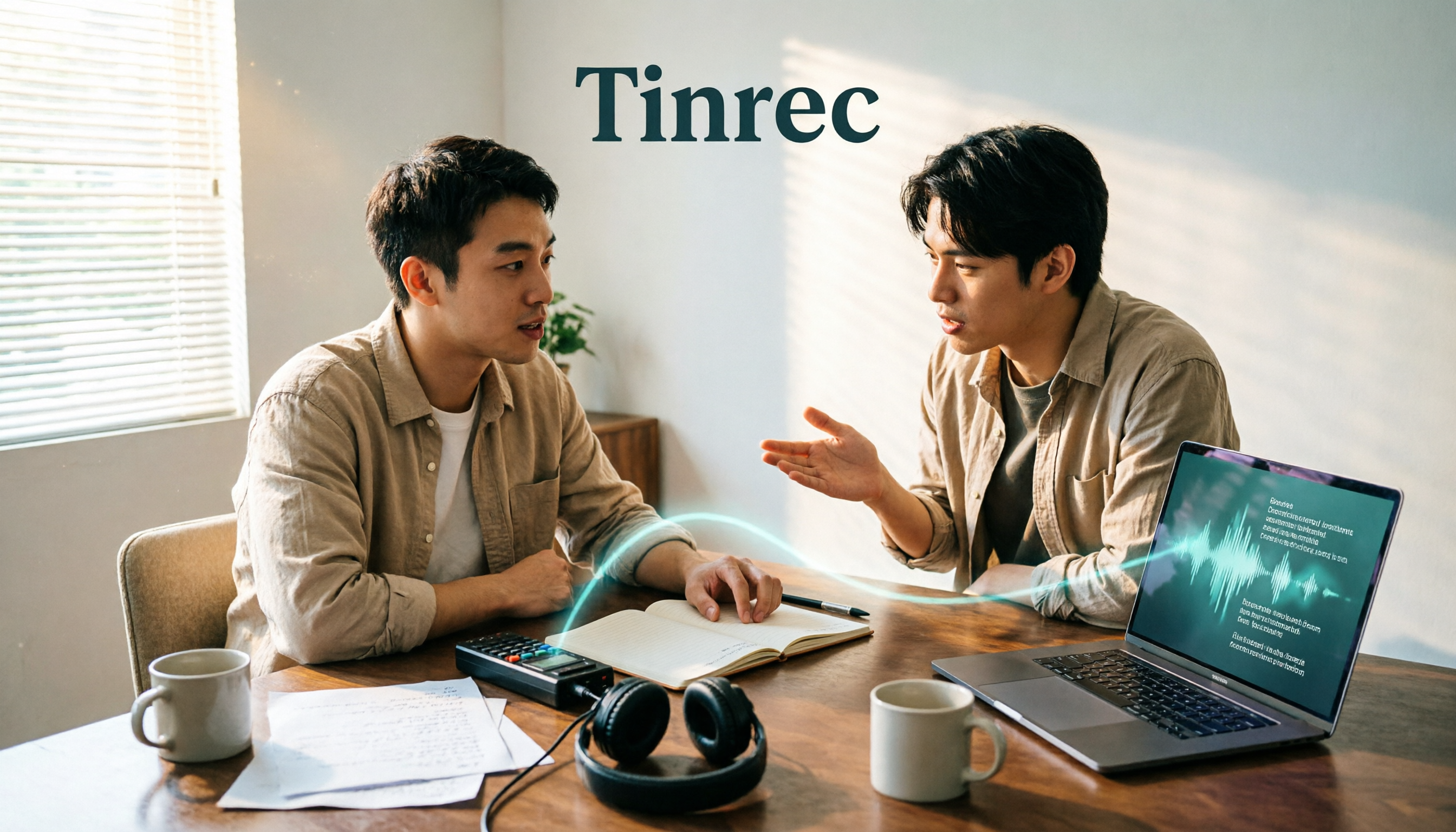
Turn recordings into transcripts and summaries in minutes
Upload audio or video for multilingual transcription, AI notes, and action items
"Free" means three different things in speech-to-text tools: some give you a fixed number of minutes per month, some limit the number of files per day, and some only offer a one-time trial quota.
So before comparing, figure out what kind of audio you need to process—a 60-minute online meeting, a 10-minute interview recording, or scattered daily voice memos. Different needs call for completely different free speech-to-text software.
This article covers 6 speech-to-text tools that currently still have free plans, with their free quotas and limitations stated honestly.
Why Do You Need Free Speech-to-Text Software?
Replaying recordings to find key points after a meeting is probably one of the biggest time-wasters for office workers. A 1-hour meeting typically takes 2 to 3 times as long to transcribe manually while listening.
Another common scenario is interviews and courses. It's a shame to let recordings go unused, but turning them into searchable text by hand is hard to sustain.
That's why most people look for free plans first: they're not sure how often they'll use it, and they only need it occasionally. The free quotas below vary quite a bit, so I'll spell out the limitations clearly.
Tinrec (秒聽錄音) — An AI Meeting Assistant That Keeps Working After Transcription
Tinrec is an AI meeting notes and collaboration tool for individuals and teams, supporting real-time recording transcription, online meeting transcription, audio and video file import, and real-time translation.
What sets it apart from typical transcription tools is that it also handles the work "after transcription." Once the transcript is ready, it automatically generates summaries, chapters, and action items, and you can continue asking AI questions about meeting details.
A few practical scenarios:
- No bot needed for online meetings. The desktop version directly captures your computer's system audio to handle Zoom, Google Meet, Microsoft Teams, Webex, and other meetings without inviting an extra bot to join.
- Handles mixed Chinese-English content. Team hotwords help maintain common terminology, improving recognition of product names and proper nouns.
- Produces deliverables right after the meeting. Generate reports, tables, and documents, or export to Notion, Google Docs, OneNote, or Dropbox for further editing.
- Team data stays even when people leave. The team plan includes independent workspaces, member and seat management, usage analytics, audit logs, and an audio recycle bin.
Free and paid plans: The personal plan has a free version with basic quota to try recording, import, summaries, and transcription, plus weekly cards, Pro monthly, and Pro annual plans for short-term intensive use or long-term data accumulation. The team plan offers a 7-day trial for first-time eligible users, 1 free seat, and 300 minutes of shared team import quota; monthly billing is USD 29.80 per paid seat per month, annual billing is USD 199 per paid seat per year (about USD 16.58 per month), with each paid seat providing 2,000 minutes of shared team import quota per month. Actual prices are subject to the official purchase page.
Who it's for: People who need Chinese meeting notes, don't want to invite a meeting bot, and want post-meeting data to stay in the team for ongoing search and reuse.
Notta — Multilingual Transcription and Meeting Notes
Notta covers multi-platform transcription, meeting notes, file import, translation, and team plans, with decent Chinese support—making it one of the choices with the most overlap with Tinrec.
The free plan offers 120 minutes per month, with a maximum of 3 minutes per recording—pay special attention to this, as it's better suited for short phrases and clips, not full meetings. Pro annual billing works out to about USD 8.17 per month for 1,800 minutes per month; Business annual billing is about USD 16.67 per seat per month, offering unlimited transcription, role permissions, and usage reports.
Who it's for: People who need multilingual file transcription and mainly import existing audio files.
Otter.ai — A Veteran Choice for English Business Meetings
Otter is a mature AI meeting assistant supporting Zoom, Microsoft Teams, Google Meet, real-time transcription, speaker identification, AI Chat, and team management.
The free Basic plan offers 300 minutes per month; Pro annual billing works out to about USD 8.49 per user per month, including 1,200 minutes of in-app recording and 10 file imports per month. Its strength is maturity for English meetings—for Chinese scenarios, try before deciding.
Who it's for: People whose meetings are mainly in English and whose teams already use Zoom or Teams.
TurboScribe — Long Audio Files and Batch Transcription
TurboScribe positions itself as a cost-effective file transcription tool, focusing on long files, batch uploads, subtitles, and translation.
Stop organizing recordings by hand
Upload audio or video and automatically get a transcript, summary, and action items
The free plan allows 3 files per day, up to 30 minutes per file; Unlimited annual billing is USD 120 (about USD 10 per month), with paid plans supporting files up to 10 hours or 5 GB each and up to 50 files per upload.
Who it's for: People with a pile of pre-recorded long audio files to process in bulk, rather than live meeting notes.
MyEdit — Online Transcription with Daily Credits
MyEdit is a purely online tool—no software download needed. Open the webpage, import a recording, and get a transcript. It supports 9 languages including Chinese, English, and Japanese, with online editing and optional timestamps.
It uses a daily login credit system, meaning you get a small free quota every day; upgrading to Audio Pro gives you 360 credits per month and unlocks other AI audio tools.
Who it's for: People with light needs who like to just open a webpage and go, without installing anything.
Windows Built-in Speech Recognition and Mac Dictation — Completely Free, Zero Installation
If you just need to turn spoken words into text, your system's built-in features may be enough.
Windows 10 has built-in speech recognition that converts speech to text in any app with a text input field; Windows 11's Voice Access goes further, letting you open programs and click buttons with your voice. Mac users have Dictation—just enable the microphone anywhere you can type and speak.
Who it's for: People with zero budget who only need real-time dictation input and don't need to process existing recordings. Note that these features are for live dictation, not for dropping in an hour-long recording to get a transcript.
With So Many Options, How Should You Choose?
- Want to transcribe and then organize summaries, action items, or even ask AI about meeting details → Tinrec, all in one tool.
- Want to record Zoom, Meet, or Teams meetings without an extra bot joining → Tinrec desktop version captures system audio directly.
- Need Chinese and mixed Chinese-English meeting notes → Tinrec, with team hotwords for proper nouns.
- Meeting data needs to stay with the team as members come and go → Tinrec team plan, with roles, seats, usage, and audit.
- Meetings are mainly in English and the team already uses Zoom/Teams heavily → Otter.ai.
- Have a large number of long audio files to batch transcribe → TurboScribe.
- Only occasionally transcribe a recording and prefer a web version → MyEdit.
- Just casual voice dictation, no recording files to process → Windows or Mac built-in dictation.
4 Things to Know Before Using Free Speech-to-Text Software
1. Free quotas use different units. Some count monthly minutes, some count daily files, and some limit per-recording length. Before downloading, confirm whether your usage pattern is short and frequent or long and infrequent.
2. Audio quality determines success. Rather than comparing who has higher accuracy, first optimize microphone placement and environmental noise. In situations with overlapping speakers, heavy accents, or many proper nouns, any tool will need manual proofreading. Tinrec's team hotwords, for example, are designed to reduce errors on proper nouns.
3. Free plans usually don't include team collaboration. A personal free version can solve "I need a transcript for myself," but permissions, seats, usage, and data handover fall under team plans. Tinrec's team plan separates roles (who can manage) from seats (who can record, upload, and edit).
4. Confirm authorization before recording. Meeting recording and transcription involve participants' rights, and international meetings may have different regulations—it's best to inform and get consent in advance.
Frequently Asked Questions
Q: Is free speech-to-text software really enough?
A: It depends on frequency. For occasional interview or course transcription, free quotas are usually enough; if you have meetings to record every day, a paid plan's per-minute cost is actually more economical.
Q: Does Tinrec have a free version?
A: Yes. The personal plan offers a free version with basic quota to try recording, import, summaries, and transcription. Once usage stabilizes, consider a weekly card or Pro.
Q: Does Tinrec need to invite a bot to meetings?
A: No. The desktop version directly captures computer system audio to record Zoom, Google Meet, Microsoft Teams, Webex, and other meetings. Note that you still need to actively start recording—it doesn't automatically join all calendar meetings.
Q: Can team members without a seat still view data?
A: Yes, they can view, play, and read team data; but recording, uploading, editing, or exporting requires a seat.
Q: Can transcripts be taken to other tools?
A: Most tools support export. Tinrec supports exporting to Notion, Google Docs, OneNote, Dropbox, and other common tools for further editing.
Q: Can I expect a consistent 98% accuracy rate?
A: It's not advisable to view it as a single number. Actual performance is affected by recording quality, noise, accents, overlapping speakers, and technical terminology; for important content, replay with timestamps to verify.
Conclusion
The essence of a free plan is to let you confirm whether the workflow suits you, not for unlimited use. If you only occasionally need a transcript, built-in dictation or credit-based tools like MyEdit are enough.
But if you have meetings every day and want transcripts to automatically grow into summaries and action items that can be searched and reused across the team, Tinrec is the most complete option on this list for connecting recording, understanding, action, and collaboration.
References
- Speech to Text Converter – Free Online | TicNote Cloud
- Audio to Text - Free Speech to Text Tool
- 7 Free and Easy-to-Use Speech to Text Tools [for Android/iOS/Windows]
- Tested: 4 Best Online Speech-to-Text Tools – Free Instant Transcription of Audio Files
- Online Speech to Text AI – Free MP3 or Audio File Transcription - MyEdit
Turn every recording into actionable outcomes
Get 60 free transcription minutes when you sign in. No credit card required.
Related Reading
You might also like

2026 Speech-to-Text App Buying Guide: Tinrec vs Otter — 5-Dimension Comparison and Recommendations
How do you choose a speech-to-text app? This guide compares Tinrec and Otter.ai across 5 dimensions—Chinese transcription, meeting capture methods, post-meeting workflows, team permissions, and pricing/quotas—with FAQs to help you decide which one better fits your meeting and organization needs.

Best Online Speech-to-Text Tools in 2026: Testing 3 Options, Tinrec's AI Q&A Stands Out
We tested online speech-to-text tools in 2026, comparing Tinrec, cSubtitle, MyEdit, and Notta on transcription accuracy, post-meeting organization, team collaboration, and pricing to help you find the best transcription tool.

4 iOS Speech-to-Text Apps Tested in 2026: Get Meeting Notes and Action Items 5 Minutes After the Call
I attend about 15 meetings a week, and I've fallen into the trap of thinking a transcript equals meeting notes. This article starts from real-world misconceptions and breaks down what to actually look for in an iOS speech-to-text app—capabilities, use cases, and buying criteria—with a hands-on test of Tinrec showing how to use meeting summaries, action items, AI Q&A, and team spaces.

Best Free Speech-to-Text Apps in 2026: 5 Options Compared
A roundup of 5 speech-to-text apps with free tiers that are popular on PTT and social media in 2026. We compare the free quotas, limitations, and best use cases of Tinrec, Yating Transcription, Otter.ai, Notta, and TurboScribe, and explain why your phone's built-in dictation can't replace a dedicated transcription tool.

2026 Free Speech-to-Text AI: 6 Tools to Choose From + Meeting Notes Organization Tips
How to choose a free speech-to-text AI? Starting from the post-meeting pain points of mid-level managers, this article compiles 6 practical solutions, including Tinrec's AI Q&A and team spaces, as well as the free quotas and use cases of MyEdit, Monica AI, TicNote, TurboScribe, and inFin. Finally, it provides decision steps for choosing based on needs and 4 things to note before use.

4 iPhone Speech-to-Text Methods Tested: Is Built-in Transcription Enough in 2026?
Since iOS 18, iPhone's built-in Voice Memos can turn recordings into transcripts, but many users get stuck on device compatibility, audio formats, and post-processing. This article addresses common misconceptions and compares built-in transcription, keyboard dictation, AI recording hardware, and Tinrec, explaining who each method suits and its limitations, helping you choose the one that truly saves time.

2026 Free Speech-to-Text App Comparison: 3 Key Differences That Decide Whether You Should Choose Tinrec or Yating Transcription
How to choose a free speech-to-text app? This article uses the same meeting recording to compare Tinrec and Yating Transcription side by side: free quota, input sources, online meetings, post-transcription output, cross-device use, and team collaboration. The conclusion is straightforward—if you just need a text transcript, Yating is enough; if you want to turn recordings into meeting notes, action items, and searchable data, Tinrec's free version is worth trying first.

2026 Speech-to-Text Showdown: Tinrec vs Yating Transcription — Which Is Better for Chinese Meetings?
How to choose a Chinese speech-to-text tool? This article compares Tinrec and Yating Transcription across 5 dimensions—post-meeting organization, online meeting recording, input sources, multilingual support, and team collaboration—to help you decide which one better fits your workflow.

WhatsApp Voice to Text in 2026: iPhone Built-in vs Tinrec and 3 Other Options Tested
Tired of endless WhatsApp voice messages? For iPhone users, there are several ways to convert them to text. We tested WhatsApp's built-in transcription, Tinrec, Notta, and Otter.ai, comparing Cantonese support, post-transcription workflow, cross-platform access, and team collaboration to help you find the most time-saving option.