

Turn recordings into transcripts and summaries in minutes
Upload audio or video for multilingual transcription, AI notes, and action items
2026 Speech-to-Text AI Showdown: Tinrec vs Otter.ai — Which Is Better for Chinese Meetings?
At 11 p.m., I was staring at a 90-minute client interview recording on my phone.
I didn't need much: three quotes I could drop into a proposal, three follow-ups for next week, and a summary I could forward to my colleagues.
But if I had to transcribe it myself, I probably wouldn't have it until tomorrow afternoon.
Speech-to-text AI models have improved fast in recent years—so fast that many people think accuracy is the only question. That's not my experience.
The real difference is where you place the model in your workflow.
Tinrec vs Otter.ai: Quick Overview
One-line positioning for each:
- Tinrec (秒听录音): Turns meetings into searchable, collaborative, actionable team data. The focus is on organizing, querying, and retaining what comes after transcription.
- Otter.ai: A mature English business AI meeting assistant, strong in meeting automation, summaries, and workflow integration.
| Item | Tinrec | Otter.ai |
|---|---|---|
| Meeting capture | Desktop app captures system audio; no bot joins | Meeting bot, desktop app, and other methods |
| Chinese experience | Chinese, Traditional Chinese, mixed Chinese-English, real-time translation, team glossary | Primarily English business meetings |
| Post-meeting output | Summaries, chapters, action items, mind maps, AI Q&A, Agent post-processing, multi-format export | Summaries, action items, AI Chat, workflows |
| Team governance | Spaces, roles, seats, usage, audit logs, audio recycle bin | Mature team and enterprise management |
| Pricing | Free plan, weekly pass, Pro monthly/annual; team plan priced per seat | Basic free, Pro, Business |
Next, I'll break this down across five dimensions. These are also the questions I ask myself, in order, when actually choosing a tool.
First, What Are Speech-to-Text AI Models Really Competing On?
Many people search this term thinking they need to find "the strongest model." But in practice, you run into three layers of problems.
Layer one: the model itself. Google Cloud's Chirp 3 is a speech foundation model trained on millions of hours of audio; Google says it supports over 125 languages (Google Cloud Speech-to-Text). Open-source Whisper models let even standalone tools produce decent transcripts—bigger models are more accurate but demand more hardware (how tools like Buzz work).
Layer two: engineering tuning. Noise, accents, overlapping speakers, technical terms. Mixed Chinese-English is the most common challenge for Taiwanese teams—and the reason local tools like Yating exist (comparison of 8 tools).
Layer three: workflow. What you do with the text after it's transcribed.
My observation: the gap at the model layer is shrinking fast. What really separates the user experience is layer three. So the five dimensions below mostly compare workflows.
Dimension 1: Meeting Capture — Who Can Record Quietly and Completely?
Otter.ai's strength is meeting automation: a meeting bot can join Zoom, Microsoft Teams, and Google Meet as a participant, and it also offers desktop capabilities. The integration is quite mature.
Tinrec takes a different path: the desktop app captures system audio directly, so no extra bot appears on the participant list. This isn't "automatically join every meeting"—the user starts recording manually.
This difference is especially noticeable in two situations. One is external client meetings: if a recording bot shows up on screen, the client will definitely ask what it is. The other is impromptu internal meetings where the host can't be bothered to set anything up.
→ This dimension: If you care about a clean participant list and hassle-free setup, Tinrec's bot-free approach is more practical.
Dimension 2: Chinese and Mixed Chinese-English — The Daily Reality for Taiwanese Teams
Otter.ai started with English business meetings; its strength is English phrasing and sentence segmentation. Chinese is not its main focus.
Tinrec prioritizes Chinese, Traditional Chinese, mixed Chinese-English, and multilingual meetings. During recording, you can switch between original text, translation, or bilingual view. The team plan also lets you add department-specific terms to a team glossary, so technical vocabulary recognition better matches how you actually speak.
I'll be honest here: no tool can guarantee a fixed accuracy rate. Recording quality, ambient noise, accents, people talking over each other, and proper nouns all affect results. Any claim of 98% or 99% should first be asked: under what conditions was it tested?
Stop organizing recordings by hand
Upload audio or video and automatically get a transcript, summary, and action items
→ This dimension: For Chinese-dominant meetings, Tinrec is a better fit; if meetings are almost entirely in English, Otter.ai remains a reasonable choice.
Dimension 3: Post-Meeting Output — Do You Get a Transcript or Something You Can Deliver?
Otter.ai provides summaries and action items, lets you ask follow-up questions via AI Chat, and integrates with workflows. It's very mature here.
Tinrec goes broader at this layer: summaries, chapters, key points, to-dos, mind maps, plus AI Q&A around meeting content. You can also use Agent post-processing to generate reports, tables, or documents directly from the meeting, then export to Notion, Google Docs, OneNote, Dropbox, and other common tools.
What's the difference? Otter.ai lets you "know what was said." Tinrec lets you "produce your next piece of work directly."
→ This dimension: Tinrec wins.
Dimension 4: Team Retention and Governance — Who Ultimately Owns the Data?
Otter.ai's Business plan offers team and admin capabilities; this is a mature area for them.
Tinrec's team plan puts meeting data into a separate team space rather than having multiple people share a personal account. Management is granular: roles determine who can manage the team, members, and audits; seats determine who can record, upload, edit, and import/export. These are different concepts and shouldn't be conflated.
I find the most practical part is handover. When a member leaves, is removed, or loses a seat, their team resources can be transferred to other active members instead of disappearing with the personal account. Combined with usage analytics, audit logs, and a 30-day audio recycle bin, admins can see who used how much and whether things are still there.
To be clear: currently sharing is at the team level—all active members can read team data, and there are no file-level granular permissions yet. Members without a seat can view and listen but cannot upload or edit.
→ This dimension: Both are mature, but for Chinese-speaking teams' seat management and resource handover needs, Tinrec's design is more practical.
Dimension 5: Pricing and Quotas — Which Model Fits Your Usage Rhythm?
Otter.ai's public pricing page states: Basic is free with 300 minutes per month; Pro annual billing works out to about USD 8.49/user/month, including 1,200 minutes of in-app recording per month and 10 file imports; Business offers unlimited meetings and in-app recording, more imports, and admin capabilities. Actual prices and promotions are subject to the official page.
Tinrec's personal plan is task-based: use the free plan for occasional recordings, a weekly pass for short bursts of interviews, Pro for steady weekly needs, and an annual plan for long-term data retention. The team plan offers a 7-day trial for first-time eligible users, 1 free seat, and 300 shared import minutes; monthly billing is USD 29.80/paid seat/month, annual billing is USD 199/paid seat/year (about USD 16.58/month), each paid seat provides 2,000 team shared import minutes per month, and live recording currently does not deduct minutes under an active plan and active seat.
→ This dimension: Tie. For light usage and mostly English meetings, Otter.ai's free plan is enough; for Chinese-dominant meetings with team sharing, Tinrec's quota structure is more generous. Prices and currencies are always subject to the official purchase page.
What Unique Advantages Does Each Have?
Tinrec's unique advantages:
- Bot-free recording: no extra participant, no platform authorization issues.
- Complete post-transcription workflow: Q&A, to-dos, Agent-generated reports and tables, multi-format export—all in one line.
- Solid team governance: spaces, roles, seats, usage, audit, recycle bin, plus resource handover when members change.
- Chinese and multilingual: mixed Chinese-English, real-time translation, bilingual view, team glossary.
- No extra hardware: works on web, desktop, and mobile; no need to buy recording devices.
Otter.ai's unique advantages:
- Mature English business meeting ecosystem, with deep integration and workflow automation for Zoom, Teams, and Meet.
- Large existing English-speaking user base; team collaboration habits are already formed, so adoption friction is low.
Conclusion: Which Should You Choose?
- Your meetings are in Chinese or mixed Chinese-English → Tinrec
- You don't want an extra bot on the participant list → Tinrec
- You want more than a transcript—summaries, to-dos, reports, and exports → Tinrec
- You want to turn meetings into team data and manage seats, usage, and handover → Tinrec
- Your meetings are almost entirely in English and you only need basic recording and summaries → Otter.ai is enough
In one sentence: For most Chinese-speaking teams, Tinrec is the more complete choice because it extends "turning speech into text" into "data you can keep working with."
Quick Start: How I'd Begin
- Pick the messiest recording you have—ideally mixed Chinese-English.
- Run it through the free quota and check only two things: are proper nouns correct, and is sentence segmentation smooth?
- Open the summary and to-dos; see if the action items it extracts are the ones you would have organized yourself.
- Ask the meeting "What does the client care about?" and see if the answer goes back to the source.
- Export the results to the tools you normally work in and confirm the format doesn't need reformatting.
- If you're a team, open a team space and invite two people to test the seat and shared-data flow.
Tools will keep changing, and models will keep updating. What remains is your process for "what to do after recording."
Start with one recording, test step by step, and you'll gradually master this method.
Final reminder: Get participants' consent before recording and transcribing, and follow local regulations.
References
- Speech-to-Text: AI speech input and transcription | Google Cloud
- Convert speech to text | Gemini Enterprise Agent Platform | Google Cloud Documentation
- AI speech-to-text tool recommendations: comparison of 8 tools—which is best for meeting notes, transcripts, and voice input? — LeadingMRK
- AI speech-to-text: fast online audio-to-text, transcripts, and video subtitles—free trial—cSubtitle
- Buzz: one-click AI audio/video to text—free and accurate speech-to-subtitle and transcript software
Turn every recording into actionable outcomes
Get 60 free transcription minutes when you sign in. No credit card required.
Related Reading
You might also like

5 Free iPhone Speech-to-Text Methods in 2026: A Complete Guide
Your iPhone has several built-in ways to turn speech into text, but most people use them in the wrong situations. This guide covers 5 free methods—from keyboard dictation and Voice Memos transcripts to Notes recordings and Shortcuts automation—and explains the device requirements and limitations of each. It also includes a fallback option for when built-in tools aren't enough, helping you choose the right tool for each scenario.

3 Free Speech-to-Text AI Tools Tested: Is the Free Version Enough? The Difference Is What Happens After Transcription
Based on real experience organizing interview and meeting recordings, this comparison of Tinrec, Otter.ai, and PLAUD Note examines their free-tier thresholds, Chinese language handling, meeting recording methods, post-meeting workflows, and team collaboration features to help you determine which 'free' option truly saves you time.

4 Best Speech-to-Text Apps in 2026: Free Tiers, Chinese Recognition, and Post-Meeting Workflows Compared
Starting from the common misconception that 'free download doesn't mean free to use,' this breaks down 4 key factors for choosing a speech-to-text app: free tier limits, Chinese and mixed Chinese-English recognition, post-transcription organization workflows, and team/cross-device needs. It then compares Tinrec, Yating Transcription, Otter.ai, and Notta in terms of positioning, pricing, and ideal users to help you choose the right tool within your budget.
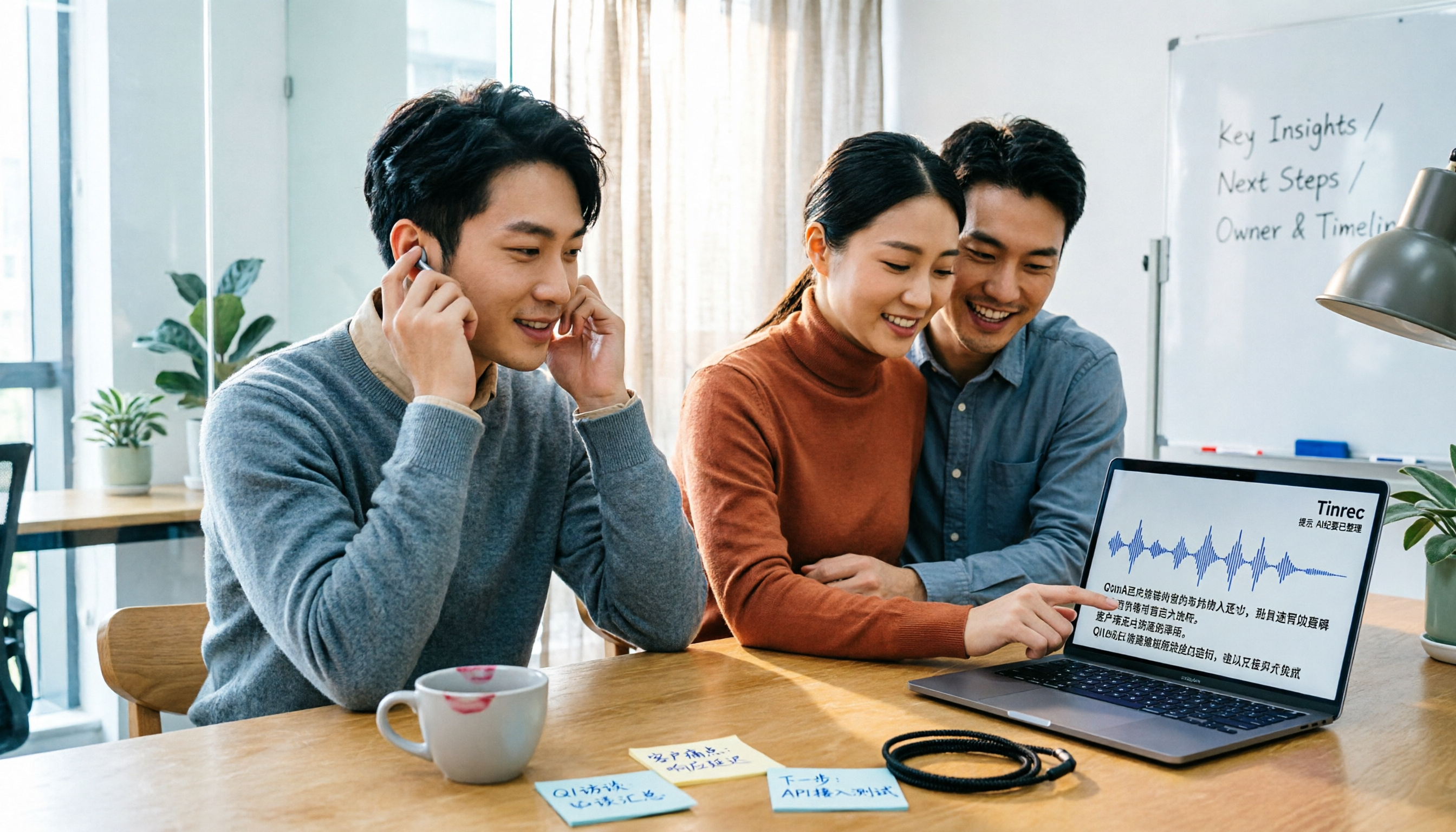
2026 Voice-to-Text App Comparison: Which AI Meeting Notes Save the Most Time for Chinese Meetings?
Still spending hours transcribing after meetings? We tested 4 voice-to-text apps with mixed Chinese-English meetings, Taiwanese-accent interviews, and existing recordings, comparing Chinese recognition, meeting capture methods, post-meeting output, and pricing. We also highlight 4 common pitfalls to help you choose the one that truly saves post-meeting work time.

Tinrec vs Notta 2026: 5-Dimension Comparison — Which Is Better for Chinese Speech-to-Text?
Starting with common selection pitfalls, this article reviews 7 speech-to-text AI tools in 2026, centered on a five-dimension comparison between Tinrec and Notta, explaining how to choose for Chinese meetings, bot-free recording, post-meeting AI organization, and team collaboration.

Tinrec vs Google Speech-to-Text in 2026: 5-Dimension Comparison for Chinese Meeting Notes
Google Speech-to-Text offers three paths: Google Docs voice typing, Google Recorder app, and Cloud Speech-to-Text. They are free and easy to use but lack post-meeting workflow. This article compares Tinrec and Google Speech-to-Text from the perspective of a mid-level manager with 15 meetings per week, across 5 dimensions: Chinese recognition, meeting capture method, post-meeting output, team collaboration, and cost structure. It also includes a pitfalls guide and selection advice.

5 Speech-to-Text Tools Compared for 2026: Google Docs vs. Tinrec
Google Docs voice typing is free and ready to use, but it's really a typing alternative, not a meeting notes tool. This article tests the full Google Docs voice typing workflow and its three limitations, then compares Tinrec, Otter.ai, Notta, and Granola on input sources, post-meeting output, team collaboration, and pricing to help you decide which tool fits what you actually need to do.
Best Free Speech-to-Text AI Tools in 2026: 4 Options Compared
Which free speech-to-text AI tools are worth trying? We compare Tinrec, Otter.ai, Notta, and Yating Transcription, breaking down their free tiers and limitations, plus 4 common pitfalls to help you choose in under 30 minutes.
2026 Speech-to-Text Tool Comparison: Google AI vs. Tinrec — Which Should You Choose?
Many people search for 'speech to text Google AI' but confuse Google Cloud Speech-to-Text, Google AI Studio, and general meeting transcription tools. This article addresses common misconceptions and compares Tinrec, Google Cloud Speech-to-Text, and Google AI Studio in terms of operation, suitable scenarios, and limitations to help you choose the right tool.