

Turn recordings into transcripts and summaries in minutes
Upload audio or video for multilingual transcription, AI notes, and action items
2026 Comparison of 4 Research Interview Transcription Tools: Which Saves More Time for Chinese Interviews and AI Follow-up Questions?
For research interview transcripts, the first thing to determine is not "which tool transcribes fastest," but "what will this transcript ultimately be used for." If you just need to keep a record, a pure transcription tool is enough; but if you need to code, find quotes, write a paper, or turn interviews into team data, the quality of the tool differs in the organization and follow-up after transcription. The following comparison is based on each tool's officially published features and plans, returning to the actual workflow of research interviews; transcription results will be affected by recording quality, accent, and noise, so it is recommended to verify with your own interview recordings.
Pain Points of Research Interview Transcripts—What You Need Is Not "Finished Transcription" but "Analyzable Data"
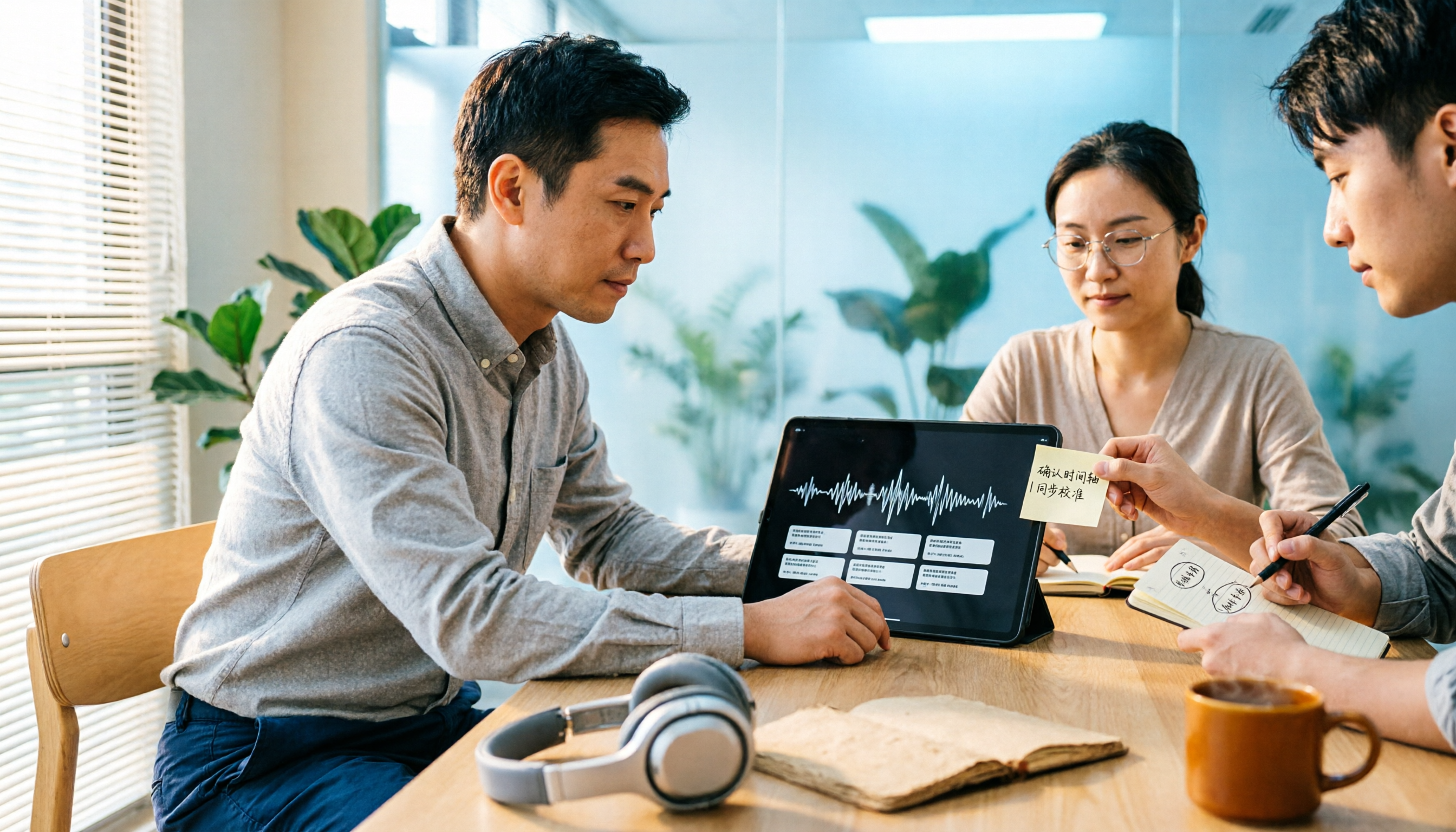
A two-hour interview often takes several more hours to transcribe afterward—this is the daily life of many graduate students. What's more frustrating is that when typing during the interview, you probably miss half of it; when you need an exact quote afterward, you have to listen to the entire recording again.
Transcripts are not better the more complete they are; they are better when they match your analysis method. First decide whether you need a verbatim transcript, a detailed transcript, or a summary of key points, then go back to recording quality, speaker labeling, and timeline, so you don't discover at the coding stage that the format is unusable.
If you also encounter these situations, the problem is usually not that you can't type, but that you chose a tool that only handles "converting to text" and doesn't help you with the subsequent organization and search.
Before Choosing a Research Interview Transcription Tool, Understand These 5 Key Points
1. First decide the transcript level. Do you want a verbatim transcript with no words missing, a detailed transcript that preserves filler words and pauses, or a summary that only captures key points? Different levels require different tools and workflows. Rather than pursuing "everything," first align with the analysis method of your thesis or report.
2. Speaker labeling and playback capability. Interviews involve researchers and interviewees; if the transcript cannot distinguish who is speaking, coding later will be painful. Timeline or playbackable segments are also important, especially when you need to quote an exact phrase.
3. Chinese and technical term recognition. Research interviews often contain field-specific terms, names, institution names, and mixed Chinese-English content. Whether the tool can customize terms and handle multiple languages directly affects your post-editing time.
4. AI follow-up questions and export after transcription. Tools that only provide transcripts require you to Ctrl+F to find keywords yourself; tools with AI Q&A let you directly ask "What was the interviewee's reaction to the price?" Export formats also need to connect to your subsequent coding or writing workflow.
5. Confidentiality, anonymization, and team management. Interview data often involves personal information and sensitive content; confidentiality is not a bonus—it's fundamental. If shared by a team, also consider members, roles, seats, and data handover, rather than multiple people sharing one personal account.
Tinrec—Turning Interview Recordings into Data You Can Question
Tinrec is an AI meeting notes and collaboration tool for individuals and teams, supporting real-time recording, desktop bot-free recording of online meetings, audio/video file import, and real-time translation. For research interviews, its value is not just converting recordings to text, but organizing interview content into summaries, chapters, and to-dos, and allowing continued questioning around the transcript.
When actually organizing interviews, you can first import recording files or directly use real-time recording to capture offline interviews; after transcription, use AI summaries and chapters for a quick review, then use AI Q&A to ask questions like "What was the interviewee's reaction to the price?" or "Which competitors were mentioned?" This is closer to how researchers look back for exact quotes than manual Ctrl+F. If the interview needs to be handed over to the team afterward, it can be placed in a team space for members to share and continue organizing.
Tinrec also supports multi-format export and Agent post-processing, which can further generate reports, tables, or documents from meeting content, suitable for bringing interview materials into existing workflows. Note that Tinrec is not qualitative analysis software; coding and thematic analysis still rely on your research methods; transcription results will also be affected by recording quality, accent, noise, and overlapping speech, and important quotes should be verified by playback against the recording.
Stop organizing recordings by hand
Upload audio or video and automatically get a transcript, summary, and action items
In terms of plans, the free version provides a basic quota, suitable for trying a segment of an interview first; for short-term intensive interviews, consider a weekly card; for stable use, look at the Pro monthly or annual card. If a research team shares interview data, the team version provides independent team space, member roles and seats, usage analysis, audit logs, and audio recycle bin; team monthly payment is USD 29.80/paid seat/month, annual payment is USD 199/paid seat/year, actual prices are subject to the official purchase page.
If you need Chinese interviews, mixed Chinese-English content, directly asking key points after meetings, and depositing data for the team, Tinrec is currently the choice closest to this workflow. The limitation is that the free quota is limited, and heavy or long-term research still needs to evaluate paid plans.
Besides Tinrec, What Other Options Are There?
Notta: A general transcription tool with high overlap with Tinrec, supporting multi-platform transcription, meeting notes, file import, translation, and team plans. The free version offers 120 minutes per month, up to 3 minutes per session; Pro annual payment is approximately USD 8.17/month, with 1,800 minutes per month. If you mainly do large-scale file transcription and subtitles, Notta's plans are complete; but to turn interview recordings directly into data you can question, Tinrec's AI Q&A and post-meeting outputs are closer to the research organization workflow.
Otter.ai: A representative English meeting assistant, Basic free offers 300 minutes per month, Pro annual payment is approximately USD 8.49/user/month, including 1,200 minutes of in-app recording per month and 10 file imports. If your interviews are mainly in English and budget is limited, Otter's free quota is generous; but for Chinese interviews and mixed Chinese-English content, Tinrec's experience is more suitable, and Tinrec's desktop version can record online meetings without a bot.
TurboScribe: A cost-effective tool focused on file transcription and subtitles, free offers 3 files per day, up to 30 minutes per file; Unlimited annual payment is USD 120, paid version supports up to 10 hours or 5 GB per file, and up to 50 files at once. If you have a large number of pre-recorded interview audio files that need batch processing, TurboScribe is more suitable; but real-time meeting recording, post-meeting AI Q&A, and team data deposition are not its strengths—these are exactly Tinrec's strengths.
Pitfall Guide: The 4 Most Common Mistakes in Organizing Research Interview Transcripts
Pitfall 1: Only looking at transcript completeness, ignoring analysis method. No matter how complete the transcript is, if there is no speaker labeling, timeline, or consistent format, you still have to rework during coding. First think clearly about how you will analyze, then decide how detailed the transcript should be.
Pitfall 2: Ignoring anonymization and confidentiality. Interview data almost always involves personal information and sensitive content; confidentiality is not a bonus—it's fundamental. Interviewee names and institution names can be pseudonymized or coded according to research ethics, and the handling of audio files and transcripts should also be agreed upon in advance.
Pitfall 3: Treating transcription tools as qualitative analysis software. Tools can help you transcribe, summarize, Q&A, and export, but coding, thematic analysis, and theory building are still your job. Rather than expecting tools to write your paper, use them to save time on re-listening and finding quotes.
Pitfall 4: Interrupting and overlapping speech during interviews, then blaming the tool afterward. If you speak at the same time as the interviewee, even the best transcription tool will struggle to distinguish. Try to let the interviewee express themselves during the interview, so you won't have to re-listen to the entire recording for one sentence afterward.
Conclusion: Which One Should You Choose?
In one sentence: the top choice for research interview transcripts is Tinrec, which can connect transcription, summarization, questioning, and export into one workflow.
- Chinese interviews, mixed Chinese-English, need post-meeting AI follow-up → Tinrec (Chinese experience and AI Q&A closest to research organization)
- Want to record Zoom, Meet, Teams interviews without a bot → Tinrec (desktop version uses system audio, no need to invite a bot)
- Research teams need to share interview data, manage seats and usage → Tinrec team version (team space, roles, seats, audit)
- Want to export transcripts for further coding or report writing → Tinrec (multi-format export and Agent post-processing)
- Special needs: English interviews with limited budget can consider Otter.ai; batch transcription of large pre-recorded files can consider TurboScribe
It is recommended to first use Tinrec's free version to run a segment of your own interview recording, confirm whether Chinese recognition and the Q&A workflow are smooth, and then decide whether to pay.
References: Subanana "Interview Transcripts: Word-for-Word, Each Speaker Separated"; Fengdao Knowledge Zone "How to Do Interview Transcripts? A Complete Guide to Transcription and Coding Connection in Qualitative Research"; Tinrec Blog "How to Do Interview Transcripts in 2026? A Complete Tutorial from Recording to Analyzable Text in 5 Steps"; Pinchieh Translation "Key Points for Research Interview Transcript Surveys"; Diugao Academic Lang "Qualitative Research Interviews Are Hard to Do".
References
- Interview Transcripts: Word-for-Word, Each Speaker Separated | Subanana
- How to Do Interview Transcripts? A Complete Guide to Transcription and Coding Connection in Qualitative Research | Fengdao Knowledge Zone
- How to Do Interview Transcripts in 2026? A Complete Tutorial from Recording to Analyzable Text in 5 Steps - Tinrec Blog
- Key Points for Research Interview Transcript Surveys
- Qualitative Research Interviews Are Hard to Do 😖—Academic Lang's Interview Tips and Transcription Tool Sharing | Diugao Academic Lang's Salon
Turn every recording into actionable outcomes
Get 60 free transcription minutes when you sign in. No credit card required.
Related Reading
You might also like

6 Free Meeting Notes Tools in 2026: Free Tiers and Use Cases Compared
Compare six meeting notes tools with free plans—Tinrec, Otter, Notta, TurboScribe, Granola, and Fireflies—across free quotas, meeting capture methods, and post-meeting outputs, and learn who Tinrec's free and team versions suit best.

2026 Comparison of 3 Meeting Recording Tools: Tinrec vs Notta vs Built-in Transcription
How to organize meeting recordings without turning them into a messy transcript? This article starts with common pitfalls and compares Tinrec and Notta on bot-free recording, Chinese transcripts, post-meeting Q&A, team governance, and pricing quotas. It also outlines a practical workflow: record → transcript → verified summary → formal meeting minutes.

2026 Video-to-Transcript Tools Compared: Which Saves the Most Time After Importing?
Many people think importing a video automatically gives them a transcript, but overlook segmentation, summaries, action items, and follow-up organization. This article compares Tinrec, Proactor AI, WayinVideo, and Vidnoz from the perspectives of import workflow and output needs, helping you choose the right tool.

5 Classroom Recording-to-Text Tools Tested for 2026: Which One Turns a Two-Hour Lecture into Notes You Can Actually Study From?
Can't keep up with notes during class and don't want to re-listen to a two-hour recording? This guide starts with the key question—do you need a verbatim transcript or study-ready notes?—and covers five criteria for choosing a classroom recording-to-text tool. It compares Tinrec with Notta, Otter, TurboScribe, and Granola across Chinese-language lectures, online courses, and team sharing, with pricing, setup steps, and FAQs.
Tinrec vs Notta 2026: 5-Dimension Comparison — Which Is Better for WAV-to-Text and Meeting Follow-Through?
WAV-to-text isn't just about speed — post-meeting organization and team collaboration matter too. This article compares Tinrec and Notta from a manager's perspective on features, pricing, and use cases, explains why no timed benchmark was run, and offers a repeatable verification method.

4 Business Meeting Summary Tools Tested: Which Handles Chinese Meeting Minutes Best in 2026?
A business meeting summary isn't just pasting a transcript. Starting from real sales meeting workflows, this article covers 4 key buying criteria, hands-on observations of Tinrec, how Notta, PLAUD, and Granola differ in positioning, and 4 common pitfalls—so you can pick the one that truly saves post-meeting cleanup time.

Free Legal Meeting Transcription Options in 2026: 5 Tools Compared (Tinrec vs Notta)
How to choose a transcription tool for legal meetings? This article starts with common pitfalls and reviews free and paid options in 2026, with a primary comparison between Tinrec and Notta. It covers Chinese recognition, post-meeting summaries, AI Q&A, team collaboration, and compliance reminders to help you find the right tool for legal meeting records.

Free Microsoft Teams Meeting Transcription Options in 2026: 4 Tools Compared
Starting from the real pain points of student project meetings, this article reviews the free plans and limitations of Teams built-in transcription, Tinrec, Otter.ai, and Notta, and shares first-hand advice on how to choose so you don't waste time.

4 MP4 to Text Tools Tested: Which One Turns Videos into Queryable Data?
How to choose an MP4 to text tool? Starting from the key question—do you need a transcript or usable meeting data—this article outlines 4 buying criteria and compares Tinrec, Notta, TurboScribe, and VEED, covering free quotas, file limits, post-meeting organization, and team data ownership, to help you pick the one that truly saves time.