
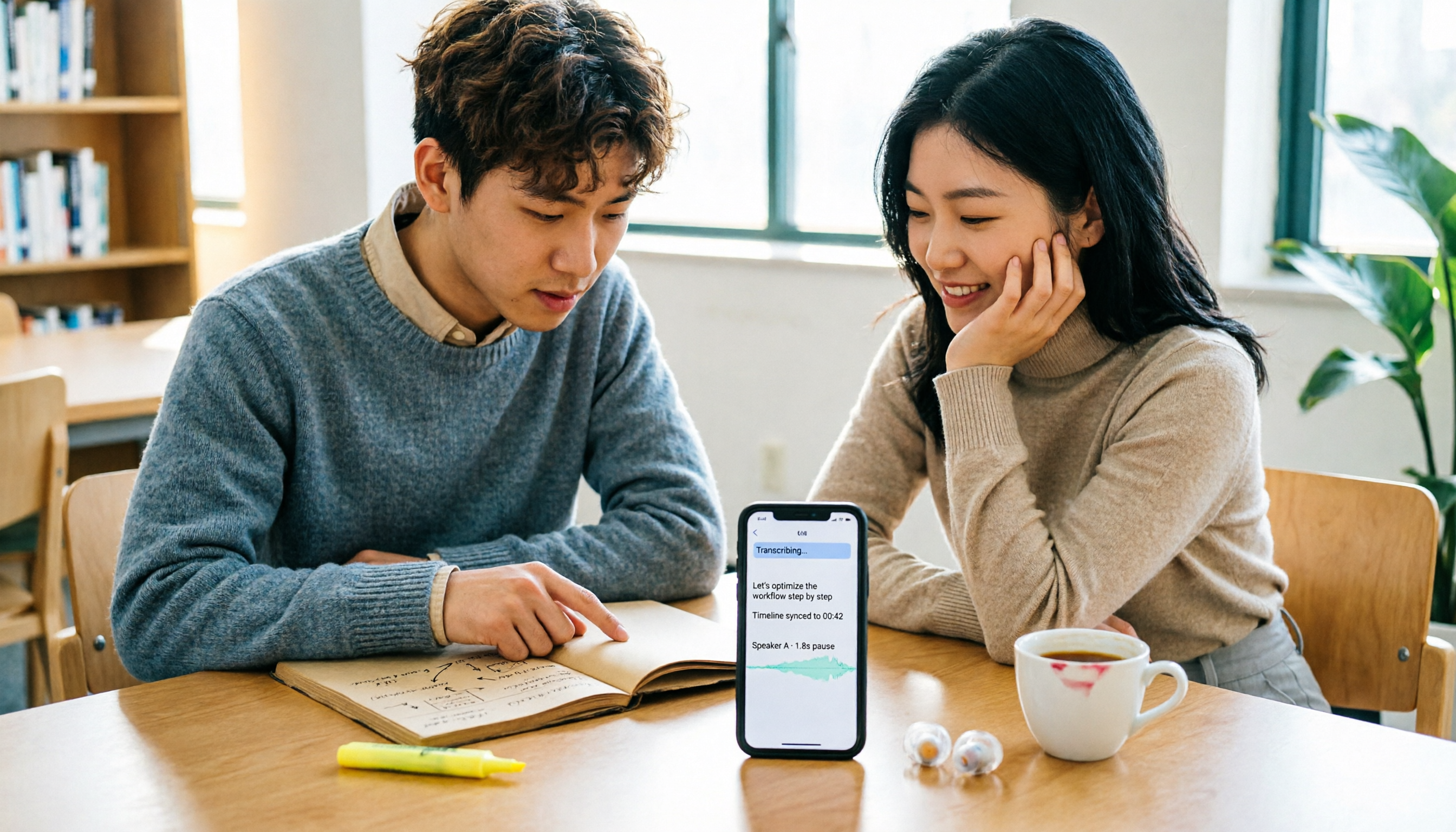
Turn recordings into transcripts and summaries in minutes
Upload audio or video for multilingual transcription, AI notes, and action items
2026 Comparison of 4 Meeting Note Apps: Which Free Tier Is Best for Students?
A two-hour class, 18 classes per semester—36 hours of recordings, you can't possibly re-listen to them all
Last semester I took a required course. The professor spoke super fast and flipped through slides even faster. I looked down to take notes, and by the time I looked up, the slide had changed. I thought I'd listen to the recording at home to catch up, but a 90-minute file—I started playing it, and by the third minute I was already scrolling on my phone. Before finals it was even worse: the recording was on my phone, and I had no idea which part covered the final exam scope. That's when I seriously started looking for a meeting note app—not just for meetings, but lectures, group discussions, and internship interviews all share the same pain point: lots of audio, very few key points.
Later I started using AI meeting note tools as a combo of "lecture recording + post-class key point finding." This article is my hands-on comparison of 4 meeting note apps that are relatively easy for Taiwanese students to get started with, after using them for a whole semester. I'll talk from a student's perspective: is the free quota enough, is Chinese smooth, is it good for group discussions, and most importantly—is it worth spending your allowance on.
Before choosing a meeting note app, understand these 4 key points
1. Free quota isn't just about "how many minutes"—look at the "per-session limit"
Many apps say 120 free minutes per month, which sounds like a lot, but each session can only record 3 minutes. If you need to organize a 90-minute class, that means splitting it into 30 segments—just uploading them is exhausting. For students, rather than looking at total minutes, look at "can it handle a whole class in one go?"
2. Chinese meetings and English meetings are two different worlds
Some tools are great for English meetings, but Chinese recognition, mixed Chinese-English, and Taiwanese accents get stuck. Our classes often have "Chinese lectures + English technical terms." If the app is only good at pure English, the transcript becomes a guessing game. I suggest testing with your own recordings, not just looking at official website examples.
3. After transcription, can it help you "find answers"?
A tool that only gives transcripts is basically throwing the organizing work back at you. What really saves time is: automatic summaries, chapters, action items, and AI Q&A where you can directly ask "What percentage of the final grade did the professor say the final exam is?" This is the feature I use most often. Without it, no matter how accurate the transcript is, I still have to flip through it myself.
4. How to record online group discussions? Bot vs. no bot
If your group meets on Google Meet or Teams, some tools require sending a "meeting bot" to join. It's not impossible, but it feels awkward: the bot sits in the participant list, and sometimes you have to wait for it to join. Another way is a desktop version that directly captures computer system audio, without an extra member. For student groups, the latter is usually simpler.
Tinrec—the one I use most after testing
One-sentence positioning: Tinrec is an AI meeting note and collaboration tool for individuals and teams, supporting iOS, Android, and web, and the desktop version can directly record online meetings on your computer.
I was initially drawn to "bot-free recording of online meetings." Our group project had a weekly Google Meet meeting, and previously with other tools we had to invite a meeting bot, and sometimes it missed recordings. Tinrec's desktop version directly captures computer system audio. Press record before the meeting, and the transcript is ready when the meeting ends—no extra bot stuck in the participant list. This is super practical for student groups because we usually only have 4 people, and an extra bot would be weird.
The second thing I use daily is "AI Q&A." After recording a 90-minute class, I don't listen from the beginning; I directly ask: "What are the three report key points the professor mentioned in this class?" It answers based on the recording content, not just keyword search results. Before midterms, I used this to quickly scan through the whole semester's classes. Honestly, AI summaries aren't 100% accurate; it misses some details, and I still click back to the transcript to confirm important sections. But it helps me fish out key points from 36 hours of recordings, which has saved me a ton of time. My roommate didn't believe it at first, but after seeing me use AI Q&A to scan key points before finals, now they use it too.
The third is the Chinese experience. Our classes are mixed Chinese-English, and the professor would say "the definition of this KPI needs to be clear." Tinrec's transcript can switch between original text, translation, or bilingual, so I don't need to open a separate translator for English sections. It also has real-time translation, so during cross-language meetings or English-taught classes, you can understand as you read. Actual recognition still depends on the environment—classrooms have air conditioning noise, classmates flipping handouts, people interrupting—the transcript definitely needs manual correction. Tinrec doesn't guarantee a fixed accuracy rate, which I think is honest, because no tool can be perfect in a noisy classroom.
Stop organizing recordings by hand
Upload audio or video and automatically get a transcript, summary, and action items
Another thing students really need: file import. Sometimes I upload pre-recorded course audio or interview recordings, and Tinrec can turn them into transcripts, summaries, and chapters. Output can also be exported to Notion, Google Docs, etc. I organized my final project interviews by transcribing and then directly dropping them into Notion for formatting.
Limitations should be clear too: the free version is a basic quota. If you record 2-3 classes a week like me, you might hit the limit after a while. The Pro monthly plan suits steady use, and the Pro annual plan works out cheaper; actual prices are subject to the official website. My own approach was to use the free version for a week first, confirm "will I really go back and look at transcripts," and then decide whether to pay. If your group project needs multiple people to share meeting data, Tinrec also has a team version with team spaces, member and seat management, usage analytics, and audit logs; but for general individual student use, the team version is usually not the first stop, unless your whole group wants to collectively organize interview data.
Who it's for: students who need Chinese meeting notes, want bot-free online meeting recording, want to use AI Q&A to find key points after class, and switch between phone and computer. Currently it's the meeting note app I open most frequently this semester.
Besides Tinrec, what other options are there?
Otter.ai
Otter.ai is a veteran English meeting note tool. Its free 300 minutes per month is generous, and the Pro annual plan works out to about USD 8.49/month. If you mainly record English-taught classes, its maturity is high; but Chinese meeting summaries and Q&A are not its focus. Tinrec has Chinese real-time translation, bilingual transcripts, and post-meeting Agent report generation, which is smoother for mixed Chinese-English classes. Suitable for students mainly in English-taught classes.
Notta
Notta offers 120 free minutes per month, but each session is limited to 3 minutes; the Pro annual plan works out to about USD 8.17/month. It has a wide range of features, supporting multi-platform transcription and translation. The pain point is the free version's 3-minute session limit—organizing a 90-minute interview requires 30 segments. Tinrec's free version can handle longer single recordings and also has AI Q&A around meetings; Notta's strength is transcription and translation. If you only transcribe short audio files, Notta is worth considering; to organize a whole class at once, Tinrec is smoother.
Granola
Granola is a bot-free AI meeting note tool. Basic is free, Business is USD 14/user/month. It combines real-time transcription and handwritten notes, with smart design; but it doesn't support uploading pre-recorded audio and doesn't save meeting audio. Tinrec can upload audio/video files, keep recordings, and has Chinese experience and real-time translation. Granola is suitable for pure real-time English meetings where you don't need to keep recordings.
Pitfall guide: 3 most common mistakes when choosing a meeting note app
Pitfall 1: Only looking at "how many free minutes" and ignoring "per-session length limit." Some apps' free quotas look sufficient, but each session can only record 3 minutes, so your class needs to be split into dozens of segments. Correct approach: check the per-session limit first, then calculate how many times you'll record per week.
Pitfall 2: Thinking a transcript is enough. A transcript is just raw material. What really saves time is summaries, chapters, action items, and AI Q&A. If you only use the tool as "audio to text," you're only using one-third of its capabilities. For example, Tinrec's AI Q&A lets you directly ask "What user pain points were mentioned in this interview?"—much faster than manual Ctrl+F.
Pitfall 3: Ignoring how online meetings are recorded. Tools that require a meeting bot to join add an extra member to group meetings, and sometimes you have to wait for it to enter the room. Another way is a desktop version that directly captures system audio, no bot needed. Neither is necessarily better, but you need to know your group's habits—if everyone uses Meet for quick discussions, bot-free is usually less intrusive.
Conclusion: Which one should you choose?
One-sentence recap: If what you want is "Chinese lecture recording + quick post-class key point finding + online group meetings without a bot," Tinrec is my most recommended choice this semester.
Scenario breakdown:
- Lecture recording, post-class AI Q&A for key points → Tinrec (Chinese summaries, chapters, AI Q&A all in one)
- Group meetings on Google Meet/Teams, don't want to invite a meeting bot → Tinrec desktop version (captures system audio, no bot)
- Need to upload teacher's pre-recorded audio, interview recordings → Tinrec (supports audio/video file transcription and export)
- Mixed Chinese-English, need real-time translation and bilingual transcripts → Tinrec (can switch between original, translation, or bilingual)
- Zero budget, mainly recording English-taught classes → Otter.ai (free 300 minutes, mature for English meetings; the only exception)
Final advice for students: start with the free version, don't pay right away. Record one class or one group discussion this week, confirm the transcript is useful to you and AI summaries capture key points, then consider upgrading. Tinrec's free version has a basic quota, enough for you to experience the "record → transcript → summary → Q&A" flow; if you feel it really saves time, then choose a weekly, Pro monthly, or annual plan based on usage frequency. For actual prices and plan benefits, remember to check the official website's purchase page.
(Reminder: Before recording, please confirm the occasion allows it and respect the wishes of teachers and classmates; important information should still be verified against transcripts and recordings—AI is not infallible.)
References
- AI Meeting Notes Software Recommendations: 5 App Hands-on Comparisons, Automatic Transcription Makes Meetings Easy!
- No Time Limit! 3 Free AI Transcript Tools, Highly Recommended! AI Voice Notes Generate Meeting Minutes, Presentations, Mind Maps | 104 Career Power
- 2026 Comparison of 5 AI Meeting Note Tools: Which Free Version Is Most Sufficient? - Tinrec Blog
- Meeting Ink - 2026 AI Meeting Notes Tool Hands-on | 7 Speech-to-Text and Summary Speed Comparisons | Meeting Ink - AI Meeting Notes Assistant Automatic Transcription and Summary
- 2026 Comparison of 5 Free Meeting Note Apps: Which Free Version Is Most Sufficient? - Tinrec Blog
Turn every recording into actionable outcomes
Get 60 free transcription minutes when you sign in. No credit card required.
Related Reading
You might also like

4 Cantonese Speech-to-Text Tools Compared for 2026: Free Tiers and Cantonese Recognition Explained
A comparison of four Cantonese speech-to-text tools in 2026—Tinrec, Notta, Otter.ai, and TurboScribe—covering free tiers, Cantonese recognition performance, and post-meeting organization features, plus buying tips and four common pitfalls to help you decide which one truly meets your needs.

4 AI Meeting Transcription Tools Tested in Chinese (2026): Which Free Version Is Good Enough?
Starting from student group discussions and class recordings, this article compares Tinrec, Notta, Google Meet's built-in notes, and Granola on Chinese meeting transcription. It first breaks down five key factors for choosing a Chinese AI meeting tool, then tests Tinrec's bot-free recording, AI Q&A, and post-meeting organization, and finally advises on whether free versions suffice and when to choose competitors.

2026 AI Meeting Notes Comparison: 4 Tools Tested—Which One Actually Saves You Post-Meeting Time?
Starting from the pain point of a mid-level manager juggling 15 meetings a week, this comparison examines the practical differences between Tinrec, Notta, Otter.ai, and Granola as AI meeting notes tools. It covers four key buying criteria, common pitfalls to avoid, and scenario-based recommendations.

4 Meeting Transcription Tools Tested for 2026: Which Offers the Best Free Tier and Post-Meeting Organization?
Turning meeting recordings into transcripts is easy; the hard part is finding key points and following up on action items afterward. This article compares four tools—Tinrec, Notta, Otter.ai, and Granola—across Chinese transcription, bot-free meeting recording, post-meeting summary Q&A, team collaboration, and free tier limits to help you choose the right meeting transcription tool for office workers.

2026 Comparison of 5 Recording Transfer and Organization Tools: Legal Sharing and Cross-Device Transfer—Which Saves the Most Time?
Can you send a recording to someone else? This article first outlines the legal boundaries and practical risks of forwarding recordings, then compares Tinrec, Otter.ai, Notta, Granola, and TurboScribe in their recording, transcription, organization, and sharing workflows. It also includes common transfer methods for iPhone and Android, along with price and quota verification.

Tinrec vs Notta 2026: 5-Dimension Comparison — Tinrec Is Better for Chinese Meetings and Team Knowledge Retention
AI meeting notes aren't just about dropping in a recording and waiting for a transcript. This article starts with common misconceptions and compares Tinrec and Notta across 5 dimensions: meeting capture methods, Chinese meeting experience, post-meeting organization, team knowledge retention, and pricing plans — helping you decide which one better fits your meeting scenarios.

2026 Comparison of 4 English Transcript Tools: How to Get a Transcript Fastest?
Starting from campus scenarios, this hands-on comparison of Tinrec, Otter.ai, Notta, and Yating Transcript explains how to choose an English transcript tool, whether free tiers are sufficient, and how AI Q&A and bilingual transcripts can help students save review time.

Tutorial: Tinrec Meeting Notes in 2026 — Bot-Free Recording + AI Summaries & Action Items
Starting from real pain points in meeting notes, this guide covers Tinrec's live transcription, bot-free online meeting recording, AI summaries and action items, team spaces, and pricing plans, plus a 5-step tutorial and FAQs.

2026 AI Meeting Assistant Comparison: Which One Saves the Most Time for Chinese Meetings and Post-Meeting Organization?
How accurately Chinese meetings are transcribed, whether summaries and action items are directly usable, and whether the free tier is sufficient—these three factors determine which AI meeting assistant you should choose. This article compares Tinrec, Otter.ai, Notta, and Granola using the same set of usage scenarios, with selection criteria, common pitfalls, and scenario-based recommendations.