
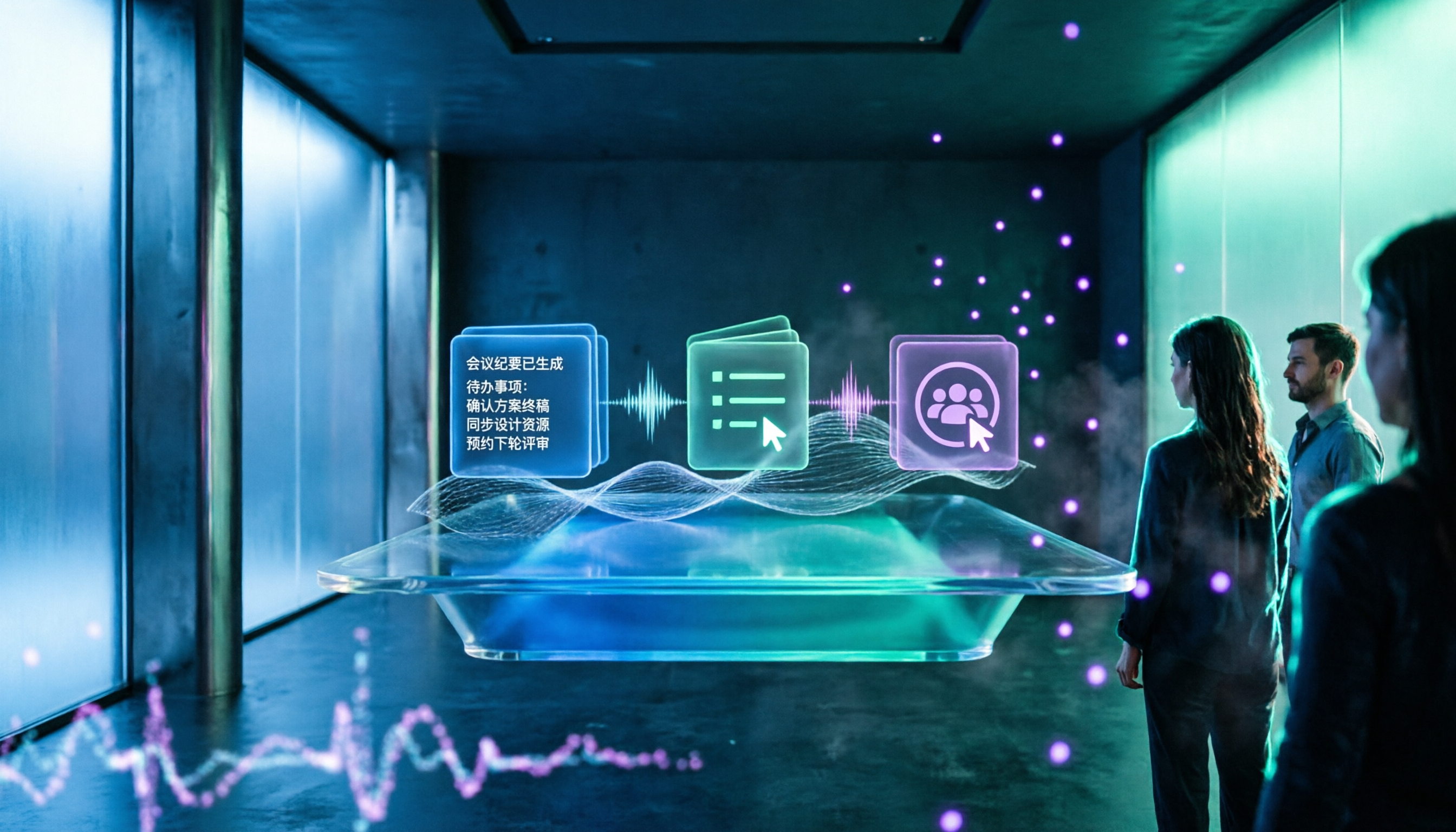
Turn recordings into transcripts and summaries in minutes
Upload audio or video for multilingual transcription, AI notes, and action items
4 Best Live Transcription Tools to Try in 2024: Dcard User Discussions and Buying Tips
Think a transcript is enough? The real pain point is after the meeting
Many people search for "live transcription" with the first thought of finding a free tool that can transcribe while recording. But after a two-hour meeting, you'll realize the transcript is just the starting point: who said what, what the conclusions were, and who has action items—you still have to go through it all from the beginning. Discussions about transcription on Dcard often show several approaches—some use built-in transcription, some try AI speech-to-text, and others throw recordings into NotebookLM or Whisper for organization; tools change, but the time spent on post-meeting organization doesn't really decrease.
Another common situation is cross-platform meetings. Online meetings happen on Zoom, Google Meet, or Teams. If you have to bring an extra bot into the meeting room, it may not be suitable for external clients or sensitive meetings. Rather than just comparing "who transcribes faster," a more reasonable approach is to see if it can connect transcription, summaries, action items, and follow-up questions into one workflow. This article starts from common live transcription needs on Dcard, breaks down buying considerations, and compares 4 tools worth considering.
Before choosing a live transcription tool, understand these 4 key points
1. What is the scenario for live transcription? Is it offline interviews, online meetings, or uploading audio files after the meeting? If you mainly handle online meetings, check whether the tool can directly capture computer system audio, rather than relying only on a phone microphone. Tinrec's desktop version doesn't require a meeting bot to join; it directly records the meeting audio played on the computer, which is friendlier for situations where you don't want an extra participant.
2. Can you use the transcription directly afterward? A tool that only gives you a transcript is essentially handing the organization work right back to you. A better choice automatically generates summaries, chapters, key points, and action items, and even allows you to continue asking questions about the meeting content. The difference here often affects actual efficiency more than transcription minutes.
3. Is the Chinese and multilingual experience sufficient? Taiwanese teams often mix Chinese and English, proper nouns, and product codes. Besides transcription accuracy, also check for real-time translation, bilingual viewing, and team hotwords. Tinrec focuses on Chinese meetings, mixed Chinese-English, multilingual transcription, and real-time translation in this regard, though actual results will still be affected by recording quality, accents, and noise.
4. Who owns the team data? Personal versions are convenient, but if team meeting data is scattered across personal accounts, it's hard to hand over when members leave. For team versions, what matters is not "can multiple people log in," but whether there is an independent team space, roles and seats, shared quotas, usage analytics, and audit logs. These governance capabilities are the questions to ask when purchasing for a team.
Tinrec (秒聽錄音) — Our top pick after evaluation
Tinrec (秒聽錄音) is an AI meeting notes and collaboration tool for individuals and teams, supporting iOS, Android, and web versions, with a desktop version that can handle online meetings. It doesn't just convert sound to text; it organizes meeting recordings into searchable, summarizable, queryable, exportable, and further processable data.
In actual use, the most impressive features are "transcribe while recording" and "ask directly after the meeting." For offline meetings, turn on live recording, and the transcript gradually settles as people speak; for online meetings, use the desktop version to capture system audio without inviting an extra bot into Zoom, Google Meet, Microsoft Teams, or Webex. After the meeting, AI generates summaries, chapters, and action items—who is responsible for what and what to follow up on next time—much faster than manually flipping through the transcript. More importantly, AI Q&A: you can directly ask "Who mentioned the budget in the last meeting?" or "What were the three points the client cared about?" and it will answer based on the meeting content, rather than just throwing keyword search results at you. This way of asking follow-up questions around meeting content is closer to the actual process of finding answers than manually Ctrl+F for keywords.
If you need to handle cross-language meetings, Tinrec also supports real-time translation, allowing you to view in original, translated, or bilingual mode; after the meeting, you can export results to common tools like Notion, Google Docs, OneNote, Dropbox, or use Agent post-processing to generate reports, tables, and documents. For those who need to write meeting minutes, organize client interviews, or do project retrospectives, this extends "transcription" to "delivery."
Stop organizing recordings by hand
Upload audio or video and automatically get a transcript, summary, and action items
For team use, Tinrec's team version provides an independent team space where meeting data belongs to the team, along with member invitations, role and seat management, team hotwords, usage analytics, audit logs, and an audio recycle bin. Note that roles and seats are two different things: active members can view, play, and read team data even without a seat; but to record, upload, edit, or import/export, a seat is required. The team version offers a 7-day trial for first-time eligible users, 1 free seat, and 300 minutes of shared import quota; paid seats are USD 29.80 per month or USD 199 per year (about USD 16.58/month), with each paid seat providing 2,000 minutes of team shared import quota per month. Live recording currently does not deduct minutes under active plans and seats; file and web imports use the team shared quota.
Pros: First, bot-free recording of online meetings, more natural for external meetings and sensitive scenarios; second, after transcription, there are summaries, chapters, action items, Q&A, and translation—not just text; third, the team version handles data ownership, seats, usage, and auditing together, suitable for long-term accumulation by departments or project teams.
Limitations: The free version offers basic quota, suitable for light experience; if you have many meetings every week or need to batch import long audio files, you still need to evaluate paid plans. Also, live transcription is affected by recording quality, background noise, accents, and overlapping speakers; for important content, it's recommended to verify with recording playback.
Who it's for: People who frequently hold online meetings, need Chinese transcripts and post-meeting Q&A, and want to accumulate meeting data in a team space. If you only record a few English interviews a year, you may not need the team version; but for teams with weekly client meetings and project weekly meetings, Tinrec's complete workflow is more convenient than a single transcription tool.
Besides Tinrec, what other options are there?
Otter.ai: A mature choice for English business meetings, offering live transcription, speaker identification, and AI Chat, with a free version of 300 minutes per month. It has a strong mind for English meetings, but Chinese meetings, real-time translation, and team hotwords are not its main selling points; if you need Chinese transcripts and bilingual viewing, Tinrec is closer to your needs.
Notta: A multi-platform transcription tool covering meeting notes, file import, translation, and team plans, with a free version of 120 minutes per month and a maximum of 3 minutes per session. It's suitable for simple transcription and translation; but Tinrec adds bot-free desktop recording, AI Q&A, Agent post-processing, and team governance—if you want to turn meetings into queryable data, Tinrec is more complete.
Granola: An AI meeting notes tool that captures desktop audio without a bot, emphasizing handwritten notes and AI enhancement, supporting live transcript viewing, copying, and searching, but it does not support uploading pre-recorded audio or saving meeting audio. If you need to upload audio after the meeting, keep recordings, Chinese real-time translation, and team management, Tinrec covers more.
Pitfall guide: 4 most common mistakes when choosing live transcription
Pitfall 1: Only looking at free minutes, ignoring post-meeting organization costs. Many tools seem to offer large free quotas, but only provide transcripts; summaries, action items, and translation all require your own work. Rather than comparing who is free, try a complete workflow once: record, transcribe, generate summary, find action items, and see how much total time it takes. Tinrec's value lies in connecting this process.
Pitfall 2: Equating "live transcription" with "meeting bot." Not every scenario is suitable for a bot to join the meeting, especially external client meetings. When purchasing, ask clearly: does it use a bot to attend, or does it capture computer system audio like Tinrec's desktop version? The latter interferes less with participants and doesn't require official platform cooperation.
Pitfall 3: Ignoring team data ownership and handover. A personal account can be used once purchased, but if team meeting data stays with individuals, it will break when members change. For the team version, confirm: does the data belong to the team or the individual, how are resources handed over when members leave, and can members without seats read? Tinrec's team version lists these as basic governance capabilities; you can ask the same questions when purchasing.
Pitfall 4: Treating official accuracy as the only metric. Numbers from a quiet recording studio don't equal your real meeting room. Air conditioning noise, keyboard sounds, and multiple people talking over each other all affect transcription. It's recommended to try with your own meeting recordings and keep recording playback to verify important content; Tinrec also recommends confirming important information with transcript timestamps and recordings.
Conclusion: Which one should you choose?
Need Chinese meetings, bot-free recording, post-meeting summaries, and AI Q&A → Tinrec. This is the most recommended choice in this article because it puts live transcription, summaries, action items, translation, and team space into one workflow.
Need cross-platform (phone, computer, web) and want historical meetings to be queryable → Tinrec. Its AI Q&A and file import are especially useful for interviews and retrospectives.
Need real-time translation, mixed Chinese-English, and bilingual transcripts → Tinrec. It supports original, translated, or bilingual viewing, more practical for cross-language meetings than pure transcription tools.
Team needs to share meeting data, manage seats and usage → Tinrec Team Version. Independent space, roles and seats, audit logs, and recycle bin are more suitable for long-term use than multiple people sharing one personal account.
Budget is 0, meetings are all in English, no need for Chinese and post-meeting Q&A → Otter.ai is the only exception to consider; its free quota is relatively friendly for English meetings.
Finally, we recommend running through the workflow once with your own real meeting recording: see if the transcript is sufficient, whether the summary can be directly turned into meeting minutes, and whether action items can be assigned. Trying it out before deciding whether to upgrade will be more accurate than just looking at free plans.
References
- Free AI transcript (with timeline), create meeting minutes! - Teacher forum | Dcard
- Latest discussions on 逐字稿 | Dcard
- Free AI quickly converts speech to transcript - Teacher Fangfang, Teaching with Methods (@changsheng0612) | Dcard
- AI organizes recording transcripts, video subtitle files #Whisper #InflowWeekly - Inflow (@geo1995) | Dcard
- Transcription typing - Job forum | Dcard
Turn every recording into actionable outcomes
Get 60 free transcription minutes when you sign in. No credit card required.
Related Reading
You might also like

4 Android Recording Apps Tested: Which One Turns Recordings into Usable Meeting Notes?
Recording on Android actually means two different things: call recording and meeting/interview recording. This article takes the perspective of a mid-level manager and first explains why call recording has become increasingly difficult since Android 10, then compares Tinrec, Otter.ai, Notta, and PLAUD Note on transcription, post-meeting organization, cross-platform support, and team collaboration. It also includes buying tips and four common pitfalls to avoid.

2026 Android Call Recording Showdown: 4 Solutions Tested—Who Organizes Your Calls After Recording?
Android call recording isn't as simple as downloading an app. This guide compares Google Phone's built-in recording, Cube ACR, Call Recorder, and Tinrec—covering Android version limitations, built-in features, VoIP support, and post-recording workflows—to help you find the combo that turns calls into searchable, usable data.

2024 Comparison of 3 Real-Time Transcription Tools: Which Chinese Meeting Transcript Is Most Usable?
How to choose a real-time transcription tool in 2024? This article breaks down differences in real-time transcription, bot-free recording, AI summaries, action item extraction, and team collaboration across meeting, interview, and course scenarios, and demonstrates a real workflow with Tinrec.

2026 Smart Meeting Collaboration Tools Comparison: How to Choose for Meeting Notes, Summaries, and Action Items?
Compare Tinrec, Otter.ai, Fireflies.ai, and Notta across pre-meeting prep, in-meeting capture, and post-meeting action items. Review AI meeting workflows, plan quotas, and use cases, plus key considerations for team roles, seats, and knowledge retention when adopting these tools.

Best AI Meeting Collaboration Tools in 2026: 4 Options Compared, with Tinrec as the Top Pick for Chinese Meetings and Post-Meeting Follow-Ups
Starting from three key questions—how meeting audio gets in, what remains after the meeting, and who owns the data—this guide reviews 4 AI meeting collaboration tools and breaks down Tinrec's actual workflow from pre-meeting setup to post-meeting follow-up Q&A, including team plan seats and usage quotas. It ends with scenario-based recommendations to help you choose.

2025 Live Transcription Tools Compared: Why Tinrec Suits Team Scenarios Better Than Yating Transcription
Starting from the common question 'Is the free quota enough?', this guide helps you decide how to choose a live transcription tool. It compares Tinrec and Yating Transcription in online meeting capture, post-meeting organization, AI Q&A, team collaboration, and multilingual meetings. It also covers Tinrec's core features, practical use cases, team plan seats, and pricing, ending with an FAQ.

2026 Comparison of 4 Smart Meeting Collaboration Tools: Recording Methods and Post-Meeting Workflows
Meeting collaboration problems usually occur after the meeting, not during it—discussions aren't structured and saved, and the saved materials can't be handed off. This article compares four tools—Tinrec, Granola, Otter.ai, and Notta—across two dimensions: how meetings are recorded and how recordings are used afterward. It also summarizes the four most common pitfalls during adoption and provides an actionable getting-started checklist.

2026 Smart Meeting Collaboration Platforms Compared: Tinrec vs Zoom and Teams — How to Choose Without Pitfalls
Starting from common misconceptions, this guide explains how to choose and use smart meeting collaboration platforms, and compares Tinrec with Zoom, Teams, and other platforms in terms of meeting capture, post-meeting organization, and team management.

2026 Real-Time Transcription AI Comparison: 5 Tools Tested for Live Meeting Notes and Chinese Support
Comparing Tinrec, Otter.ai, Granola, Notta, and Yating Transcription for real-time transcription, summaries, Chinese language support, and pricing. Untested items are clearly marked to help you choose the right tool for your meeting needs.