

Turn recordings into transcripts and summaries in minutes
Upload audio or video for multilingual transcription, AI notes, and action items
2026 Comparison of 3 Note-Taking Recording Tools: Is the iPhone Built-in Recorder Enough?
Last Wednesday I had a 50-minute one-on-one with a direct report. Near the end, he said, "I'll get back to you on that client contract by next Tuesday." I thought it was important, but I didn't write it down. That evening, while writing my weekly report, I only remembered "someone mentioned a contract," but couldn't recall who, what day, or what terms.
This is the real starting point for the question "Can the Notes app record audio?" It's not about whether the feature exists, but about whether you can actually find that one sentence when you need to go back to it.
The Pain Point Isn't Recording—It's "After Recording"
The history of meeting notes on my team goes something like this: handwritten notes, too slow, missing half; switched to recording, then had to re-listen at home—a two-hour meeting meant another two hours; later asked subordinates to help organize, but they have their own projects, so this kind of task naturally gets pushed to third priority.
What's more troublesome is cross-department coordination. In a meeting, everyone verbally agrees on "who changes this field, when it goes live," but two days later when you ask, the other person says, "Did we?" A commitment without a record is as good as never happened.
If you've experienced these things too, what you really need isn't a "Notes app that can record," but a process that turns recordings into searchable, queryable, and transferable data.
Before Choosing a Note-Taking Recording Tool, Understand These 4 Key Points
1. Is there a transcript after recording, and can the transcript be searched? If you only have an audio file, you've essentially bought a tape you have to listen through yourself. Whether you can locate by keyword and click text to jump to the corresponding second makes the difference between "spending 3 minutes" and "spending 40 minutes."
2. Recognition experience with Chinese and mixed Chinese-English Meetings in Taiwan are rarely pure Chinese; they usually include phrases like "the KPI for this campaign needs to be aligned first." You should test your team's actual way of speaking, not the official promotional numbers. Remember to test in a real environment: with air conditioning noise, people interrupting, and technical terms.
3. Cross-device and cross-platform Today you record a one-on-one on your iPhone, tomorrow you organize a cross-department meeting on your computer. If the tool doesn't support cross-platform, you'll be miserable.
4. Data ownership: is it "yours" or "the team's" This is the most easily overlooked point. Audio recorded under a personal account leaves with you when you leave; audio in a team space stays and becomes a department asset. If you manage people, this is far more important than free quotas.
Tinrec—The One We Kept Using After Testing
In one sentence: Tinrec is an AI meeting notes and collaboration tool for individuals and teams, covering desktop, mobile, and web versions.
At first I only used it for "audio to text," but after two weeks I changed my view—the real time savings come after the meeting.
During the meeting: no need to invite a bot into the meeting room We have Zoom calls with clients and Teams calls internally. The most troublesome thing used to be pulling a meeting bot in; clients would see an unknown account and ask, "Who is this?" The Tinrec desktop version directly captures the computer's system audio, without needing an extra participant to join, and it won't be seen as an unknown account. This makes a big difference in external meetings.
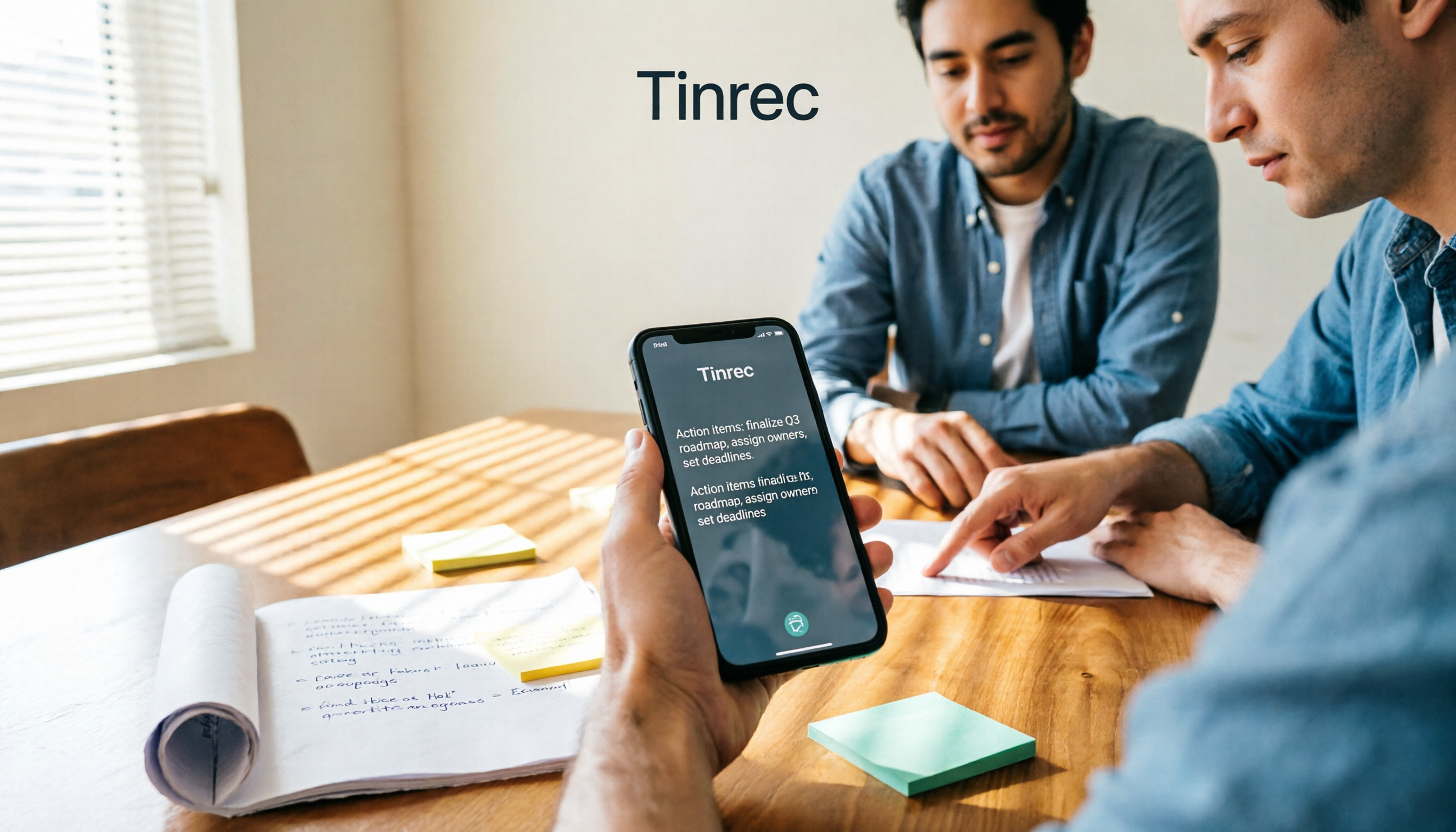
Five minutes after the meeting: summaries, chapters, and action items appear automatically After the meeting ends, it produces a transcript, summary, chapters, and key points, and also extracts action items from the discussion into to-dos. My actual usage: after the meeting, first look at the summary to confirm my understanding is correct, then scan the to-dos to see if I missed anything I'm responsible for. This used to take me 40 minutes; now it's 5 minutes.
When you can't find something: just ask it This is where it differs most from similar tools. Last month my boss asked me, "What was the conclusion of the meeting about licensing fees?" I didn't flip through notes; I directly asked in Tinrec, "What was the conclusion of the discussion about licensing fees?" It gave me an organized answer, not a bunch of keyword search results. This "find meetings by asking" experience is something you can't go back from once you've tried it.
Other features I use Historical audio and video can be uploaded directly for transcription—interview recordings that had been sitting in folders are finally useful; cross-language meetings can enable real-time translation, viewed in original, translated, or bilingual mode; after organizing, you can export to Notion, Google Docs, or OneNote for further processing, and also directly generate reports, tables, and meeting minutes.
Stop organizing recordings by hand
Upload audio or video and automatically get a transcript, summary, and action items
Team scenario: this is the reason I finally decided to adopt it I manage 10 people, and the biggest pain is "when people leave, data leaves too." Tinrec's team version is an independent team space where meeting data belongs to the team. New members can view historical meetings, and when members leave or lose their seats, they must hand over the resources they are responsible for. The admin side can view usage trends, member rankings, export audit logs, and there's an audio recycle bin to recover accidentally deleted recordings. One commonly misunderstood point needs to be clarified: in the team version, roles determine "who can manage," and seats determine "who can record, upload, and edit." Members without a seat can still view, play, and read team data, but cannot edit or export. It's team-level sharing, not file-level granular permissions.
Honest limitations First, it doesn't automatically join all meetings on your calendar; you have to press start recording yourself. Second, the free version has a basic quota. If you have meetings every day like me, you'll eventually need to pay—the team version is priced per paid seat: USD 29.80/seat/month for monthly billing, USD 199/seat/year for annual billing (about USD 16.58/month), each paid seat gets 2,000 minutes of team shared import quota per month, and real-time recording within the team plan is currently not deducted by minutes. For personal use, you can start with the free version; for short-term intensive needs, consider a weekly pass; for long-term retention, consider Pro or an annual pass.
Who it's for People who have a lot of meetings every week, need to get summaries and action items directly after meetings, and want meeting data to stay with the team rather than on personal phones.
Besides Tinrec, What Other Options Are There?
iPhone/Mac built-in "Notes" and "Voice Memos" First, answer the keyword itself: yes. In recent system versions, Notes on iPhone and Mac supports recording and converting to transcripts; transcripts can be searched, copied, and clicking text jumps back to the corresponding paragraph. "Voice Memos" has been built-in since iOS 12, supporting stereo, spatial audio, pause and resume, and trimming. Free, no installation needed—that's its biggest advantage. The limitations are also clear: transcripts only appear if your device and language meet the conditions; summaries require Apple Intelligence-supported devices; some features are unavailable when using a non-iCloud account; and if you delete the recording, the transcript disappears with it. It does "record" and "turn into text," but has no AI follow-up questions and won't organize action items into a list for you.
Notta A multi-platform transcription and translation tool with decent Chinese support. The free version offers 120 minutes per month but caps single content at 3 minutes; paid plans are generous with minutes, and team plans include role permissions and usage reports. Suitable for those focused on "file transcription + subtitle translation." But if you want to directly ask "who mentioned the budget" after a meeting, it's not currently on that path; Tinrec's AI Q&A and post-meeting Agent output are what it doesn't match.
Granola Also a bot-free AI meeting notes tool that transcribes in real time via desktop system audio. Its strength is combining your own typed notes with AI content, and it does well in cross-meeting contexts. Two things to note: it doesn't support uploading existing audio files, and it doesn't save meeting audio files, so "replaying to verify original words" is not possible. If you need to keep audio files, import historical recordings, need real-time Chinese translation, and team data governance, Tinrec clearly has the advantage here.
Pitfall Guide: The 4 Most Common Mistakes When Choosing These Tools
Pitfall 1: Thinking "having a recording" equals "having a record" If you don't organize after recording, those audio files become digital junk taking up space three months later. When choosing a tool, first ask: will it produce summaries and action items for me?
Pitfall 2: Not checking whether deleting the recording also deletes the transcript Some tools (including built-in Notes) delete the transcript along with the audio. Copy important content to a document or add it to Notes before deleting the audio file.
Pitfall 3: Using a personal account for team meetings Convenient short-term, disastrous long-term. Once a person transfers departments, years of meeting records disappear with them. Team meetings should go in team spaces.
Pitfall 4: Only looking at free quotas, not the post-meeting process No matter how many free minutes, if you still have to re-listen and type minutes yourself after the meeting, you're only using a third of the tool. Rather than comparing minutes, compare how many minutes it takes you "from finishing recording to handing in the minutes."
Conclusion: Which One Should You Choose?
- Just want to occasionally record a memo, don't want to install anything → iPhone/Mac built-in Notes is enough; first confirm your device and language support transcripts.
- Need to get summaries, chapters, and action items directly after meetings, and want to find meeting conclusions by "asking" → Tinrec; this is where it differs most from built-in features.
- Often have Zoom or Teams meetings with external clients, don't want a bot appearing in the participant list → Tinrec desktop version, directly captures system audio.
- Meeting data should stay with the team, and personnel changes shouldn't cause discontinuity → Tinrec team version, managed by roles and seats, data belongs to the team.
- Main work is mass transcription of long files and subtitle translation → Notta or similar tools are more suitable.
- You're used to typing your own notes and just want AI to supplement → Granola's note enhancement approach is worth a look, but you must accept that it doesn't save audio files.
My advice is practical: first use the free version to record your next meeting, and within ten minutes after the meeting, see if the summary and action items it gives you are enough to directly write your weekly report. If yes, keep using it; if not, switch. With tools, you know after one meeting—no need to read ten reviews.
One final reminder: recording involves others' privacy. For cross-department or external meetings, please inform participants in advance and comply with local regulations. For important decisions, it's also recommended to cross-check with transcripts and original audio; don't rely solely on AI summaries.
References
- Record and transcribe audio in Notes on Mac - Apple Support (Taiwan)
- Record and transcribe audio in Notes on iPhone - Apple Support (Taiwan)
- 2026 Comparison of 4 Audio-to-Text Apps: Tinrec Makes Chinese Meeting Minutes Painless - Tinrec Blog
- Record audio in Voice Memos on iPhone - Apple Support (Taiwan)
- How to Use iPad Notes Recording? Transcript and Summary Tutorial | PingGO
Turn every recording into actionable outcomes
Get 60 free transcription minutes when you sign in. No credit card required.
Related Reading
You might also like

5 Best Transcription Tools in 2026: Is Yating Good Enough? Which Saves More Post-Meeting Time?
Yating performs well with Taiwanese accents and Taiwanese Hokkien, but organizing the transcript afterward is the real time sink. This article addresses common misconceptions, breaks down the capabilities transcription tools should have, practical use cases, and 5 purchase checkpoints. It uses Tinrec's real-time transcription, AI summaries, bot-free meeting recording, and team spaces as concrete examples to help you decide whether you need 'accurate transcription' or 'fast organization'.
3 Free iPhone Photo-to-Text Methods for 2026: Built-in Features vs. Meeting Notes Compared
No app download needed to turn iPhone photos into text. This guide compares Live Text, Notes scan text, and Shortcuts—three free methods—covering version requirements, best use cases, and limitations. It also contrasts Tinrec's approach to meeting transcription, post-meeting organization, and team collaboration to help you decide which tool fits your needs.

2026 Comparison of 5 Online Meeting Software: Is the Free Version Enough, and How to Fill In Meeting Notes?
A roundup of 5 common online meeting software in 2026: Google Meet, Zoom, Microsoft Teams, Cisco Webex, and LINE, covering their positioning and limitations. It also explains how to use Tinrec to fill in transcripts, summaries, action items, and team knowledge after meetings, with practical judgment on free quotas and team plan pricing.

2026 Screen Recording to Text Tools Compared: Is EverCam's Free Version Enough?
Is EverCam really free? What's the difference between the trial and free versions, what are the actual limitations of the free version, and can recorded videos be exported and published? This article compiles official statements and compares the workflows suited for EverCam, Tinrec, Otter.ai, Notta, and Granola to help you decide if the free version is sufficient and when to switch tools.

3 iPhone Photo-to-Text Methods Tested for 2026: Which Is Fastest and Needs No App?
How do you turn text from iPhone photos into editable text? We tested and compared three built-in methods: Live Text, Notes scan text, and Shortcuts automation. We also explain which tool to use for audio-to-text tasks like meeting recordings, with step-by-step instructions, limitations, and pitfalls to avoid.

Gemini vs Tinrec: Which Is Better for Meeting Transcription in 2026?
Many people wonder if Gemini can directly transcribe audio files. This article addresses common misconceptions, explains the limitations and uncertainties of uploading audio to Gemini, and compares Gemini with Tinrec across five dimensions: transcription workflow, Chinese meetings, post-meeting organization, team collaboration, and usage management. It helps you decide which solution better fits your meeting transcription needs.

How to Use Phone Recording Transcripts in 2026: A Complete 5-Step Guide
Starting with the built-in Voice Memos and Notes transcript features on iPhone, this guide outlines a 5-step process, common limitations, and compares transcription solutions like Tinrec, Otter.ai, Notta, and TurboScribe.

5 iPhone Text-to-Speech Methods Tested in 2026: How to Combine Spoken Screen, Live Speech, and Meeting Transcription for the Least Effort
iPhone can convert text to speech without installing any extra apps. This guide covers four practical methods—Speak Screen, Speak Selection, Live Speech, and creating audio with Shortcuts—explaining when each works best and its limitations. It also addresses the reverse need: how to turn meeting audio into searchable transcripts and action items.

Google Meet Won't Record in 2026? Complete Guide: 8 Causes & Fixes
If the record button is unresponsive, it's usually not broken—it's blocked by your account plan, host permissions, meeting type, or device environment. This guide covers 8 common reasons Google Meet won't record, a 5-minute troubleshooting sequence, and compares built-in recording with Tinrec's desktop bot-free recording in terms of permission barriers, meeting types, and post-meeting outputs.