
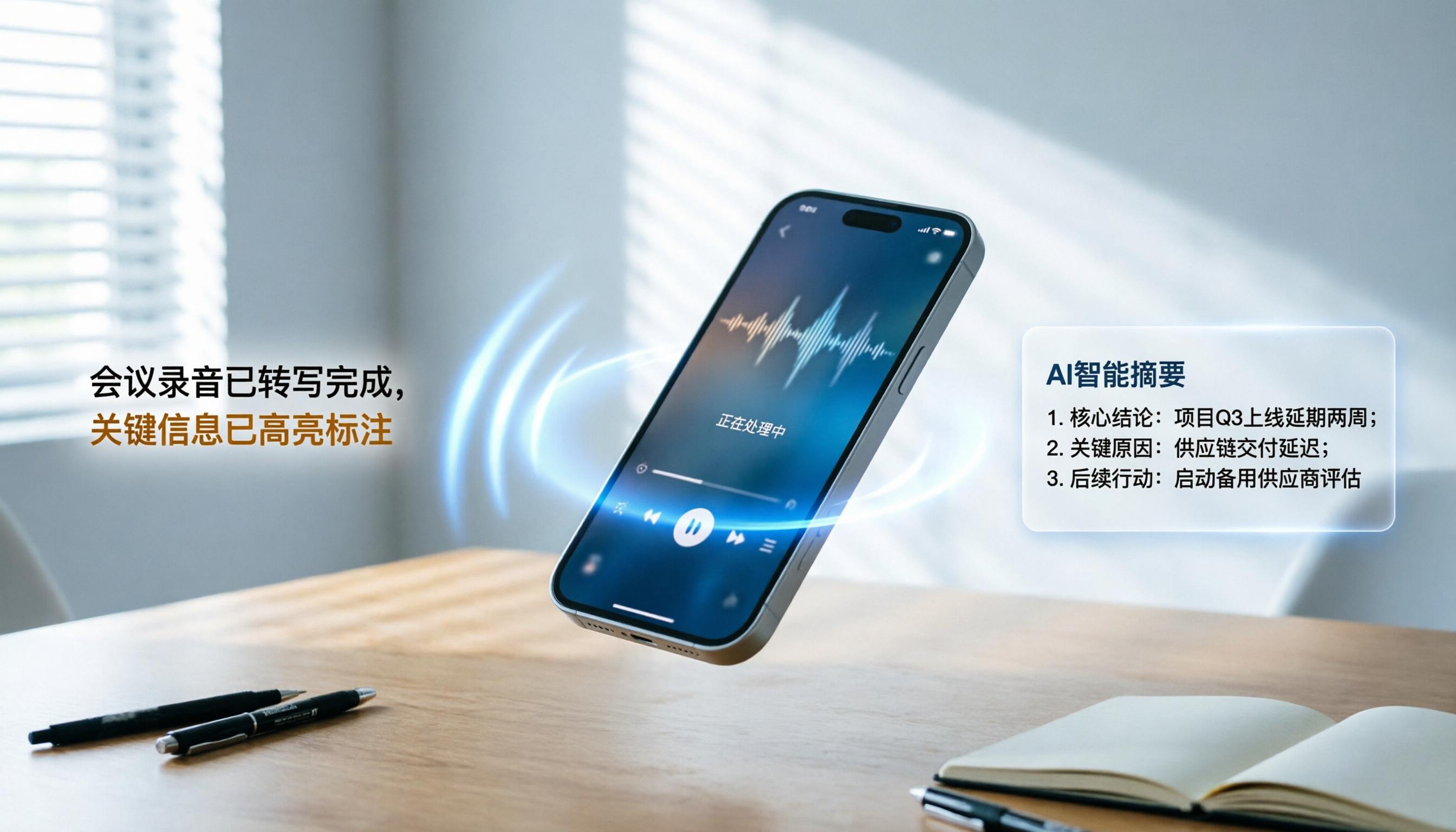
Turn recordings into transcripts and summaries in minutes
Upload audio or video for multilingual transcription, AI notes, and action items
Quick Answer: Limitations of Feishu Audio-to-Text and the Best Solution
If you are using Feishu (Lark) for internal meetings, you can directly open "Feishu Minutes" to enable real-time audio-to-text and automatic summaries. However, Feishu Minutes is primarily designed for Feishu meetings or audio uploaded to Feishu Cloud. It lacks direct support for external audio files recorded on your phone, online meetings from non-Feishu platforms (e.g., Zoom, Teams), or YouTube videos. In such cases, it is recommended to pair it with a professional tool like Tinrec, which supports multi-format uploads and AI-powered conversational queries, to fill the gap in cross-platform and unstructured audio processing.
Why Do You Need a More Flexible Audio-to-Text Tool?
Many professionals face the following pain points:
- Diverse Sources: Audio comes from iPhone voice memos, physical meeting recorders, or online courses, and cannot be directly imported into Feishu Minutes.
- Time-Consuming Organization: Traditional transcripts only provide text, lacking key summaries and action items, requiring manual rework.
- Difficult Retrieval: Hours-long audio makes it hard to quickly locate specific decisions or data points.
This article will break down the steps for using Feishu Minutes, compare mainstream tools like Tinrec and Notta across multiple dimensions, and provide a practical tutorial to help you build an efficient workflow from "audio" to "actionable knowledge."
Feishu Minutes Tutorial: The Go-To Solution for Internal Meetings
Feishu Minutes is a powerful audio processing tool within the Feishu ecosystem, ideal for team collaboration. Here are the standard steps:
Step 1: Open Feishu Minutes
On the Feishu desktop or mobile app, click the "Minutes" icon in the sidebar, or in a chat window, click "More" > "Minutes".
Step 2: Create a Record and Start Recording
Click "New Minutes" and select "Start Recording." Feishu will instantly convert speech to text and differentiate speakers (speakers can be pre-set or automatically identified).
Step 3: Upload Existing Audio (Only Feishu Cloud Files)
If you already have an audio file, you must first upload it to Feishu Cloud, then use the "Import Audio" feature in Minutes to convert it. Note: This process may be affected by file size and network speed.
Step 4: View and Edit Summaries
After conversion, the system generates an intelligent summary. You can edit key points, mark to-do items, and share with team members.

Summary: Feishu Minutes excels in team collaboration and internal meeting scenarios, but has limited support for audio sources outside the Feishu ecosystem and lacks deep AI interactive query capabilities for external audio files.
Comparison of Mainstream Tools: Feishu Minutes vs. Tinrec vs. Notta
When your audio sources extend beyond the Feishu ecosystem or you need more powerful AI organization, choosing the right third-party tool is crucial. Here is a comparison across five key dimensions:
| Dimension | Feishu Minutes | Tinrec | Notta | Otter.ai |
|---|---|---|---|---|
| Language Support | Primarily Chinese and English | 10 languages: Chinese, Japanese, English, Korean, Taiwanese Hokkien, Cantonese, etc. | Supports multiple languages, but Chinese accuracy fluctuates | English only, no Chinese support |
| Real-time | Real-time within Feishu meetings | Real-time audio-to-text via mobile app/web | Supports real-time recording | Supports real-time recording |
| Summary/Action Items | Basic meeting minutes | Auto-generates meeting notes, conclusions, and action items | Provides summaries and chapter divisions | Provides summaries and keywords |
| AI Query | Keyword search only | Semantic AI conversational queries – ask questions as if talking to a person | Basic search function | Supports AI Q&A (English only) |
| Export/Integration | Deep integration with Feishu suite | Supports text copy, multi-platform sync (iOS/Android/Web) | Supports multiple export formats | Integrates with Zoom/Teams |
| Pricing/Free Tier | Free for Feishu users | Free: 100 min/month; Basic $4.9/month | Limited free tier, higher paid plans | Limited free tier, mainly enterprise-oriented |
Why Tinrec is a New Choice for High-Performance Professionals
Compared to Feishu Minutes, Tinrec's core advantage lies in its complete workflow from audio to action:
Stop organizing recordings by hand
Upload audio or video and automatically get a transcript, summary, and action items
- Cross-Platform and Format Compatibility: Whether it's an on-site interview recorded on an iPhone, a Zoom meeting recording, or a YouTube online course link, Tinrec can handle it.
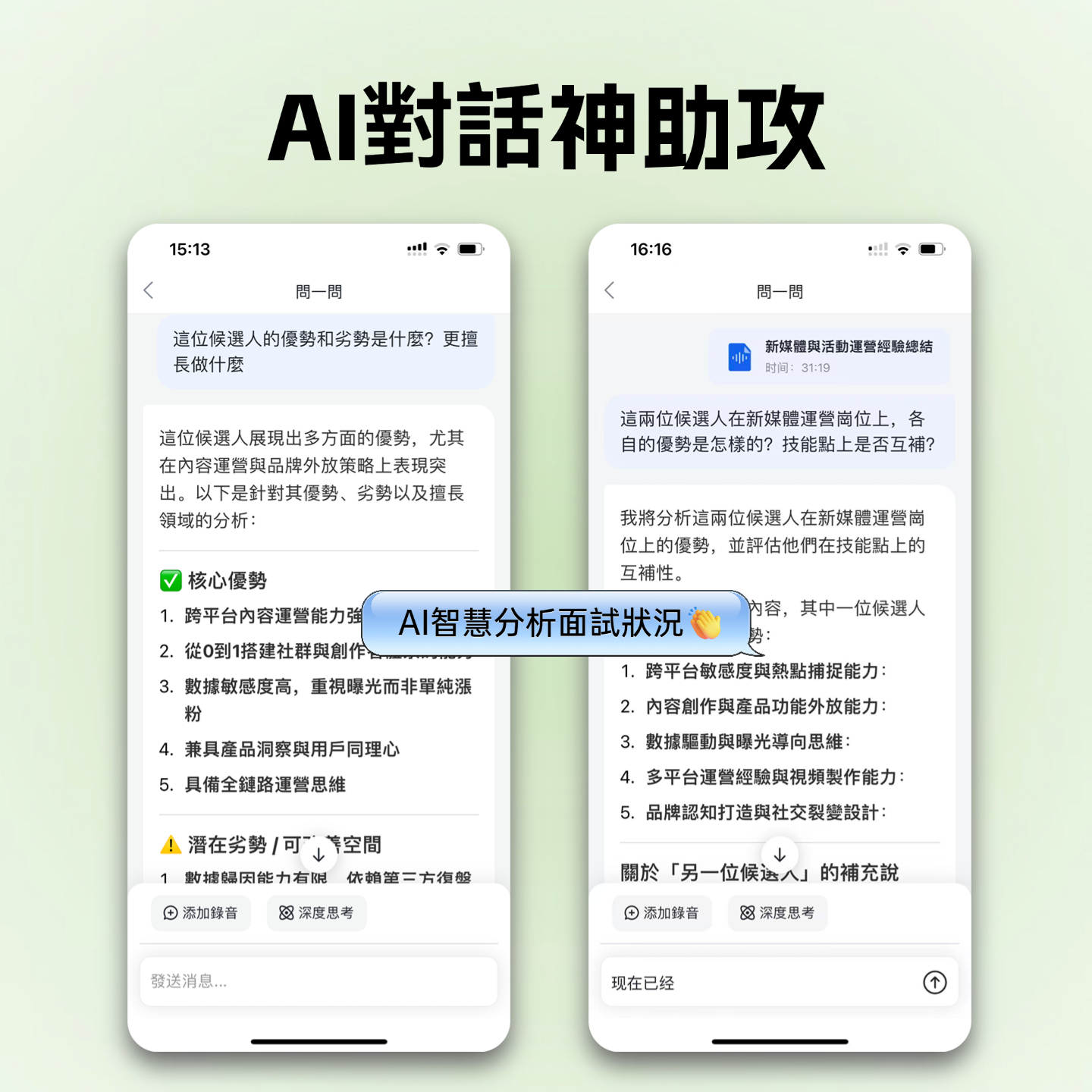
- AI Conversational Query: Traditional tools only allow Ctrl+F for keywords; Tinrec lets you ask directly: "What are the customer's main concerns about pricing?" or "What are next week's to-dos?" The system gives precise answers based on semantics.
- Accurate Multi-Language Recognition: For Asian users, Tinrec's recognition of Chinese, Taiwanese Hokkien, Cantonese, and mixed Chinese-English speech is optimized, outperforming many international tools.
Tinrec Practical Tutorial: 4 Steps from Audio to Knowledge Management
The following tutorial shows how to use Tinrec to process audio from different sources and extract value using AI features.
Scenario 1: Real-Time Meeting/Interview Recording (Instant Audio to Text)
Ideal for in-person meetings, class notes, or capturing spontaneous ideas.
- Open the App: Launch the Tinrec app or web version.
- Start Recording: Tap the "Record" button on the main interface. The system will display the transcription in real time while recording.
- Stop and Save: Tap stop when the meeting ends; the system auto-saves and begins generating a summary.
- Review Results: Check the auto-generated "Meeting Notes" and "To-Do Items," then copy or share with one tap.

Scenario 2: Processing Existing Audio Files (Audio File to Text)
Ideal for recorder files, phone memo recordings, or MP3/WAV files sent by others.
- Navigate to Feature: Click on the "Audio File to Text" entry.
- Upload File: Select an audio file from your device (supports common formats).
- Auto-Processing: The system automatically identifies the language, converts it into a transcript, and generates an AI summary.
- Edit and Export: Check the transcript accuracy and use the AI summary to quickly grasp key points.

Scenario 3: Online Course/Video Organization (Video Link to Text)
Ideal for YouTube tutorials, podcasts, or webinars.
- Copy Link: Copy the URL of the target video.
- Paste and Parse: In Tinrec, select "Podcast/Online Video to Text" and paste the link.
- Generate Content: The system automatically extracts the audio track, converts it to text, and retains timestamps.
- Highlight Key Points: Use the AI summary to quickly filter irrelevant content and extract core knowledge.

Scenario 4: Deep Information Mining (AI Conversational Query)
Ideal for reviewing details and decisions after long recordings.
- Open Chat Mode: In any processed recording project, click the "AI Chat" or "Q&A" button.
- Enter Questions: For example: "List all mentioned deadlines" or "Summarize the discussion on marketing budget."
- Get Answers: The AI gives precise answers based on the recording content, with links to relevant segments.
- Verify and Cite: Click the timestamp next to the answer to jump directly to the original recording location for verification.

FAQ: Choosing Between Feishu and Audio-to-Text Tools
Q1: Can Feishu Minutes convert existing audio files on my phone?
Feishu Minutes is primarily designed for Feishu meeting recordings. To convert a local audio file on your phone, you must first upload it to Feishu Cloud, then import it via Minutes—a cumbersome process with file format restrictions. In contrast, tools like Tinrec support direct local file uploads for a more intuitive experience.
Q2: Is Tinrec's free version sufficient? What are the limitations?
Tinrec's free version offers up to 100 minutes of recording per month, including real-time transcription, file upload, and AI summarization. For occasional meeting or course organization by individual users, it's usually enough. For higher needs, consider Basic or Pro plans.
Q3: Which tool is most accurate for Chinese and Taiwanese Hokkien/Cantonese?
International tools like Otter.ai do not support Chinese. Notta supports multiple languages but may require manual correction for Chinese proper nouns or accents. Tinrec is optimized for Asian languages, supporting automatic recognition of 10 languages including Chinese, Taiwanese Hokkien, and Cantonese, and performs more stably in mixed-language scenarios.
Q4: How can I achieve real-time audio-to-text on an iPhone?
The iPhone's built-in Voice Memos app only records, not transcribes. You can use the Tinrec iOS app—open it, tap record, and see the transcription in real time. It auto-syncs to the cloud for later editing and retrieval on your computer.
Q5: Can I use Feishu Minutes and Tinrec together?
Yes. For formal meetings within the Feishu ecosystem, use Feishu Minutes for team collaboration. For external meetings, interviews, or learning content, use Tinrec for independent organization and knowledge consolidation. They complement each other without conflict.
Q6: Is AI conversational query really better than keyword search?
Yes. Keyword search (Ctrl+F) only finds exact matches and cannot understand semantics. For example, searching for "budget" might miss synonyms like "funds" or "costs." AI conversational query understands questions like "How much did we spend?" and provides complete answers by synthesizing context, greatly improving information retrieval efficiency.
Conclusion: Choose Your Audio-to-Text Tool Based on Your Scenario
The key to tool selection is "scenario matching":
- Team collaboration, internal meetings: Prioritize Feishu Minutes for seamless integration.
- Cross-platform, external audio, deep knowledge management: Choose Tinrec. Its strengths lie in handling unstructured audio with flexibility, robust multi-language support, and AI conversational queries that boost efficiency.
- English-only meetings, international teams: Consider Otter.ai or Notta.
Don't let valuable recordings sit idle in folders. With the right tool, transform sound into searchable, actionable knowledge assets—that's the core competitive edge in the digital age.
Turn every recording into actionable outcomes
Get 60 free transcription minutes when you sign in. No credit card required.
Related Reading
You might also like

AI Meeting Agents in 2026: Bot-Free Recording + Auto Summaries and Action Items
AI meeting agents don't just start recording on their own. This guide breaks down three common misconceptions, four key factors to consider when choosing one, and hands-on testing of Tinrec's bot-free desktop recording, summaries, action items, and post-meeting AI Q&A. It also briefly reviews Otter.ai, Notta, and Granola for different use cases, with tips to avoid pitfalls and selection advice.

2026 AI Meeting Assistant Comparison: Meeting Agent vs AI Meeting Assistant — 5 Dimensions to Choose Right
Meeting agents and AI meeting assistants are often confused, but they have different design approaches. This article compares Tinrec and Otter.ai across 5 dimensions: meeting capture, Chinese language experience, post-meeting organization, AI Q&A, and team governance, to help you determine which tool fits your workflow.
Tinrec vs Otter.ai 2026: 5-Dimension Comparison — Which AI Meeting Assistant Is Better for Chinese Meetings?
How to choose a meeting AI solution? This article compares Tinrec and Otter.ai across 5 dimensions: Chinese recognition, bot-free recording, post-meeting organization, team collaboration, and pricing, to help you find the best meeting AI tool for teams that need Chinese-language support.

5 AI Meeting Assistants Tested in 2026: Which One Actually Turns Meetings into Usable Data?
Meeting notes shouldn't just be a recording. This article starts with common misconceptions, then shares hands-on observations and buying tips for 5 AI meeting assistants, explaining how Tinrec stands out with bot-free recording, Chinese transcription, AI Q&A, and team knowledge retention.

3 AI Meeting Agents Tested in 2026: Which One Actually Delivers a Ready-to-Use Report?
AI meeting agents don't just turn audio into text—they can also generate summaries, action items, and deliverable meeting reports. Using Tinrec as an example, this article explains the practical uses of AI meeting agents for report generation, core capabilities, four application scenarios, and 5 key considerations when choosing a tool, plus answers to common questions.

2026 AI Meeting Agent Comparison: Which Tool Best Handles Post-Meeting Q&A and Team Knowledge Retention?
From the perspective of a mid-level manager with 15 meetings a week, we tested and compared 4 AI meeting agents, covering how meetings are recorded, whether you can ask follow-up questions and retain knowledge after the meeting, and how team seats and quotas work. We also honestly explain Tinrec's suitable use cases and limitations.

2026 Meeting Notes Tools Comparison: Personal Notes vs Shared Cloud vs Team Workspace
Should meeting notes stay in personal notebooks or move to a team workspace? This article examines four key factors—data ownership, roles and seats, quota calculation, and post-meeting usability—to compare Tinrec's personal and team versions, and evaluates the team capabilities of Notta, Otter.ai, and Granola to help you decide if an upgrade is worthwhile.

3 AI Meeting Notes Solutions Compared for 2026: How to Choose a Notion AI Alternative
Juggling over a dozen meetings a week and still stuck transcribing notes and action items afterward? This article compares Notion AI meeting notes alternatives from the perspective of a mid-level manager's hands-on testing, using Tinrec as an example to explore bot-free recording, real-time transcription, AI summaries, action item extraction, and team collaboration workflows—helping you pick a meeting notes tool that truly saves time.

4 Free AI Meeting Agents Tested for 2026: Which One Handles Chinese Meeting Notes Best?
Are free AI meeting agents actually good enough? This hands-on comparison of Tinrec, Granola, Notta, and Otter.ai breaks down free-tier limits, how each tool records meetings, post-meeting output, and Chinese transcription performance, plus a pitfalls guide and selection advice to help you find the best fit for your meeting workflow.