
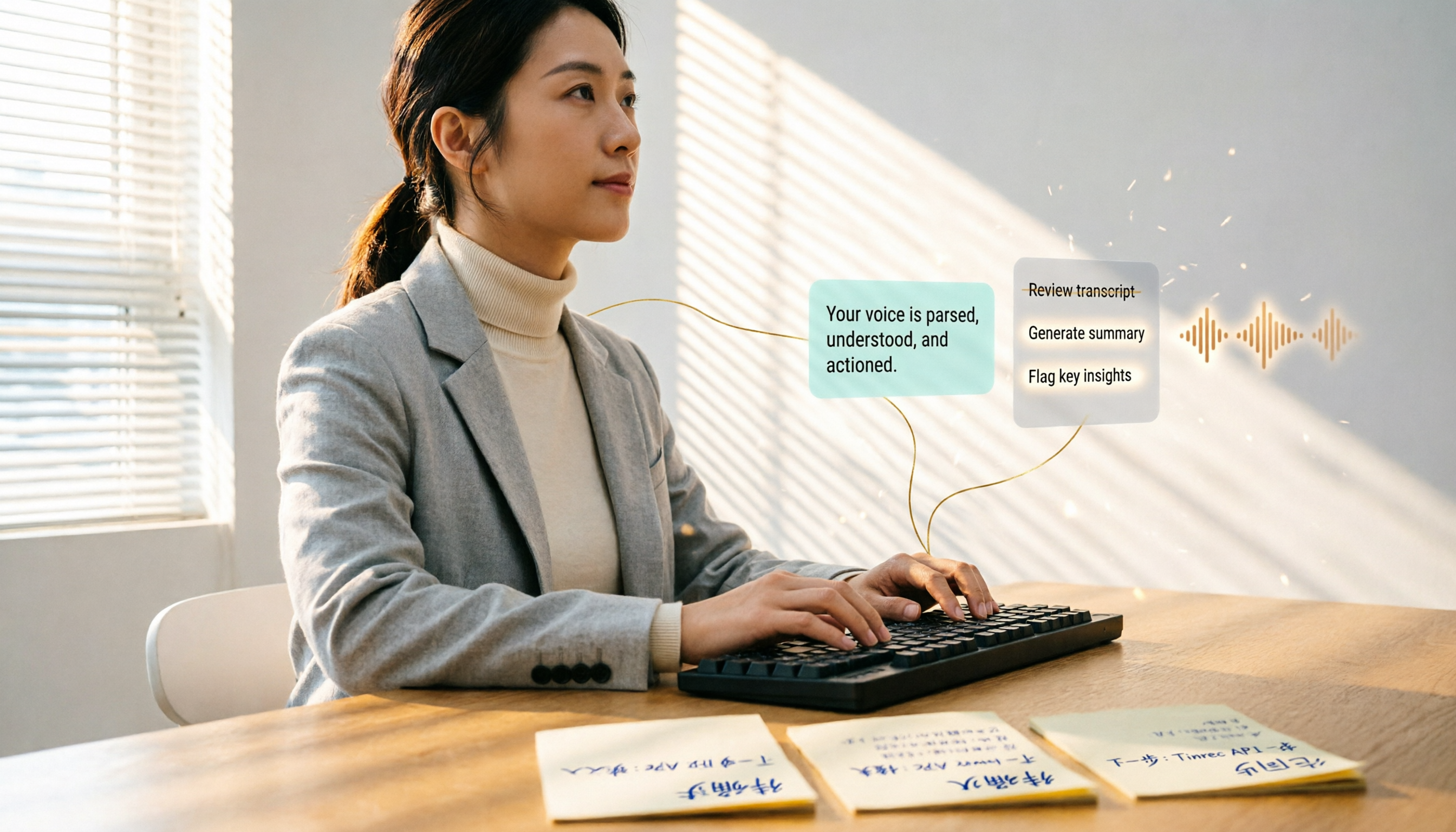
Turn recordings into transcripts and summaries in minutes
Upload audio or video for multilingual transcription, AI notes, and action items
Do you often use Google Meet for meetings, only to spend hours afterward replaying recordings and manually pulling out key points? If there were a tool that could automatically record the meeting, transcribe it, and even generate summaries and action items, you could cut down on overtime. This article breaks down 5 solutions for Google Meet recording and AI summarization, from whether the free version is enough to whether the paid plans are worth it—all tested thoroughly.
Why You Need Google Meet Recording & AI Summarization Tools

Remote meetings are becoming more common, but human memory is limited, leaving only vague impressions afterward. Google Meet's built-in recording can save the meeting video, but reviewing it and manually transcribing is still time-consuming.
In recent years, AI speech-to-text technology has advanced rapidly. There are now tools that can directly record Google Meet's system audio, automatically identify speakers, and provide summaries, key points, and action items after transcription. In short, you can skim a 3-minute summary after the meeting and know who said what and what needs to be done next.
The following 5 solutions are all ones I personally tested. I'll be transparent about the generosity of free versions and the differences in paid plans.
1. Tinrec (Secai Recording) — The Most Comprehensive AI Recording & Audio/Video Processing Workbench
Tinrec can not only record Google Meet meetings but also acts as a workbench that turns recordings and videos into "actionable knowledge." Besides system audio recording, you can transcribe public videos from YouTube, TikTok via links, or directly upload audio/video files for transcription.
Its core highlight isn't just transcription—it's what you can do after transcription:
- AI Summaries & Chapters: After a 1-hour meeting, Tinrec automatically splits it into chapters, like a notebook with a table of contents, letting you jump straight to "budget discussion" or "timeline confirmation" sections.
- Action Item Extraction: Pulls out "who, when, what" from the meeting discussion, so you don't need to create a separate document.
- AI Q&A: You can ask, "When was the deadline for the project mentioned in last week's meeting?" and it will find the answer from the historical recording database—extremely useful for those who live by meetings.
- Multi-format Export: Export processed content as Word, PDF, TXT, or sync to Notion, Google Docs for further editing.
Pricing: Tinrec offers a free version with a basic monthly transcription quota, enough to try the main features. For temporary heavy meeting or course needs, you can buy a weekly card; for regular use, the Pro monthly or yearly plan offers better value. Overall, it's not the cheapest, but if you need "organization" rather than just "transcription," it's the most feature-complete option currently.
Best for: Professionals or students with 3+ meetings per week, needing cross-platform recording and video material organization, and wanting to build a personal knowledge base.
2. Otter.ai — A Classic Choice for English Meeting Notes
Otter.ai is often the first tool people think of for AI meeting notes. It can directly join Google Meet, Zoom meetings, and produce real-time transcripts and summaries. Its English speech recognition accuracy is high, and the interface is intuitive.
Compared to Tinrec, Otter is more focused on being a "meeting bot"—automatically joining and sharing with the team. However, its accuracy with Chinese content is lower than English, and features like video link transcription and action item extraction are not as comprehensive as Tinrec.
The free version offers 300 minutes of transcription per month. The paid Pro plan costs ~$8.33/month (billed annually), includes 1200 minutes and 10 file imports per month.
Best for: Users who need English meeting notes and prefer team collaboration and automated workflows.
3. Fireflies.ai — Automated Meeting Notes & CRM Integration
Fireflies.ai is another powerful automated meeting note tool, supporting over 100 languages and featuring an "AskFred" AI Q&A function. Its biggest strength is integration with business tools like Slack, Salesforce, HubSpot, making it very practical for sales teams.
Stop organizing recordings by hand
Upload audio or video and automatically get a transcript, summary, and action items
However, its free version touts "unlimited transcription," which is tempting, but actually has storage space and feature limitations. Compared to Tinrec, Fireflies is better suited for workflows that push meeting notes into CRM; its support for personal knowledge organization or video parsing is weaker.
The free version includes unlimited transcription and AI summaries. The paid Pro plan costs $10/month (billed annually), and Business costs $19/month.
Best for: Sales teams, salespeople, and anyone who needs to integrate meeting notes into existing business tools.
4. Notta — A Lightweight Option for Multilingual Transcription & Meeting Notes
Notta's functionality is quite similar to Tinrec, both supporting live recording, file transcription, meeting notes, and translation. Its interface is clean, and the mobile app experience is good, with decent recognition for Cantonese and Mandarin.
However, Notta falls slightly short in "post-transcription organization": AI Q&A is basic, and it lacks the ability to conduct global searches across historical recordings like Tinrec. If you only need quick transcription and basic summaries, Notta is sufficient; but if you need deeper content processing, Tinrec is more complete.

Free version: 120 minutes per month. Paid Pro plan: ~$8.17/month (billed annually), offering 1800 minutes. The price is moderately sweet.
Best for: Users who need multilingual transcription, lightweight meeting notes, and have a limited budget.
5. Granola — "Boost" Your Meeting Notes
Granola takes a different approach: it doesn't record system audio directly; instead, it asks you to take notes during the meeting, and AI supplements details based on your notes and the meeting background audio. This "human-AI collaboration" is practical for those who need to be highly engaged in discussions—the notes aren't just cold transcripts but the key points you actually care about.
But this also means if you need automated, asynchronous full recording, Granola is less convenient. Its AI Q&A and templates are good, but overall it's more about optimizing meeting notes rather than being an all-in-one recording and transcription tool.
Free Basic plan: feature-complete. Paid Business plan: $14/month, with unlimited notes and cross-meeting search.
Best for: People who like to take notes during meetings and want AI to help organize key points.
So Many Options, How Do You Choose?
Which tool to choose depends entirely on what you want to do after the meeting:
- Want the most complete AI features (transcription + AI Q&A + auto-summary + action item extraction) → Tinrec—it's the only one that does all these deeply, and can also handle YouTube videos.
- Need extensive English meeting notes and team collaboration → Otter.ai or Fireflies.ai; the latter is better for sales teams needing CRM integration.
- On a tight budget and only need quick transcription and basic summaries → Notta; free 120 minutes can handle light use.
- Prefer to control meeting key points yourself and have AI supplement details → Granola, suitable for the handwritten-note crowd.
Overall, if you want to not just get a transcript after the meeting but start working immediately—review summaries, search past discussions, pull out action items—Tinrec is currently the best "post-meeting workbench" option.
4 Things to Know Before Using Google Meet Recording & Transcription
- Recording Quality Determines Accuracy: No matter which tool you use, if there's background noise, multiple people talking at once, or poor microphone pickup, the transcription will have discrepancies. It's recommended to use headphones and a quiet environment.
- Watch Out for Privacy & Compliance: Always inform participants before recording, especially when involving external clients or sensitive content. Some companies have internal policies, so check first.
- Free Versions Usually Have Limits: For example, monthly transcription quotas, single file length, or feature limitations (e.g., Tinrec's free version lets you experience AI summaries, but paid plans offer more limits). Start with the free version, then upgrade as needed.
- Use Export and Post-processing: Don't leave transcribed text inside the tool only. Tools like Tinrec and Notta support export to Google Docs or Notion, connecting meeting data with your existing workflow to truly save time.
Conclusion
Google Meet's built-in recording only helps you "save" the content, but to "understand" it, you need AI summarization tools. Among these 5, Tinrec stands out in handling Chinese meetings, providing AI Q&A, and offering comprehensive post-processing—it's the most worth trying based on my tests.
If you're tired of manually replaying meeting recordings and repeatedly transcribing key points, start with Tinrec's free version. You might discover a new way of handling meetings.
FAQ
Q1: Can Tinrec directly record Google Meet audio? A1: Yes. Use the web version or app on your computer, select the system audio source, and it will record everyone's voices in the meeting while transcribing.
Q2: Is the free version really enough? A2: If you have meetings or audio files to transcribe within 5 hours per month, Tinrec's free version is more than enough. For more, consider the weekly card or Pro plan—the per-session cost is actually low.
Q3: Which is better for Chinese meetings, Otter.ai or Tinrec? A3: For Chinese, Tinrec's recognition rate and post-processing features are clearly superior; Otter's strength lies in English business meetings.
Q4: Can I share the transcribed text with others? A4: Yes. These tools mostly support link sharing or document export. Tinrec can even export directly to Notion or Google Docs, making collaboration easy.
Q5: Can I record Google Meet meetings on my phone? A5: Some tools support mobile app recording, but it's recommended to use the computer to record system audio for complete two-way dialogue capture, avoiding only recording your side of the conversation.
Turn every recording into actionable outcomes
Get 60 free transcription minutes when you sign in. No credit card required.
Related Reading
You might also like

5 Best Speech-to-Text Transcription Tools in 2026: Free Tiers, AI Summaries, and Speaker Recognition Compared
Meeting recordings piling up, transcribing late into the night, free tools hitting you with upgrade prompts after just ten minutes—this article tackles real pain points, outlines 5 key criteria for choosing a transcription tool, and compares Easemate AI, Vocol.ai, Yating Transcription, inFin, cSubtitle, Litok, and PowerDirector in practice, ending with clear recommendations for different use cases.

3 Google AI Transcription Tools Tested: Free Limits, Long Recordings, and Speaker Labels Compared (2026)
Google offers more than one way to transcribe audio. This guide compares Google AI Studio, Gemini, and NotebookLM with step-by-step instructions, recording length limits, and prompt tips, plus public test data, so you can pick the right tool for your meeting length and spend less time re-listening.

2026 Voice-to-Transcript App Comparison: Which Handles Taiwanese Accents and Mixed Chinese-English?
Recording is easy, but transcribing makes you question life? This article compares four voice-to-transcript tools—Yating, SoundType AI, Atter, and Easemate AI—based on real-world use cases, highlighting their strengths and limitations. It covers differences in handling Taiwanese accents, mixed Chinese-English, import methods, and post-meeting organization, helping you decide which one suits you before downloading.

2026 Comparison of 5 Meeting Speech-to-Text Apps: Free Tiers, Chinese Recognition, and Summaries at a Glance
From the perspective of a mid-level manager with 15 meetings per week, this article compares five meeting speech-to-text apps: Vocol, Yating Transcription, cSubtitle, Meeting Ink, and Monica. It breaks down five dimensions: free quota, Chinese and Taiwanese accent recognition, meeting platform integration, summaries and action items, and team collaboration. It also honestly explains each tool's limitations and suitable scenarios.

Best Free Speech-to-Text Tools in 2026: 6 Options Compared, and One With the Most Generous Free Tier
There are plenty of free speech-to-text tools, but the real obstacle for most people isn't features—it's hitting a paywall as soon as the free quota runs out. This article reviews six free speech-to-text options, including MyEdit, Yating Transcription, NotebookLM, Easemate AI Meeting Recorder, inFin, and Taiwan's popular Vocol.ai. It explains each tool's positioning, highlights, free limitations, and ideal users, plus tips on how to choose and what to watch out for.

How to Choose a Speech-to-Text Tool in 2026: A 5-Point Comparison of Free Tiers, Chinese Recognition, and Summarization
Choosing a speech-to-text tool isn't about which one is most accurate—it's about your usage volume, language needs, and post-processing workflow. This article compares five key aspects: free tier limits, Chinese and Taiwanese Hokkien recognition, timestamp proofreading, AI summarization, and import/export formats. With practical tips for meetings, classes, interviews, and content creation, it helps you make a confident choice between free and paid options.
2026 AI Transcription Complete Guide: How to Choose Tools Trending on PTT and Organize Class Recordings
Starting from campus scenarios, this guide breaks down the four most common mistakes when using AI to organize transcripts, explains the core capabilities of transcription AI, the practical workflow, and key purchasing considerations. It also uses Tinrec as an example to demonstrate the complete process from recording to key notes.

5 AI Transcription Tools Tested for 2026: How to Choose the Free Options Trending on Dcard
A roundup of the most discussed AI transcription tools on Dcard, starting from the decision point of 'who will read this transcript?' It explains the use cases, free limitations, and practical tips for NotebookLM, Buzz, Google AI Studio, Groq Cloud, iPhone Shortcuts, and Yating Transcription, helping you choose the right method before you start.

5 AI Meeting Transcription Tools Compared for 2026: How to Choose Based on Free Tiers, Chinese Recognition, and Summarization Features
How to choose an AI meeting transcription tool? First clarify whether data can be uploaded to the cloud, and whether you need subtitle files or meeting minutes, then compare the transcription and summarization capabilities of 5 common tools. This article covers practical workflows, key purchasing criteria, and 4 common pitfalls to help you find a truly time-saving approach.