

Turn recordings into transcripts and summaries in minutes
Upload audio or video for multilingual transcription, AI notes, and action items
Several friends recently asked me whether they should buy a paid Google Meet subscription.
Their goal isn't the meetings themselves—it's the automatic recording and transcription feature.
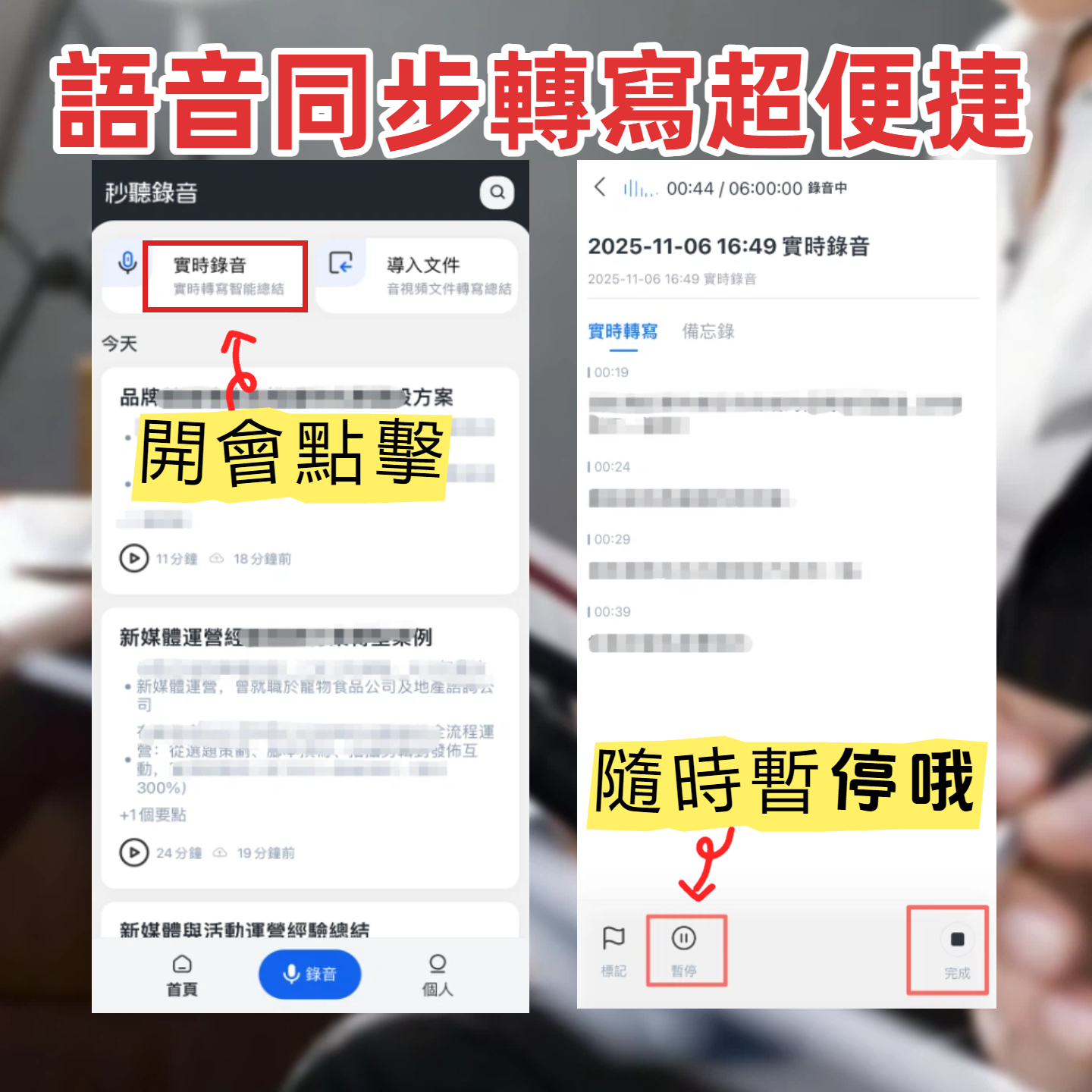
But that made me think: What do we really need? A full video conferencing platform, or a tool that actually helps us organize meeting content?
If you're also on the fence, this article is for you.
You Don't Need Another Meeting Platform—You Need a Tool That Turns Content Into Knowledge
Two hours in a meeting, then another two hours writing up notes—many of us have been there.
What's worse, when all you want is a clear summary and action items, you end up digging through Google Meet recordings, scrolling the timeline, and listening to everything manually.
Even with the paid version, you get auto-captions that can't be turned into editable documents or extract key points with one click.
In short, we don't lack "recording features"—we lack a complete workflow that turns audio into usable assets.
Before You Buy a Meeting Notes Tool, Understand These 3 Key Points
Cross-Platform: Don't Get Tied to One Meeting App
If your meetings sometimes happen on Google Meet, sometimes on Zoom, and sometimes in person with your phone recorder, you need an independent note-taking tool, not a platform-specific add-on.
The tool must work seamlessly across phone and computer so every meeting is captured properly.
AI-Powered Querying: More Than Just Keyword Search
Traditional transcripts only let you Ctrl+F for keywords. The real pain point is when you remember someone mentioned an important budget number, but you forget who said it and where.
What you need is to ask the tool like a colleague: "Who mentioned the budget in the last meeting?" and get a direct answer, not a list of search results.
Most tools still don't have this feature.
Usable Output: More Than Just a Raw Transcript
A good meeting notes tool should automatically give you a summary, chapters, action items, and even let you export to Notion or Google Docs for further editing.
With that, you can move from "recording" to "taking action."
Tinrec (秒听录音) — Our Top Pick After Testing
Tinrec is an AI-powered audio and video transcription tool supporting 14 languages, available on iOS, Android, and web.
Its core value isn't just speech-to-text—it turns meeting recordings, course audio, interviews, and even YouTube videos into workable content.
How Tinrec Handles Meetings in Real Scenarios
Start recording in Tinrec during a meeting—it generates a live transcript. When the meeting ends, AI automatically creates a summary and action items: who's responsible for what, deadlines—all clear at a glance.
(Screenshot: Tinrec's auto-generated summary and action list after a meeting)
But what really made me switch was its AI-powered Q&A.
Last month during a product discussion, I remembered someone mentioning a metric but not the exact figure. Before, I'd have to replay the whole recording. Now, I just asked Tinrec: "Who mentioned user retention in the product meeting?" It not only gave me the text but also marked the timestamp—I could tap to jump and hear that segment.
(Screenshot: AI Q&A feature—I ask "Who mentioned the budget in this meeting?" and it gives the direct answer)
I couldn't find this feature in any other tool at the same price point.
Beyond Meetings: Handle More Audio/Video Content
In addition to live recording, Tinrec lets you upload local files or paste YouTube/TikTok links, converting them into text summaries.
Stop organizing recordings by hand
Upload audio or video and automatically get a transcript, summary, and action items
(Screenshot: Pasting a YouTube link, Tinrec extracts key points)
For anyone dealing with interview recordings, course content, or online material, this is like having an automated research assistant.
Hands-On Testing
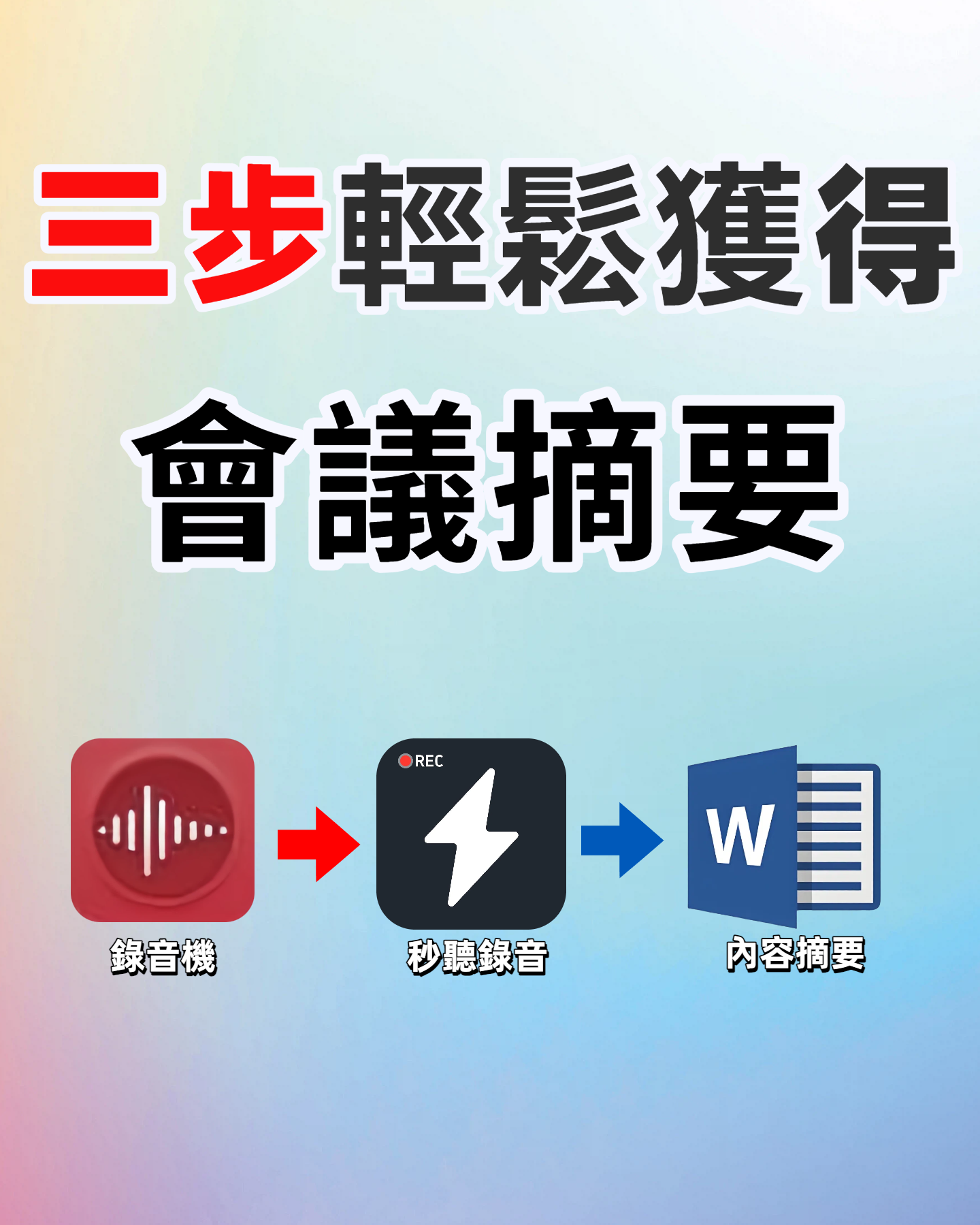
We tested a 5-minute Chinese meeting recording (iPhone 15, typical office environment, two speakers). Tinrec's transcription quality was stable, with almost no errors on proper nouns and numbers.
The AI summary segmentation was also precise—unlike some tools that condense everything into three lines, leaving you clueless about next steps.
Pros
- Cross-Platform Consistency: Start recording on your phone, then continue editing on your computer's web interface—no file transfers needed.
- End-to-End Workflow: From transcription to summary, action items, chapters, and export to Notion or Google Docs—no further manual work required.
- Support for Chinese Content: The interface, transcription, and summaries are optimized for Traditional Chinese, not just an English tool with poor localization.
Limitations (Honest)
The free plan gives 100 minutes per month—enough for 2-3 weekly meetings. Heavy users who need to transcribe many files might need the Pro plan.
For most knowledge workers, the free allowance is sufficient to experience the full features.
Who It's For
If you frequently need to organize meeting, course, or interview recordings; want AI to find key points right after recording; and need seamless switching between phone and computer—Tinrec is currently the best choice.
Other Options Besides Tinrec
Otter.ai: Best for English Meetings, Limited for Chinese
Otter.ai excels at auto-joining online meetings, English recognition, and team collaboration. Its free plan offers a generous 300 minutes per month.
But if you primarily handle Chinese content, its transcription quality and AI summaries fall short. Also, Otter.ai lacks the ability to paste a web video link and get a quick summary like Tinrec does.
Fireflies.ai: Team Collaboration Focus, Heavy for Individuals
Fireflies.ai also does meeting notes, with unlimited transcription, AI summaries, and CRM integrations. However, it's more team-oriented; individual plans are relatively limited.
Our tests showed Fireflies occasionally misses key words in Chinese transcription, and it doesn't handle web video link parsing. If you need a lightweight, cross-scenario personal knowledge base, Tinrec's design is more intuitive.
Pitfalls to Avoid: 3 Common Mistakes When Choosing a Meeting Notes Tool
Mistake 1: Buying a Full Video Platform Subscription Just for Recording
Many people end up paying for Google Meet or Zoom just to record and transcribe meetings.
But these platforms' recording features are add-ons, with limited export options and no cross-platform integration of all your audio assets. It's better to spend that budget on a dedicated note-taking tool for more flexibility and long-term savings.
Mistake 2: Focusing Only on Transcription Accuracy, Ignoring Post-Processing
High accuracy matters, but if the tool only gives you a raw text file, you still have to organize it yourself.
When choosing a tool, check if it can auto-summarize, create chapters, extract action items, and let you ask questions to find content quickly. This "post-processing" capability is the real time-saver.
Mistake 3: Trying to Rely on the Free Plan for Every Scenario
Free plans usually have minute or feature limits. If you find yourself transcribing several meetings a week or long files regularly, upgrading to a paid plan actually saves you time and frustration.
Instead of struggling with free limits, first use the free trial to confirm the tool fits your needs, then choose a plan that matches your usage frequency.
Bottom Line: Which One Should You Choose?
If you're considering a Google Meet paid subscription just for meeting recording features, there are better solutions.
Based on our hands-on testing, here's my recommendation:
- Need meetings automatically turned into summaries and action items → Tinrec (cross-platform, AI Q&A for quick answers)
- Primarily English meetings, need team collaboration → Otter.ai (strong English ecosystem, robust team features)
- Company already uses CRM, want to integrate meeting notes with workflows → Fireflies.ai (great for sales teams)
But if, like me, you need a personal knowledge base that handles Chinese meetings, courses, interviews, and even web videos, Tinrec is my top pick.
Try the free version first—100 minutes per month is enough for a couple of meetings to experience the full workflow from recording to AI summary. Upgrade only if it works for you.
Test step by step, and you'll master this approach.
Turn every recording into actionable outcomes
Get 60 free transcription minutes when you sign in. No credit card required.
Related Reading
You might also like

Best Free AI Meeting Notes Tools in 2026: 4 Options Compared
Spending two hours after a meeting to organize transcripts? This article compares 4 free AI meeting tools: whether the free tier is truly usable, if there's a per-meeting length limit, whether recordings are kept, and if you can ask the AI questions afterward. It also tests Tinrec's desktop version for recording online meetings without a bot, including its limitations.

2026 AI Meeting Tools Compared: Tinrec, Otter.ai, Notta & Granola — From Transcripts to Team Collaboration
A side-by-side comparison of four AI meeting productivity tools in 2026. This article examines how meetings are recorded, what you get after the meeting, whether audio files are retained, and how teams manage data. It compares Tinrec, Otter.ai, Notta, and Granola on positioning, pricing, and limitations, and highlights four common pitfalls when choosing an AI meeting tool to help you find the one that truly saves time.

How to Use AI Agents to Generate Documents in 2026: 5 Steps from Recording to Report
Many people use AI agents to generate documents but end up with vague templates—often because the AI lacks meeting context. This article walks you through 5 steps, starting from meeting recordings, using Tinrec's transcripts, summaries, action items, and agent post-processing to produce deliverable meeting minutes, reports, and tables. It also covers key purchasing considerations, team plan benefits, and FAQs.

5 AI Meeting Transcription Tools Compared for 2026: From Free to Team Plans, Which One Best Boosts Meeting Efficiency?
Instead of just looking at transcription minutes, first assess recording method, Chinese language support, post-meeting organization, team governance, and budget. This article compares common AI meeting solutions across five decision factors and uses Tinrec as an example to show how to turn meetings into searchable, collaborative, and actionable data.

Tinrec vs Otter.ai 2026: 4-Dimension Comparison — Which AI Agent Structured Output Is More Practical?
When AI Agent responses don't match your expected format, many teams only discover the pain after deployment. This article examines four dimensions — JSON Mode, JSON Schema, Function Calling, and observability — to explain how to evaluate structured output, and compares Tinrec and Otter.ai on structuring meeting content. Includes pitfalls to avoid and scenario-based selection advice.

Tinrec vs Notta 2026: 5-Dimension Comparison — Which Handles End-to-End Meeting Processing Better?
The value of an AI Agent isn't just having an 'AI button' — it's whether it can take a meeting from recording to transcript, summary, and action items all the way to deliverable documents. This article compares Tinrec and Notta across 5 dimensions, breaking down processing chain completeness, follow-up Q&A and verification, team governance, language support, and actual cost to help you make a purchasing decision.

2026 AI Meeting Assistant Comparison: Why Tinrec May Fit Chinese Meetings Better Than Fireflies
Starting from the pain point of rushing to write meeting minutes after a meeting ends, this compares Tinrec and Fireflies on meeting capture, Chinese-language experience, post-meeting workflows, team governance, and pricing/quotas, and summarizes Tinrec's core features, real-world scenarios, and buying considerations.

2026 AI Meeting Recorder Showdown: Tinrec vs Granola — Which Is Better for Chinese-Speaking Teams?
This comparison of Tinrec and Granola, two bot-free AI meeting note tools, covers meeting capture, input sources, audio retention, Chinese-language experience, post-meeting outputs, and team management. It outlines each tool's ideal use cases and pricing to help you decide which fits your meeting workflow.

2026 AI Meeting Productivity Tools Buyer's Guide: 4 Hands-On Tests and Selection Advice
How do you choose an AI meeting tool? This guide examines four key criteria—meeting capture method, post-meeting outputs, Chinese-language experience, and team data governance—and hands-on tests Tinrec, Otter.ai, Notta, and Granola to compare their differences. It also includes a pitfalls guide and scenario-based selection advice to help you pick the one tool you'll actually use after meetings.