
Turn recordings into transcripts and summaries in minutes
Upload audio or video for multilingual transcription, AI notes, and action items
Two hours in a meeting, another two hours writing notes—sound familiar?
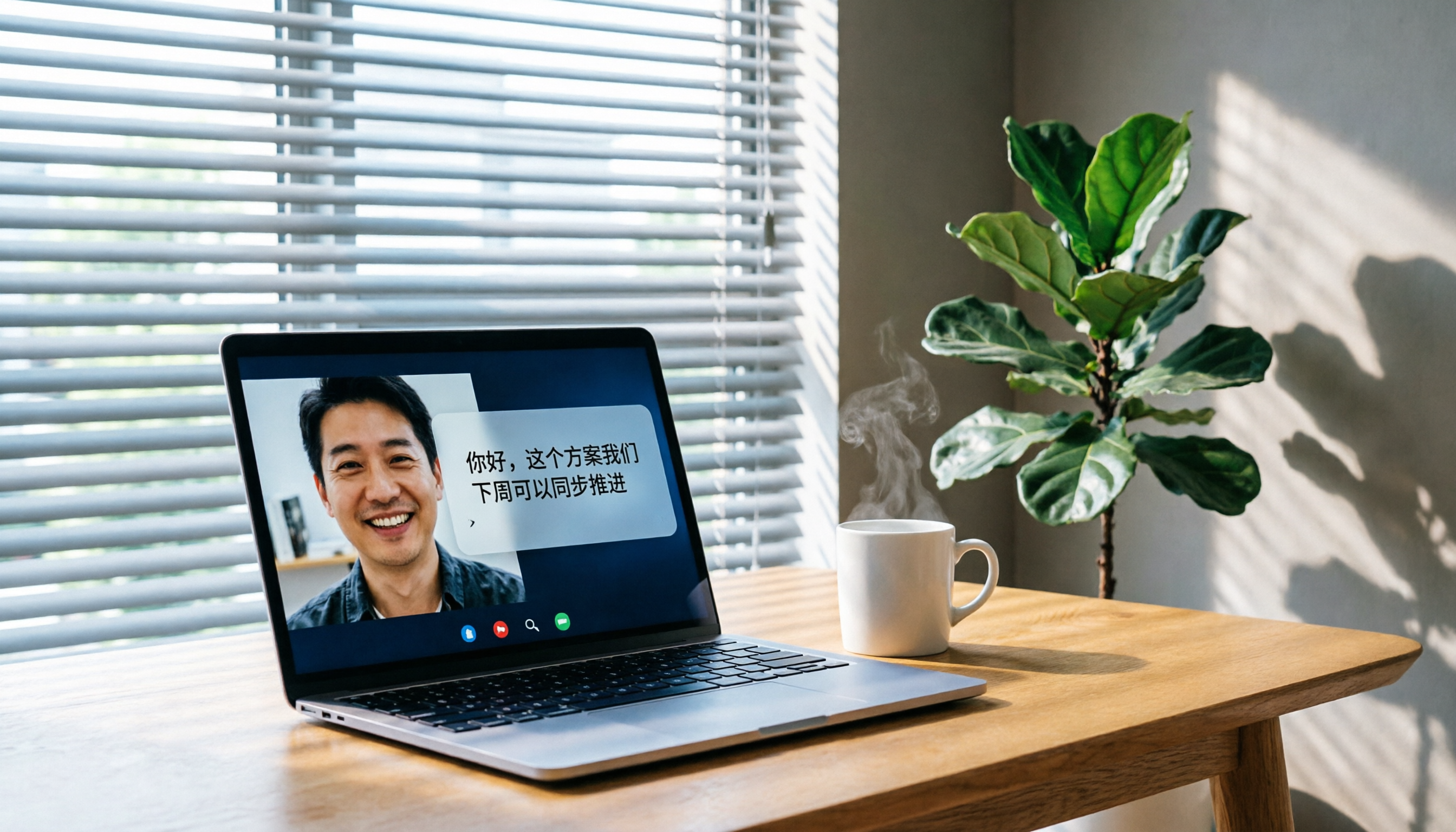
Recently, I had a project meeting with an overseas client on Google Meet.

The meeting itself went smoothly—we discussed budget, timeline, and task assignments. But as soon as I closed the window, the real challenge began: from memory and a few messy handwritten notes, I had to organize meeting minutes, action items, and key decisions within two hours.
I used to re-listen to the recording and type out a transcript myself, but honestly, it was extremely inefficient.
And often, I just wanted to check "who mentioned the delivery date," but had to fast-forward through the entire recording.
If you've been through this, this article is for you.
I recently tested three recording-to-text tools that work with Google Meet, aiming to find one that truly delivers usable notes right after the meeting—not just another messy transcript.
3 Key Factors Before Buying: Don't Just Look at Transcription Accuracy
Many people think the key is transcription accuracy, but there's more to it.
📌 Post-transcription Organization
Getting a transcript is just the first step. The real time-saver is whether the tool can automatically generate summaries, highlight key points, extract action items, and let you ask questions via AI.
(Screenshot: Tinrec meeting summary with arrows pointing to AI summary and action items)
📌 Supported Languages and Content Types
If your meetings mix English and Chinese, the tool's ability to handle multilingual content matters. Also, beyond live recording, can it process existing audio files or YouTube links? Cross-source capability affects long-term usefulness.
📌 Cross-Platform and Free Trial
You likely use Google Meet on a computer but occasionally listen back on your phone. The tool should support iOS, Android, and web for seamless switching. A generous free trial reduces decision pressure.
Tinrec (秒聽錄音) — My Top Pick After Testing, More Than Just Transcription
After testing several tools, Tinrec is the one I believe best solves the post-meeting organization pain.
It's an AI recording and audio/video note-taking tool supporting 14 languages, with iOS, Android, and web versions. But its value isn't just transcription—it turns recordings into work-ready material.
💡 Record and Transcribe in Real-Time During Meetings, Get Summaries and Action Items Instantly
Now, every time I join a Google Meet, I open Tinrec's "Computer Meeting Recording" feature on my computer.
It records and transcribes simultaneously, and since it uses system audio, background noise is minimal, ensuring stable transcription quality.
(Screenshot: Live transcription with arrow pointing to "Computer Meeting Recording" button and real-time transcript)
When the meeting ends, I don't have to do anything—AI has already generated summaries, chapter sections, and even extracted action items from the conversation, showing who is responsible for what and when.
💡 Query AI Directly After Recording, No Need to Scan Transcripts
Stop organizing recordings by hand
Upload audio or video and automatically get a transcript, summary, and action items

This is my favorite feature. Previously, to find a specific number the client mentioned, I had to scrub through the recording. Now, I just type in Tinrec's chat: "What was the budget adjustment percentage in the last meeting?"
It understands context, gives me the answer directly, and cites the original transcript. Few tools at this price point can do that.
(Screenshot: AI query with arrow pointing to question box and AI answer)
💡 Works with More Than Meetings: Old Files and Online Videos Too
Beyond meetings, I've thrown in course recordings and user interview files from the past. Tinrec transcribes, summarizes, and even generates bullet-point notes. If I find an insightful YouTube interview, I just paste the link and it turns into text material. This makes Tinrec not just a meeting tool, but a hub for all my audio/video content.
(Screenshot: YouTube link parsing with arrow pointing to link input and parsed result)
✔️ Pros
- Comprehensive post-transcription organization: summaries, chapters, action items delivered in one go—best quality in this test.
- AI queries speed up meeting review without manual keyword search.
- Cross-device and cross-source support: from live meetings to archived files.
⚠️ Cons
- Free version has monthly transcription limits; heavy users need to pay. But for 2–3 meetings per week, the free quota is enough to test the full workflow.
- AI summaries sometimes overly simplify details; for key decisions, cross-check with the transcript. But this is a common limitation of such AI tools.
👤 Best for If you frequently document Chinese meetings and want to turn recordings into a searchable knowledge base without spending hours post-meeting—Tinrec is currently the best fit.
Alternatives to Tinrec
If you want to explore other options, here are two I tested but found limited.
Otter.ai
Otter excels at English meeting notes: accurate transcription, automatic summaries, and generous free quota. However, it doesn't support AI summaries and queries for Chinese meetings (currently English-only), and lacks video-to-text and Chinese content organization. If you mainly hold English meetings, Otter is worth a try; but for mixed-language or Chinese meetings, it feels lacking.
Notta
Notta overlaps heavily with Tinrec in features, supporting multi-device transcription and meeting notes. But in my tests, Notta's Chinese summary quality was slightly inferior to Tinrec's, and it lacks AI query and the ability to generate reports or tables from recordings. If you only need transcription and simple summaries, Notta is an option; but if you want to truly save post-meeting organization time, Tinrec goes further.
Common Pitfalls When Choosing These Tools
Pitfall 1: Comparing Only Transcription Accuracy, Ignoring Organization Many obsess over "who transcribes most accurately," but with clear meeting audio, differences are minor. The real time gap comes after—AI summaries and quick content retrieval determine whether you'll keep using it.
Pitfall 2: Overlooking Cross-Platform Limitations Some tools only offer web or have incomplete apps. If you need to listen back on mobile, ensure iOS/Android/web are all available.
Pitfall 3: Focusing Only on Free Minutes, Not Post-Transcription Capabilities Free transcription minutes matter, but if you treat the tool as just a "transcriber," you're only using a third of its value. Features like AI queries, automatic action items, and document generation—what Tinrec excels at—are what make meeting notes truly actionable.
Which One Should You Choose?
For someone who frequently holds Google Meet and wants organized notes immediately after, Tinrec is the most efficient and effective choice in my testing.
Here's a quick guide:
- Need automatic summaries, action items, and AI-powered query after meetings → Tinrec (the only one in this test that does it all)
- Mainly English meetings with no near-term Chinese need → Otter.ai (great English ecosystem integration)
- Just want a transcript and don't mind finding key points manually → Notta (smooth transcription but shallow organization)
I recommend downloading the free version of Tinrec first. The monthly quota covers 2–3 meetings, enough to experience the full "record → organize → use" workflow. If you find it useful, choose a plan based on your meeting frequency.
Test gradually, and you'll turn the pain of post-meeting organization into the ease of starting work with a ready report.
Turn every recording into actionable outcomes
Get 60 free transcription minutes when you sign in. No credit card required.
Related Reading
You might also like

How to Implement Structured Output for AI Agents in 2026: A 5-Step Tutorial
Starting from the decision point of 'do you want a block of text or a piece of data?', this article breaks down JSON Schema, Function Calling, type validation, and observability for AI Agent structured output, and explains how Tinrec turns meeting content into structured minutes that can be used for follow-up work.

2026 AI Meeting Assistant Comparison: How Tinrec Turns Chinese Meetings into Actionable Data
Using Tinrec as an example, this article walks through the complete workflow of an AI meeting efficiency assistant—from recording, transcription, proofreading, and generating summaries and action items to exporting and team knowledge retention—and briefly compares the positioning differences of Otter.ai and Notta.

2026 AI Meeting Notes Tools Compared: 5 Picks That Summarize Without Replay
No more listening to meeting recordings from start to finish. Based on real scenarios like student projects, class note-taking, and online internship info sessions, this article explains how AI meeting notes turn transcripts into summaries, chapters, action items, and queryable data. It also covers 5 buying considerations and FAQs, plus Tinrec personal and team plan quotas and pricing.

2026 AI Agent Meeting Notes Comparison: Which Tool Actually Turns Meetings into Action Items?
Recorded a meeting but still can't use the data? This article breaks down the essence of "organizing" into 4 key selection criteria, compares Tinrec, Otter.ai, Granola, and Notta on smart meeting organization, and highlights 4 common pitfalls to help you choose a tool that truly turns meetings into action lists.

2026 AI Agent Word Generation Comparison: Which One Can Actually Turn Meetings into Deliverable Documents?
There are many AI Agent tools for generating Word documents, but the real challenge is turning live meeting discussions into a Word file ready for delivery. This article compares Tinrec, iFlytek Zhiwen, Kimi K2.5 Agent, and ChatGPT/Gemini across five dimensions: input source, post-meeting organization, AI follow-up questions, team knowledge retention, and export, to help you find the workflow that suits you.

How to Use AI Agents to Generate Documents in 2026: Automated Meeting Minutes and To-Do Lists Made Easy
Many people hand a recording to AI and expect a finished document, only to find names, conclusions, and action items are all wrong. This guide starts with common pitfalls and walks through the correct workflow for AI agent document generation: first use Tinrec to turn meetings into transcripts, summaries, and to-dos, then let the agent post-process them into reports, tables, and meeting minutes. It ends with key buying considerations and FAQs.

Tinrec vs Notta 2026: 5-Dimension Comparison — Which AI Agent Handles Step-by-Step Processing Better?
The difference in AI Agent step-by-step processing capability determines how much manual organizing you'll still need to do after a meeting. This article compares Tinrec and Notta across 5 dimensions: meeting capture method, post-meeting processing depth, audio retention, Chinese language experience, and team governance. It includes buying tips and pitfalls to avoid, helping you choose the one that truly turns meetings into actionable data.

2026 AI Agent Excel Tools Compared: Turning Meeting Notes into Reports Fast
Many people think an AI Agent can turn a single sentence into an Excel report, but testing shows the real keys are data sources and column design. This article compares Tinrec, Microsoft Excel Agent mode, Aspose.Cells AI Generator, and Gemini Notebook Agent, covering meeting notes, file generation, and team collaboration, with buying criteria, hands-on insights, and pitfalls to help you find the most time-saving AI spreadsheet workflow.

2026 AI Meeting Tools Compared: Which One Turns Meetings into Searchable Data?
When choosing an AI meeting tool, the real question isn't transcription accuracy—it's where your meeting data ends up. This article examines four key factors: how meetings are captured, post-meeting outputs, audio retention, and team ownership. I share my current Tinrec workflow and compare Otter.ai, Granola, and PLAUD to help you decide which fits your needs.