

Turn recordings into transcripts and summaries in minutes
Upload audio or video for multilingual transcription, AI notes, and action items
Many people think that "AI agent document generation" means opening a chat box and typing "write me a meeting minutes document."
But once you actually try it, you quickly realize the output is often unusable: attendee names don't match, conclusions are pulled from the wrong topic, action items have no owners, and you end up retyping everything yourself.
Another common approach is to hand an hour-long recording to AI for summarization, then manually paste it into a word processor for formatting. The time saved is limited because the real time sink isn't "writing"—it's "verifying whether the content is correct."
A more sensible sequence is to first turn the meeting into structured data—transcript, chapters, key points, action items—and then have the AI agent generate documents based on that structure. Tinrec follows exactly this path: record first, understand second, produce last.
What Can AI Agent Document Generation Do for You?
Scenario 1: After the meeting, a draft of the minutes is already ready
In the past, after a two-hour project meeting, you might spend another forty minutes sorting out who said what and what the conclusions were. With Tinrec, for example, the transcript is already complete by the time the meeting ends, and AI summaries, chapters, and action items are generated alongside it. What you get isn't a blank document but an editable draft.
Scenario 2: Customer interviews become deliverable records
The biggest fear with customer interviews is "having a great conversation but remembering nothing afterward." Tinrec can transcribe in real time during the interview and then organize customer needs, concerns, and commitments right after. Sales reps no longer have to rely on memory for notes or re-listen to an hour-long recording.
Scenario 3: Turn historical recordings into searchable data
Every company has old recordings "buried deep in the cloud." Tinrec supports transcription of audio and video files; after transcription, you can search the transcript, ask the AI questions, and have the agent organize everything into reports or tables. Old data is no longer just files taking up space.
Scenario 4: A shared meeting database for the team
The personal version solves your own meeting needs, while the team version keeps meeting minutes in a team space. New members can view past meetings, managers can see usage and activity logs, and data remains with the team even when members leave.
What Are the Core Capabilities of AI Agent Document Generation?
1. Bot-free recording: capture the meeting content first
No matter how good the AI agent is at writing, it can't produce a good document without clean source content. Tinrec's desktop version directly captures your computer's system audio, handling online meetings on Zoom, Google Meet, Microsoft Teams, Webex, and more—no need to invite a meeting bot. Note that this isn't "automatically joining all meetings"; the user actively opens Tinrec to start recording.
2. Real-time transcript: documents have source text to reference
Tinrec transcribes as it records, so you can see the text during the meeting. After generating a document, if a conclusion looks odd, you can go back to the transcript, search that part of the conversation, and confirm why the AI wrote it that way. This is crucial: only when you can trace back can you confidently deliver AI-generated documents.
3. AI summaries and chapters: break long meetings into structure
A one-hour meeting transcript can be tens of thousands of words; feeding it directly to an agent makes it easy to miss key points. Tinrec first generates summaries, chapters, and key points—essentially drawing the map for the agent. When you later need to generate meeting minutes, weekly reports, or documents, you have clear sections to reference.
4. Action item extraction: documents include action items directly
The most common follow-up question for meeting minutes is "So who's doing what?" Tinrec extracts action items from the discussion, so the document doesn't just record the past—it drives the next steps. After generation, it's recommended to manually add owners and deadlines to better fit your team's actual workflow.
5. AI Q&A: ask clarifying questions before generating documents
Some meeting conclusions are vague not because the AI can't write, but because they weren't clearly stated in the first place. Tinrec supports asking questions about the meeting content, such as "What were the customer's concerns about the budget?" or "Who mentioned delaying the launch?" You can ask a round of questions first, then have the agent generate the document—the content will be more accurate.
6. Agent post-processing and multi-format export
Tinrec's agent post-processing can generate reports, tables, and documents based on meeting content, and export results to Notion, Google Docs, OneNote, Dropbox, and other tools for further editing. From recording to transcription to organization to delivery, everything stays in one workflow as much as possible.
Practical Use Cases
Weekly routine meetings
The Monday department meeting is perfect for a fixed-format meeting minutes. After recording with Tinrec, the AI summary first lists discussion topics and conclusions, and attendees can add notes directly in the document. Action items can be pasted into the team's task list and checked before the next meeting.
Customer requirements interviews
When sales reps discuss requirements with customers, they often listen and take notes at the same time, easily missing details. Tinrec's real-time transcript lets reps focus on the conversation, then use AI Q&A afterward to confirm "how many options the customer mentioned" and "what the budget range is." Then have the agent organize it into a requirements summary or proposal draft—much faster than starting from scratch.
Stop organizing recordings by hand
Upload audio or video and automatically get a transcript, summary, and action items
Training and lectures
Internal training or external lectures are content-dense, and organizing them into teaching materials afterward takes a lot of time. Tinrec can transcribe course recordings and generate chapters and key points. Instructors can quickly create handouts based on these structures, and learners can use AI Q&A to review specific sections.
Cross-language meetings
When meeting with overseas teams, Tinrec supports real-time translation, letting you view the original text, translation, or bilingual content. After the meeting, the bilingual transcript can serve as a document appendix, reducing back-and-forth confirmation of meaning. Actual translation quality is still affected by accents, speaking speed, and technical terms; important clauses should be manually reviewed.
5 Things to Consider When Choosing an AI Agent Document Tool
1. Is there a transcript you can reference?
No matter how polished the AI-generated document looks, it may contain misunderstandings. When choosing a tool, first confirm whether it retains the transcript and whether you can search specific sections. Tinrec retains the transcript and supports search and review, so when something is wrong in the document, you can quickly go back to the original sentence to confirm.
2. How is the meeting recorded?
Some tools require a bot to join the meeting, while others capture system audio via a desktop app. Tinrec uses the latter, recording online meetings through the desktop version without adding an extra participant. Before use, still confirm your company's and the meeting platform's recording policies, and obtain attendee consent when needed.
3. Performance with Chinese and mixed Chinese-English
Meetings in Taiwan are rarely pure Chinese; they often mix product names, English abbreviations, and technical terms. Tinrec supports Chinese, Traditional Chinese, and multilingual scenarios, and offers a team hotword feature for more consistent recognition of commonly used team terminology. However, actual accuracy is affected by recording quality, noise, accents, and overlapping speakers; we don't recommend pursuing fixed numbers.
4. Can the output format connect back to your workflow?
After documents are generated, they usually need to go into existing collaboration tools. Tinrec supports summaries, chapters, action items, and mind maps, and can export to Notion, Google Docs, OneNote, and Dropbox. When choosing, first look at where your team ultimately stores documents, then confirm whether the tool can save you a copy-paste step.
5. Team permissions and data ownership
If meeting data is to be used by the whole team, you can't just look at the personal version. Tinrec's team version provides an independent team space, member invitations, role and seat management, usage analytics, audit logs, and an audio recycle bin. Pay special attention to the difference between roles and seats: roles determine who can manage the team, while seats determine whether members can record, upload, edit, and export; active members without seats can still view, play, and read team data.
Frequently Asked Questions
How is AI agent document generation different from just asking AI to write?
The difference is whether there is "meeting context to base it on." If you just ask AI to write, it can only guess based on the snippets you paste; Tinrec first turns the meeting into a transcript, summary, chapters, and action items, and then the agent generates documents based on that structure—the content is more specific and easier to verify.
Will Tinrec automatically join my Zoom or Teams meetings?
No, it doesn't join as a meeting bot. Tinrec records online meetings by capturing computer system audio through the desktop version, and the user must actively start recording. The benefit is that no bot participant appears in the meeting, but it's also not "automatically joining all calendar meetings."
Is the free version enough?
The free version provides a basic quota, suitable for trying out the recording, import, summary, and transcription workflow. If you only occasionally organize an interview, you can start with the free version; if you have regular weekly meetings, consider the Pro monthly or annual plan; for short-term intensive meetings, there's a weekly plan. Actual quotas and prices are subject to the official purchase page.
How is the team version priced?
Currently, the team monthly plan is USD 29.80 per paid seat per month, and the annual plan is USD 199 per paid seat per year, equivalent to about USD 16.58 per month. Each paid seat provides 2,000 minutes of team shared import quota per month; under an active team plan and active seats, real-time recording is currently not deducted by minutes, while document and web imports use the team shared import minutes. First-time eligible teams can try 7 days, 1 free seat, and 300 minutes of team shared import quota. Prices and promotions are subject to the official purchase page.
Can team members without seats see meeting data?
Yes. Active members without seats can still view, play, and read team data; however, resource-consuming operations such as recording, uploading, editing, importing, and exporting require a seat.
Can transcription accuracy be guaranteed?
We don't recommend promising a fixed accuracy rate. Tinrec provides high-quality transcription with clear audio and common meeting scenarios, but actual results are affected by recording quality, background noise, accents, overlapping speakers, and technical terminology. For important decisions and numbers, we recommend checking against the transcript and recording.
Conclusion
The real challenge with AI agent document generation isn't "writing"—it's "writing it correctly." Without a transcript, chapters, and action items, the agent can only guess from snippets, and the resulting document naturally requires extensive editing.
Tinrec's value lies in doing the front-end work well: bot-free meeting recording, real-time transcripts, AI summaries and chapters, action item extraction, AI Q&A, and finally agent post-processing into reports, tables, and meeting minutes. Rather than starting from scratch every time, let the meeting content grow into documents on its own.
If you have meetings or interviews every week, you can start by trying Tinrec's free version. Run through the "recording → transcript → summary → document" workflow once, then decide whether your team needs to upgrade to the team version with seat management and shared space.
References
- How to Use AI Effectively: Five Levels from Chat to Agent Automation
- Complete Guide to AI Agent Document Automation: MCP, Workflows, and E-Signatures
- AGENTS.md: The Key Document for Steering AI Behavior and Creating Personalized AI Experiences | From a CS Student's Creative Space
- Shareuhack | AI Agent Beginner's Guide: Automate Daily Work Without Coding (2026 Tested)
- After AI Agent-Assisted Development, I Started Enjoying Writing Documentation | Kenming's Fresh Thoughts
Turn every recording into actionable outcomes
Get 60 free transcription minutes when you sign in. No credit card required.
Related Reading
You might also like

How to Implement Structured Output for AI Agents in 2026: A 5-Step Tutorial
Starting from the decision point of 'do you want a block of text or a piece of data?', this article breaks down JSON Schema, Function Calling, type validation, and observability for AI Agent structured output, and explains how Tinrec turns meeting content into structured minutes that can be used for follow-up work.

2026 AI Meeting Assistant Comparison: How Tinrec Turns Chinese Meetings into Actionable Data
Using Tinrec as an example, this article walks through the complete workflow of an AI meeting efficiency assistant—from recording, transcription, proofreading, and generating summaries and action items to exporting and team knowledge retention—and briefly compares the positioning differences of Otter.ai and Notta.

2026 AI Meeting Notes Tools Compared: 5 Picks That Summarize Without Replay
No more listening to meeting recordings from start to finish. Based on real scenarios like student projects, class note-taking, and online internship info sessions, this article explains how AI meeting notes turn transcripts into summaries, chapters, action items, and queryable data. It also covers 5 buying considerations and FAQs, plus Tinrec personal and team plan quotas and pricing.

2026 AI Agent Meeting Notes Comparison: Which Tool Actually Turns Meetings into Action Items?
Recorded a meeting but still can't use the data? This article breaks down the essence of "organizing" into 4 key selection criteria, compares Tinrec, Otter.ai, Granola, and Notta on smart meeting organization, and highlights 4 common pitfalls to help you choose a tool that truly turns meetings into action lists.

2026 AI Agent Word Generation Comparison: Which One Can Actually Turn Meetings into Deliverable Documents?
There are many AI Agent tools for generating Word documents, but the real challenge is turning live meeting discussions into a Word file ready for delivery. This article compares Tinrec, iFlytek Zhiwen, Kimi K2.5 Agent, and ChatGPT/Gemini across five dimensions: input source, post-meeting organization, AI follow-up questions, team knowledge retention, and export, to help you find the workflow that suits you.

Tinrec vs Notta 2026: 5-Dimension Comparison — Which AI Agent Handles Step-by-Step Processing Better?
The difference in AI Agent step-by-step processing capability determines how much manual organizing you'll still need to do after a meeting. This article compares Tinrec and Notta across 5 dimensions: meeting capture method, post-meeting processing depth, audio retention, Chinese language experience, and team governance. It includes buying tips and pitfalls to avoid, helping you choose the one that truly turns meetings into actionable data.

2026 AI Agent Excel Tools Compared: Turning Meeting Notes into Reports Fast
Many people think an AI Agent can turn a single sentence into an Excel report, but testing shows the real keys are data sources and column design. This article compares Tinrec, Microsoft Excel Agent mode, Aspose.Cells AI Generator, and Gemini Notebook Agent, covering meeting notes, file generation, and team collaboration, with buying criteria, hands-on insights, and pitfalls to help you find the most time-saving AI spreadsheet workflow.

2026 AI Meeting Tools Compared: Which One Turns Meetings into Searchable Data?
When choosing an AI meeting tool, the real question isn't transcription accuracy—it's where your meeting data ends up. This article examines four key factors: how meetings are captured, post-meeting outputs, audio retention, and team ownership. I share my current Tinrec workflow and compare Otter.ai, Granola, and PLAUD to help you decide which fits your needs.
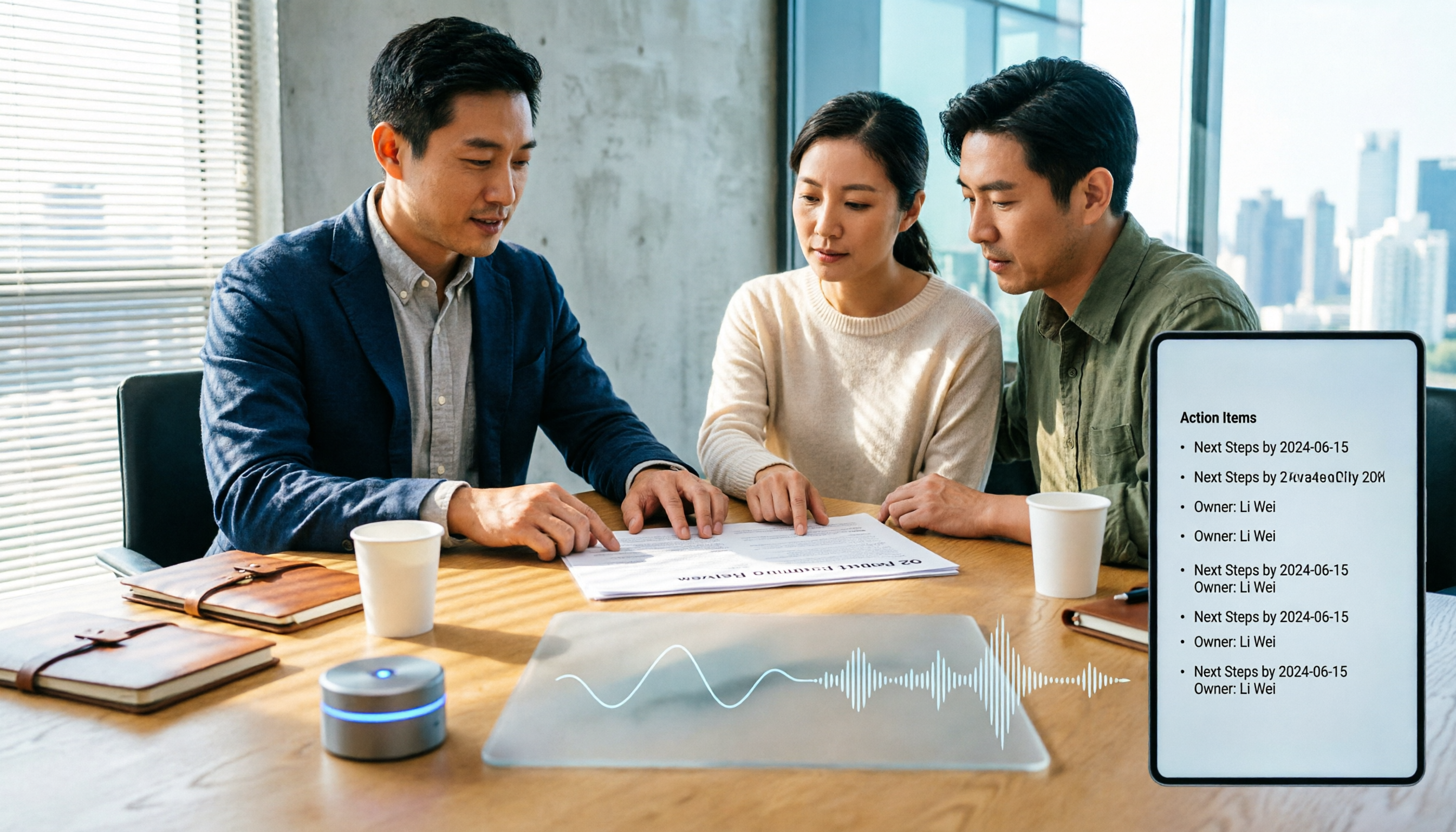
How to Choose Meeting Productivity Tools in 2026: 5 Steps from Recording to AI Meeting Minutes
The meeting ends, but the work begins. This article starts with the decision point: do you want a recording, or meeting materials you can use right away? It breaks down 4 key criteria for choosing an AI meeting productivity tool, shares a mid-level manager's tested workflow with Tinrec (秒聽錄音), 5 steps from recording to actionable to-dos, and briefly reviews who Otter.ai, Granola, and Notta are best for, plus 4 common pitfalls.