
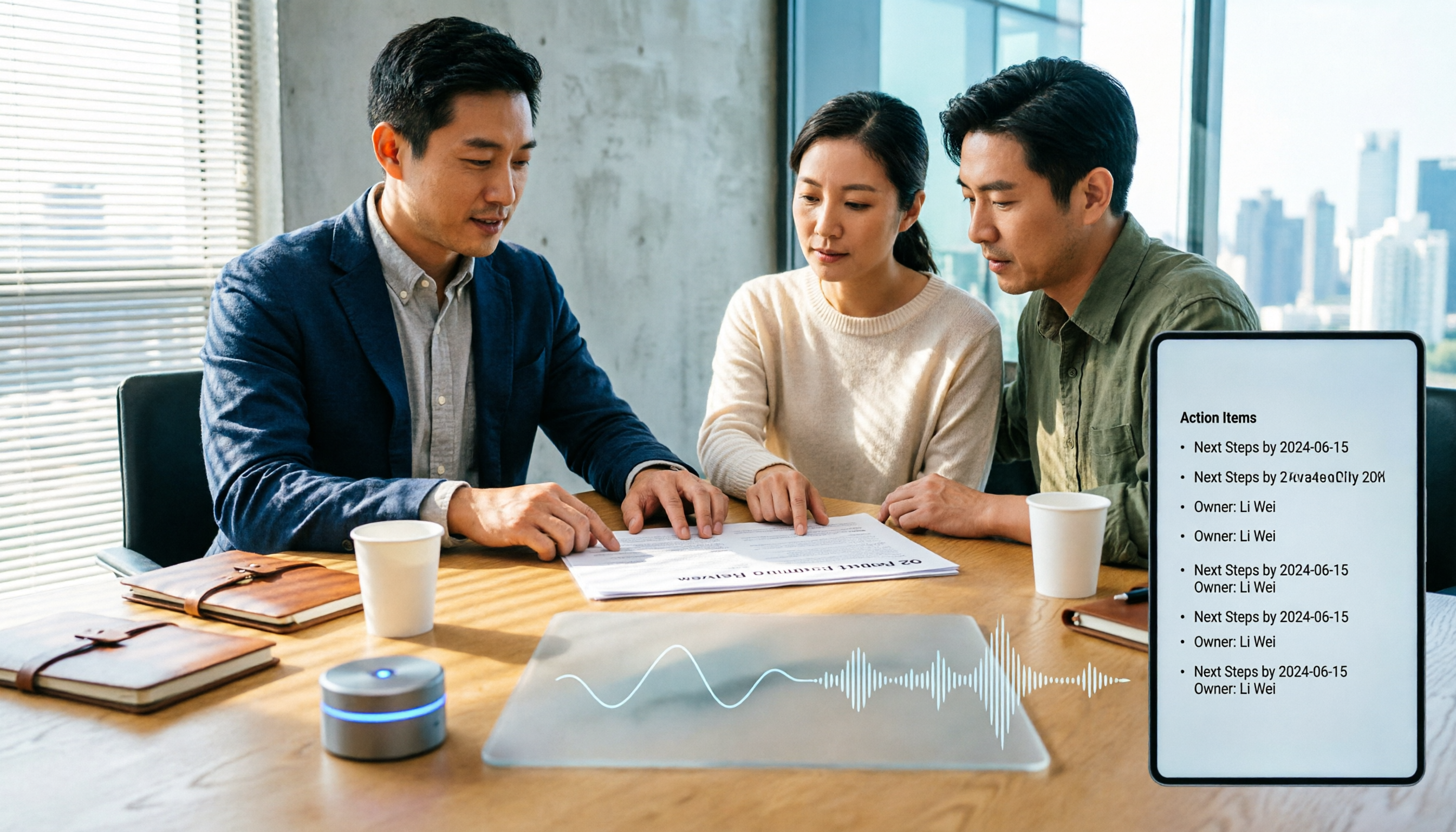
Turn recordings into transcripts and summaries in minutes
Upload audio or video for multilingual transcription, AI notes, and action items
Before choosing an AI meeting productivity tool, you need to answer one question: do you want to record the meeting, or do you want the data to be ready to use right after the meeting ends?
These two answers will lead you to completely different types of tools.
I manage a team of 10 and have about 15 meetings a week: weekly meetings, project progress meetings, one-on-ones, cross-department coordination, and ad-hoc decision meetings I get pulled into. The most annoying part used to be not the meeting itself, but the aftermath—every meeting generated a pile of decisions and action items, so my work only started after the meeting ended.
Why most people's meeting notes are unusable afterward
You're probably familiar with these three scenarios:
First, the meeting ends and the key points stay in the room. The discussion was lively and conclusions were reached, but no one wrote them down. Two weeks later, your boss asks, "Which version did we finally decide on for that proposal?" You flip through your notes for three minutes and only find "to be discussed."
Second, verbal instructions are as good as no instructions. You tell a colleague in the meeting, "Can you handle this next week?" They nod. Two days later you ask, and they forgot, or their version differs from yours.
Third, a transcript is not meeting minutes. Some tools produce tens of thousands of words. You open it and still have to read through it yourself to extract key points. You only save typing time, not comprehension time.
So the real question is not "which tool transcribes most accurately," but "which tool lets me get something I can send out within ten minutes after the meeting."
Before choosing an AI meeting productivity tool, understand these 4 key points
1. How the meeting is recorded: bot or system audio
Many tools rely on a "meeting bot" that joins as a participant. The downside is obvious: a stranger appears on the attendee list, and clients ask who that is; some company policies also prohibit it. Another approach is to capture system audio directly from your computer without joining the meeting list. This is especially noticeable in external meetings.
2. What you get after transcription
Getting only a transcript versus getting summaries, chapters, action items, and an AI you can query is a different order of magnitude in workload. When choosing a tool, look directly at its "post-meeting output" list, not just how fast it transcribes.
3. Whether audio files are retained and searchable
Few people ask this upfront, but it's critical when issues arise. When a decision is disputed or presentation content was spoken but not written in a document, you need the original recording, not a summary from three months ago.
4. How the team is managed
If you're deploying it for an entire department, you need to see who has permission to record, who can only read but not edit, usage levels, and whether data disappears when someone leaves. This is not a feature issue; it's a governance issue.
Tinrec (秒聽錄音)—the one I kept after testing
Tinrec (秒聽錄音) is an AI meeting notes and collaboration tool for individuals and teams, available on iOS, Android, desktop, and web. I've used it for a few months, and it stayed in my workflow not because it's "the most accurate," but because it connects the post-meeting phase.
No bot needed for online meetings. The desktop version captures system audio directly, compatible with Zoom, Google Meet, Teams, and Webex. The first time I used it in an external client meeting, no unfamiliar account appeared on the attendee list—this matters more than you'd think.
Summaries and action items are ready when the meeting ends. It automatically generates summaries, chapters, key points, and action items. My habit now: after the meeting, I first review the action items it captured, confirm the owner and deadline for each, and correct any errors. This is much faster than re-listening to a 40-minute recording.
You can ask questions about the meeting content. This is my most-used feature. For example, "What was said about the budget cap in the last meeting?" or "What concerns did the client raise?" It answers semantically, not by dumping keyword search results. When looking back across quarters for the decision trail of a project, the time saved is very concrete.
Limitations too. Proper nouns, brand names, and people's names can still be wrong. Our department's product codes were often mistranscribed initially; later we added common terms to team hotwords to stabilize it. Also, the free version has a basic quota; with my 15 meetings a week, I definitely need to pay. If you only have two or three meetings a week, the free version is enough to test the waters.
Stop organizing recordings by hand
Upload audio or video and automatically get a transcript, summary, and action items
Who it's for. People who have multiple meetings per week, need to produce minutes and action items directly after meetings, and whose teams need to share meeting data. If you only occasionally transcribe a recording, you might not use half its capabilities.
5 steps: from a meeting to actionable to-dos
I've broken down the actual process into five steps; you can follow along once.
Step 1: Before the meeting, decide how to record. For online meetings, use the desktop version to capture system audio; for in-person meetings, record in real-time with your phone or desktop; for meetings that already happened, upload the audio or video file. The key is not to fix things afterward.
Step 2: Transcribe while meeting, enable real-time translation if needed. The transcript is generated in real-time; for cross-language meetings, you can view the original, translation, or bilingual. I usually just glance at it during the meeting to confirm audio is working, not stare at the text while meeting.
Step 3: After the meeting, look at the summary and chapters first; don't read the transcript from the beginning. Use the summary to grasp the big picture, then jump from chapters to the disputed part to verify the original text. This step is key to saving time.
Step 4: Extract action items and add owners and deadlines one by one. AI captures "action signals in the discussion," not the final to-do list. My approach is to treat it as a draft, revise it within five minutes, and paste it directly into the project tracker.
Step 5: Export or save to team space. If sending to a manager, export as a document; if for long-term team access, put it in team space so everyone can search, query, and reuse it later.
After these five steps, a one-hour meeting can be wrapped up in about ten minutes.
Besides Tinrec, what other options are there?
Otter.ai: A veteran AI meeting assistant for English business meetings. Basic is free with 300 minutes per month; Pro annual billing is about USD 8.49/user/month. Meeting notes, summaries, and team features are mature. If 90% of your meetings are in English, it's a good deal. But Chinese meetings are not its strong suit, and Tinrec leans more toward "turning meetings into team data"—bot-free desktop recording, audio retention, agent post-processing, and team space governance.
Granola: A bot-free AI meeting notes tool. Basic is free; Business is USD 14/user/month. Its strength is combining your own typed notes with AI. Note that it does not save meeting audio files and does not support uploading pre-recorded audio—if you need to listen back to the original recording or organize existing files, this is a hard limitation, whereas Tinrec supports both.
Notta: Solid multi-platform transcription and translation. Free is 120 minutes per month (3 minutes per session max); Pro annual billing is about USD 8.17/month. It has the most overlap with Tinrec. The difference is that Tinrec emphasizes bot-free desktop recording, post-meeting AI Q&A, and team space governance (roles, seats, usage, audit). If you mainly process files in batches, Notta is also smooth.
Pitfall guide: 4 most common mistakes when choosing meeting productivity tools
Pitfall 1: Only looking at "transcription accuracy," not "what you get after the meeting." No matter how accurate the transcript, you still have to read it for an hour. When choosing a tool, pull out "summary, action items, Q&A, export" and look at those—that's where you actually save work hours.
Pitfall 2: Ignoring whether audio files are retained. Some tools keep only text, not audio. When a decision is disputed or presentation content was spoken but not written, you won't find the original recording. Ask clearly before signing whether audio is retained.
Pitfall 3: Treating a team plan as "multiple people sharing one account." A real team plan should allow role separation, seat allocation, usage tracking, and operation logs, and data should remain with the team when a member leaves. If you're just sharing credentials, you have no governance and may violate security policies. Also note: members without a seat can only view, play, and read; they cannot upload or edit. Don't confuse the two.
Pitfall 4: Sending AI output directly. After doing this for a while, you'll know AI summaries are useful but can miss things and misunderstand, especially proper nouns and names. I always verify key numbers and names against the transcript timestamps before sending anything out.
Conclusion: Which one should you choose?
Back to the opening question: do you want a recording, or usable meeting data?
- Need Chinese meetings, don't want a bot in online meetings, and want minutes and action items directly after → Tinrec, my current main tool.
- Want to ask questions about past meetings and find decision trails across quarters → Tinrec's AI Q&A is the most time-saving approach for this need.
- Deploying for an entire department, need seats, usage, audit → Tinrec team plan; first eligible teams get a 7-day trial, 1 free seat, and 300 minutes of shared onboarding quota. Paid seats provide 2,000 minutes of team shared onboarding quota per month; real-time recording is currently not deducted by minute.
- 90% English meetings, budget priority → Otter.ai is a reasonable choice; this is the only scenario where I'd recommend something else.
- Only need to batch transcribe long audio files → A file transcription tool like Notta is more suitable.
Final practical advice: don't buy right away. First run your next weekly meeting with the free version, follow the five steps above, and see how much time post-meeting organization actually takes. If it goes from one hour to ten minutes, then consider the paid version; if your meeting volume doesn't need it, that means your current process is fine. Tools are meant to save time, not add procurement processes.
References
Turn every recording into actionable outcomes
Get 60 free transcription minutes when you sign in. No credit card required.
Related Reading
You might also like

How to Implement Structured Output for AI Agents in 2026: A 5-Step Tutorial
Starting from the decision point of 'do you want a block of text or a piece of data?', this article breaks down JSON Schema, Function Calling, type validation, and observability for AI Agent structured output, and explains how Tinrec turns meeting content into structured minutes that can be used for follow-up work.

2026 AI Meeting Assistant Comparison: How Tinrec Turns Chinese Meetings into Actionable Data
Using Tinrec as an example, this article walks through the complete workflow of an AI meeting efficiency assistant—from recording, transcription, proofreading, and generating summaries and action items to exporting and team knowledge retention—and briefly compares the positioning differences of Otter.ai and Notta.

2026 AI Meeting Notes Tools Compared: 5 Picks That Summarize Without Replay
No more listening to meeting recordings from start to finish. Based on real scenarios like student projects, class note-taking, and online internship info sessions, this article explains how AI meeting notes turn transcripts into summaries, chapters, action items, and queryable data. It also covers 5 buying considerations and FAQs, plus Tinrec personal and team plan quotas and pricing.

2026 AI Agent Meeting Notes Comparison: Which Tool Actually Turns Meetings into Action Items?
Recorded a meeting but still can't use the data? This article breaks down the essence of "organizing" into 4 key selection criteria, compares Tinrec, Otter.ai, Granola, and Notta on smart meeting organization, and highlights 4 common pitfalls to help you choose a tool that truly turns meetings into action lists.

2026 AI Agent Word Generation Comparison: Which One Can Actually Turn Meetings into Deliverable Documents?
There are many AI Agent tools for generating Word documents, but the real challenge is turning live meeting discussions into a Word file ready for delivery. This article compares Tinrec, iFlytek Zhiwen, Kimi K2.5 Agent, and ChatGPT/Gemini across five dimensions: input source, post-meeting organization, AI follow-up questions, team knowledge retention, and export, to help you find the workflow that suits you.

How to Use AI Agents to Generate Documents in 2026: Automated Meeting Minutes and To-Do Lists Made Easy
Many people hand a recording to AI and expect a finished document, only to find names, conclusions, and action items are all wrong. This guide starts with common pitfalls and walks through the correct workflow for AI agent document generation: first use Tinrec to turn meetings into transcripts, summaries, and to-dos, then let the agent post-process them into reports, tables, and meeting minutes. It ends with key buying considerations and FAQs.

Tinrec vs Notta 2026: 5-Dimension Comparison — Which AI Agent Handles Step-by-Step Processing Better?
The difference in AI Agent step-by-step processing capability determines how much manual organizing you'll still need to do after a meeting. This article compares Tinrec and Notta across 5 dimensions: meeting capture method, post-meeting processing depth, audio retention, Chinese language experience, and team governance. It includes buying tips and pitfalls to avoid, helping you choose the one that truly turns meetings into actionable data.

2026 AI Agent Excel Tools Compared: Turning Meeting Notes into Reports Fast
Many people think an AI Agent can turn a single sentence into an Excel report, but testing shows the real keys are data sources and column design. This article compares Tinrec, Microsoft Excel Agent mode, Aspose.Cells AI Generator, and Gemini Notebook Agent, covering meeting notes, file generation, and team collaboration, with buying criteria, hands-on insights, and pitfalls to help you find the most time-saving AI spreadsheet workflow.

2026 AI Meeting Tools Compared: Which One Turns Meetings into Searchable Data?
When choosing an AI meeting tool, the real question isn't transcription accuracy—it's where your meeting data ends up. This article examines four key factors: how meetings are captured, post-meeting outputs, audio retention, and team ownership. I share my current Tinrec workflow and compare Otter.ai, Granola, and PLAUD to help you decide which fits your needs.