

Turn recordings into transcripts and summaries in minutes
Upload audio or video for multilingual transcription, AI notes, and action items
Tinrec vs Notta 2026: 5-Dimension Comparison — Which AI Agent Handles Step-by-Step Processing Better?
A two-hour meeting followed by two hours of organizing — that's the daily reality for most teams.
But the real question isn't "which tool has the most features." It's: How far do you need the AI Agent to take over before the work is truly done?
Some people just want a transcript. Others want a summary plus action items. And some want the report, spreadsheet, and decision log already sitting in the team workspace waiting for someone to pick up — the moment the meeting ends. These three needs correspond to completely different tiers of tools.
This article compares Tinrec and Notta side by side across 5 dimensions, and at the end we'll also explain when you should consider other options.
The Real Pain Point of Meeting Notes Isn't "Typing Too Slowly"
Scenario one: The meeting ends, your manager asks "Who was responsible for that decision last time?" You scroll through chat history for ten minutes and end up answering from memory.
Scenario two: Cross-department meetings happen weekly, but the materials are scattered across three people's computers, two group chats, and a shared folder. Finding a discussion from six months ago is basically a game of luck.
Scenario three: You used a meeting bot for an online meeting, but the bot wasn't approved to enter the room — or after it joined, attendees asked "Who is this?"
What these three scenarios have in common: recording and transcription are not the end goal. Post-meeting processing and knowledge retention are. Choose the right tool, and this part runs automatically. Choose the wrong one, and you've just traded typing time for file-organizing time.
Before Choosing an AI Meeting Agent, Understand These 5 Key Points
1. Where does the Agent's "end point" lie? Outputting only a transcript versus outputting "summary + chapters + action items + deliverable documents" are two completely different products. The former saves typing time; the latter actually saves organizing time. When evaluating, ask yourself: What do I need to deliver after the meeting? If it's a weekly report, meeting minutes, or client visit notes, the tool must be able to go all the way to the document level — not just stop at a text transcript.
2. How does meeting audio enter the system? There are three mainstream approaches: a meeting bot joins the meeting, a desktop app directly captures system audio, or you upload an audio file afterward. Bots are the most convenient, but they get stuck with external client meetings, company security policies, or when the host doesn't approve. The advantage of desktop system audio capture is that it doesn't add an extra participant, and it feels more natural in external meetings.
3. Will the audio file be retained? Many people only look at the transcript and ignore the audio. But when you need to verify "Did they say the 15th or the 50th?" the ability to replay the original audio is key. Some tools only keep text and don't save audio — if you need to verify later, you'd have to re-record, which is a real risk in formal meetings.
4. Does it handle Chinese and mixed Chinese-English well? Taiwanese teams rarely meet in pure Chinese — product names, technical terms, and English abbreviations are always mixed in. When evaluating, don't just look at the number of languages. Check whether it can handle mixed Chinese-English sentences and whether it has team hotwords to maintain company-specific terminology.
5. Team data ownership, seats, and governance A personal plan buys "my meeting notes"; a team plan buys "the company's meeting assets." You need to distinguish between roles and seats: roles determine who can manage members and settings; seats determine who can record, upload, edit, and export. Members who are active but have no seat can typically only view and play back. Before signing the contract, clarify this — otherwise you'll face the dispute of "we bought it but some people can't use it."
Tinrec — The One That Completes the "Step-by-Step Processing"
Tinrec is an AI meeting notes and collaboration tool for individuals and teams. It covers live recording, online meetings, audio and video import, and after transcription continues with summaries, Q&A, action items, and document generation.
Bot-free recording of online meetings The desktop app directly captures computer system audio, handling Zoom, Google Meet, Microsoft Teams, Webex, and other online meetings without an extra meeting bot joining. For external presentations or client meetings, this matters — attendees won't see an unfamiliar account appear in the participant list. Note that this doesn't mean "automatically join all meetings on your calendar" — you still need to actively open Tinrec to start recording.
From transcript all the way to deliverable documents This is where it differs most from most transcription tools. After recording or importing a file, it produces a transcript, AI summary, chapters and highlights, action items, and a mind map. Then you can ask questions directly about the meeting — for example, "What was the budget ceiling the client mentioned?" or "Was last meeting's decision overturned?" Furthermore, Agent post-processing can generate reports, tables, and documents based on the meeting content, and finally export to existing workflows like Notion, Google Docs, OneNote, and Dropbox. In other words, the manual steps between audio and deliverable output are compressed away.
Chinese meetings and real-time translation Tinrec covers Chinese, Traditional Chinese, and multilingual meeting scenarios. It supports viewing the original text, translation, or bilingual content during recording, and team hotwords let you maintain company terminology. Actual performance is still affected by recording quality, background noise, accents, overlapping speakers, and technical jargon. We don't recommend judging by a single accuracy number — for important content, it's best to cross-check with transcript timestamps and audio playback.
Stop organizing recordings by hand
Upload audio or video and automatically get a transcript, summary, and action items
Pros
- Capture method is external-meeting friendly: no extra participants, suitable for client meetings and external interviews.
- Complete post-meeting processing chain: summary, action items, Q&A, document generation, and third-party export all in one flow — no copying and pasting between multiple tools.
- Team plan is a real team workspace: meeting data belongs to the team, with member and seat management, usage analytics, audit logs, audio recycle bin, and resource handover. When a member leaves or loses a seat, their team resources can be transferred to other active members — data doesn't leave with the person.
Limitations
- Audio and web link imports consume the team's shared import minutes and are not supplemented by individual member quotas; live recording within an active team plan is currently not deducted by minutes.
- The team plan is primarily team-level sharing — all active members can read team data. It's not a granular file-level permission system, so organizations with high confidentiality classification needs should evaluate separately.
- The audio recycle bin currently retains files for 30 days. Once permanent deletion begins, it cannot be recovered. Action items are not covered by the recycle bin.
Who is it for? If your meetings are the type where "you have to deliver something afterward" — weekly reports, client interview notes, project decision minutes — and your team needs a shared meeting database that everyone can search and query, Tinrec will save you more time than a plain transcription tool.
Plans and pricing The personal plan offers a free version, weekly pass, and Pro monthly/annual plans — choose based on usage frequency. For teams, first-time eligible teams get a 7-day trial, 1 free seat, and 300 minutes of shared team import quota. Paid plans are USD 29.80 per paid seat per month, or USD 199 per paid seat per year (about USD 16.58/month), with each paid seat providing 2,000 minutes of shared team import quota per month. Actual prices, currencies, and promotions are subject to the official purchase page.
Besides Tinrec, What Are the Alternatives?
Notta A tool that started with multilingual transcription, supporting meeting notes, file import, translation, and team plans. The free version offers 120 minutes per month with a 3-minute limit per session. Pro annual billing works out to about USD 8.17/month with 1,800 minutes per month. Business annual billing is about USD 16.67/seat/month and includes role permissions and usage reports. It's mature in pure transcription and multilingual subtitles, and the price barrier is low. But if you want "direct report and table output after meetings" or bot-free desktop system audio recording, Tinrec is stronger on those two fronts.
Granola Also bot-free, it uses desktop system audio plus user handwritten notes to generate meeting content. Basic is free; Business is USD 14/user/month. Its strength is "notes × AI enhancement" — great for people who like to take notes while listening. But Granola doesn't support uploading existing audio files and doesn't save meeting audio, so scenarios where you want to replay the original audio for verification fall short. Tinrec retains audio and supports file import, so historical data can be verified repeatedly.
Otter.ai A mature choice for English business meetings. Basic is free with 300 minutes per month. Pro annual billing is about USD 8.49/user/month with 1,200 minutes of in-app recording plus 10 file imports per month. If 90% of your meetings are in English and your team works in an English environment, it's still a reasonable option. However, Chinese and mixed Chinese-English are not its strong suit — for bilingual transcripts and real-time translation, Tinrec is more suitable for Taiwanese teams.
Pitfall Guide: The 4 Most Common Mistakes When Choosing an AI Meeting Agent
Pitfall 1: Only comparing free minutes Free quota is the entry point, not the answer. What really determines cost is "can it produce what you need?" If the tool only gives you a transcript, the typing time you save still has to be spent manually adding summaries and action items. First list the three things you need to deliver after meetings, then look at the quota.
Pitfall 2: Mistaking "has a transcript" for "has an Agent" A transcript is raw material, not a finished product. Here's a simple test: After recording a meeting, can you directly ask it "How many action items came out of this meeting, and who is responsible for each?" If it can answer accurately, it's genuinely using AI processing. If it can only Ctrl+F search keywords, it's essentially still a text file.
Pitfall 3: Ignoring audio retention and retrieval mechanisms Meeting notes get used for reconciliation, contract review, and decision verification. If the tool doesn't save audio, when problems arise you can only re-convene the meeting. Also ask clearly whether there's a recycle bin after deletion and how many days it retains — in a team environment, this is a data governance issue, not just a feature issue.
Pitfall 4: Buying the team plan only to find seats and roles confused "Members" and "members with seats" are two different things. In most team plans, members without seats can view and play back but cannot upload, edit, or export. Before purchasing, calculate headcount, role division, and seat count together — otherwise you'll face the awkward situation of "we bought ten seats but only five people can actually do work."
Conclusion: Which One Should You Choose?
In one sentence: If you want AI to process meetings step by step into deliverable data, Tinrec is the more complete choice in this comparison; if you just need cost-effective transcription, Notta still has its place.
Scenario breakdown:
- Need to deliver weekly reports, minutes, or client interview notes after meetings → Tinrec (summary, chapters, action items, Agent post-processing to documents)
- Need external meetings without a bot joining → Tinrec (desktop system audio capture)
- Meetings mix Chinese and English, need bilingual transcripts → Tinrec (original/translation/bilingual view and team hotwords)
- Team needs to share meeting data and manage seats and usage → Tinrec team plan (workspace, seats, usage analytics, audit logs, audio recycle bin)
- Need is simply bulk file-to-text conversion, budget-first → Notta (mature multilingual transcription, low entry price)
- All-English meetings, members in English environment → Otter.ai (mature English business scenario)
Final practical advice for buyers: Run a complete workflow with your own real meeting recording first — from recording, transcription, summary, Q&A to export — and then decide whether to upgrade to a paid plan. Being able to complete the entire workflow in one tool is the true value of AI Agent step-by-step processing.
References
- AI Agent Practical Guide: Tool Selection, Task Automation, and Workflows
- What Is an AI Agent? Complete Analysis of Operating Principles & Automated Agent Tool Recommendations | Frank Know
- How Does AI Agent Work? Complete Analysis of Technical Architecture, Core Features, and Product Forms | AI Agent Series 1 - Future City @ CommonWealth - New Imagination for Progressive Cities
- What Is an AI Agent? Composition, Operating Principles, and Website Response
- AI Agent Is Here, But What Is It? AI Agent Definition, Applications, and Challenges Explained | Global Views Monthly
Turn every recording into actionable outcomes
Get 60 free transcription minutes when you sign in. No credit card required.
Related Reading
You might also like

How to Implement Structured Output for AI Agents in 2026: A 5-Step Tutorial
Starting from the decision point of 'do you want a block of text or a piece of data?', this article breaks down JSON Schema, Function Calling, type validation, and observability for AI Agent structured output, and explains how Tinrec turns meeting content into structured minutes that can be used for follow-up work.

2026 AI Meeting Assistant Comparison: How Tinrec Turns Chinese Meetings into Actionable Data
Using Tinrec as an example, this article walks through the complete workflow of an AI meeting efficiency assistant—from recording, transcription, proofreading, and generating summaries and action items to exporting and team knowledge retention—and briefly compares the positioning differences of Otter.ai and Notta.

2026 AI Meeting Notes Tools Compared: 5 Picks That Summarize Without Replay
No more listening to meeting recordings from start to finish. Based on real scenarios like student projects, class note-taking, and online internship info sessions, this article explains how AI meeting notes turn transcripts into summaries, chapters, action items, and queryable data. It also covers 5 buying considerations and FAQs, plus Tinrec personal and team plan quotas and pricing.

2026 AI Agent Meeting Notes Comparison: Which Tool Actually Turns Meetings into Action Items?
Recorded a meeting but still can't use the data? This article breaks down the essence of "organizing" into 4 key selection criteria, compares Tinrec, Otter.ai, Granola, and Notta on smart meeting organization, and highlights 4 common pitfalls to help you choose a tool that truly turns meetings into action lists.

2026 AI Agent Word Generation Comparison: Which One Can Actually Turn Meetings into Deliverable Documents?
There are many AI Agent tools for generating Word documents, but the real challenge is turning live meeting discussions into a Word file ready for delivery. This article compares Tinrec, iFlytek Zhiwen, Kimi K2.5 Agent, and ChatGPT/Gemini across five dimensions: input source, post-meeting organization, AI follow-up questions, team knowledge retention, and export, to help you find the workflow that suits you.

How to Use AI Agents to Generate Documents in 2026: Automated Meeting Minutes and To-Do Lists Made Easy
Many people hand a recording to AI and expect a finished document, only to find names, conclusions, and action items are all wrong. This guide starts with common pitfalls and walks through the correct workflow for AI agent document generation: first use Tinrec to turn meetings into transcripts, summaries, and to-dos, then let the agent post-process them into reports, tables, and meeting minutes. It ends with key buying considerations and FAQs.

2026 AI Agent Excel Tools Compared: Turning Meeting Notes into Reports Fast
Many people think an AI Agent can turn a single sentence into an Excel report, but testing shows the real keys are data sources and column design. This article compares Tinrec, Microsoft Excel Agent mode, Aspose.Cells AI Generator, and Gemini Notebook Agent, covering meeting notes, file generation, and team collaboration, with buying criteria, hands-on insights, and pitfalls to help you find the most time-saving AI spreadsheet workflow.

2026 AI Meeting Tools Compared: Which One Turns Meetings into Searchable Data?
When choosing an AI meeting tool, the real question isn't transcription accuracy—it's where your meeting data ends up. This article examines four key factors: how meetings are captured, post-meeting outputs, audio retention, and team ownership. I share my current Tinrec workflow and compare Otter.ai, Granola, and PLAUD to help you decide which fits your needs.
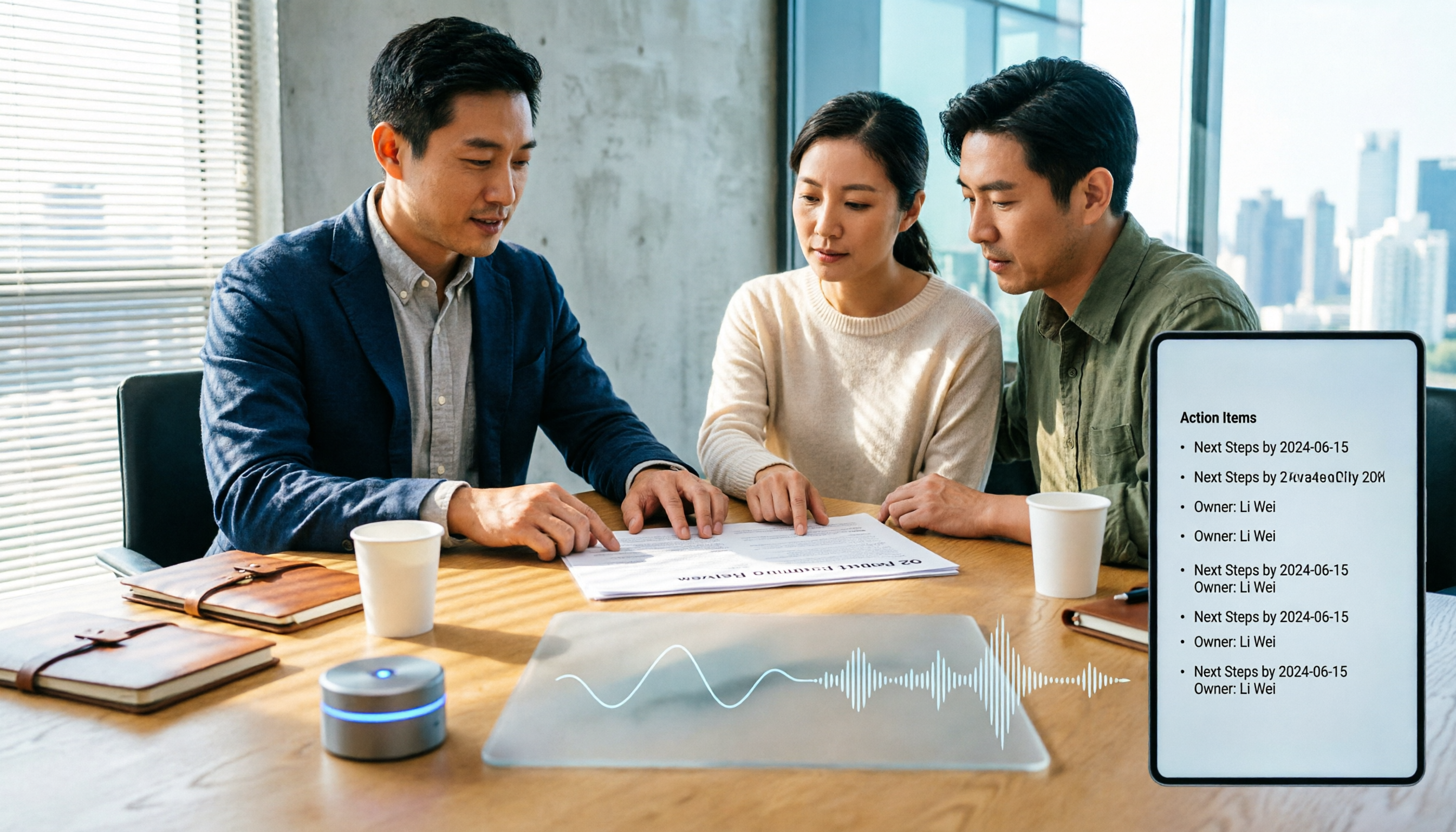
How to Choose Meeting Productivity Tools in 2026: 5 Steps from Recording to AI Meeting Minutes
The meeting ends, but the work begins. This article starts with the decision point: do you want a recording, or meeting materials you can use right away? It breaks down 4 key criteria for choosing an AI meeting productivity tool, shares a mid-level manager's tested workflow with Tinrec (秒聽錄音), 5 steps from recording to actionable to-dos, and briefly reviews who Otter.ai, Granola, and Notta are best for, plus 4 common pitfalls.