
Turn recordings into transcripts and summaries in minutes
Upload audio or video for multilingual transcription, AI notes, and action items
Google Speech-to-Text vs Tinrec – Quick Overview
Many people search for "Google Text-to-Speech," but what they actually need is not just turning text into speech, but turning large amounts of meeting recordings, lecture audio, or interview content into text that can be quickly read, searched, and organized. That's where speech-to-text tools come in.
Google offers the Cloud Speech-to-Text API, powered by DeepMind's Chirp 3 model, with high accuracy and support for over 125 languages, but it's a cloud service for developers, making it difficult for ordinary users to use directly. Tinrec is an AI-powered recording and audio organizing tool designed for everyday users. Besides transcription, it also provides automatic summaries, key points, tasks, and Q&A.
This article shares my real-world testing experience, comparing the two tools across five dimensions: transcription quality, post-processing, ease of use, and price, to see which is better suited for Taiwanese office workers and students.
| Comparison Item | Google Cloud Speech-to-Text | Tinrec |
|---|---|---|
| Core Positioning | Developer-oriented speech recognition API | Transcription and knowledge organization tool for everyone |
| Supported Languages | 125+ languages | Chinese, English, Japanese, Korean, and other major languages, with special optimization for Chinese |
| How to Use | Requires coding or third-party apps | Mobile app (iOS/Android) or web interface for direct recording or file upload |
| Pricing | First 60 minutes free per month, then per-second billing | Free plan with monthly minutes; paid plans start at NT$150 |
Dimension 1: Transcription Accuracy
Google Speech-to-Text is powered by Chirp 3, trained on massive amounts of audio and text. It performs very well on clear audio with standard accents in English and other major languages. Google's official data shows significant error reduction in the new model. We tested with a 10-minute meeting recording (iPhone 15, quiet room) mixing Chinese and English. Google caught English parts accurately but occasionally missed words or mispunctuated Taiwan-accented Chinese and filler words like "然後" (then) or "就是" (like).
Tinrec is specifically tuned for Chinese contexts. On the same test file, Chinese parts had almost no errors, and it handled mixed Chinese-English proper nouns better. Crucially, Tinrec automatically labels different speakers, which Google API can do but requires extra configuration.
→ Winner: For typical Taiwan user scenarios, Tinrec offers better stability and usability for Chinese content.
Dimension 2: Post-Transcription Organization
Google Speech-to-Text returns plain text with optional timestamps and speaker labels. To extract key points, summarize, or list tasks, you have to read through the entire text yourself. That's painful for a 1-hour meeting or 3-hour lecture.
Tinrec shines here: after transcription, you can generate AI summaries, auto-chapter segmentation, and task lists. Even better, it has an AI Q&A feature—you can ask questions like "What are the key points?" or "What decision was made at minute 5?" and get answers based solely on your recording, similar to ChatGPT but grounded in your content.
→ Winner: Tinrec wins by a large margin. Google only transcribes; Tinrec helps you truly "understand" your recordings.
Dimension 3: Ease of Use
Google Cloud Speech-to-Text is an API: you need a GCP account, enable the service, and write code or integrate third-party tools. Most office workers or students won't bother. The simplified version in Google Docs' voice typing has file length limits and no batch processing.
Tinrec has mobile apps (iOS/Android) and a web version. Open it, record or upload files, or paste a YouTube link to transcribe. No technical skill needed. I got my first meeting summary within 3 minutes of downloading the app.
→ Winner: Tinrec is far more user-friendly. Google Speech-to-Text suits developers or those integrating into their systems.
Stop organizing recordings by hand
Upload audio or video and automatically get a transcript, summary, and action items
Dimension 4: Input Sources and Flexibility
Google Speech-to-Text accepts audio files (via API) or streaming audio, but files must be in supported formats and sizes; you may need preprocessing. It doesn't support direct YouTube links or cloud storage file selection.
Tinrec is designed for "all things audio": live recording, phone audio files, computer meeting recordings, YouTube/Bilibili/Xiaohongshu public video links, and even online meetings (Zoom, Google Meet) can be directly transcribed. This is convenient for users who regularly handle multiple sources without converting files.
→ Winner: Tinrec offers significantly higher input flexibility. Google is more of a functional module than a complete application.
Dimension 5: Pricing and Free Tiers
Google Speech-to-Text offers 60 free minutes per month (standard model) on GCP, then per-15-second billing. Actual costs vary by model and features. For developers, small-scale testing is almost free, but heavy enterprise usage can quickly add up.
Tinrec's free plan gives hundreds of minutes monthly, enough for a few meetings or classes. For more, a weekly card costs NT$150, Pro monthly NT$390, and annual plans are cheaper—all AI features included, no hidden fees.
→ Winner: For per-minute pure transcription rates, Google may be cheaper at scale, but for most individuals, Tinrec bundles transcription, summarization, and Q&A at a better value.
Unique Advantages of Each
Google Cloud Speech-to-Text's Unique Strengths
- If you need to integrate speech recognition into your own app, website, or service, Google API is one of the most stable choices with low latency and broad language support.
- For developers or data scientists, it integrates seamlessly with other Google Cloud AI tools (translation, NLP).
Tinrec's Unique Strengths
- Not just transcription—it turns recordings into searchable, queryable knowledge bases. You can revisit historical recordings and ask questions.
- Supports direct transcription from online video links, used by many YouTubers and researchers.
- Syncs across phone and computer; edit summaries or export to Notion, Google Docs immediately.
- Optimized for Chinese content recognition and semantic understanding—no more "我們開會" becoming "我們開會嗎".
Conclusion: Which One Should You Choose?
- If you're a developer needing speech recognition in your system → Google Cloud Speech-to-Text is powerful and customizable.
- If you're an ordinary person needing to transcribe meetings, lectures, or interviews into text and key points → Tinrec is the most complete choice.
- If you often process YouTube videos, podcasts, or mixed Chinese-English content → Tinrec's link transcription and Chinese optimization save you time.
- If you only need a simple transcript and are willing to read the whole thing to find key points → Google's raw output works, but you'll need patience.
In a nutshell: For over 90% of Taiwan users, instead of struggling with Google Cloud APIs, just download Tinrec's free version and start organizing your first recording. Try it with your own audio, and you'll see why raw transcripts aren't enough.
FAQ
Q1: What's the difference between Google Text-to-Speech and Google Speech-to-Text? A: Google Text-to-Speech (TTS) converts text to speech (e.g., reading navigation instructions), while Google Speech-to-Text (STT) converts speech to text. This article is about STT, which is also Tinrec's main function.
Q2: Is Tinrec's free plan enough? A: The free plan offers hundreds of minutes monthly. If you have 1-2 meetings per week or occasional lecture recordings, it's sufficient. I used the free plan for two weeks before upgrading.
Q3: What languages does Tinrec support? A: It supports Chinese (Taiwan, China), English, Japanese, Korean, and other major languages, and accurately handles mixed Chinese-English recordings.
Q4: Do I need to download YouTube videos first to use Tinrec? A: No, just paste the video link, and Tinrec automatically extracts the audio, transcribes it, and generates summaries and chapters.
Q5: Is speech-to-text accuracy reliable? A: In quiet environments with clear speech, Tinrec achieves over 95% accuracy for Chinese. Background noise or overlapping speakers may cause errors, so it's advisable to verify key sections with the original recording.
Q6: Are there similar tools besides Tinrec? A: If you focus on real-time meeting notes, Otter.ai and Fireflies.ai are popular. For heavy batch subtitle generation, Notta or TurboScribe are options. But Tinrec is the most comprehensive in this test for Chinese content and online video transcription.
References
Turn every recording into actionable outcomes
Get 60 free transcription minutes when you sign in. No credit card required.
Related Reading
You might also like

How to Choose a Voice Recorder Capacity in 2026: 5 Steps from Large-Capacity Recording to AI Meeting Notes
Bought a voice recorder advertised with large capacity, only to find you can store the files but can't organize them? This article examines whether large-capacity voice recorders are truly sufficient from four angles: capacity, battery life, file management, and post-meeting organization. It walks through 5 steps to turn recordings into searchable, queryable meeting notes. It also compares Tinrec with PLAUD, Otter, Notta, and other tools.

2026 Comparison of 3 Hakka Speech Recognition and Post-Meeting Tools: How to Match Six-Accent Support with Meeting Follow-Up?
How to choose Hakka speech recognition? This article examines four key criteria: accent support, audio file upload, post-meeting processing, and team data. It compares Gohakka, a Taiwan Hakka-specific tool; the Council of Hakka Affairs' Taiwan Hakka Speech Database online real-time translation; and Tinrec, which handles post-meeting organization and team follow-up. It also summarizes three common pitfalls and offers scenario-based selection advice.

2026 Comparison of 3 Taiwanese Speech-to-Text Tools: Which Is Easier from Transcript to Meeting Minutes?
How to choose a Taiwanese speech-to-text tool? This article compares Tinrec, Yating Transcript, and AI Taiwanese Voice Notes from two scenarios: pure Taiwanese interviews and Mandarin-Taiwanese mixed meetings. It examines language processing, recording sources, post-meeting organization, team collaboration, and pricing to help you decide which tool suits your recordings, with free tier details and testing advice.

2026 Real-World Test of 5 Chinese-Korean Live Translation Tools: Beyond Travel—Which One Can Capture Your Meetings?
Live translation solves the problem of understanding in the moment, but often leaves you with nothing after the meeting. Based on real cross-language meeting and business communication scenarios, this article outlines 4 key factors for choosing a Chinese-Korean live translation tool, tests Tinrec's bilingual transcript, summary, and action item workflow, and compares the suitable scenarios for Papago, GenieTalk, and Google Translate.
Best English Meeting Minutes Tools in 2026: 7 Tested, This One Handles Mixed Chinese-English Meetings Best
English meeting minutes aren't just about handing over a transcript. This article reviews 7 AI meeting minutes and transcription tools, covering bot-free recording, mixed Chinese-English, post-meeting summaries, action items, AI Q&A, and team management, to help you choose the right solution for English meetings and team collaboration.
2026 Guide to Speech-to-Text for Minority Languages: 4 Real-World Tests and Key Tool Selection Tips
Turning recordings of indigenous language interviews, tribal classes, and bilingual meetings into transcripts is often more about recognition than recording. This article starts from real usage scenarios to explain 4 practical limitations of speech-to-text for minority languages, feasible workflows, and how Tinrec can help with Chinese and mixed-language segments—and where human effort is still required.
5 Best Dialect Speech-to-Text Tools in 2026: Cantonese & Taiwanese Transcripts Compared
Cantonese interviews and Taiwanese fieldwork recordings often turn into gibberish with generic speech-to-text. This article compares Tinrec, Subanana, Taption, CantoSub, and Google Cloud Speech-to-Text based on real-world dialect transcription workflows, and explains what Tinrec can do after transcription—summaries, action items, AI Q&A, and team knowledge retention—plus team pricing and buying considerations.

2026 Chinese-Japanese Real-Time Translation Guide: How to Choose for Meetings, Travel, and Streaming
How to choose a Chinese-Japanese real-time translation tool? After hands-on testing, I found the key difference lies in whether you need to 'understand in the moment' or 'keep a record afterward.' This guide covers three scenarios—meetings, business trips, and content research—and outlines 5 purchase decision points, with Tinrec demonstrating bilingual transcripts, bot-free meeting recording, summary to-dos, and team spaces in action.
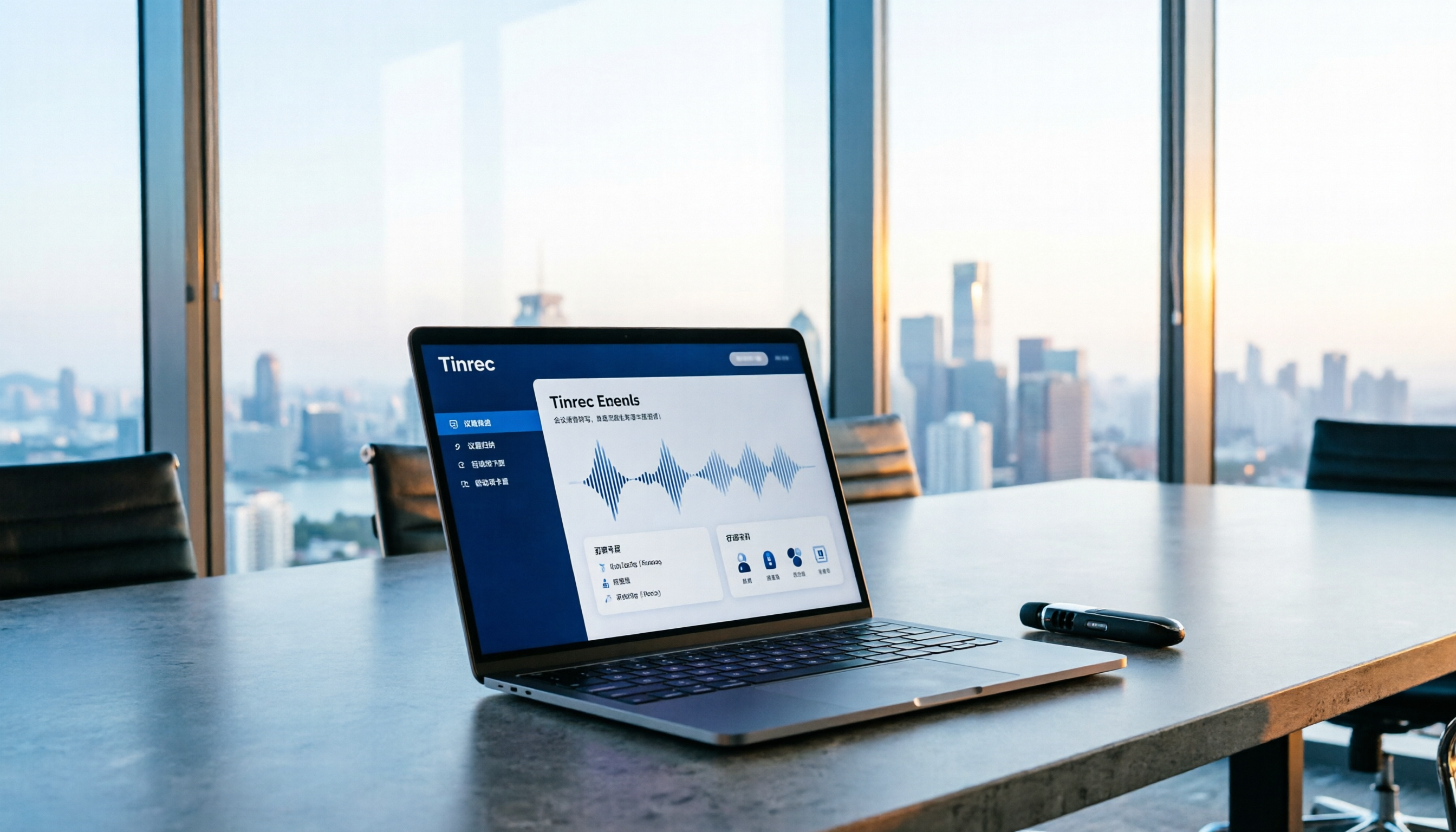
Tinrec vs Plaud Note in 2026: 5-Factor Comparison — Which Is Better for Your Recording and Transcription Needs?
In 2026, voice recorders fall into two categories: AI recording hardware and AI meeting transcription software. This article compares Tinrec and Plaud Note/NotePin across five purchasing factors — meeting capture, input sources, post-meeting output, team governance, and Chinese-language experience — to help you decide which solution fits your budget and meetings.