

Turn recordings into transcripts and summaries in minutes
Upload audio or video for multilingual transcription, AI notes, and action items
Meetings, Classes, Writing—Cantonese Typing Is Painful. You Need a Smarter Voice Solution
A two-hour meeting takes another two hours to type up as minutes—especially when you speak Cantonese but rely on Cantonese romanization or handwriting input, which is always slow and often leaves you blanking on characters. Search for "Cantonese voice input Windows" and you'll find a flood of results, but few tell you which one actually works well.
These days Windows has its own built-in voice input, there are Chrome extensions, and there are recording-to-text tools that can also organize your content. In this test, I put three options through their paces and specifically checked their Cantonese support to see which one saves the most time and offers the most practical help.
Before Choosing a Cantonese Voice Input Tool, Understand These 3 Key Points
Accuracy Isn't the Only Factor—Look for "Organization"
Many tools brag about 90%-plus recognition rates, but in real-world use, the performance drops as soon as there's background noise or multiple people speaking. More importantly, most voice input simply turns your voice into text and stops there. If you've recorded a long meeting or a class and you end up with a wall of raw transcript, you still have to read through all of it to find the key points—you've just shifted the typing burden. When choosing a tool, always check whether it can automatically produce summaries, to-dos, and key points to save you that organizing time.
Are You Only Using It on Windows, or Do You Need Cross-Platform?
If you only use it at your Windows PC, then Windows built-in or a Chrome extension might be enough. But if you also record on your phone (say, during meetings or classes) and want to organize the content on your computer later, you need a tool that supports cross-platform sync and offers a web version or an app—otherwise your data ends up scattered.
How Much Free Allowance Do You Get? Are You Forced to Pay Before It's Useful?
Most tools have a free tier, but the limits can be tight: some cap minutes, some cap file counts, and some don't support Cantonese at all. Before choosing, estimate how much you use per month. If you only use it two or three times, the free tier may be enough. If you record daily, you'll need to see whether the paid plan offers good value.
Tinrec (秒聽錄音) — Our Top Pick After Hands-On Testing
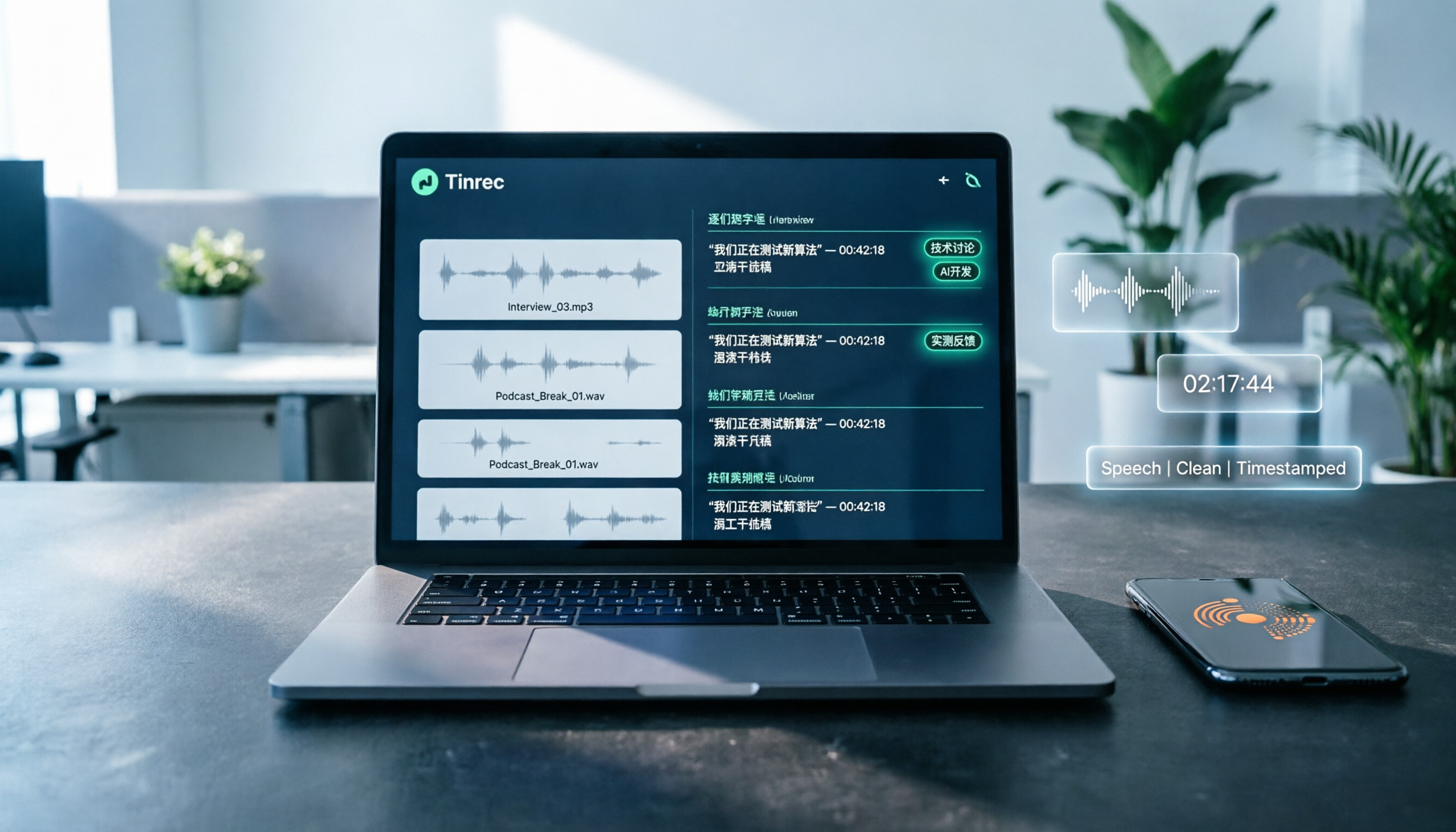
Tinrec (秒聽錄音) is an AI speech-to-text tool that supports multiple input sources. It doesn't just do real-time recording transcription; you can also upload audio files, paste YouTube links, and have it organize everything into summaries, to-do items, and meeting notes—plus cross-platform sync. For people who regularly work with Cantonese content, it's currently the most comprehensive option.
Not Just Typing—The Full Recording-to-Organization Workflow
Ordinary voice input tools only turn your voice into words. Tinrec goes further and helps you "understand" the content. Turn it on during a meeting, and you get a live transcript as it records. Afterward, it automatically generates meeting summaries, key points, and action items—who is responsible for what, and by what deadline, all clear. If you're recording a lecture or an interview, it splits the content into chapters, highlights key points, and can even create a mind map—saving you a lot of revision time.
Even better is the AI Q&A feature: after recording, you can ask, "Who mentioned the budget at the last meeting?" Instead of just matching keywords, it understands the question and gives you an answer directly. Almost no other tool in this price range offers this.
Supports Multiple Input Sources—Cantonese, Mandarin, and Mixed English All Work Well
Tinrec supports real-time recording, audio/video file upload, and even transcription from pasted links to sites like YouTube and Bilibili, covering meetings, lectures, interviews, podcasts, and more. In our test, we used a 5-minute Cantonese news recording (iPhone 15, indoor with an air-conditioner hum in the background), and the transcription quality was very stable. It even recognized mixed Chinese-English content accurately. Although Tinrec doesn't officially claim "99% accuracy," in practice, with decent audio quality, errors were rare—much better than many tools that only understand Mandarin.
Pros
- Not just a transcript—full post-processing: automatic summaries, action-item extraction, and AI Q&A let you avoid reading through everything yourself.
- Cross-platform sync: iOS, Android apps, and a web version keep your recordings seamlessly synced between computer and phone, so they're never locked to one device.
- Multiple export formats: export to Notion, Google Docs, OneNote, or generate documents like meeting minutes and reports.
Stop organizing recordings by hand
Upload audio or video and automatically get a transcript, summary, and action items
Limitations
The free plan comes with a basic monthly transcription allowance, so heavy users may need to upgrade. Also, it's not an "instant input method"—you can't just speak into any text box and have text appear. Instead, you record first and then transcribe. But that design is actually better for organizing a large volume of content, because you can edit and refine key points afterward.
Who Is It For?
If you frequently record Cantonese meetings, lectures, or interviews, or want to turn YouTube videos into text notes, Tinrec is the most comprehensive choice. Its AI features help turn a pile of recordings into a searchable, askable knowledge base—so you'll never lose track of where your recordings went.
What Else Is Available Besides Tinrec?
Windows 11 Built-in Voice Input (Win + H)
Windows 11 already includes built-in voice input with Cantonese support. Press Win + H to start voice typing in any text box, and it can even add punctuation automatically. It's free and requires no installation—good enough for quickly typing short messages.
But the limitations are clear: it's just an "input tool" with no audio recording or save function, and it won't organize your content. If you speak a long passage, there's no way to go back and review it or search for key points. It also requires an internet connection—it won't work offline. It's fine for quick replies and fast notes, but for anyone who needs to organize large amounts of recorded content, it's simply not enough. (Tinrec, by contrast, offers full recording management and AI organization—something Windows built-in can't do.)
VoiceIn Chrome Extension
VoiceIn is a Chrome browser extension that uses Google's speech recognition engine, supports Cantonese, and has fairly high accuracy. Once installed, you can use voice input in any text box on web pages—like Gmail, Facebook, and WhatsApp Web—and speak three times faster than you can type.
But it's also a "pure input" tool: your recordings aren't saved, and there's no organization, export, or AI Q&A. And because it's an extension, it's limited to the Chrome browser—if you need to use Word, Notepad, or other software, it won't help. Tinrec, though not an instant input method, lets you record and then organize at your own pace, and it supports far more use cases. That gap is critical when dealing with long-form content.
Pitfall Guide: 3 Mistakes You're Most Likely to Make When Choosing a Cantonese Voice Tool
Pitfall 1: Only Looking at Accuracy, Ignoring "Post-Processing"
Many people choose a tool purely by comparing "which one recognizes characters most accurately," but in reality, even 100% accuracy still leaves you to organize the content yourself. After recording an hour-long meeting, all you have is a pile of text, and you still need to read top to bottom to find the important parts—the time cost is just as high. Choosing a tool with AI summaries, automatic chaptering, and action-item extraction (like Tinrec) is what actually saves time.
Pitfall 2: Not Thinking About Cross-Platform Needs
Today you're on a Windows PC, tomorrow you might record on your phone, and the day after you might want to review on a tablet. If a tool only has a Windows version, your recordings end up scattered and are a pain to manage. It's best to pick a tool with iOS, Android, and web versions, so you can record anywhere and view on any device.
Pitfall 3: Being Fooled by the Word "Free"
Many free voice-input tools come with major restrictions: only a few minutes, no Cantonese support, or constant ads. If your usage is low, the free tier might be enough, but if you use it regularly, you need to check whether the paid plan is reasonable. Some tools only reveal after you dive in that the free version doesn't even include basic organizing features—then you have to switch and waste time. Tinrec's free tier has its limits too, but at least basic transcription and AI features are usable. Try it before deciding whether to upgrade—that's the safest approach.
Conclusion: Which One Should You Choose?
Based on our hands-on testing, the three Cantonese voice options each have their strengths:
- If you only need to quickly input short text (e.g., replying to messages, simple notes) → Windows built-in voice input (completely free, just press Win + H)
- If you mainly type in the Chrome browser (e.g., Gmail, social media) → VoiceIn (convenient and accurate)
- If you need recording, transcription, organization, and cross-platform management (meetings, classes, interviews, video content) → Tinrec (秒聽錄音) (most comprehensive AI features, taking you from recording to a finished report in one seamless flow)
If you frequently deal with long Cantonese recordings and want to cut down organizing time, start with Tinrec's free version—it gives you a basic monthly allowance, enough for two or three meetings to try it out. Upgrade only if you find it useful—there's no need to pay from the start. The greatest value of this kind of tool is turning your recordings into truly usable information.
References
- VoiceIn Cantonese Speech Recognition: Type Three Times Faster on Desktop Without Typing
- A Detailed Guide to Windows Voice Input for Beginners
- Use Voice Input to Speak Instead of Typing on Your PC | Microsoft Support
- So Windows 11 Finally Has Built-in Cantonese Voice Input | LIHKG
- How to Type with Cantonese Romanization (Jyutping) on Windows | The Cantonese College
Turn every recording into actionable outcomes
Get 60 free transcription minutes when you sign in. No credit card required.
Related Reading
You might also like

2026 AI Meeting Recorder Comparison: Plaud Note Pro vs Tinrec vs Notta — Which One Should You Choose?
Plaud Note Pro reviews are trending on Dcard, but hardware and software solutions solve fundamentally different problems. This article compares Plaud Note Pro, Tinrec, and Notta across three real-world scenarios—online meetings, in-person interviews, and team collaboration—covering audio capture methods, post-meeting outputs, team management, and actual costs, plus three common pitfalls to avoid when choosing.

2026 AI Meeting Transcription Tools Compared: How to Calculate Notta Pricing Without Losing Out
Many people only compare monthly fees when checking Notta pricing, without factoring in available minutes and post-meeting organization costs. This article breaks down Notta's three official plans, then compares the actual costs and use cases of Tinrec, Otter.ai, TurboScribe, and PLAUD, and finally summarizes the three most common pitfalls when comparing prices.

3 Versions of Sweat Script Compared: Which One to Buy for Reading, Rehearsal, or Licensed Performance?
After searching for Sweat Lynn Nottage buy, the most common mistake is buying the wrong version. This guide compares the TCG Edition, the Concord Theatricals licensed edition, and the UK edition, evaluating them on purpose, licensing, shipping cost, and delivery time to help you buy the right version of Lynn Nottage's Pulitzer Prize-winning play.

Rémi Notta 2025 Update and 3 AI Meeting Note Tools Tested: Which Should Content Creators Choose?
Readers searching for Rémi Notta's 2025 update are often also concerned with how content creators can organize large volumes of interviews and meetings. This article first summarizes Rémi Notta's public activities in 2025, then compares Tinrec, Otter.ai, Notta, and Granola across four dimensions: meeting capture method, Chinese transcription, post-meeting output, and team knowledge retention, to help you choose the right AI meeting note tool.

2026 Voice-to-Text Tools Compared: Good Tape Reviews and How to Choose for Chinese Meetings
Good Tape scores around 3.1 on review platforms with mixed feedback. This article first breaks down the common mistake of choosing tools based on star ratings alone, then compares voice-to-text tools across 5 purchasing dimensions, and uses Tinrec to demonstrate a complete workflow from recording and transcription to summaries, action items, and team knowledge retention.

Notta Review 2026: 5 Key Comparisons with Tinrec — Which Is Better for Chinese Meeting Transcription?
Is Notta worth using? This article compares Notta and Tinrec across five dimensions: Chinese transcription, online meeting recording methods, free tier and pricing, post-meeting AI organization, and team collaboration governance. It also summarizes real user feedback from third-party review sites to help you decide which tool better fits your meeting scenarios.

Shahnawaz Notta DO: Resident Physician Research Profile and Publications (2026)
A review of Shahnawaz Notta DO's institutional affiliation, research topics, and representative publications from public academic profiles, with practical steps to verify author identity and avoid confusion with namesakes.
How to Download Nottam Ringtone in 2026: 5 Steps from Search to Setup
Struggling with Nottam ringtone downloads that are in the wrong format, too long, or lost in your files? This guide walks you through 5 steps: finding the audio, converting to iPhone-compatible M4R, setting it as your ringtone, and using Tinrec to turn downloaded audio into a searchable transcript library—solving the 'download and disappear' problem for good.

2026 AI Meeting Recorder Comparison: PLAUD Note PTT Reviews and a Better Alternative
PTT opinions on the PLAUD Note are split—some say an app can do the same thing, while others say the time saved is well worth it. This article starts from the decision point of 'do you actually need hardware or a workflow,' compares a recording card with software-based tools, and uses Tinrec to demonstrate a complete workflow for bot-free online meeting recording, AI summaries, action item extraction, and team spaces.