

Turn recordings into transcripts and summaries in minutes
Upload audio or video for multilingual transcription, AI notes, and action items
2026 Meeting Notes Apps Compared: Save 80% of Your Follow-Up Time
I attend about 15 meetings a week, from weekly syncs and project check-ins to one-on-ones. The worst part has always been the post-meeting note cleanup. I tried recording and replaying the audio, but a one-hour meeting still needed two hours of my time to organize – so inefficient. Then I started trying AI meeting notes apps. First I used Notta, which transcribed accurately but the summaries were too brief. I moved to SeaMeet, which handled Taiwanese Mandarin really well but was only great for online meetings. AIMeeting had powerful custom templates but you needed the paid plan for full functionality. inFin was free but transcription accuracy was unreliable. Last year I started using Tinrec and haven’t switched since – it doesn’t just do meeting notes; I also use it to organize material from classes and videos. It’s really versatile.
What Can AI Meeting Notes Apps Do for You?
Let’s skip the tech details. Here’s what a meeting notes app can do for someone like me, a mid-level manager – it helps with three things:
- Generate meeting summaries within 5 minutes after the meeting ends: With Tinrec, for instance, the moment a meeting wraps up, the AI has already produced a summary, conclusions, and action items – so you can see exactly who does what and by when. No more spending half an hour trying to recall the key discussion points.
- Recordings from classes and interviews become notes too: Not just meetings – I upload product training recordings to Tinrec. It doesn’t only transcribe what’s said; it also auto-chapters the content, so when I review I can jump straight to the relevant sections. Much more efficient.
- Search and ask questions across past recordings: Before, I’d have piles of audio files and had to listen from start to finish just to find one sentence. Tinrec’s AI Q&A lets me ask, "Who mentioned the budget at the last meeting?" and it pulls the answer from previous recordings.
This frees me from document admin and gives my time back to the management tasks that actually need brainpower.
What Core Capabilities Should You Look for in a Meeting Notes App?
When I pick a meeting notes app, I don’t look for the one with the most features. I look for whether it solves my three pain points: real-time transcription, efficient organization, and multi-scenario usefulness. Here are the core capabilities I found when testing Tinrec – and why I stuck with it.
- Real-time transcription that appears as you record: During a meeting, you watch the text sync up as you go. If the AI mishears something, I can correct it immediately – unlike older tools where you had to wait until the recording finished, so they couldn’t help during the meeting. Tinrec’s transcription delay is under one second, and it keeps up even in multi-person discussions.
- AI summaries aren't just condensed text – they're structured output: Many apps simply shorten the transcript. Tinrec breaks mine into four sections: “Meeting Topic,” “Conclusions,” “Action Items,” and “Owner.” I can copy that straight into a report, and when my boss asks for an update, I don’t have to flip through my notes.
- Automatic speaker separation: Tools I used before required me to manually tag who was speaking – such a hassle. Tinrec automatically identifies different speakers and marks each one clearly on the transcript, making it super easy to follow up on who said what later.
- Multilingual support and Taiwanese expressions: My team has international colleagues, so meetings often mix Chinese and English. Tinrec supports 14 languages, and its Chinese recognition is especially stable – it catches Taiwanese Hokkien accents and Taiwanese English. Unlike some foreign apps that struggle with local usage.
- Cross-platform support and online video transcription: I record meetings on my phone and check results on my computer at work. Tinrec has iOS, Android, and web versions, and your data syncs in real time. Even better, you can paste a YouTube or Bilibili link and it converts the video to text. I use this to organize competitor analysis videos, saving all the time I used to spend pausing and typing.
These capabilities mean I don’t have to switch between different tools. One app handles meetings, learning, and research.
Real-Life Use Cases
I now use Tinrec in four everyday scenarios, and each one saves me real time.
Stop organizing recordings by hand
Upload audio or video and automatically get a transcript, summary, and action items
Scenario 1: Weekly department sync Before the meeting, I start a Tinrec recording. When the meeting ends, it immediately generates a summary and action items. I screenshot those action items and post them to the team group – everyone picks theirs up, and I skip the whole “send the meeting notes email” step.
Scenario 2: Product training sessions We often have external trainers come in. I record with Tinrec, and after the class I get both a transcript and AI-organized key chapters. Turning that into internal training material is super fast.
Scenario 3: User interviews We do user research, and each interview is about 40 minutes. Before, I’d ask an assistant to type up transcripts. Now I use Tinrec to transcribe and then use its AI Q&A to ask, “What are users complaining about with the current features?” The answer appears in seconds. My qualitative analysis productivity has doubled.
Scenario 4: Market intelligence gathering I regularly watch competitor launch videos. Before, I kept pausing to take notes. Now I paste the video link into Tinrec, it outputs text and a summary, and I can watch along while comparing. No overlooked details, and I can quickly whip up material for my weekly report to my boss.
5 Things to Watch Out for When Choosing a Meeting Notes App
Whether you want to just go with Tinrec like I did, or compare more options, watch out for these five points so you don’t waste time.
- Accuracy isn’t about official claims – test it yourself: Every vendor says they’re 98% accurate, but you only know in practice. I tested the same meeting recording with mixed Chinese and English. Tinrec was around 95% accurate, while some tools dropped to 80% with background noise – a big difference. I recommend testing with your own typical audio.
- The usefulness of AI summaries: Transcription is just step one. The summary quality is what matters most. Tinrec’s summaries automatically capture action items. Some tools just hand you a condensed paragraph that I’d still have to organize myself.
- Language and accent support: If your meetings include Taiwanese Hokkien, Cantonese, or other specific accents, be sure to check whether the tool supports them. Tinrec is tuned well for Taiwanese expressions, but if you’re in a pure Cantonese environment, you might need another tool to step in.
- Cross-platform and easy adoption: I often record on my phone and edit on my computer, so syncing across devices is crucial. Tinrec works across all three platforms with cloud sync – no need for cables to transfer files. It also isn’t tied to any specific meeting software, so you can record in-person meetings, which gives you great flexibility.
- Cheaper isn’t always better: Free plans usually have limits. If you’re in meetings every day like I am, jump straight to the Pro plan. Tinrec’s free tier gives you a basic monthly quota, good for occasional use. For regular meetings, a Pro monthly card costs less than two cups of coffee a month, and the time you save is worth far more than the subscription fee.
Frequently Asked Questions
Q1: Will using AI meeting notes create privacy issues? A: When choosing a tool, pay attention to data encryption and where your data is stored. Tinrec processes recordings and transcripts in the cloud, and the official materials emphasize security protections. Still, for sensitive meetings, I’d check your company’s security policy first.
Q2: If multiple people talk at once during a meeting, can the app transcribe accurately? A: Overlapping speech is the hardest case for transcription, and no tool is 100% accurate. Tinrec performs really well when people speak in turn, but in heated discussions with overlapping voices there will still be errors that need manual checking.
Q3: Can I use it offline? A: Most AI meeting notes apps currently require an internet connection, and Tinrec is no different – transcription and summaries rely on cloud AI. If you often meet in places without internet, this might not be ideal.
Q4: What’s the difference between the free and paid tiers? A: With Tinrec, for example, the free plan gives you a set number of transcription minutes each month – good for dipping your toes in. The Pro tier offers higher quotas, faster processing, and advanced features like AI Q&A and longer recording transcription. You can try the free version first and decide later.
Q5: How is this different from using Google’s live transcription without an app? A: Google’s live transcription only gives you text – no structured summaries, action items, or AI Q&A. The value of a meeting notes app is in the “organization,” not just the transcription. Tinrec’s post-processing lets you turn a recording into an actionable document.
Conclusion
After more than a year of hands-on testing, I believe AI meeting notes apps are no longer just a novelty – they’re a must-have workplace tool. If you have more than three meetings per week, I strongly suggest you try one. My recommendation order is simple: start with Tinrec’s free plan to feel what automatic meeting notes are like. If you like it, upgrade based on how often you use it. Instead of spending hours on transcripts, let AI handle the grunt work and save your energy for decisions and management.
References
- Notta – Super Accurate Transcript, Voice-to-Text, Meeting Recording, AI Summary Notes App – App Store
- AI Meeting Notes Software Recommendations: 5 Apps Tested and Compared – Auto-Transcription Makes Meetings Easy!
- Recently, many people have asked me if there’s an AI tool that can take meeting notes.
- AI Meeting Notes – Apps on Google Play
- No Time Limit! 3 Free AI Transcript Tools – Great Recommendations! AI Voice Notes Generate Meeting Notes, Slides, and Mind Maps | 104職場力
Turn every recording into actionable outcomes
Get 60 free transcription minutes when you sign in. No credit card required.
Related Reading
You might also like

2026 Free Speech-to-Text Tools Compared: 4 Apps Reviewed
Is it legal to record conversations? There are legal restrictions, but the bigger challenge is managing your recordings. We tested 4 speech-to-text tools, compared their free plans, and shared practical insights to help you choose the right one without wasting time.
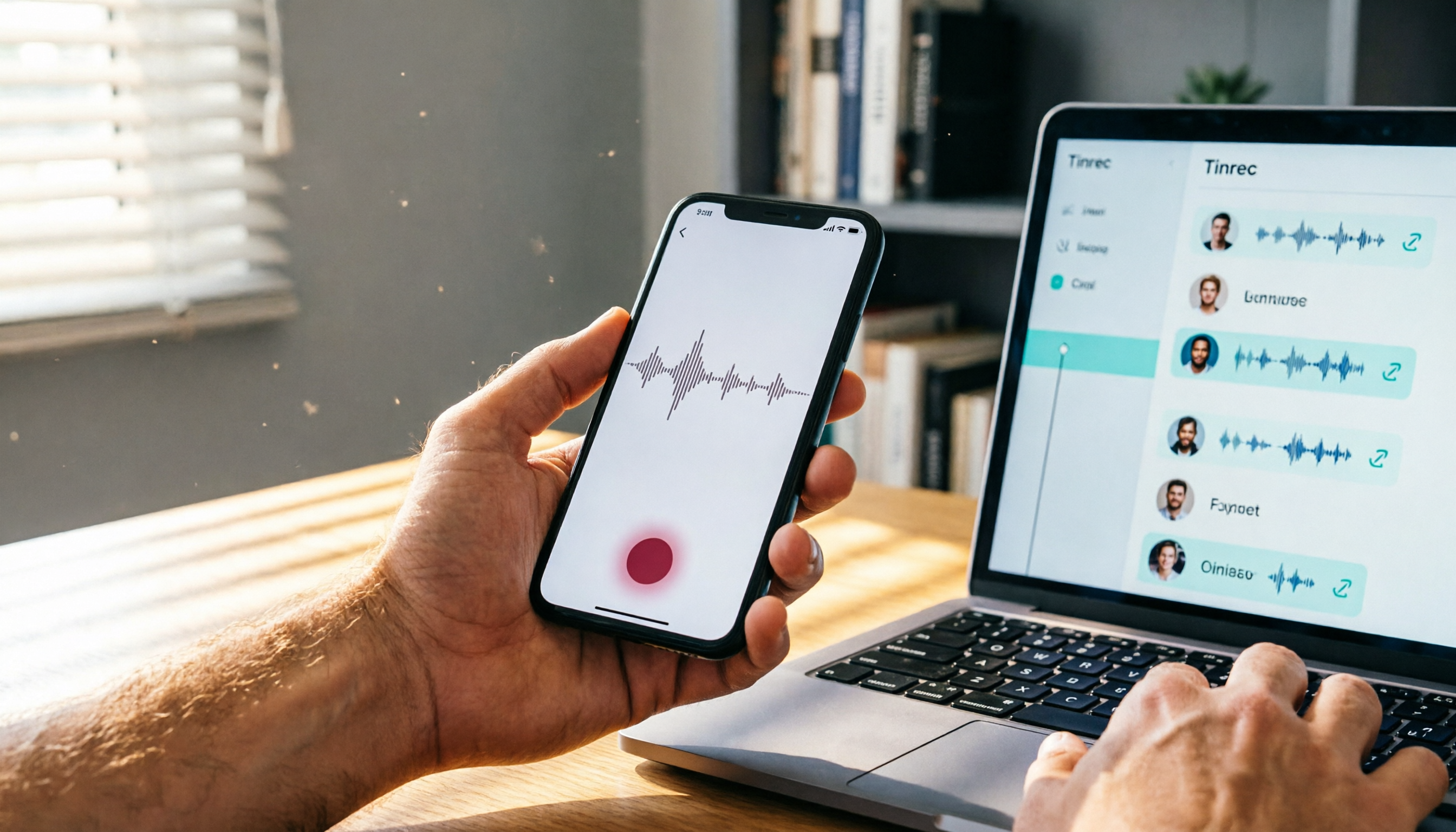
Where Are iPhone Voice Recordings in 2026? 5-Step Guide and a Better Alternative
Can't find your iPhone recordings? This article walks you through 5 steps to record, export, and share with Voice Memos, and offers an in-depth comparison with the AI tool Tinrec to show why Tinrec is a more complete audio/video organization solution for most users.

2026 AI Meeting Notes Tools: How to Choose Between Tinrec and Otter.ai in 5 Steps
There are many AI meeting notes tools on the market, so how do you choose between Tinrec and Otter.ai? This article compares the two across five key dimensions—Chinese speech recognition, audio/video source support, AI organizational capabilities, pricing plans, and cross-platform experience—and uses hands-on testing to help you quickly see the differences and find the best fit for users in Taiwan.

2026 Web Recording Tools Comparison: Which One Organizes Online Audio More Efficiently?
Want to record audio from web meetings, courses, or videos? This article compares Tinrec and Otter.ai in real-world tests, covering online video transcription, AI summaries, Chinese support, and pricing, to help users in Taiwan find the best web recording tool for organizing online audio.

2026 Free AI Meeting Notes Tools: 3 Options at a Glance
2026 AI Meeting Notes Free Plan Roundup: hands-on tests of Chinese support and core features of tools like Tinrec and Notta to help you choose the most suitable meeting note AI for users in Taiwan. Includes a full comparison of free allowances, speech-to-text, AI summaries, and Q&A.

How to Take Meeting Notes in 2026: 5 Steps from Recording to AI Summary (Full Guide)
Two hours in a meeting, another two hours organizing the notes? This article walks you through 5 steps to automatically transcribe and summarize meetings with AI tools, including a hands-on review of our top pick, Tinrec, and comparisons with Otter.ai and Notta—plus pitfalls to avoid and practical buying tips.
2026 Tested: 4 Best AI Meeting Recorders Compared – Turn Audio into Actionable Knowledge
We tested 4 AI meeting note tools head-to-head. Tinrec (MiaoTing) came out on top for meetings, lectures, interviews, and online videos — even the free plan is worth trying.

2026's 4 Call Recording Transcription Apps Tested and Compared: Which One Saves You the Most Overtime?
Is call recording legal? What's the fastest way to organize recordings? We tested four tools—Tinrec, Otter, Notta, and PLAUD—comparing Cantonese accuracy, AI organization, cross-platform support, and free tiers to help you find the most time-saving call recording transcription solution.

2026 Free AI Meeting Minutes Tools: 5 Options at a Glance
Say goodbye to meeting notes headaches! This article tests 5 free AI meeting minutes tools, covering real-time transcription, AI summaries, and cross-platform support, to help you find the best free solution. Tinrec doesn't just transcribe—it turns your meetings into an action list. Find out who your meeting MVP is.