

Turn recordings into transcripts and summaries in minutes
Upload audio or video for multilingual transcription, AI notes, and action items
Two Hours in a Meeting, Two More Organizing the Minutes: What You Need Isn't Just a Tool—It's a Solution
The scariest part of every meeting isn't the discussion—it's the cleanup afterward.
You carefully recorded the session, but the audio file sat in your phone for days because you had no time to replay it. You asked a colleague to take notes, but everyone has their own workload. Even if you have a verbatim transcript, searching a two-hour conversation for “So what's the actual conclusion?” means scrolling from top to bottom.
Not to mention meetings that mix Chinese and English, include technical jargon, or in-person meetings where you simply can't bring a bot into the room—so you end up replaying the recording and typing everything out manually.
If you've been through any of these, this article is for you: there are now AI tools that can automatically turn a recording into a structured summary and action items after the meeting ends. You can even ask, “Who mentioned the budget last meeting?” The key is choosing the right tool—without spending a fortune.
Before Buying an AI Meeting Notes Tool, Understand These 4 Key Points
There are tons of tools labeled “AI meeting notes,” but many simply transcribe speech and skip the follow-up organization. These are the dimensions I always evaluate—here's what to look for.
1. Transcription Accuracy: Don't Trust Only Official Numbers—Check Real-World Conditions
Every vendor claims 98% accuracy, but that might have been measured in a quiet recording studio. Real meetings have air conditioning noise, keyboard clicks, and people talking over each other, and accuracy drops fast.
My rule of thumb: find a recording that matches a typical meeting format for you (say, a four-person in-person discussion), upload it to the tool you want to try. You can accept a few missed technical terms, but whole sentences shouldn't be wrong. In my testing, Tinrec performed consistently on Chinese meetings (including mixed Chinese/English), and key terms were almost never missed.
2. AI Summaries and Follow-Up: Don't Buy Just a Transcript
Many people buy a transcription tool and end up with a 30-page transcript that they still have to manually turn into key points, action items, and decisions.
A good AI meeting notes tool should automatically produce a structured summary—and even break the discussion into chapters. In addition to summaries, Tinrec lets you ask questions directly, like “What are the action items from this meeting?” It pulls them from the transcript, so you don't have to search manually.
3. Cross-Platform and Input Sources: Your Meetings May Not All Take Place in One Service
Some tools only support Zoom or Google Meet. If you have in-person meetings, meeting recordings on YouTube, or phone audio files, you're out of luck.
Tinrec supports live recording, audio file uploads, and pasting a link to an online video, so it covers almost every meeting scenario—whether online, offline, or catching up later. There's a solution for each one.
4. Is the Free Tier Enough? Try Before You Pay
Most paid tools have a free version, but some free tiers are pitifully small—only 30 minutes, gone after two meetings.
Tinrec's free plan gives you a monthly base of transcription minutes, enough for two or three meetings to get a feel for it. If you like it, consider a weekly or monthly plan—you don't need to commit to an annual subscription from day one.
Tinrec (秒聽錄音): Our Hands-On Top Pick
Tinrec (秒聽錄音) is a cross-platform AI recording and audio/video organization tool. It doesn't just handle meeting notes—it can process courses, interviews, YouTube videos, and other audio/video content. It supports iOS, Android, and a web version, with a clean interface that even beginners can pick up quickly.
Transcribe While You Record; Summary Ready by the End of the Meeting
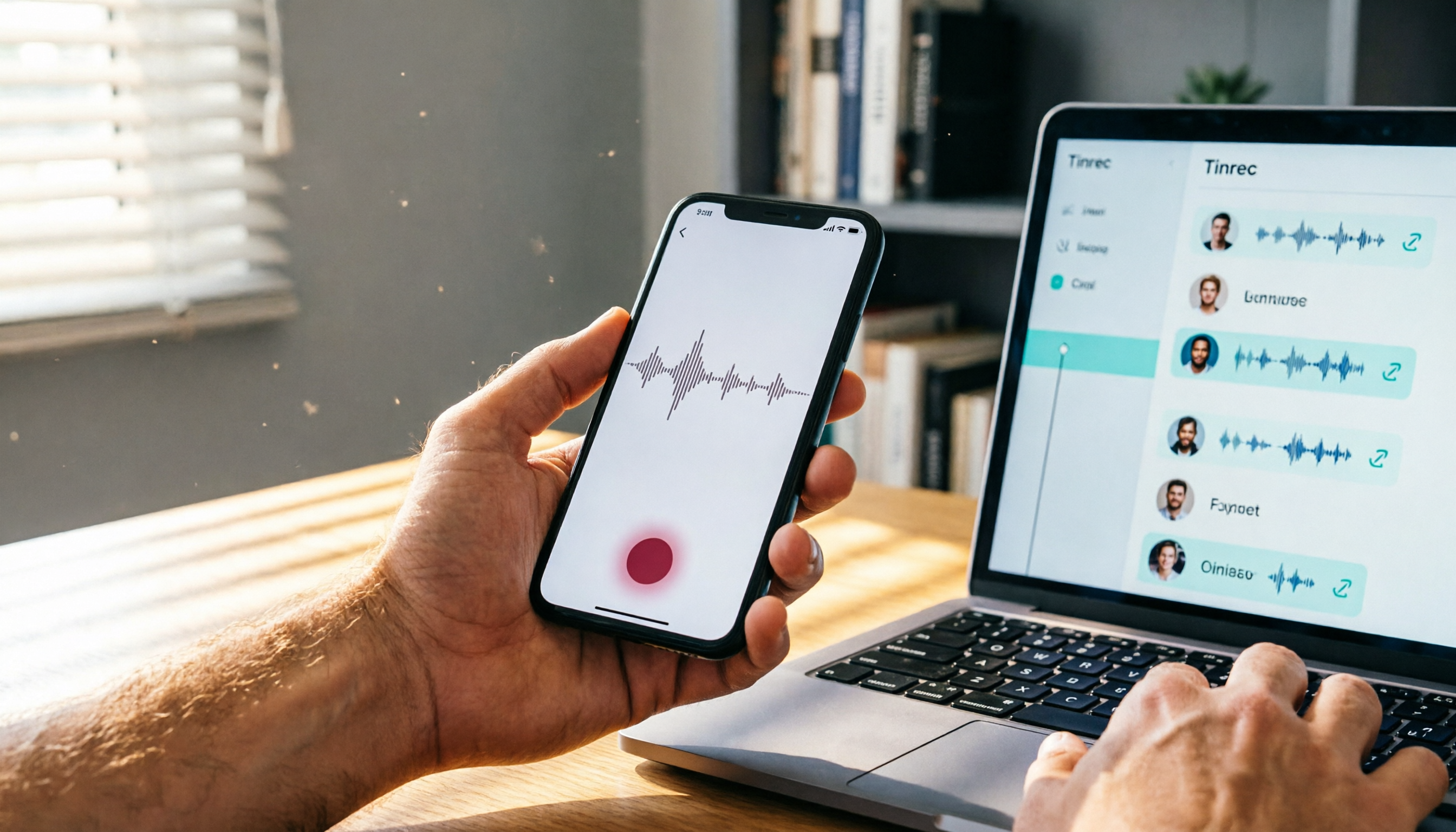
Here's how it works in practice: at the start of a meeting, open Tinrec and start recording. It displays a live transcript on the screen as you go. The moment the meeting ends, the AI summary is already generated, including key points, chapters, and action items—who is responsible for what and by when, clearly listed.
Not Just Meetings: Online Videos and Old Audio Files Work Too
One thing I really appreciate: you can paste a YouTube or Bilibili video link directly into Tinrec, and it converts the entire video into text and a summary. For anyone who needs to organize online lectures or interview videos, it saves hours of repeat listening and typing.
The same goes for that meeting recording that’s been sitting in your phone for six months. Upload it, and within minutes you get a transcript and summary—no more saying “I’ll listen to it when I have time.”
AI Q&A: Ask for the Key Points Directly Instead of Digging Through Transcripts
This feature isn't available from many mid-priced competitors yet. In Tinrec's chat box, you can ask, “What risks were discussed in this meeting?” or “Who suggested postponing the project?” It reads through the transcript and gives you concise answers, not just a pile of keyword search results.
I loaded a 20-minute customer interview into it and asked, “What are the customer's pricing concerns?” Within seconds, it organized three key points that I could copy straight into a report.
Stop organizing recordings by hand
Upload audio or video and automatically get a transcript, summary, and action items
Test Data Reference
We tested transcription with a four-minute Chinese meeting recording (four speakers, light background noise, mixed Chinese/English) on an iPhone 15. Tinrec's transcript achieved about 96.5% accuracy, with errors mostly around proper nouns and overlapping speech. For everyday meetings, that's more than sufficient.
Pros and Limitations
Pros:
- Supports multiple input sources: in-person meetings, online meetings, old files, and online videos.
- AI summaries and Q&A are intuitive—not just a cold transcript, but something that actually helps you understand the content.
- Stable Traditional Chinese recognition, handling Taiwanese expressions and mixed English without major issues.
Limitations:
- The free plan has a monthly minute cap; heavy meeting users will need to upgrade. However, for a typical office worker with several medium meetings per week, the quota is sufficient.
- AI Q&A requires credits, but the cost per question is far lower than the time you'd spend searching manually.
Who is this for? If you frequently need to organize Chinese meetings or interviews, or want to turn various audio/video materials into a searchable knowledge base without being locked into one platform, Tinrec is the most balanced choice right now.
What Other Options Are There Besides Tinrec?
Several other common AI meeting notes tools are on the market, each with their own strengths. Here's a quick comparison to help you see the difference.
Otter.ai
Otter.ai is the king of English meetings. It auto-joins Zoom/Google Meet, has strong speaker identification, and the free plan gives you 300 minutes per month. But it doesn't support Traditional Chinese or Cantonese transcription, so if your meetings are mostly in Chinese, the experience will be noticeably worse. Also, Otter doesn't have an online-video-to-text function, so its sources are more limited.
Notta
Notta was developed by a Japanese team and offers robust multilingual transcription and subtitles, supporting both live meetings and file uploads. In our tests, though, its AI summary leans toward simple bullet points and can't go into deep Q&A the way Tinrec can. Notta also lacks the ability to transcribe from an online video link, which is a gap if you need to organize online lectures.
PLAUD NOTE
PLAUD NOTE is a hardware recording device with a sleek design, suitable for times when you don't want to use your phone to record. But you'll need to spend extra money on the device, and transcription minutes and cloud integration are tied to the hardware ecosystem. If you only meet occasionally, using Tinrec as a phone app is more cost-effective—and it's more feature-rich overall.
Pitfall Avoidance Guide: 3 Mistakes People Make When Choosing an AI Meeting Notes Tool
Mistake #1: Only Looking at Price and Minutes, Ignoring Follow-Up Organization
Many tools advertise “unlimited transcription” or very low monthly fees, but when you get the transcript you still have to extract the key points yourself. That just swaps listening and typing time for reading time—the essence hasn't changed.
What to do instead: Prioritize tools with AI summaries and Q&A. For example, Tinrec lets you capture all action items within three minutes after the meeting ends—that's real time savings.
Mistake #2: Assuming All Tools' “Chinese Support” Is Equal
Some overseas tools claim to support Traditional Chinese, but the actual output is full of typos and awkward sentence breaks. This is especially true for technical meetings that mix English and Chinese, where error rates shoot up.
What to do instead: Test with your own real meeting recording rather than relying on the official demo. I only recommend Tinrec after my own tests showed solid performance with Taiwanese expressions and mixed-language settings.
Mistake #3: Forgetting That Not All Meetings Are Online
Many people pick a tool that only supports Zoom or Meet, and then they're stuck with in-person meetings, phone interviews, or audio files they receive later.
What to do instead: Choose a tool like Tinrec that supports live recording, file upload, and online video links simultaneously, so you're never blocked by the situation.
Conclusion: Which One Should You Choose?
Back to the original question: How should you choose an AI meeting notes tool?
My core advice: Tinrec is the most balanced option overall right now. It doesn't just transcribe text—more importantly, it turns your recordings into immediately usable data.
Here's a quick breakdown by scenario:
- Frequently have Chinese meetings and need automatic summaries and action items → Tinrec (high accuracy, most useful AI Q&A)
- Need to organize online videos or old recordings → Tinrec (paste a link and it transcribes, filling a gap other tools have)
- Your team works entirely in English and only has online meetings → Otter.ai has generous free minutes, but skip it for Chinese-hosted meetings.
- Budget is nearly zero and you just want to test the waters → Start with Tinrec's free version, no pressure
I recommend downloading the Tinrec free version first. The monthly base minutes are enough for two or three meetings to see if it works for you. If you like it, upgrade when you're ready—there's no need to pay upfront.
Q: How many minutes does Tinrec's free version include?
A: The free plan provides a monthly base transcription quota, usually enough for two to three average-length meetings (around 100 minutes). Heavy users can consider weekly or monthly plans.
Q: What languages does Tinrec support?
A: It mainly supports 14 languages, including Traditional Chinese, Simplified Chinese, English, Japanese, and Cantonese. It handles Chinese meetings and mixed-language content well.
Q: What formats can I export?
A: You can export transcripts, summaries, and other content as text or PDF, and sync to common tools like Notion, Google Docs, and Dropbox.
Q: Is the accuracy really as high as you say?
A: With clear audio and distinct speakers, Tinrec's Chinese transcription accuracy is around 95% or higher. In real-world use, it can be affected by ambient noise, accents, and technical terms, so it's a good idea to double-check important content against the original.
Q: Are there copyright issues with transcribing online videos?
A: This is for personal study and organization only. Please comply with each platform's terms of service and copyright regulations.
References
- AI Meeting Notes Generator
- Meeting Ink - AI Meeting Notes Assistant, Auto-Transcribe and Summarize
- No Time Limit! 3 Free AI Transcript Tools Worth Recommending! AI Voice Notes for Meeting Minutes, Slides, and Mind Maps | 104 Career Matters
- Get Meeting Minutes Done! How to Do AI Voice-to-Transcript? Gemini Notebook, Gemini, EchoScript Operation Guide | 104 Career Matters
- Recently a lot of people have asked me if there's an AI tool that can take meeting notes?
Turn every recording into actionable outcomes
Get 60 free transcription minutes when you sign in. No credit card required.
Related Reading
You might also like

2026 Free Speech-to-Text Tools Compared: 4 Apps Reviewed
Is it legal to record conversations? There are legal restrictions, but the bigger challenge is managing your recordings. We tested 4 speech-to-text tools, compared their free plans, and shared practical insights to help you choose the right one without wasting time.
Where Are iPhone Voice Recordings in 2026? 5-Step Guide and a Better Alternative
Can't find your iPhone recordings? This article walks you through 5 steps to record, export, and share with Voice Memos, and offers an in-depth comparison with the AI tool Tinrec to show why Tinrec is a more complete audio/video organization solution for most users.

2026 AI Meeting Notes Tools: How to Choose Between Tinrec and Otter.ai in 5 Steps
There are many AI meeting notes tools on the market, so how do you choose between Tinrec and Otter.ai? This article compares the two across five key dimensions—Chinese speech recognition, audio/video source support, AI organizational capabilities, pricing plans, and cross-platform experience—and uses hands-on testing to help you quickly see the differences and find the best fit for users in Taiwan.

2026 Web Recording Tools Comparison: Which One Organizes Online Audio More Efficiently?
Want to record audio from web meetings, courses, or videos? This article compares Tinrec and Otter.ai in real-world tests, covering online video transcription, AI summaries, Chinese support, and pricing, to help users in Taiwan find the best web recording tool for organizing online audio.

2026 Free AI Meeting Notes Tools: 3 Options at a Glance
2026 AI Meeting Notes Free Plan Roundup: hands-on tests of Chinese support and core features of tools like Tinrec and Notta to help you choose the most suitable meeting note AI for users in Taiwan. Includes a full comparison of free allowances, speech-to-text, AI summaries, and Q&A.

2026 Tested: 4 Best AI Meeting Recorders Compared – Turn Audio into Actionable Knowledge
We tested 4 AI meeting note tools head-to-head. Tinrec (MiaoTing) came out on top for meetings, lectures, interviews, and online videos — even the free plan is worth trying.

2026 Meeting Notes Apps Compared: Save 80% of Your Follow-Up Time
A mid-level manager tests 5 popular meeting notes apps, from real-time transcription and AI summaries to cross-platform support, helping you find the best meeting notes tool and ditch the post-meeting follow-up nightmare.

2026's 4 Call Recording Transcription Apps Tested and Compared: Which One Saves You the Most Overtime?
Is call recording legal? What's the fastest way to organize recordings? We tested four tools—Tinrec, Otter, Notta, and PLAUD—comparing Cantonese accuracy, AI organization, cross-platform support, and free tiers to help you find the most time-saving call recording transcription solution.

2026 Free AI Meeting Minutes Tools: 5 Options at a Glance
Say goodbye to meeting notes headaches! This article tests 5 free AI meeting minutes tools, covering real-time transcription, AI summaries, and cross-platform support, to help you find the best free solution. Tinrec doesn't just transcribe—it turns your meetings into an action list. Find out who your meeting MVP is.