

Turn recordings into transcripts and summaries in minutes
Upload audio or video for multilingual transcription, AI notes, and action items
Two Hours in Meetings, Two More for Notes—Where Did Your Time Go?
Life in a Central office: morning meetings, afternoon meetings, and a pre-clock-out recap. Meetings run until quitting time, and doing meeting notes on overtime is the norm. The worst is multi-person meetings—voices overlap, and traditional recordings can't tell who said what. Many speech recognition tools claim to be great, but they fall apart with Cantonese or noisy environments. If you face this dilemma, this article is for you.
Before Choosing a Speech Recognition Tool, Get These 3 Key Points Straight
Don't just jump at "AI transcription"—keep these three points in mind to avoid getting burned.
1. Has Speaker Separation Been Tested for Real?
Official claims of "supporting multi-person meetings" are often just talk. The real test is with background noise and overlapping speech. We tested all tools with a real scenario: a 5-minute Cantonese meeting recording with three people speaking in turns and overlapping, plus some air-conditioner hum. That's the condition that reveals true capability.
2. AI Features Aren't Just for Show
What happens after transcription? Tools that just give you a transcript only do half the job. The best tools now auto-generate summaries, action items, and even let you ask AI questions like "Who mentioned the budget?" These features are what actually save you time.
3. Cross-Platform and Language Support
Your phone might be an iPhone, your work computer runs Windows, and your home setup is a Mac. Without cross-platform sync, your recordings are scattered. Also, Hong Kongers often mix Chinese and English, so tools that support Cantonese and multilingual transcription are essential.
Tinrec—Our Top Pick After Testing
After testing 5 popular tools, Tinrec stood out in speaker separation and Cantonese recognition, making it the best AI meeting assistant for Hong Kong workers.
Its Positioning in One Sentence
Tinrec isn't just transcription—it's an AI audio/video organization workspace. Whether it's meeting recordings, lecture recordings, YouTube videos, or local audio files, it converts them to text and organizes them into useful information.
What's It Like in Practice?
During a meeting, open Tinrec and it transcribes in real time while automatically labeling speakers A, B, C. When the meeting ends, AI has already generated a summary and action items—who's responsible for what, deadlines, all clear. The best part is its AI conversation query: after recording, you can ask "Who mentioned the budget in the last meeting?" It doesn't just do keyword search; it understands your question and gives an answer. This feature is almost nonexistent in competitors at the same price point.
We tested with a 5-minute three-person Cantonese meeting recording (environment: typical office with slight AC hum and keyboard typing). Tinrec accurately distinguished all three speakers, transcription was nearly flawless, and overlapping speech was handled well. In contrast, some competitors merged two people's speech or mislabeled speakers.
Pros
- Smart Speaker Separation: Even with overlapping voices in multi-person meetings, it distinguishes clearly, saving hours of listening.
- Practical AI Features: Beyond transcripts, it offers summaries, action items, chapter organization, and AI Q&A—truly helpful.
- Broad Cross-Platform Coverage: Works on iOS, Android, and web; recordings sync automatically, so you can work anywhere.
- Strong Chinese Content Handling: Cantonese and Mandarin recognition are smooth, and mixed Chinese-English is no problem.
Stop organizing recordings by hand
Upload audio or video and automatically get a transcript, summary, and action items
Cons
- The free plan offers only 100 minutes of transcription per month; heavy users need to upgrade. But for those meeting 2-3 times a week, it's enough to test its capabilities.
- If recording quality is poor (e.g., heavy background noise), transcription quality drops—a common issue with all tools.
Who Is It For?
If you frequently have Cantonese meetings, need AI to extract key points after recording, or switch between iPhone and computer, Tinrec is the closest fit to your needs.
Other Tools to Consider Besides Tinrec
Otter.ai: Great for English Meetings, but Cantonese Is a No-Go
Otter.ai is well-known in English business meetings, with 300 free transcription minutes per month and solid team collaboration features. Its downside: it doesn't support Cantonese at all. If you mainly record English content, Otter.ai might be more cost-effective than Tinrec. But for Chinese or multi-person Cantonese meetings, Tinrec wins on speaker separation and AI Q&A.
Notta: Decent Transcription, but AI Features Are Basic
Notta is similar to Tinrec—a multi-platform transcription tool with 120 free minutes per month. Its transcription accuracy is decent, but speaker separation sometimes fails, especially with overlapping speech, leading to mislabeled speakers. AI features are limited to basic summaries, lacking Tinrec's deep conversational query. If you only need plain transcription, Notta is worth considering; but for organizing and using content, Tinrec is clearly more comprehensive.
Yating: Taiwan's Veteran, but with Limitations
Yating is popular in Taiwan, with good accuracy and Taiwanese support. However, the free version has no transcription quota—you either pay or don't use it. It also lacks AI conversational query; after recording, you have to manually Ctrl+F for keywords. For Hong Kong users, Tinrec's cross-platform and AI features are clearly more attractive.
Pitfall Guide: 4 Common Mistakes When Choosing a Tool
Pitfall 1: Only Looking at Official Accuracy Rates
Many tools claim "98% accuracy," but that's measured in a soundproof studio. Real meetings have AC noise, keyboard clicks, and multiple voices, so accuracy drops significantly. Use your own recordings for free trials—don't trust ads.
Pitfall 2: Ignoring Cross-Platform Sync
If you record on iPhone but need to edit on a computer at work, and the tool lacks cloud sync, you'll be frustrated. Check how many platforms it supports before choosing.
Pitfall 3: Paying but Only Using Transcripts, Wasting AI Features
If you only use a transcription tool as "speech-to-text," you're using only a third of its capability. With Tinrec's AI Q&A—ask "What was the meeting conclusion?" right after recording—it's N times faster than scrolling through a 30-minute transcript.
Pitfall 4: Assuming All Tools Can Distinguish Speakers
Multi-person speaker recognition is an advanced feature, not all tools do it well. Some only handle single-speaker recognition and turn multi-person audio into a mess. Always check real-world reviews, especially on speaker separation.
Conclusion: Which One Should You Choose?
In summary, Tinrec offers the most comprehensive performance in multi-person speaker separation, Cantonese recognition, and AI features, making it the top choice for Hong Kong users. Quick recommendations by scenario:
- Need Cantonese + multi-person speaker separation → Tinrec (highest accuracy, cross-platform)
- Want to use AI to find key points and ask questions after recording → Tinrec (only one with AI conversational query)
- Cross-platform use (mobile + computer) → Tinrec (iOS + Android + web)
- Budget $0, only recording English meetings → Otter.ai (only exception, high free English quota)
We recommend downloading Tinrec's free version to try it out—100 minutes per month is enough for 2-3 meetings to experience its value. Upgrade only if you find it useful; no need to pay upfront.
References
- AI-Generated Meeting Minutes and Transcripts: Core Technologies and Tool Classification
- Meeting Ink - 2026 AI Meeting Notes Tool Test: 8 Transcription and Summary Speed Comparison
- Feature Description - Qmeeting Meeting Summary Master
- AI Speech-to-Text: Meeting Support for Multi-Speaker Separation, Summaries, and To-Do Lists
- Home | Vocol.ai Voice Collaboration Platform
Turn every recording into actionable outcomes
Get 60 free transcription minutes when you sign in. No credit card required.
Related Reading
You might also like

2026 iPhone Level Feature Tested: Which of 3 Methods Is Most Accurate—Flat, Side, or with a Case?
The iPhone's built-in level is hidden in the Compass app, but can its accuracy really replace a traditional level? This article tests three common uses, from camera bump and case effects to the new iOS 17 feature, telling you when you can rely on it and when you should still reach for professional tools.

Tinrec vs Otter.ai in 2026: A 5-Dimension Comparison for Chinese Speech-to-Text
Choosing an AI speech-to-text tool? This article compares Tinrec and Otter.ai across 5 key dimensions: accuracy, AI features, cross-platform support, noise reduction, and free tier limits. It also provides buying tips, common pitfalls to avoid, and scenario-based recommendations to help you pick the right tool.
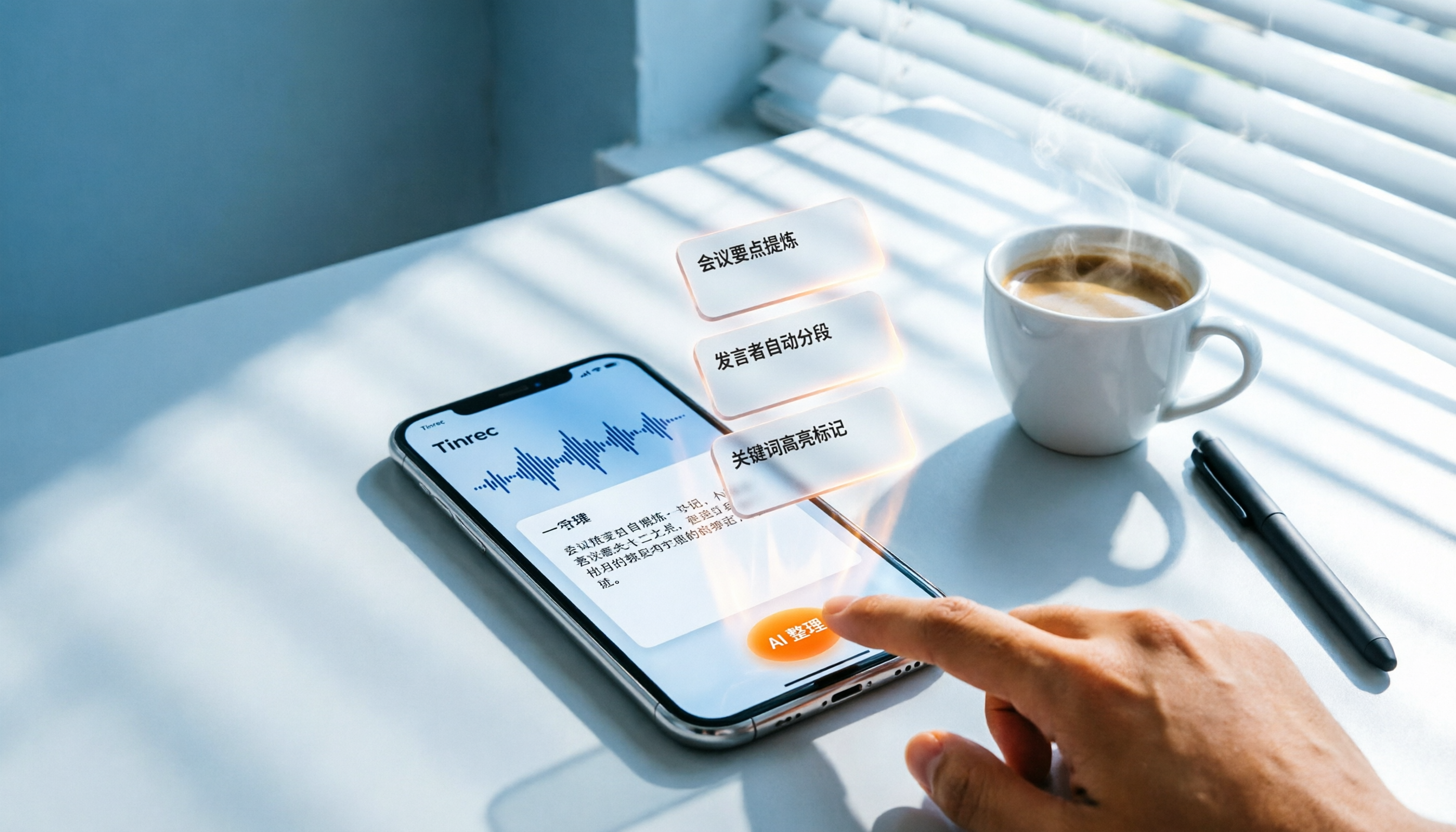
3 Steps to Convert iPhone Voice to Text in 2026: Recording, Transcription, and AI Organization Made Easy
Tired of figuring out how to transcribe iPhone recordings? This article fully compares built-in features with third-party tool Tinrec, and teaches you 3 steps to turn meeting and lecture recordings into searchable, exportable knowledge with summaries.

2026 Real-Time Speech-to-Text Tools Compared: 4 Apps Tested for Live Transcription and AI Summaries
A mid-level manager tests multiple real-time speech-to-text tools, analyzing live transcription and AI summary practicality for meeting notes, class notes, and interviews, ultimately recommending the best choice for professionals.

5 Best Recording-to-Text Tools Tested in 2026: Which AI Conversation Search Is Most Useful?
I tested 5 recording-to-text tools, including Tinrec, Otter.ai, Yating, Monica, and cSubtitle, comparing accuracy, AI summarization, cross-platform support, and free tiers to help you find the best option for meetings, classes, and interviews.

2026 Tinrec Instant Voice Recording Tutorial: Multi-Source Audio/Video to Text, AI Chat for Key Insights
Looking for a reliable voice-to-text tool? This article tests multiple AI tools and provides an in-depth look at Tinrec Instant Voice Recording, showing you how to quickly turn meetings, lectures, interviews, and online videos into editable text, summaries, and to-do lists. A must-read before you buy!

2026 AI Meeting Note Tools Compared: Tinrec vs Notta for Automated Structured Notes
Compare Tinrec and Notta for meeting minutes, analyzing language support, AI summaries, import sources, and output flexibility to help mid-level managers find the best fit.
2026 iPhone Voice-to-Text App Buying Guide: 5 Tested Options and Recommendations
This guide helps you compare common voice-to-text methods on iPhone, from WhatsApp's built-in feature to professional AI tools. We tested 5 solutions to help you find the voice-to-text tool that best fits your needs.
5 Free Tools for Real-Time Speech-to-Text Floating Subtitles in 2026: A Complete Guide
Whether for online courses, meeting notes, or video editing, converting speech to text in real time and displaying it as floating subtitles can greatly enhance comprehension and review efficiency. This article reviews 5 practical tools, from completely free to professional paid options, to help you find the best fit.