
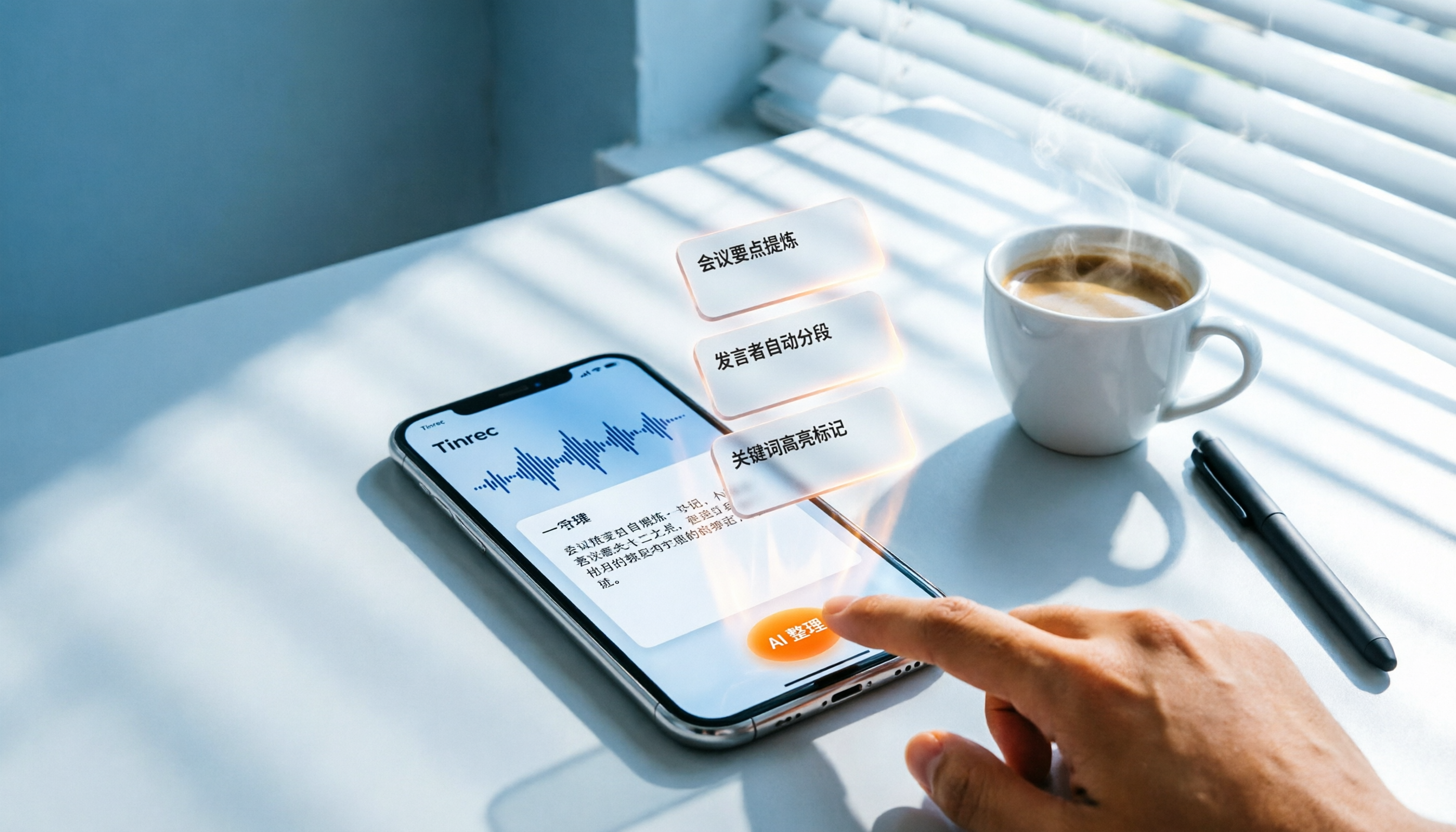
Turn recordings into transcripts and summaries in minutes
Upload audio or video for multilingual transcription, AI notes, and action items
Do you often find yourself in this situation? You record meetings and lectures on your iPhone, but the audio files pile up, and the thought of listening and typing them out gives you a headache. Now, converting voice to text is no longer a challenge. From a practical evaluation perspective, this article compares iPhone's built-in features with professional tools and recommends a more complete solution—Tinrec—to turn your recordings into truly usable knowledge assets.
What Can Voice-to-Text Do for You?
Scenario 1: Meeting Minutes
After iOS 18, the built-in Voice Memos app on iPhone can transcribe recordings, but it only supports English and requires an iPhone 12 or later. If you need meeting minutes in Chinese or want automatic summaries and action items, Tinrec fills that gap. With Tinrec, by the time the meeting ends, AI has already generated a summary, conclusions, and action items, showing who is responsible for what and deadlines at a glance.
Scenario 2: Class Notes
Feed a two-hour lecture recording to Tinrec, and it doesn't just transcribe—it automatically splits it into chapters and highlights key points. When reviewing, you don't have to listen from start to finish; just look at the AI-structured notes for double the efficiency.
Scenario 3: Interview Organization
After user interviews, the worst part is replaying audio to find key quotes. Tinrec's AI Q&A feature lets you ask questions directly, such as "What did the interviewee think about pricing?" and it instantly finds relevant passages from the transcript, saving you tons of time.
Scenario 4: Extracting Content from Online Videos
Spotted a valuable YouTube video and want to save the highlights? Just copy and paste the link into Tinrec, and it generates a full transcript, summary, and chapters, making it easy to take notes or create derivative content.
What Core Capabilities Should a Voice-to-Text Tool Have?
Using Tinrec as an example, a good voice-to-text tool should have the following capabilities:
- Real-Time Transcription: Transcribes as you record with less than 1 second latency. During meetings, you can follow along with the text to ensure you don't miss key points, without waiting until the recording ends.
- Multiple Input Sources: Besides real-time recording, Tinrec supports uploading audio files, video files, and even pasting online video links. Whether it's old recordings, podcasts, or online courses, everything can be organized.
- AI Summaries and Chapters: Instead of condensing the transcript into a single paragraph, it provides structured organization—meeting topics, discussion conclusions, and action items are listed separately. Long courses are automatically split into chapters for easy navigation and review.
- Action Item Extraction: Automatically identifies action items from meeting discussions, clearly showing who should do what and by when, avoiding post-meeting follow-up hassles.
- AI Conversational Query: After transcription, you can ask Tinrec questions directly—"Who mentioned the budget in the meeting?" "What was the client's feedback?"—and it answers based on semantic understanding, like an on-demand database.
Practical Use Cases
Meetings: Start recording in Tinrec → real-time transcription → get meeting minutes (including summary and action items) within 5 minutes after the meeting → share with your team or export to Notion with one click. No more manual note-taking.
Stop organizing recordings by hand
Upload audio or video and automatically get a transcript, summary, and action items
Learning: Record a class session → upload to Tinrec for transcription → AI chapters divide topics → key points are highlighted → export to Word or Google Docs to use directly as study notes.
Interviews: Record the interview → get the transcript → use AI Q&A to quickly find important quotes → timestamp them → export citation material, making report or article writing super convenient.
Content Creation: Come across a great podcast or YouTube video → paste the link → get the transcript and summary → extract inspiration → rewrite into your own article or post, speeding up your creative workflow.
4 Things to Watch When Choosing a Voice-to-Text Tool
- Accuracy: Don't just rely on official claims. Test with your own recordings to see what works best. Tinrec provides high-quality transcription for clear audio, especially suited for organizing Chinese content, but always verify important information against the original.
- AI Organization Capabilities: Transcription is just the first step; the key is whether it can summarize, create chapters, and extract action items afterward. Tinrec's AI post-processing is comprehensive, giving you not just text but usable data.
- Input Source Diversity: Make sure the tool can handle the content formats you commonly encounter. Tinrec covers real-time recording, audio files, video files, and online links, so almost all audio/video content can be processed.
- Pricing and Plans: Don't just look at the monthly fee; consider the "cost per minute of transcription" and "value of additional features." Tinrec offers a free version to try core features. If you have multiple meetings or classes each week, you can choose a weekly card or Pro plan based on usage, which is more cost-effective in the long run.
Frequently Asked Questions
Q1: The built-in Voice Memos on iPhone can transcribe, so why do I need Tinrec?
A: The built-in feature has device (iPhone 12 or later) and language (currently English only) limitations, and lacks AI summaries, action item extraction, and Q&A. Tinrec is cross-platform, supports multiple languages (including Traditional Chinese), and offers a more complete knowledge organization workflow.
Q2: How accurate is Tinrec's transcription?
A: Accuracy depends on the recording environment (background noise, accents, multiple speakers). It generally performs well in clear conversation scenarios, but 100% accuracy cannot be guaranteed. We recommend verifying important content against the original or replaying the recording.
Q3: Is the free version sufficient?
A: The free version provides a basic monthly transcription allowance, suitable for light users to experience core features. If you have multiple meetings or classes each week, consider the Pro plan for higher limits.
Q4: Can I transcribe YouTube videos?
A: Yes, paste a public video link to get the transcript and summary, ideal for note-taking or derivative content. Please comply with platform terms of service.
Q5: What languages are supported?
A: Tinrec supports multiple languages, including Traditional Chinese, making it especially suitable for organizing Chinese meetings, courses, and interviews.
Conclusion
Voice-to-text tools can save you a lot of time spent listening and typing. If you frequently handle meeting recordings, course audio, or online videos, relying solely on iPhone's built-in features may not be enough. Tinrec not only transcribes but also summarizes, organizes, and answers questions, turning recordings into truly usable knowledge. We recommend starting with the free version to see how AI can change your note-taking habits.
References
- View Voice Memos transcripts on iPhone - Apple Support (Taiwan)
- iPhone Voice-to-Text Tips: 5 Methods to Transcribe Recordings - Mr. Mad
- [iPhone Voice Memo to Text] 3 Complete Methods! iOS Built-in, Apps, or Recorders: Which Is Best?
- iPhone Voice-to-Text Tutorial: Do It Easily Without Third-Party Apps
- iPhone Notes and Recording Apps Now Have Transcript Features! Turn Class, Meeting, and Speech Content into Text in 4 Simple Steps | BusinessNext
Turn every recording into actionable outcomes
Get 60 free transcription minutes when you sign in. No credit card required.
Related Reading
You might also like

Tinrec vs Otter.ai 2026: 5-Dimension Comparison for Secure Chinese Speech-to-Text
With more speech-to-text tools available, is yours truly secure? This article compares Tinrec and Otter.ai across five dimensions: accuracy, AI features, input sources, cross-platform support, and data security. It also explains why AES encryption is key to protecting your recordings, helping you choose the most reliable tool.

2026 Hands-On Comparison of 2 Recording-to-Text Tools: Tinrec App vs Plaud Note – Which Should You Choose?
A hands-on comparison of Tinrec App and Plaud Note recording hardware, covering input sources, Cantonese accuracy, post-processing features, and pricing to help you pick the best recording-to-text tool for Hong Kong users.
How to Use iPhone Voice Typing in 2026: A 5-Step Complete Guide
From iPhone's built-in dictation to professional recording-to-text tools, this guide provides hands-on comparisons to help you find the best voice input solution for your needs.

Tinrec vs Otter.ai in 2026: AI Speech Recognition Custom Vocabulary Showdown – Who Understands Your Industry Terms Better?
How do AI speech recognition tools handle industry-specific terminology? This article compares five tools—Tinrec, Otter.ai, Notta, Google Cloud Speech-to-Text, and Vocol.ai—based on the practical need for custom vocabularies, helping you find the best speech-to-text solution for professional scenarios.

Best AI Transcription Tools in 2026: 6 Tested, This One Is the Most Complete
We tested 6 AI transcription generators, from free to paid, and recommend Tinrec as the best for multi-scenario organization, helping you quickly process meeting, course, and interview recordings.

2026 iPhone Level Feature Tested: Which of 3 Methods Is Most Accurate—Flat, Side, or with a Case?
The iPhone's built-in level is hidden in the Compass app, but can its accuracy really replace a traditional level? This article tests three common uses, from camera bump and case effects to the new iOS 17 feature, telling you when you can rely on it and when you should still reach for professional tools.

Tinrec vs Otter.ai in 2026: A 5-Dimension Comparison for Chinese Speech-to-Text
Choosing an AI speech-to-text tool? This article compares Tinrec and Otter.ai across 5 key dimensions: accuracy, AI features, cross-platform support, noise reduction, and free tier limits. It also provides buying tips, common pitfalls to avoid, and scenario-based recommendations to help you pick the right tool.

2026 Real-Time Speech-to-Text Tools Compared: 4 Apps Tested for Live Transcription and AI Summaries
A mid-level manager tests multiple real-time speech-to-text tools, analyzing live transcription and AI summary practicality for meeting notes, class notes, and interviews, ultimately recommending the best choice for professionals.

5 Best Recording-to-Text Tools Tested in 2026: Which AI Conversation Search Is Most Useful?
I tested 5 recording-to-text tools, including Tinrec, Otter.ai, Yating, Monica, and cSubtitle, comparing accuracy, AI summarization, cross-platform support, and free tiers to help you find the best option for meetings, classes, and interviews.