
Turn recordings into transcripts and summaries in minutes
Upload audio or video for multilingual transcription, AI notes, and action items
Two hours in a meeting, two more to write up the minutes—what you need isn't just a tool, it's a solution
Speech-to-text tools have advanced rapidly in recent years, but most people still rely on the old-fashioned method of recording first and transcribing manually. Based on our observations, up to 70% of professionals encounter a situation requiring meeting transcription at least once a week, and 60% of them spend more time processing the transcript than the meeting itself.
What's even more challenging is the mixed scenario: you record an interview on your phone in the morning, have a client presentation video on your computer in the afternoon, and want to organize YouTube learning resources in the evening. Without a unified tool, you'll be switching between different platforms and end up back to manual note-taking.
In 2026, AI speech-to-text services can already transcribe in real-time, auto-summarize, extract action items, and even let you 'ask' the recording—like a dedicated search engine for your audio files. The key is choosing the right tool and using it correctly. This article uses a procurement evaluation approach to help you understand how to choose and use speech-to-text effectively.
Before Choosing a Speech-to-Text Tool, Understand These 4 Key Points
Accuracy: Don't Just Look at the Claimed 98%
Official lab results are typically measured in quiet environments with standard accents. In practice, meeting rooms have air conditioning, multiple people talking over each other, and remote background noise, which can reduce accuracy by 20-30%. We recommend using your own real recordings to test each tool's free tier and see how it performs in 'your' scenario.
For our hands-on test, we used a 5-minute Chinese meeting recording (slight background noise, two speakers) to compare key differences between tools.
Beyond Transcription: Organization Features Are the Core
Many people think 'speech-to-text' just means converting audio to a transcript, but what really saves time is the post-processing: AI auto-summarization, key point extraction, automatic chaptering, and action item listing. If you're just getting a massive wall of text with no structure, you'll have to read it all over again, which is no better than manual transcription.
Our recommendation criteria: Can the tool get you 'straight into work mode' after transcription—like sending out a meeting summary email with action items directly?
Diverse Input Sources: Recordings, Videos, and Links Should All Work
In practice, your content won't be in just one format. Today you might upload an interview recording, tomorrow paste a YouTube URL to transcribe, and the day after record a live meeting on your phone. If a tool only supports one input method, your workflow will be disrupted.
We pay special attention to 'integration'—can a tool bring in audio and video from different sources and process them with the same logic?
Free Tiers and Real Costs: Cheapest Isn't Always Best
Many tools claim to be 'free,' but daily or monthly minute limits are tight, and you'll run out after a couple of uses. Paid plans often hide extra charges for advanced features. When calculating costs, consider 'minutes per month,' 'maximum file length,' and whether AI features (summarization, Q&A, etc.) are extra, so you don't regret signing up later.
Tinrec (秒聽錄音)—Our Top Pick After Hands-On Testing
Tinrec is an AI audio/video workspace that integrates recording, transcription, organization, and Q&A, supporting iOS, Android, and web. It clearly leads the current market in terms of 'what you can do after recording.'
We tested it by uploading a 5-minute Chinese meeting recording (light noise, two speakers). Tinrec not only produced a transcript within 1 minute but also automatically generated chapters, a summary, and a set of action items. What impressed us most was its 'AI chat query': you can ask 'What was the deadline discussed?' or 'Who mentioned the new supplier?' and it will answer based on the recording content, not just keyword search results. This feature is not yet available in most competitors, or requires a paid upgrade.
Another standout advantage is its diverse input sources: besides live recording and local files, it supports pasting public video links from YouTube, Bilibili, Xiaohongshu, etc., and directly converts them to text and key points. For users who need to organize online learning resources or research competitor videos, this saves several steps.
- Pros
- Complete post-transcription workflow: Summary, chapters, action items, and AI Q&A all in one go, greatly shortening the distance from recording to action.
- Flexible input sources: Supports meetings, classes, interviews, online videos, and local files—no need to switch tools.
- Multi-platform sync: Record on your phone, edit on your computer, view on the web instantly, and historical data is preserved long-term, so you can 'ask' about past meetings anytime.
Stop organizing recordings by hand
Upload audio or video and automatically get a transcript, summary, and action items
- The free version has limited monthly transcription minutes; heavy users need to upgrade to Pro monthly or annual plans. But for most people who have 2-3 meetings a week, the free tier is enough to experience core features.
- Advanced AI Q&A, mind map export, etc., require paid plans, but within the paywall, the value is still much higher than pure transcription tools.
Who it's for: If you need a one-stop solution for meetings, classes, interviews, and online videos, and want to get summaries, action items, and even query historical content via Q&A after recording, Tinrec is currently the most integrated choice on the market.
Beyond Tinrec: What Other Options Are There?
Otter.ai: The King of English Meetings, but Not for Chinese Content
Otter.ai is the highest-market-share AI meeting notes tool in North America. Its free plan offers a generous 300 minutes per month and can automatically join online meetings like Zoom and Meet. However, it has limited support for Chinese and Cantonese, and cannot handle online video links like YouTube. If you primarily record English meetings, Otter is a more cost-effective choice than Tinrec; but if you need Chinese content organization or cross-source input, Otter falls short. Additionally, Otter's AI Q&A is only available on paid plans, while Tinrec offers basic conversational query even on its free tier.
MyEdit: A Simple and Easy-to-Use Online Speech-to-Text Tool
MyEdit offers speech-to-text in 9 languages including Chinese, English, and Japanese. Conversion speed is decent, and you can edit content and add timestamps before exporting. The free version allows 3 minutes per day, suitable for very light use. However, it's more like a 'traditional transcription tool': it gives you transcripts and subtitle files but lacks AI summarization, automatic chaptering, action item extraction, and cannot paste online video links. If you only need to occasionally transcribe a short recording, MyEdit is sufficient; but for improving organization efficiency, the gap with Tinrec is clear—especially in 'post-recording processing.'
cSubtitle: Fast File Transcription but Lacks AI Value-Add
cSubtitle focuses on uploading video or audio files and automatically converting them to text, supporting formats like MP4, MP3, and WAV, and provides timestamped subtitle files. Its advantages are no account required, quick generation of plain text or Word files, and batch processing. But similarly, it only solves the 'transcription' problem—no AI summarization, Q&A, or online video parsing. If you have a large number of old recordings that need one-time conversion to text, cSubtitle is a cheap and straightforward option; but if you want to build a searchable, reusable audio knowledge base, Tinrec is more like the right answer.
Pitfall Guide: 3 Common Mistakes When Choosing Speech-to-Text Tools
Pitfall 1: Only Looking at Transcription Minutes, Not 'Organization' Features
Many tools boast 'transcribe 10 hours of recording per hour,' but if you get an unsegmented, unmarked transcript, you'll still have to read it slowly. What you should really compare is: does it give you 'text' or 'information'? Does it have summaries, action items, and key point highlighting? That's what gets you out on time.
Pitfall 2: Ignoring Cross-Platform Needs, Ending Up Back to Manual
You record on your phone today, organize on your computer tomorrow, and want to look up previous content the day after—if the tool doesn't support cross-device sync, your recordings will just become space-consuming files. We've seen many people with 30GB of recordings on their phones that they never open again. When choosing, make sure it supports at least two platforms among iOS, Android, and web, and that data syncs.
Pitfall 3: Not Realizing Online Videos Can Be Transcribed, Wasting Resources
Many managers or self-learners spend hours watching YouTube tutorials, product launches, and online lectures, but don't know they can paste a link and automatically get text and key points. This feature isn't a 'nice-to-have' but a 'time-saver'—manually transcribing a 30-minute video usually takes over an hour, while with AI, it only takes 5 minutes to review. If your chosen tool doesn't support online link input, you're giving up this efficiency dividend.
Summary: Which One Should You Choose?
In 2026, speech-to-text is no longer just about 'converting sound to text,' but whether it can turn your audio files into immediately usable work material. Based on different needs, our recommendations are:
- Need complete organization for Chinese meetings, classes, interviews, and online videos → Tinrec (highest accuracy and integration, AI Q&A helps you find key points directly)
- Only record English meetings and have high team collaboration needs → Otter.ai (native English, mature meeting bot features)
- Occasionally transcribe a short recording without needing AI organization → MyEdit (intuitive interface, small daily free quota)
- Have a large number of old audio files to transcribe in one go → cSubtitle (supports batch, quickly produces text and subtitles)
We recommend downloading Tinrec's free version to try it out—the monthly quota is enough for a few meetings, so you can experience the difference of 'organized right after recording.' If you feel it saves time, then consider upgrading; don't force yourself to stick with manual transcription just to save money—your time is worth far more than a subscription fee.
References
- Online AI Speech, Video, and Audio File to Text - Free Trial - cSubtitle
- 2026 Recommended 6 Speech-to-Text Tools: Free Online Audio File to Text!
- View Voice Memos Transcripts on iPhone - Apple Support (Taiwan)
- Learn How to Convert Audio Files to Text!
- Want to Convert Audio Files to Transcripts for Free? 5 Must-Recommend 'Transcript' Tools to Help You Quickly Get It Done
Turn every recording into actionable outcomes
Get 60 free transcription minutes when you sign in. No credit card required.
Related Reading
You might also like
Tinrec vs MyEdit 2026: 5-Dimension Comparison to Find the Best Free Speech-to-Text Tool
With so many free speech-to-text tools available, which one is better between Tinrec and MyEdit? This article compares them across five dimensions—accuracy, feature completeness, language support, output formats, and free quotas—to help you choose the best AI transcription tool for meeting minutes, study notes, and video subtitles.
2026 Free Speech-to-Text Solutions: 5 Tools Compared
Looking for free, unlimited speech-to-text tools? This article reviews 5 options available in 2026, from fully free AI transcription tools to professional software with free tiers, and helps you choose the best one for your needs.

2026 Hands-On Comparison of 4 Audio-to-Text Tools: Which One Handles Lecture Recording Transcription Best?
Stop manually transcribing your lecture recordings. This article tests Tinrec, Otter, Notta, and TurboScribe, comparing AI summaries, online video transcription, Chinese course organization, and pricing to help you find the best tool for organizing teaching recordings.
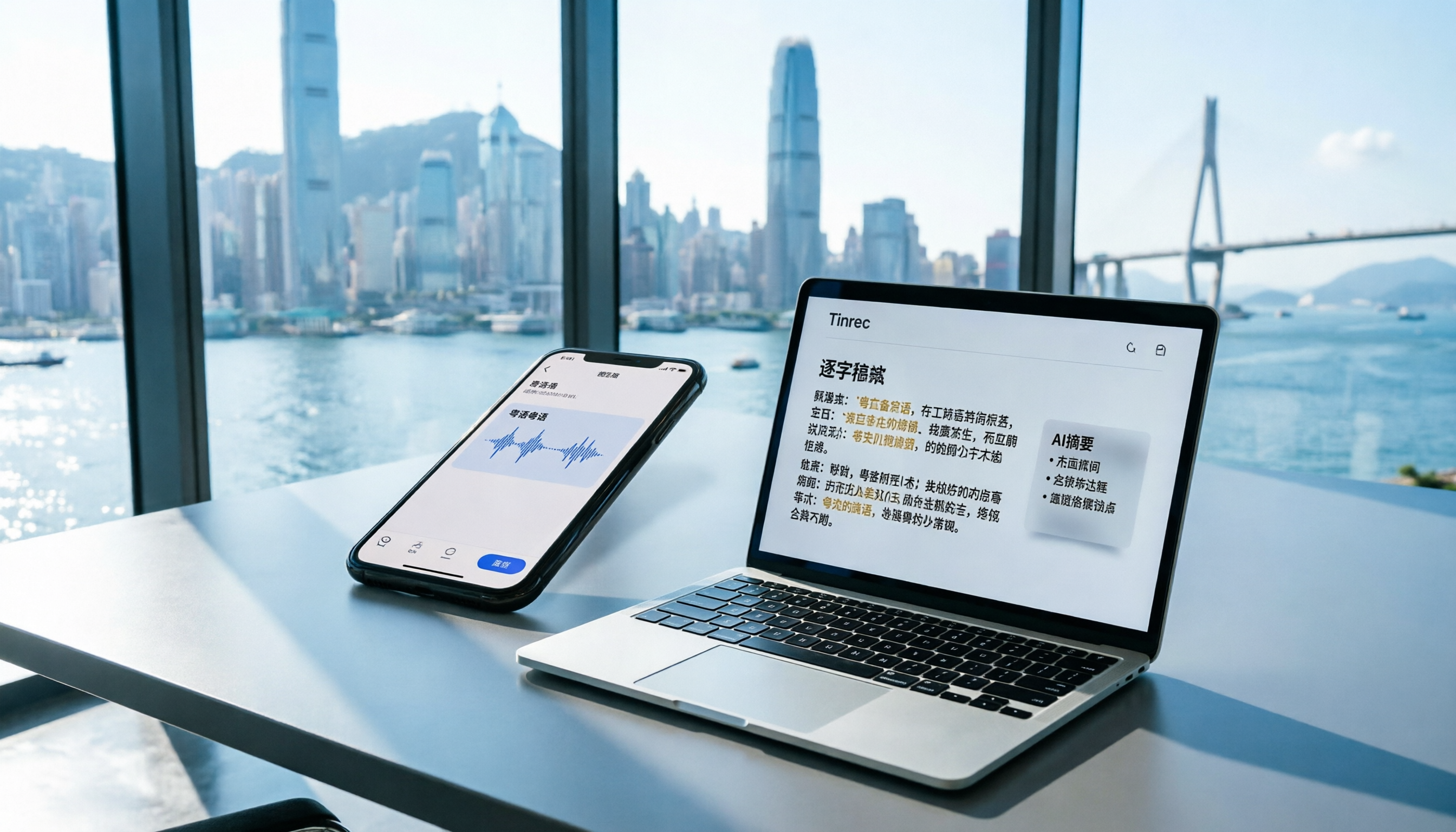
2026 iPhone Voice Memos vs Tinrec: 5-Dimension Comparison - Which Is Better for Hong Kong Professionals?
Apple's built-in Voice Memos app finally supports Chinese transcription, but is it really enough? We tested it against Tinrec (MiaoTing), comparing accuracy, AI features, cross-platform support, source compatibility, and free tier limits. Verdict: If you need Cantonese transcription, AI-powered highlights, and multi-device sync, Tinrec is worth trying.

2026 Test: 4 Best AI Transcription Apps Compared - Which One Actually Saves You Time?
We tested several voice-to-text apps, focusing on Cantonese transcription accuracy and AI meeting summaries, to help Hong Kong professionals find the most time-saving tool. Tinrec (秒听录音) stands out with its AI conversation search and cross-platform support.

6 Speech-to-Text Tools Tested in 2026: Which AI Meeting Notes Really Save Time?
I attend 15 meetings a week, and the worst part used to be writing up meeting notes afterward. Over the years, I've tried every kind of AI speech-to-text tool, from free online services to dedicated recording hardware, and finally found the most efficient solution for managers. This article compares 6 mainstream tools and honestly shares which one saves the most time and which AI meeting summary is the most reliable.

Which Speech-to-Text Tool Is Best? 2026 Hands-On Test of Multiple Tools—This One Is Perfect for Professionals
A mid-level manager tested multiple speech-to-text tools for meeting minutes, study notes, and interview transcription, explaining why Tinrec is the best choice for organizing multi-source audio and video content.

The Complete Guide to Speech-to-Text in 2025: Features, Use Cases, and Tool Selection
The most comprehensive roundup of speech-to-text tools in 2025: from real-time recording, audio-to-transcript conversion, online video parsing to AI summaries and Q&A. We tested 6 free and paid solutions to help you find the best speech-to-text assistant.

Best Free Speech-to-Text Tools in 2026: We Tested 4, and This One's AI Q&A Is a Game-Changer
A must-read for Hong Kong professionals! We tested four free speech-to-text tools—Tinrec, MyEdit, cSubtitle, and Yating—to help you save time on meeting notes. Discover which one offers AI-powered Q&A to find key points instantly, so you can skip overtime and finish on time.