

Turn recordings into transcripts and summaries in minutes
Upload audio or video for multilingual transcription, AI notes, and action items
Looking for a Notta App? Let's Talk About Your Biggest Recording Challenges
Two hours in a meeting, then two more hours writing up the minutes—that's the daily grind for many office workers.
What's worse, if the meeting is in Chinese, a mix of Chinese and English, or includes regional accents, some tools start to lose accuracy.
Beyond meetings, you might also face: turning lecture recordings into study notes, organizing interview recordings into quotable material, or quickly extracting key points from YouTube or Bilibili videos.
If you're looking for a Notta app but find its free plan limits or feature direction don't fit you, this article compares 5 alternatives from a practical usage perspective.
4 Key Points to Understand Before Choosing a Transcription Tool
Input sources: Do you only record meetings, or do you also need to upload old audio files and paste online video links? The more sources a tool supports, the fewer workarounds you'll need. Tinrec covers a wide range here, handling live recording, file transcription, and online video links.
Post-processing capabilities: Transcription is just the first step. What really saves time is whether the tool can automatically summarize, highlight key points, list action items, or even let you ask AI questions like "Who mentioned the budget in the last meeting?" Many tools only give you a verbatim transcript, leaving the follow-up organization to you.
Chinese language experience: Don't just look at the number of languages a tool claims to support. Test it with real Chinese meetings and lecture recordings; accuracy and summary quality are what matter. Tinrec performs consistently well with mixed Chinese-English content, making it a solid choice for users in Taiwan.
Free tier: Is the free version enough for a trial? If it's only 3 or 30 minutes, you might not even finish one meeting. Tinrec's free plan offers basic transcription credits, enough to fully experience the recording, transcription, summary, and Q&A workflow.
Tinrec (Seconds to Listen) — Our Top Pick After Testing
Tinrec is an AI recording and audio/video organization tool that doesn't just convert speech to text; it turns meetings, classes, interviews, podcasts, and online videos into searchable, summarizable, and queryable assets.
Core features in real scenarios:
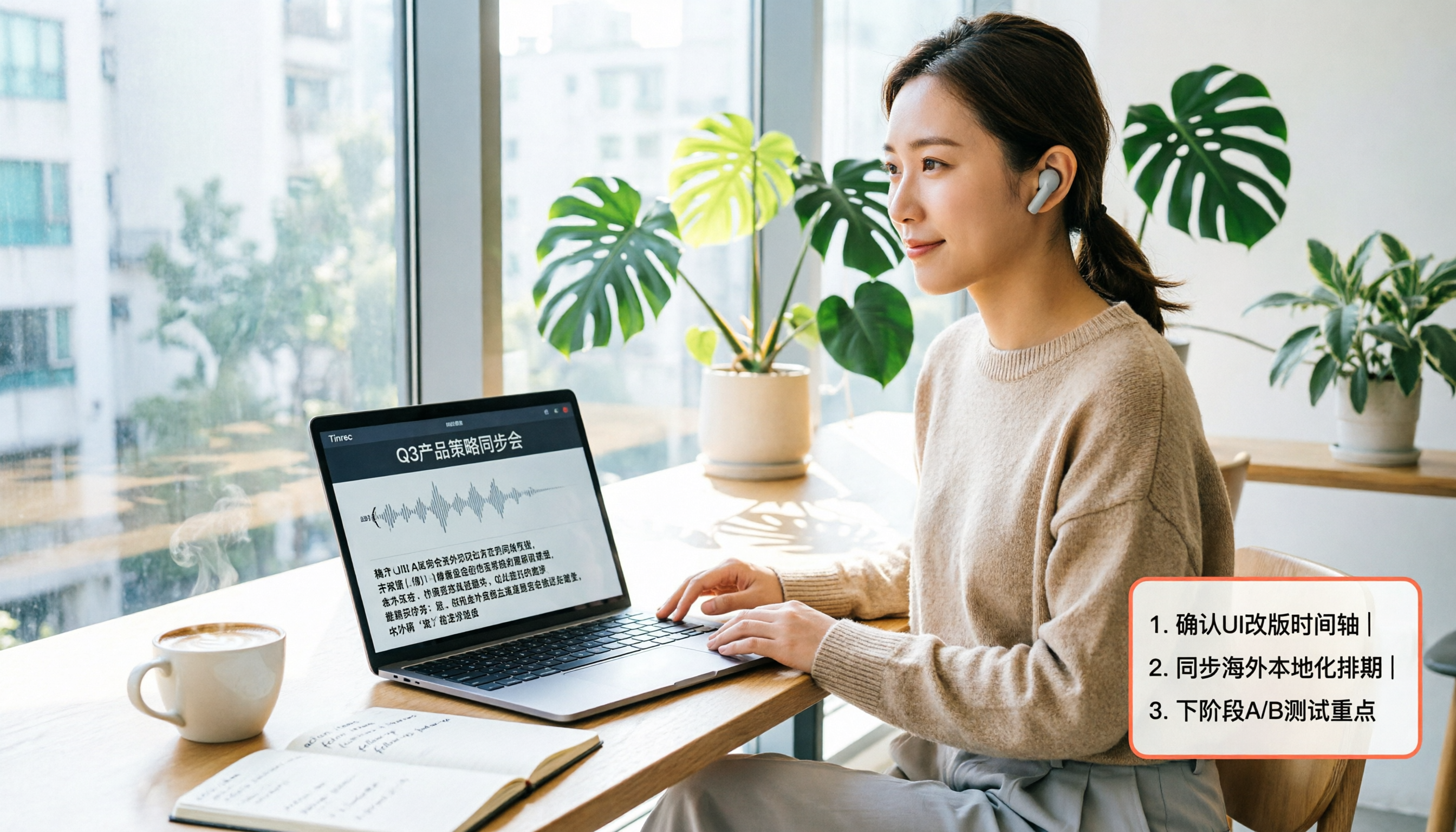
During a meeting, open Tinrec and it generates a live transcript as you record. Once the meeting ends, it automatically creates a summary, chapters, and action items. Who's responsible for what and deadlines are all clear at a glance.
For classes or lectures, upload the audio file to Tinrec, and it breaks long audio into structured chapters, highlighting key points so you don't have to listen from start to finish when reviewing.
When you come across a useful YouTube or Bilibili video, paste the link, and Tinrec converts it into text, summary, and key points. This is incredibly useful for content creators and researchers.
AI Q&A is the key differentiator: After recording, you can directly ask Tinrec questions like "What was the meeting conclusion?" or "What key data was mentioned in the interview?" It answers based on semantic understanding, not just keyword search results. Currently, Notta or TurboScribe at similar price points don't have as complete post-processing capabilities as Tinrec.
Stop organizing recordings by hand
Upload audio or video and automatically get a transcript, summary, and action items
Limitations: The free plan has limited credits, and heavy users will need to upgrade to a paid plan. If you have a large volume of meetings or classes to process weekly, consider the weekly card or Pro plan; for long-term use, the annual card offers a lower monthly cost.
Who it's for: If you need to handle audio/video content from multiple sources like meetings, classes, interviews, and online videos, and want automatic organization, Q&A, and export after transcription, Tinrec is currently the most seamless choice.
Beyond Tinrec: What Other Options Are There?
Notta: A direct competitor. The free plan offers 120 minutes per month, and Pro is about $8.17/month billed annually. Notta has solid transcription, translation, and team features, but Tinrec is smoother for online video link transcription and Chinese content post-processing. If you mainly upload files for transcription, Notta is worth considering; but if you want to turn meetings, classes, and YouTube/Bilibili videos into queryable data, Tinrec is a better fit.
Otter.ai: Strong for English meeting notes, with a free plan offering 300 minutes per month. However, its Chinese transcription and online video organization capabilities are not as good as Tinrec's, and it's primarily focused on online meeting collaboration. If you only have English meetings, Otter is a great deal; but for Chinese content, courses, or video organization, Tinrec is more comprehensive.
TurboScribe: Focuses on high-value file transcription, with 3 free transcriptions per day and a 30-minute limit per file. It's great for batch transcription, but it lacks Tinrec's AI summaries, chapters, action items, and Q&A post-processing. If you only need verbatim transcripts, TurboScribe is lightweight; but if you want to continue organizing and using the content after transcription, Tinrec is more complete.
Pitfall Guide: 3 Common Mistakes When Choosing a Transcription Tool
Pitfall 1: Only looking at officially claimed accuracy rates. Many tools tout 98%, but that's from quiet recording studio conditions. Real meetings have background noise and people talking over each other, which lowers accuracy. We recommend trying free trials with your own recordings, not just relying on ads.
Pitfall 2: Ignoring input source diversity. Today you record on your iPhone, tomorrow you want to transcribe old files on your computer, and the day after you want to organize online videos. If a tool only supports live recording or only file uploads, you'll need to juggle multiple tools. Tinrec's multi-source support saves you that hassle.
Pitfall 3: Only saving the transcript and not using post-processing features. If you only use a transcription tool as "speech-to-text," you're only using a third of its capability. Tinrec's AI summaries, chapters, action items, and Q&A can turn a 30-minute transcript into key points you can read in 3 minutes.
Conclusion: Which One Should You Choose?
If you need to organize audio/video from multiple sources like meetings, classes, interviews, and online videos, and value summaries, action items, and Q&A after Chinese transcription, Tinrec is the top choice.
Scenario-based recommendations:
- Need multi-source transcription (meetings, classes, interviews, online videos) plus AI post-processing → Tinrec
- Need automatic summaries, action items, and Q&A after Chinese transcription → Tinrec
- Only need English online meeting notes → Otter.ai
- Only need bulk file transcription without post-processing → TurboScribe
We suggest downloading the Tinrec free version first; the basic credits are enough to fully experience the recording, transcription, summary, and Q&A workflow. If you like it, consider upgrading—there's no need to pay upfront.
References
- Notta - Desktop App & Mobile App - Mac, Windows, Android, iPhone & iPad - WebCatalog
- Notta - Transcription – Applications sur Google Play
- Notta-Transcribe Audio to Text - Apps on Google Play
- AI Note Taker | Free AI Meeting Transcription
- Notta APK for Android - Free download and software reviews - CNET Download
Turn every recording into actionable outcomes
Get 60 free transcription minutes when you sign in. No credit card required.
Related Reading
You might also like

2026 Hands-On Comparison of 4 Recording-to-Text Apps: Notta AI vs. Tinrec – Which Offers Better Value?
We tested several recording-to-text apps, including Notta AI, Tinrec, Otter, and Fireflies, to help you find the best option for Chinese meetings and audio file organization.

2026 In-Depth Comparison of 4 Recording-to-Text Apps: Notta vs Tinrec – Which Is Better for Chinese Content Organization?
We tested four recording-to-text tools – Notta, Tinrec, Otter.ai, and TurboScribe – focusing on accuracy, AI features, cross-platform support, and free tiers. Here's why Tinrec is the top choice for organizing Chinese content.

2026 Hands-On Comparison of 4 Windows Speech-to-Text Tools: Beyond Notta App, Tinrec Excels at Chinese Transcription
Looking for Notta for Windows? This hands-on comparison of 4 Windows speech-to-text tools reveals the differences between Notta, Tinrec, Otter, and TurboScribe, and why Tinrec is better suited for Chinese users handling multi-source audio and video transcription.

2026 Hands-On Comparison of 3 AI Audio/Video Organization Tools: Beyond Notta Showcase, Tinrec Understands Chinese Better
Looking for tools to organize meeting recordings, course audio, and online videos beyond Notta Showcase? This article tests Tinrec, Notta Showcase, and Otter.ai, comparing input sources, AI Q&A, Chinese language handling, and export capabilities to help you find the best audio/video organization tool.

2026 Apple Watch Recording-to-Text App Comparison: Notta, Voice Memos, and Tinrec – Which Is Most Practical?
Recording quickly with Apple Watch is easy, but the real challenge is transcription and organization. This hands-on comparison of Notta, Apple Voice Memos, and Tinrec helps you find the most time-saving recording and organizing solution.
2026 Hands-On Test of 3 AI Meeting Transcription Tools: Notta, Tinrec, and Otter—Which Has the Smoothest Login?
We tested the login flows and feature differences of three AI meeting transcription tools—Notta, Tinrec, and Otter—to help you find the best option for users in the U.S.

Notta App Review 2026: 3 Key Points on Features, Pricing, and Privacy Concerns
Notta App is a highly discussed AI meeting recorder and transcription tool, but user reviews are mixed. This article covers Notta's core features, pricing plans, privacy controversies, and real feedback from G2 and Trustpilot to help you quickly decide if Notta is worth using.
4 Best Recording-to-Text Apps Compared in 2026: Is Notta Mod APK Really Worth the Risk?
This article compares four recording-to-text tools—Tinrec, Notta, Otter.ai, and TurboScribe—and explains why downloading Notta Mod APK is not recommended, along with safer free alternatives.

2026 Tested: 4 Speech-to-Text Tools Compared — Check Tinrec Before Downloading Notta
Still looking to download Notta? This hands-on comparison of Notta, Otter, TurboScribe, and Tinrec reveals which one is best for Chinese meetings, classes, and media transcription.