

Turn recordings into transcripts and summaries in minutes
Upload audio or video for multilingual transcription, AI notes, and action items
Last month, I spent an entire weekend just to turn a two-hour Cantonese interview recording into text. The interviewee spoke quickly, mixing in a lot of colloquialisms and English words. I kept dragging the progress bar back and forth, and by the end, I had forgotten what was said earlier. Although I finally produced a transcript, I had no desire to read it again.
At that moment, I thought: wouldn't it be great if there were a tool that not only transcribes but also helps me extract key points and list action items?
Later, I started researching several Cantonese speech-to-text tools on the market and discovered that most tools only solve the "sound to text" part. The real time sink is what comes after: organizing, searching, and reusing the text.
In this article, I want to share my hands-on experience with two tools. One is Subanana, which many people try first, and the other is Tinrec, which I've been using recently. I'm not here to compare which interface is prettier, but to discuss: when you have a pile of Cantonese recordings and videos to organize, which tool's approach truly saves you time?
Why Are People Looking for Subanana Alternatives?
Subanana has a certain reputation in the Cantonese transcription space. Based on what I've seen, it supports Cantonese, Mandarin, English, Japanese, Korean, and 80 other languages. It can automatically generate subtitles in written or spoken style, offers export in SRT, VTT, TXT, and other formats, and has a free trial. Many people use it to subtitle YouTube videos or quickly convert Cantonese recordings into text.
But after using it for a while, I noticed two common frustrations.
First, it's great at "transcribing," but after that, you still have to read the entire transcript yourself to know what's important. A one-hour meeting recording can produce tens of thousands of words, and just skimming through it takes a long time.
Second, its positioning is more of a "transcription tool" than an "organization tool." If you need to turn the recording into meeting minutes, course notes, or find a specific decision or quote, you'll have to handle that manually.
This isn't Subanana's fault; it's a difference in design philosophy. If you have similar needs and want the transcription to be directly usable, Tinrec is worth checking out.
Tinrec vs. Subanana: What's Different in Core Experience?
When it comes to Cantonese speech-to-text, I care about four dimensions: input sources, depth of organization, cross-platform availability, and the nuance of Chinese content. Let's break these down.
Diversity of Input Sources
Subanana lets you paste a YouTube link or upload an audio file, which is convenient. But Tinrec goes further: besides audio files, it supports video files, live recording, and even pasting public video links. I often just drop in a web link and let it fetch the content for transcription, without downloading the file first. This is especially useful for Cantonese videos on YouTube and Bilibili.
Depth of Post-Transcription Organization
This is where Tinrec stands out most. Subanana gives me a transcript, and that's it. Tinrec, on the other hand, automatically generates a summary, chapters, and action items, and lets me ask questions directly to find answers from the recording. For example, I can ask, "What was the conclusion of this meeting?" and it will answer directly, without me having to search the transcript. This level of organization saves a huge amount of time for anyone who needs to revisit content.
Cross-Platform and Export Flexibility
Subanana is primarily browser-based, with export mainly in subtitle formats. Tinrec has a mobile app and web version, so recording, transcription, and organization can be done across devices. For export, besides subtitles, it can export to Markdown, Word, Excel, or sync to Notion, Google Docs, and other tools. This is very useful for integrating recordings into your existing workflow.
Chinese and Traditional Chinese Experience
Both tools support Chinese, but Tinrec handles Traditional Chinese more naturally. For example, common Cantonese colloquialisms like "係," "咁," and "唔該" are converted to written language more smoothly, and you can choose to output in Traditional Chinese without needing to convert later. This is a thoughtful detail for users in Hong Kong and Taiwan.
Tinrec's Core Features at a Glance
After understanding the differences, I'd like to introduce Tinrec's core features. Instead of listing features, I'll explain them through my actual use cases.
Live Recording to Text
Open Tinrec, press the record button, and text appears on the screen in real time. I tried it in a meeting, and the latency was very short—it was almost like the words appeared as they were spoken. By the time the meeting ended, the transcript was already complete, with no need to wait for conversion.
(Screenshot here: live recording interface, arrow pointing to the text block appearing in sync)
Audio/Video File to Text
Stop organizing recordings by hand
Upload audio or video and automatically get a transcript, summary, and action items
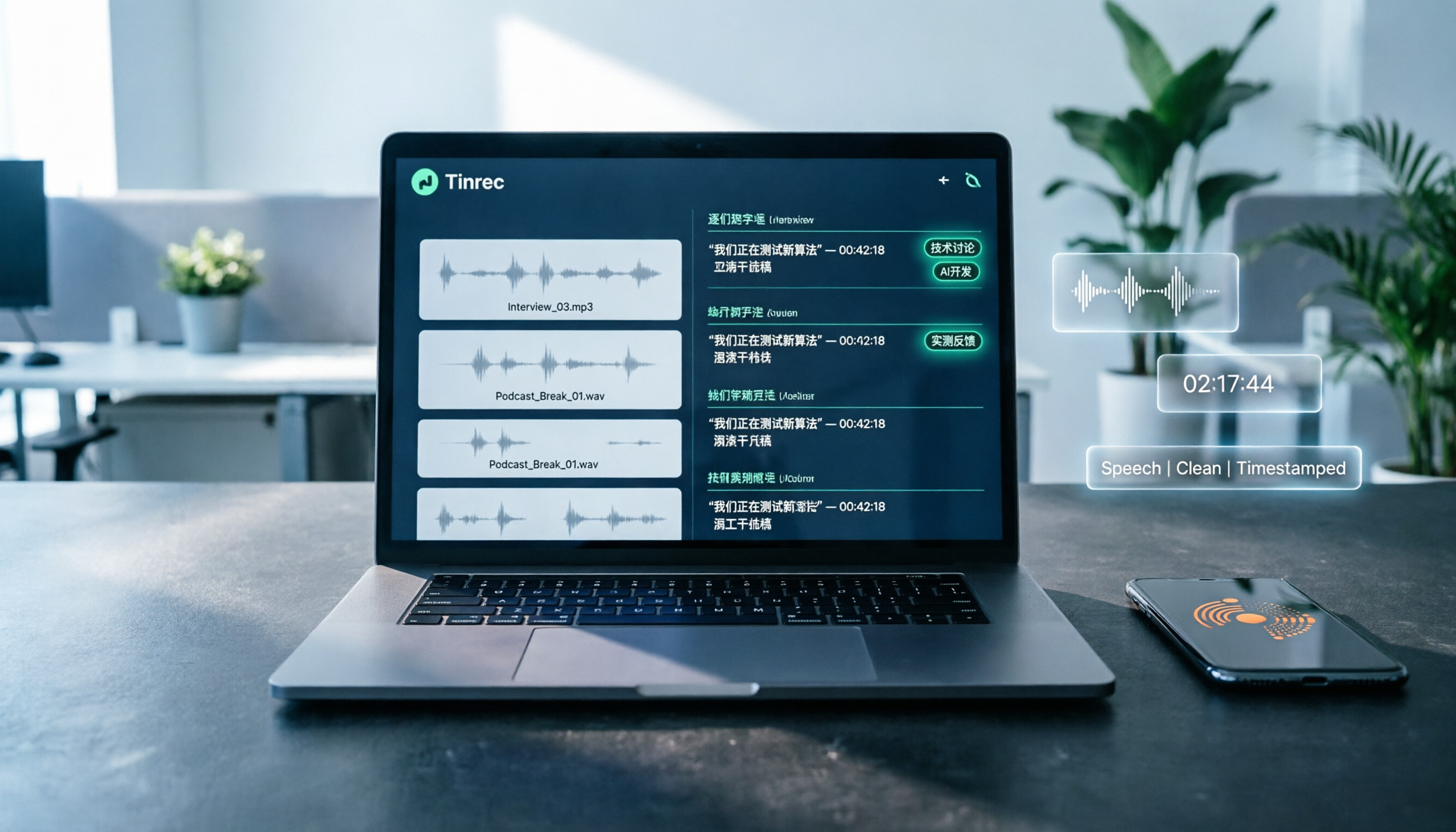
If you have old recordings or video files, just upload them. Tinrec automatically converts them to text and divides the content into chapters, making it easy to jump to the part you want to hear. When I organized recordings from the past year of courses, I used this feature to turn a bunch of MP4s into structured notes.
(Screenshot here: auto-generated chapter list after uploading a file)
Online Video to Text
Paste a public video link from YouTube, Bilibili, Xiaohongshu, etc., and Tinrec will fetch the audio, transcribe it, and generate a summary. This is great for content creators: you can quickly turn others' videos into topic ideas or generate subtitle scripts for your own videos.
(Screenshot here: text and summary generated after pasting a link)
AI Summary and Chapters
After transcription, Tinrec automatically organizes key summaries and chapter titles. For a one- or two-hour interview, you can grasp the overall context just by reading the summary and chapters. If a particular section is important, you can click in to listen to the original audio or read the transcript—very efficient.
Action Item Extraction
After transcribing a meeting recording, Tinrec extracts action items mentioned in the discussion, such as "Submit the report by next Wednesday" or "Contact the vendor to confirm the quote." After a meeting, I just copy the to-do list to my task app, no manual organization needed.
AI Chat Query
This is my most-used feature. After recording an interview, I directly ask Tinrec: "What does the interviewee care most about this product?" "What specific examples did they give?" It answers based on the recording content, even with timestamps, so I can quickly find the original quote. This is much faster than reading the entire transcript.
Multi-Format Export
The organized content can be exported to Markdown, Word, PDF, and other formats, or synced to Notion and Google Docs. I usually export to Markdown and put it in my note-taking app alongside other materials.
Real-World Use Cases
Here are some scenarios where I actually used Tinrec to process Cantonese content.
Scenario 1: Cantonese Meeting Minutes
For our weekly team meeting, I open Tinrec and record live. When the meeting ends, the summary and action items are already generated. I spend five minutes reviewing and then send the results to everyone. Previously, it took half an hour to organize; now it's almost zero effort.
Scenario 2: Cantonese Course Notes
When taking online courses, I use Tinrec to record the audio. After class, I review the chapters and summary to make notes. If I don't understand a Cantonese technical term, I ask the AI what that part was about—very convenient.
Scenario 3: Cantonese Interview Organization
For user interviews, I upload the recording to Tinrec, which transcribes it and highlights key sentences. Later, when I need to quote the interviewee, I just search for keywords and find it—no more digging through a haystack.
Scenario 4: Personal Idea Notes
Sometimes when I have an idea on the go, I record a Cantonese voice memo on my phone, then have Tinrec transcribe and save it. It automatically adds a summary, making it easy to find later.
Key Points to Consider When Choosing a Speech-to-Text Tool
If you're looking for the right Cantonese speech-to-text tool, here are some points to keep in mind.
Broad Input Sources
Choose a tool that can handle live recording, audio files, video files, and web links. That way, you don't need to switch tools for different materials. Tinrec covers all these comprehensively.
Post-Transcription Organization
Tools that only give you a transcript leave the organizing to you. Opt for one with automatic summaries, chapters, and action item extraction to truly save time. Tinrec's organization features are complete, so you rarely need another app.
Cross-Platform Operation
If you switch between phone and computer often, the tool should have both an app and a web version with synced data. Tinrec does this smoothly—I record on my phone and continue organizing on my computer seamlessly.
Practical Export Formats
Check if the tool can export to formats you commonly use, like Word, Markdown, or sync directly to Notion. Tinrec offers many export options to fit different workflows.
Chinese and Traditional Chinese Support
When dealing with Cantonese content, the tool's ability to output Traditional Chinese and convert colloquial speech to written language is important. Tinrec performs consistently in Traditional Chinese contexts, making it friendly for Hong Kong and Taiwan users.
Conclusion: Is Tinrec Worth Trying?
If you're looking for a Cantonese speech-to-text tool that not only transcribes but also helps you organize, search, and export, Tinrec is one of the few options on the market that meets all these needs.
What I appreciate most is that it turns "recordings" into "usable data." Whether it's meetings, courses, interviews, or online videos, you get content with summaries, chapters, key points, and even the ability to ask questions directly.
Especially for Cantonese users, Tinrec's performance in Traditional Chinese and multi-source organization feels closer to real work scenarios.
I recommend downloading the free version of Tinrec and testing it with your own recordings. The monthly basic transcription quota is enough to experience the core features. That's more direct than reading any review.
Quick Start Checklist
- Download the Tinrec app or open the web version.
- Record a Cantonese audio or upload an audio file.
- Wait for automatic transcription, then review the summary and chapters.
- Try the AI chat query by asking a question about the recording content.
- Export the action items or summary to your note-taking tool.
- Observe your usage frequency to decide whether to upgrade to a paid plan.
Test step by step, and you'll gradually master this method.
References
Turn every recording into actionable outcomes
Get 60 free transcription minutes when you sign in. No credit card required.
Related Reading
You might also like

2026 AI Meeting Recorder Comparison: Plaud Note Pro vs Tinrec vs Notta — Which One Should You Choose?
Plaud Note Pro reviews are trending on Dcard, but hardware and software solutions solve fundamentally different problems. This article compares Plaud Note Pro, Tinrec, and Notta across three real-world scenarios—online meetings, in-person interviews, and team collaboration—covering audio capture methods, post-meeting outputs, team management, and actual costs, plus three common pitfalls to avoid when choosing.

2026 AI Meeting Transcription Tools Compared: How to Calculate Notta Pricing Without Losing Out
Many people only compare monthly fees when checking Notta pricing, without factoring in available minutes and post-meeting organization costs. This article breaks down Notta's three official plans, then compares the actual costs and use cases of Tinrec, Otter.ai, TurboScribe, and PLAUD, and finally summarizes the three most common pitfalls when comparing prices.

3 Versions of Sweat Script Compared: Which One to Buy for Reading, Rehearsal, or Licensed Performance?
After searching for Sweat Lynn Nottage buy, the most common mistake is buying the wrong version. This guide compares the TCG Edition, the Concord Theatricals licensed edition, and the UK edition, evaluating them on purpose, licensing, shipping cost, and delivery time to help you buy the right version of Lynn Nottage's Pulitzer Prize-winning play.

Rémi Notta 2025 Update and 3 AI Meeting Note Tools Tested: Which Should Content Creators Choose?
Readers searching for Rémi Notta's 2025 update are often also concerned with how content creators can organize large volumes of interviews and meetings. This article first summarizes Rémi Notta's public activities in 2025, then compares Tinrec, Otter.ai, Notta, and Granola across four dimensions: meeting capture method, Chinese transcription, post-meeting output, and team knowledge retention, to help you choose the right AI meeting note tool.

2026 Voice-to-Text Tools Compared: Good Tape Reviews and How to Choose for Chinese Meetings
Good Tape scores around 3.1 on review platforms with mixed feedback. This article first breaks down the common mistake of choosing tools based on star ratings alone, then compares voice-to-text tools across 5 purchasing dimensions, and uses Tinrec to demonstrate a complete workflow from recording and transcription to summaries, action items, and team knowledge retention.

Notta Review 2026: 5 Key Comparisons with Tinrec — Which Is Better for Chinese Meeting Transcription?
Is Notta worth using? This article compares Notta and Tinrec across five dimensions: Chinese transcription, online meeting recording methods, free tier and pricing, post-meeting AI organization, and team collaboration governance. It also summarizes real user feedback from third-party review sites to help you decide which tool better fits your meeting scenarios.

Shahnawaz Notta DO: Resident Physician Research Profile and Publications (2026)
A review of Shahnawaz Notta DO's institutional affiliation, research topics, and representative publications from public academic profiles, with practical steps to verify author identity and avoid confusion with namesakes.
How to Download Nottam Ringtone in 2026: 5 Steps from Search to Setup
Struggling with Nottam ringtone downloads that are in the wrong format, too long, or lost in your files? This guide walks you through 5 steps: finding the audio, converting to iPhone-compatible M4R, setting it as your ringtone, and using Tinrec to turn downloaded audio into a searchable transcript library—solving the 'download and disappear' problem for good.

2026 AI Meeting Recorder Comparison: PLAUD Note PTT Reviews and a Better Alternative
PTT opinions on the PLAUD Note are split—some say an app can do the same thing, while others say the time saved is well worth it. This article starts from the decision point of 'do you actually need hardware or a workflow,' compares a recording card with software-based tools, and uses Tinrec to demonstrate a complete workflow for bot-free online meeting recording, AI summaries, action item extraction, and team spaces.