
Turn recordings into transcripts and summaries in minutes
Upload audio or video for multilingual transcription, AI notes, and action items
Two hours in a meeting, another two hours writing up the minutes—how do you choose a Cantonese voice-to-text app?
What modern professionals dread most isn't the meeting itself, but the follow-up work. Especially for Cantonese meetings, where English and Cantonese are mixed and colloquialisms abound, there are few transcription tools that support Cantonese, and accuracy varies widely. If you've ever stayed up late listening to recordings to produce a transcript, this article is for you. We tested several apps that claim to support Cantonese voice-to-text, comparing accuracy, handling of mixed Chinese-English content, free tiers, and AI summarization features, to help you find a tool that truly saves time.
Before Choosing a Cantonese Voice-to-Text App, Understand These 4 Key Points
Cantonese Recognition Capability: Don't just look at official claims of "multi-language support." In real tests, pay attention to colloquial terms, lazy pronunciation (e.g., dropped consonants), and mixed Chinese-English. We tested with a 5-minute Cantonese meeting recording (including English proper nouns, numbers, and colloquial particles like "咁" and "嘅"). A tool that correctly captures English words and preserves colloquial nuances is worth considering.
AI Summarization Features: Converting speech to text is just the first step; what really saves time is automatic summarization, action item extraction, and AI Q&A. After recording, you can ask, "What was the meeting conclusion?" or "Who mentioned the budget?" This is much faster than manually scanning a 30-minute transcript. Currently, most tools only offer keyword search; very few have AI Q&A.
Cross-Platform and Input Sources: You might record on your phone and edit on your computer. Does the tool support iOS, Android, and web? Can you upload existing audio files or paste YouTube links? This determines your flexibility.
Free Tier and Pricing: How many minutes can you transcribe for free? Are the paid plans reasonable? We recommend starting with the free version to see if it meets your needs before upgrading. Some tools have very limited free tiers or none at all, making trial costly.
Tinrec (秒聽錄音) – Our Top Pick After Testing
Tinrec is an AI-powered recording and audio/video organization tool that supports multiple languages, including Cantonese, Mandarin, and English. It covers iOS, Android, and web. It doesn't just convert Cantonese recordings to text; it emphasizes post-transcription organization and usability, which impressed us during testing.
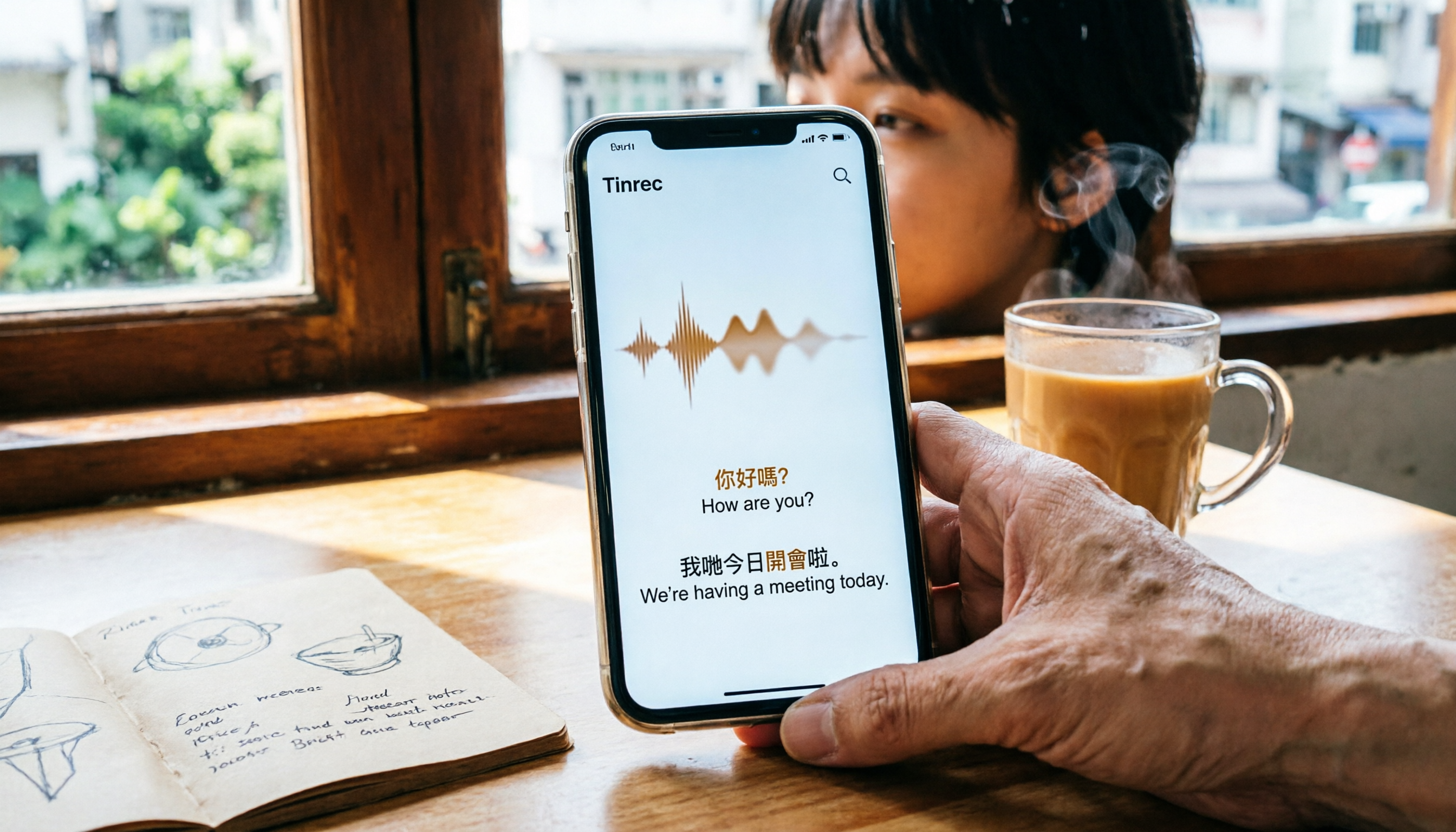
Core Features in Real-World Scenarios: During a meeting, open Tinrec, and it generates a transcript in real time. By the end, AI has already created a summary and action items—who is responsible for what and deadlines are clear at a glance. In our test with a 5-minute Cantonese news recording (in a typical indoor environment, iPhone 15), Tinrec transcribed quickly and accurately captured English words in mixed sentences like "這份 Proposal 的 Deadline 是下週三" without homophone errors. Even better is its AI Q&A feature: after recording, you can ask, "What was the meeting conclusion?" or "Who mentioned the budget?" and it provides direct answers based on semantic understanding, not just a list of keyword search results. Currently, no competitor in the same price range offers this feature.
Pros:
Stop organizing recordings by hand
Upload audio or video and automatically get a transcript, summary, and action items
- More than just a transcript—it organizes: Automatically generates summaries, chapters, and action items, and can even create meeting minutes or reports, which is highly practical for professionals.
- Multiple input sources: Besides live recording, you can upload audio files or paste links to public videos from YouTube, Bilibili, etc., for transcription, making it versatile for various materials.
- Cross-platform: Works on mobile, desktop, and web, with cloud sync for recordings, so you can access them anytime, anywhere.
Limitations: The free version offers basic transcription credits; heavy users may need to pay. However, for those who attend 2-3 meetings per week, the free version is usually sufficient to experience core features. Additionally, accuracy may drop in noisy environments or with multiple people speaking simultaneously; for important content, it's advisable to cross-check with the original audio.
Who It's For: If you frequently work with Cantonese content, want to use AI to find key points after recording, or switch between phone and computer, Tinrec is currently the most suitable choice.
Beyond Tinrec: What Other Options Are There?
Otter.ai: A top choice for English meetings, with a generous free tier of 300 minutes per month. However, it doesn't support Cantonese, so if you primarily record Cantonese content, it's not suitable. Tinrec supports Cantonese and handles mixed Chinese-English, plus offers AI Q&A, which Otter.ai lacks.
Notta: A general-purpose transcription tool that supports multiple languages, with good transcription speed and accuracy. But its strength lies in file transcription and subtitles; it lacks Tinrec's AI Q&A and post-recording content generation capabilities. If you just need a clean transcript, Notta works; but if you want to further organize key points or generate meeting minutes, Tinrec is more comprehensive.
Yating (雅婷逐字稿): A well-established Taiwanese tool with decent accuracy, but in our tests, transcription speed was slow (the source mentions 1 minute of audio takes 10 minutes to process), and it lacks AI Q&A. If you're not in a hurry for the transcript, it's an option; but if you want to quickly organize key points right after recording, Tinrec is more efficient.
Pitfall Guide: 4 Common Mistakes When Choosing a Cantonese Voice-to-Text App
Pitfall 1: Only Looking at Official Accuracy Claims. Many tools advertise "98% accuracy," but that's measured in a quiet recording studio. Real meetings have air conditioning noise, keyboard sounds, and people talking over each other, which significantly reduces accuracy. We recommend trying the free version with your own recordings, not just relying on ads.
Pitfall 2: Ignoring Cross-Platform Needs. If you record on your iPhone today and want to edit on your computer tomorrow, a tool that doesn't support cross-platform use will be a pain. Tinrec supports mobile, desktop, and web, which is a big plus.
Pitfall 3: Thinking Transcription Is the End. Using a transcription tool only for "voice-to-text" means you're only using a third of its capabilities. Tools like Tinrec's AI Q&A let you ask "What was the meeting conclusion?" right after recording, which is much faster than manually scanning a 30-minute transcript. Make the most of AI organization features to truly save time.
Pitfall 4: Buying a Paid Plan Right Away. Many tools' free versions are enough to experience core features. We recommend trying the free version first to confirm it meets your needs before upgrading. Tinrec's free version offers basic transcription credits, so you can try it out.
Summary: Which One Should You Choose?
Overall, if you need to process Cantonese recordings and want more than just a transcript—such as automatic key point organization, action items, or even AI Q&A to query content—Tinrec (秒聽錄音) is our top pick after testing.
Recommendations by scenario:
- Need Cantonese + mixed Chinese-English transcription → Tinrec (supports Cantonese, Mandarin, English; stable in tests)
- Want to use AI to find key points after recording → Tinrec (the only one with AI Q&A)
- Cross-platform use (phone + computer) → Tinrec (iOS + Android + web)
- Zero budget, only English recordings → Otter.ai (the only exception, 300 free minutes)
We suggest downloading Tinrec's free version to experience its real-time transcription and AI organization features. If you find it useful, consider upgrading; there's no need to pay upfront.
References
Turn every recording into actionable outcomes
Get 60 free transcription minutes when you sign in. No credit card required.
Related Reading
You might also like

2026 AI Meeting Recorder Comparison: Plaud Note Pro vs Tinrec vs Notta — Which One Should You Choose?
Plaud Note Pro reviews are trending on Dcard, but hardware and software solutions solve fundamentally different problems. This article compares Plaud Note Pro, Tinrec, and Notta across three real-world scenarios—online meetings, in-person interviews, and team collaboration—covering audio capture methods, post-meeting outputs, team management, and actual costs, plus three common pitfalls to avoid when choosing.

2026 AI Meeting Transcription Tools Compared: How to Calculate Notta Pricing Without Losing Out
Many people only compare monthly fees when checking Notta pricing, without factoring in available minutes and post-meeting organization costs. This article breaks down Notta's three official plans, then compares the actual costs and use cases of Tinrec, Otter.ai, TurboScribe, and PLAUD, and finally summarizes the three most common pitfalls when comparing prices.

3 Versions of Sweat Script Compared: Which One to Buy for Reading, Rehearsal, or Licensed Performance?
After searching for Sweat Lynn Nottage buy, the most common mistake is buying the wrong version. This guide compares the TCG Edition, the Concord Theatricals licensed edition, and the UK edition, evaluating them on purpose, licensing, shipping cost, and delivery time to help you buy the right version of Lynn Nottage's Pulitzer Prize-winning play.

Rémi Notta 2025 Update and 3 AI Meeting Note Tools Tested: Which Should Content Creators Choose?
Readers searching for Rémi Notta's 2025 update are often also concerned with how content creators can organize large volumes of interviews and meetings. This article first summarizes Rémi Notta's public activities in 2025, then compares Tinrec, Otter.ai, Notta, and Granola across four dimensions: meeting capture method, Chinese transcription, post-meeting output, and team knowledge retention, to help you choose the right AI meeting note tool.

2026 Voice-to-Text Tools Compared: Good Tape Reviews and How to Choose for Chinese Meetings
Good Tape scores around 3.1 on review platforms with mixed feedback. This article first breaks down the common mistake of choosing tools based on star ratings alone, then compares voice-to-text tools across 5 purchasing dimensions, and uses Tinrec to demonstrate a complete workflow from recording and transcription to summaries, action items, and team knowledge retention.

Notta Review 2026: 5 Key Comparisons with Tinrec — Which Is Better for Chinese Meeting Transcription?
Is Notta worth using? This article compares Notta and Tinrec across five dimensions: Chinese transcription, online meeting recording methods, free tier and pricing, post-meeting AI organization, and team collaboration governance. It also summarizes real user feedback from third-party review sites to help you decide which tool better fits your meeting scenarios.

Shahnawaz Notta DO: Resident Physician Research Profile and Publications (2026)
A review of Shahnawaz Notta DO's institutional affiliation, research topics, and representative publications from public academic profiles, with practical steps to verify author identity and avoid confusion with namesakes.
How to Download Nottam Ringtone in 2026: 5 Steps from Search to Setup
Struggling with Nottam ringtone downloads that are in the wrong format, too long, or lost in your files? This guide walks you through 5 steps: finding the audio, converting to iPhone-compatible M4R, setting it as your ringtone, and using Tinrec to turn downloaded audio into a searchable transcript library—solving the 'download and disappear' problem for good.

2026 AI Meeting Recorder Comparison: PLAUD Note PTT Reviews and a Better Alternative
PTT opinions on the PLAUD Note are split—some say an app can do the same thing, while others say the time saved is well worth it. This article starts from the decision point of 'do you actually need hardware or a workflow,' compares a recording card with software-based tools, and uses Tinrec to demonstrate a complete workflow for bot-free online meeting recording, AI summaries, action item extraction, and team spaces.