

Turn recordings into transcripts and summaries in minutes
Upload audio or video for multilingual transcription, AI notes, and action items
2026 Multilingual Meeting Transcription Tools: 5 Key Selection Criteria and Tinrec Hands-On Review
After every cross-border meeting, the worst part isn't organizing the notes—it's having to listen to recordings with mixed Chinese and English over and over. This article skips vague theories and directly tells you the criteria for evaluating multilingual meeting transcription tools, using Tinrec as an example to show which features are actually useful.
What Can Multilingual Meeting Transcription Tools Do for You?
Scenario 1: Get a bilingual summary within 5 minutes after a cross-border meeting
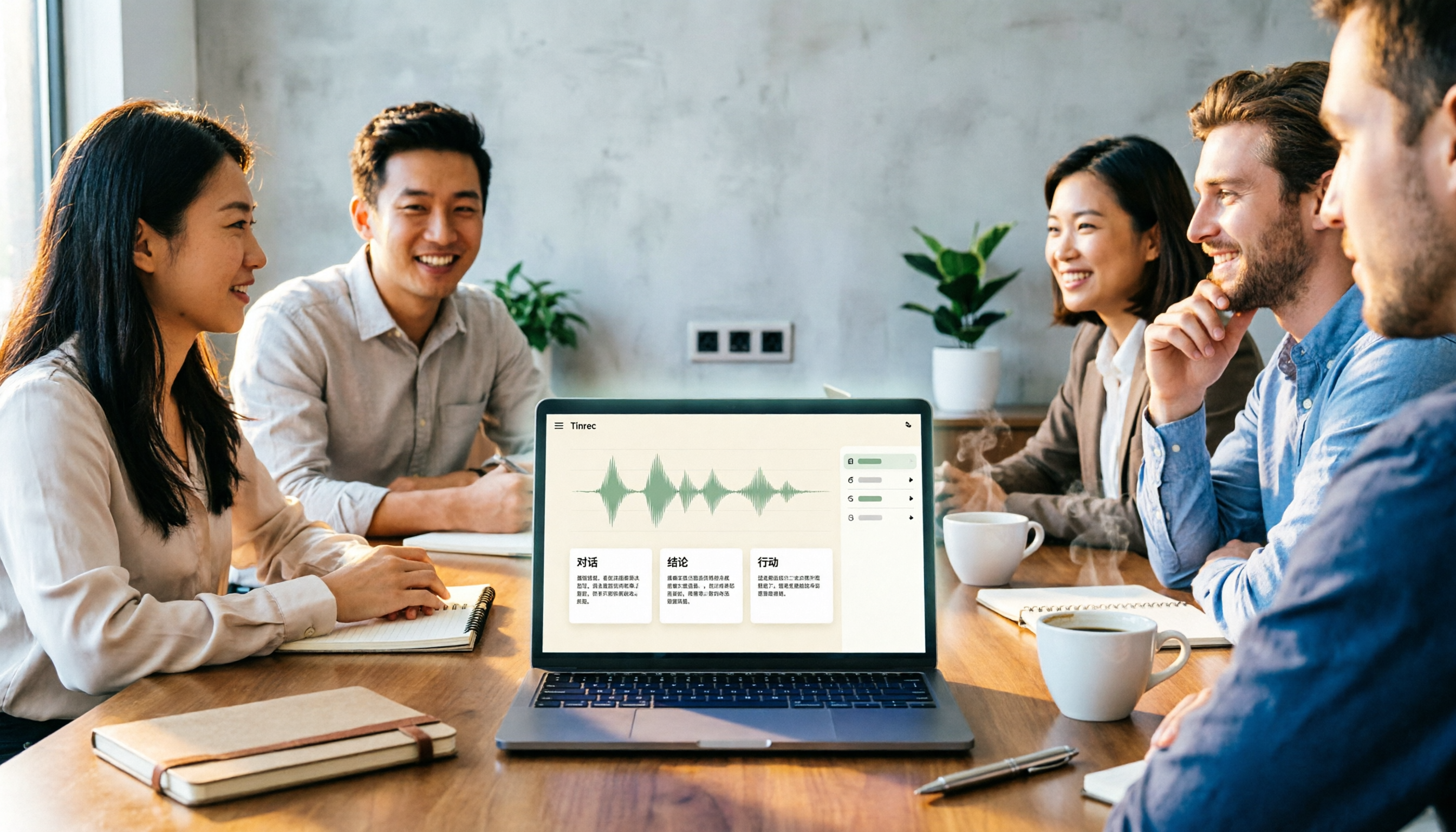
Previously, a meeting with mixed Chinese and English might take twice as long to listen to and transcribe. Now with Tinrec, after uploading the meeting recording, AI automatically transcribes the text and generates summaries and action items. You can directly check the text to see if any key client opinions were missed.
Scenario 2: Turn foreign language course recordings into review notes
If you're learning English or Japanese, upload your course recordings to Tinrec, and it will transcribe them and break them into chapters and key points. For review, you don't have to listen from start to finish—just check the summary and ask the AI.
Scenario 3: Quickly organize interview and podcast material
Whether it's a user interview or a full podcast episode, Tinrec can transcribe the content, and you can ask questions about it—for example, "Did the interviewee mention the budget?" The AI will give you the answer directly.
What Are the Core Capabilities of Multilingual Meeting Transcription Tools?
Real-time transcription: Tinrec supports transcribing while recording, so meeting and class content can be captured as text in real time without waiting for the recording to end.
AI summaries and chapter organization: It doesn't just provide a transcript; it also automatically extracts meeting topics, discussion conclusions, and action items, and breaks long content into structured chapters for quick browsing.
Multilingual and mixed-language recognition: Tinrec is particularly suited for Chinese, Traditional Chinese, and mixed Chinese-English content, and can also handle other common languages. Actual accuracy may be affected by audio quality, accents, and background noise, but it's quite sufficient for typical meetings and classes.
AI Q&A: You can ask questions directly about the recording content, such as "Who mentioned the deadline during the meeting?" Tinrec provides answers based on semantic understanding, so you don't have to search word by word.
Multi-format export: The organized results can be exported to common tools like Notion and Google Docs for easy archiving or collaboration.
Practical Use Cases
Meeting minutes: Project meetings, client communications, and cross-border online meetings can all use Tinrec. After recording or uploading, it automatically generates minutes and action items, making it clear who is responsible for what and when deadlines are.
Study notes: Upload class, lecture, or online course recordings to Tinrec to get transcripts, chapters, and key points. During review, you can ask the AI questions or even generate mind maps, which is much more efficient than listening to the recording from start to finish.
Interview research: User interviews, expert interviews, and research recordings can be quickly organized into citable material. Tinrec's AI Q&A helps you quickly locate interviewee viewpoints without searching through everything.
Content creation: If you're a podcast or YouTube creator, Tinrec can convert entire episodes or audio files into text, summaries, and subtitles, making it easy to generate show notes or repurpose content.
Stop organizing recordings by hand
Upload audio or video and automatically get a transcript, summary, and action items
5 Key Points to Consider When Choosing a Multilingual Meeting Transcription Tool
Language support and mixed-language recognition: Don't just look at the number of languages officially claimed; the key is whether it can handle your actual usage, such as mixed Chinese-English or Taiwanese accents. Tinrec performs well in Traditional Chinese and mixed Chinese-English scenarios, making it suitable as a primary tool for Chinese speakers.
Transcription accuracy and speaker separation: Accuracy varies with recording quality, so it's recommended to test with your own recordings. Tinrec can automatically distinguish between different speakers, and you can manually edit names to make meeting minutes clearer.
Post-transcription organization capabilities: Transcription is just the first step; the key is whether it can automatically generate summaries, action items, and chapters. Tinrec's AI summary separates discussion conclusions and action items, saving you time on follow-up organization.
Input sources and cross-platform support: Check whether the tool supports the devices and input methods you commonly use. In addition to real-time recording, Tinrec also allows you to upload audio and video files, or even paste links to public videos like YouTube for transcription, and it works on both mobile and desktop.
Pricing and free credits: First assess your usage frequency. Tinrec's free version offers basic transcription credits, suitable for occasional use; if you have meetings or classes every week, consider the weekly card or Pro plan, and the annual card is more cost-effective for long-term use.
FAQ
Q: Do multilingual meeting transcription tools need to support all languages? A: Not necessarily. First confirm the language combinations you commonly use. Tinrec is particularly suited for Chinese, Traditional Chinese, and mixed Chinese-English, and also supports other common languages, but accuracy varies with accent and audio quality.
Q: Is the free version sufficient? A: If you only have one or two meetings a week, you can try Tinrec's free version first. It provides basic transcription credits each month, enough to test a few meetings and see if the results meet your expectations.
Q: Do I still need to organize the content after transcription? A: You should still do a quick review. Tinrec automatically generates summaries and action items, but for important decisions, it's recommended to cross-check with the original text to avoid missing details.
Q: Is speaker separation important? A: It's very important for multi-person meetings. Tinrec can distinguish between different speakers, and you can also edit names to make subsequent minutes clearer, avoiding confusion about who said what.
Q: Can it handle audio files other than meetings? A: Yes. Tinrec supports audio files, video files, and even pasting links to public videos like YouTube for transcription, making it suitable for learning, interviews, and content creation.
Conclusion
The focus of multilingual meeting transcription tools is not the number of languages, but the ability to organize content after transcription. Tinrec turns recordings into searchable, summarizable, and queryable data, making it particularly suitable for Chinese and multilingual content. If you have cross-border meetings, foreign language classes, or need to organize large amounts of audio files every week, Tinrec is worth trying. The free version allows you to experience it first, confirm whether it meets your needs, and then decide whether to upgrade.
References
- Meeting Minutes AI Tool: Real-time Recording, Summary Organization! 3 Small Tools to Help You Focus on Meetings
- No More Taking Turns Writing Meeting Minutes! 3 AI Tools for Real-time Recording and Summary Generation to Help You Focus on Meetings | Manager Today
- How to Write English Meeting Minutes? Format, Phrases, and Practical Tips | Giant English
- 2026 Latest 5 Bilingual Chinese-English Meeting Transcription AI Tool Recommendations: Solving Recording Organization and Cross-Language Communication Pain Points - Tinrec Blog
- How to Choose a Meeting Transcription Tool? 2026 AI Meeting Assistant Complete Buying Guide
Turn every recording into actionable outcomes
Get 60 free transcription minutes when you sign in. No credit card required.
Related Reading
You might also like
2026 Comparison of 4 Meeting Notes Tools: Which Free Version Is Good Enough?
There are countless meeting notes tools, but what really matters is whether they can turn recordings into trackable conclusions and action items. This article breaks down the selection criteria using 4 common tool approaches and demonstrates Tinrec's practical use for real-time transcription, AI summaries, action item extraction, AI Q&A, and team knowledge retention, along with buying tips and FAQs.

Teams Meeting Creation: 3 Methods Tested in 2026, Tinrec Makes Post-Meeting Cleanup Easier
A comparison of three common ways to create Teams meetings: Teams calendar, Outlook calendar, and channel meetings. Covers attendee invitations, external participants, recording storage, and post-meeting data management, plus how Tinrec fits into transcription, summaries, action items, and team knowledge retention.

4 LINE Call Recording Methods Compared for 2026: How to Choose Between iPhone, Android, and Desktop
LINE doesn't have built-in call recording, but the methods fall into two layers: capturing the audio and then using it. This guide starts with the system limitations on iPhone and Android, compares screen recording, third-party call recording apps, external recording devices, and Tinrec's post-recording workflow, helping you choose the method that truly saves time.

4 Ways to Start a New Meeting in Microsoft Teams: Instant Meeting, Calendar, Channel, or Outlook — Which Is Fastest?
A comparison of four ways to start a new meeting in Microsoft Teams: Calendar Instant Meeting, Calendar New Meeting, Team Channel Instant Meeting, and the Outlook add-in. It also covers how to use Tinrec to transcribe, summarize, and capture action items after the meeting.

5 LINE Call Recording Methods Tested for 2026: Which One Turns Calls into Meeting Notes?
LINE doesn't have built-in call recording, but many important workplace conversations happen over LINE calls. Based on my real needs leading a team, this article covers 5 ways to record LINE calls on iPhone, Android, and desktop, comparing audio quality, whether both sides are captured, and whether recordings can become transcripts and action items. It concludes with which method best suits professionals juggling a dozen meetings a week.

4 Recommended LINE Call Recording Solutions for 2026: iPhone, Android, and Computer Explained
LINE does not have built-in call recording, but there are solutions for iPhone, Android, and computer. Based on real needs from student projects and interviews, this article covers 4 recording methods, 4 key considerations before recording, 5 common pitfalls, and a hands-on test of using Tinrec to turn call audio into transcripts, summaries, and action items.

3 LINE Voice Message Download Methods Tested: Phone, Computer, and Tinrec Workflow (2026)
How do you download LINE voice messages? This guide covers saving voice messages on phone and computer, plus how to use Tinrec to transcribe, summarize, and extract action items so your recordings don't just sit in a folder.

2026 Outlook Add Teams Meeting Tools Comparison: Which Saves More Time from Scheduling to Minutes?
Adding a Teams meeting in Outlook looks like just a button click, but what really trips people up is version differences, drafts without links, and that hour of post-meeting cleanup. This article tackles three common misconceptions, walks you through the complete process from scheduling to minutes, and tests how Tinrec turns Teams meeting content into searchable, queryable data.

4 LINE Voice Message Download & Organization Tools Tested in 2026: After You Save Them, Which One Actually Helps You Find the Key Points?
How do you download LINE voice messages? This guide first explains the steps for saving them on desktop via "Save As" and on mobile by transferring through Keep to the Files app, then tests and compares 4 ways to organize them after download, including Tinrec, Otter.ai, Notta, and TurboScribe, to help you decide which one truly turns voice into searchable, quotable data.