
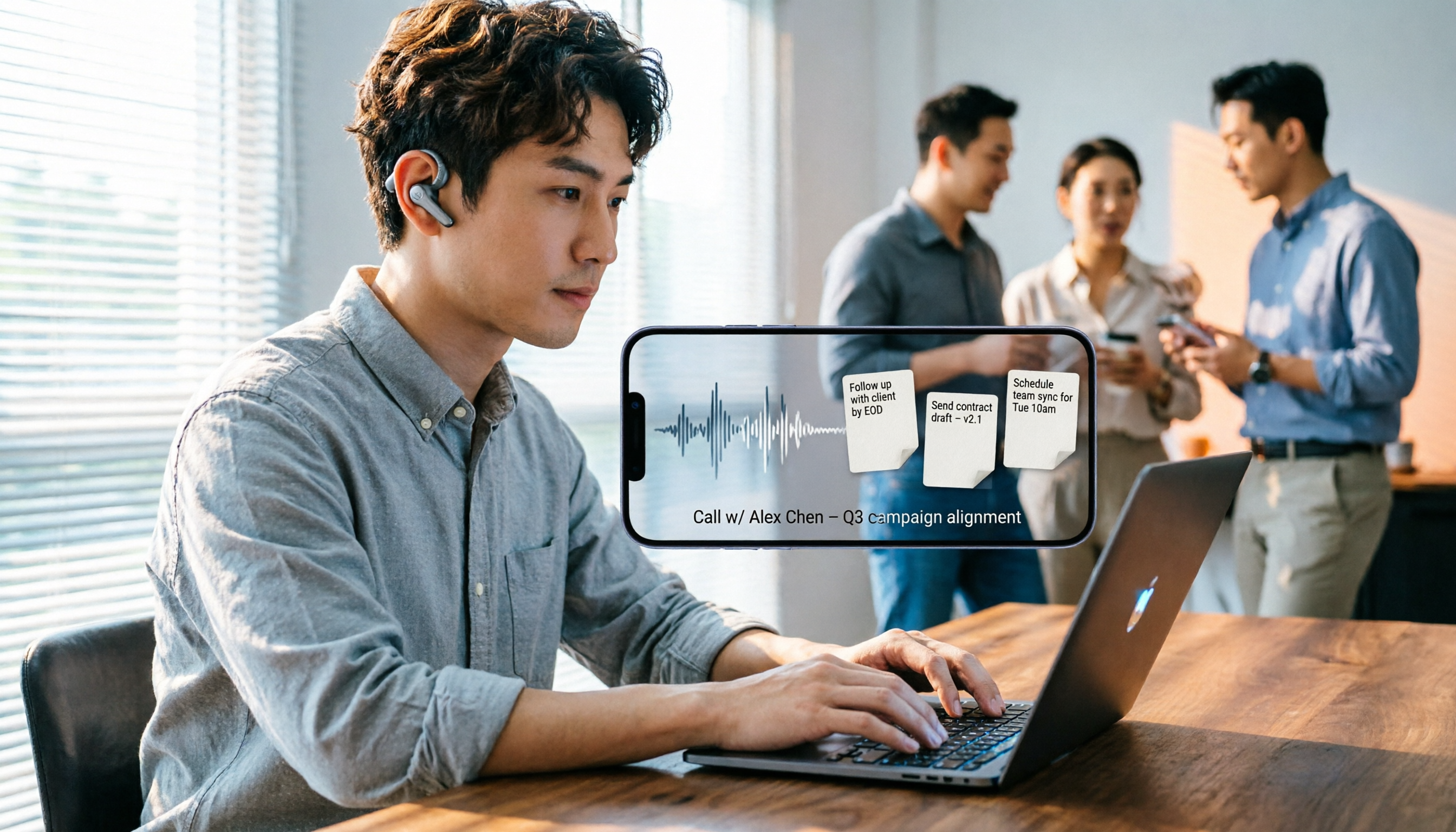
Turn recordings into transcripts and summaries in minutes
Upload audio or video for multilingual transcription, AI notes, and action items
You've just finished an important LINE call, and the other party gave you three action items, but you were driving or doing something else and only managed to remember two. By the time you need to follow up, the details are already fuzzy. Even if you used the iOS 26 feature on your iPhone to record the LINE call, the audio file sits in your phone, and to find the key points you'd have to listen to the whole thing again. In situations like this, you need a tool that can turn your recording into something "searchable, organizable, and actionable"—that's exactly what Tinrec was designed for.
What Can Post-Processing LINE Call Recordings Do for You?
Many people think recording is the end goal, but the real time sink is organizing the recording afterward. Tinrec can turn a LINE call recording into the following directly usable outputs.
Scenario 1: Get a Transcript Quickly Without Re-listening After the call, upload the recording to Tinrec, and it will automatically transcribe it into text. You can search for keywords like "budget" or "deadline" and jump straight to the relevant section without listening from start to finish.
Scenario 2: Automatically Generate To-Do Items So You Never Miss What Was Said Tinrec's AI extracts action items from the conversation, such as "Send the quote by next Wednesday" or "Confirm the client's address," and organizes them into a to-do list. You can share this list directly with colleagues or export it to Notion or Google Docs for further tracking.
Scenario 3: Team Sharing and Tracking Turns Call Content into Company Assets If you're part of a team, you can upload the organized call notes to Tinrec's team space. All members can view, search, and ask questions, so even if you're on vacation, colleagues can pick up client matters.
What Are Tinrec's Core Capabilities?
Tinrec isn't just a recording-to-text machine; it emphasizes organization and application after transcription. Here are the features I found particularly useful for LINE call recordings during my testing.
Audio to Text: Supports uploading various audio files, including m4a files recorded on iPhone. After transcription, timestamps are preserved for easy playback reference.
AI Summaries and Chapters: For calls up to an hour long, Tinrec automatically divides the recording into chapters and provides key summaries for each. You can grasp the entire call's content in 30 seconds.
Action Item Extraction: It identifies "tasks," "owners," and "deadlines" from the conversation and organizes them into a structured list. This is the most time-consuming part of manual organization, and AI saves you that effort.
AI Q&A: You can directly ask Tinrec, "What complaints did the client mention?" or "What agreements were reached?" It answers based on semantic understanding, so you don't have to search through the transcript yourself.
Multi-format Export: The organized results can be exported as text files, PDFs, Markdown, or sent directly to tools like Notion, Google Docs, and OneNote to continue your workflow.
Practical Use Cases
Here are some scenarios where I think it's most beneficial to feed LINE call recordings to Tinrec.
Client Communication: Sales and support staff often need to record client needs and commitments. With Tinrec, you can extract key client requirements and create to-do tracking.
Stop organizing recordings by hand
Upload audio or video and automatically get a transcript, summary, and action items
Work Meetings: If you use LINE for team discussions, upload the recording to Tinrec, and it will automatically organize conclusions and action items, which you can share to the team space so everyone doesn't have to sit through another meeting.
Interviews or Classes: Researchers or students can use Tinrec to organize interview recordings, quickly obtaining transcripts and key points for citation and analysis.
Personal Notes: Record ideas or phone instructions and let Tinrec remember them; you can ask it whenever you need.
4 Things to Consider When Choosing a Call Recording Organizer
There are several tools on the market that handle audio files, but their depth of features varies greatly. I recommend paying attention to the following points, and Tinrec performs well in all of them.
1. Transcription Accuracy: Don't just rely on official claims; test with your own recordings. Tinrec performs consistently with clear audio and handles Chinese and mixed languages well.
2. Organization Features: Transcription is just the first step; the key is whether it can automatically generate summaries, to-dos, and chapters. Tinrec's AI summaries and action item extraction are the most useful features in my opinion.
3. Export and Collaboration: The organized data should be portable. Tinrec supports multiple export formats and third-party integrations, and the team version centralizes all members' recording records.
4. Privacy and Compliance: Recordings involve others' privacy, so it's advisable to get consent first. Tinrec offers account security mechanisms and team permission management for peace of mind.
Frequently Asked Questions
Can Tinrec record LINE calls? No, Tinrec is not a call recording tool. You need to record the call using the iOS 26 feature on your iPhone or another method, then upload the audio file to Tinrec for organization.
Are there size or time limits for uploading audio files? The free plan has basic quotas, while paid plans offer more minutes. Actual limits depend on Tinrec's official pricing page.
Do I need to install software? Tinrec has a web version, desktop version, and mobile app, so you can choose the most convenient way to upload audio files.
What's the difference between team and personal plans? The personal plan is for individual use, while the team plan adds shared spaces, member management, role permissions, and usage analytics, suitable for departments or project groups.
Will my audio files be kept indefinitely? Files in personal accounts are managed by you; the team plan has a recycle bin, and accidentally deleted audio files can be recovered within 30 days.
Conclusion
LINE call recording is just the starting point; the real value lies in turning the recording into searchable, actionable data. Instead of letting audio files pile up on your phone, let Tinrec automatically organize them into transcripts, summaries, and to-do lists. If you frequently use LINE for work discussions, give Tinrec a try—it can save you a significant amount of time re-listening to recordings.
References
- LINE finally supports call recording! Use iPhone's built-in system feature without any plugins or external devices
- 【Phone Tips】LINE call recording is here! iPhone built-in call recording trick, no notification to the other party! | Jyes Communication~Challenge the lowest price in the phone market
- iPhone LINE Call Recording Tutorial|One-tap recording, no notification to the other party!
- LINE Call Recording iPhone Tutorial: Capture call audio easily with iOS 26 local extraction - Mr. Mad
- How to record phone calls and LINE calls? Recommended call recording apps for iPhone and Samsung
Turn every recording into actionable outcomes
Get 60 free transcription minutes when you sign in. No credit card required.
Related Reading
You might also like

2024 AI Meeting Assistant Comparison: Which One Actually Saves Time on Chinese Meeting Notes?
A practical comparison of six popular AI meeting assistants in 2024, covering differences in no-bot recording, Chinese transcription, post-meeting summaries, action item extraction, and team knowledge retention. We also list each tool's free tier and paid pricing to help you decide which one truly saves time on meeting notes.

6 AI Meeting Assistants Tested for 2026: Which Handles Chinese Meetings and Post-Meeting Notes Best?
Meeting just ended, but no one remembers who owns the action items? This article reviews 6 AI meeting assistants in 2026, comparing Chinese transcription, bot-free recording, post-meeting summaries, and team collaboration to help you pick the one that truly saves time.

How to Use an AI Meeting Assistant in 2026: Tinrec in 4 Steps + Automatic Post-Meeting Organization
Many people install an AI meeting assistant but only use the recording feature. The key is whether you complete the four steps: record, transcribe, organize, and reuse. This article uses Tinrec as an example to break down the actual operation steps for three meeting scenarios, and compares the differences between the personal and team versions, including seats, quotas, and pricing, to help you assess your needs before purchasing and choose the right version.

2026 Comparison of 4 Online Sales Meeting Notes Tools: Which One Turns Customer Promises into Action Items?
Starting from the customer promises and action items most often missed in sales meetings, this comparison covers four types of online creation methods. Using Tinrec as an example, it demonstrates pre-meeting preparation, bot-free recording during meetings, post-meeting summaries and action item export, plus team edition governance and a buying FAQ.

Tinrec vs Notta 2026: 5-Dimension Comparison — Which Sales Meeting Notes App Is More Worth Recommending?
How to choose a sales meeting notes app? Using Tinrec as an example, this article breaks down real-world usage from customer interviews and online quote meetings to weekly sales meetings and team handovers — covering bot-free recording, transcripts, AI summaries, action item extraction, AI Q&A, and team spaces — and outlines 5 key purchase considerations plus FAQs.

Best Sales Meeting Transcription Tools in 2026: 4 Tested, Tinrec Wins for Online Review
Sales meeting notes aren't just about uploading audio to the cloud. This article compares Tinrec, Otter.ai, Granola, and PLAUD across four dimensions—review experience, Chinese recognition, recording methods, and team governance—to identify the best selection criteria and pitfalls to avoid for sales teams in 2026.

6 Free Sales Meeting Notes Templates Tested for 2026: Fill These Fields to Track Deal Signals
Even a detailed sales meeting note won't help you close if the fields are wrong. This article compiles free, copy-ready sales meeting note templates, breaks down 5 key selection criteria, and tests Tinrec, Notta, Otter.ai, Granola, and two free templates to show how to turn customer quotes, concerns, and action items into follow-up leverage.

5 Best Speech-to-Text Apps of 2026 Tested: Which Handles Chinese Meetings Best?
We tested the latest speech-to-text apps of 2026, comparing free tiers, Chinese recognition, meeting summaries, AI Q&A, and team collaboration to help you decide which app best fits your daily meetings and transcript needs. Using Tinrec as an example, we illustrate a real-world workflow and plan selection.

4 Best Free Speech-to-Text Tools in 2026: Free Tiers and Chinese Support Compared
We tested 4 free speech-to-text tools in 2026—Tinrec, cSubtitle, Monica, and MyEdit—comparing free tiers, Chinese language support, post-meeting organization, and team collaboration to help you pick the right free plan for your needs.